The first few hours of an AI app build can feel amazing. Screens appear fast, the demo looks polished, and the whole project feels basically done.
Then the last 5% shows up. Payments, authentication, real databases, backend logic, code signing, and App Store review turn a quick build into something harder to ship.
That is why teams compare GoodBarber alternatives in 2026. GoodBarber is known for templates, PWAs, and native publishing, but a growing app needs a clear path from promising preview to production-grade mobile app.
TL;DR: The best GoodBarber alternative depends on the app and the level of technical control you need.
Bilt: Best for publishable native apps without coding. Self-service plans cost €0, €25/month, €50/month, €100/month, and €250/month; complex builds use more tokens.
- FlutterFlow or Draftbit: Best for source-code access. Both require more technical setup and maintenance.
- Adalo or Appy Pie: Best for simpler MVPs. Customization and code ownership are more limited.
- Mobiroller or Andromo: Best for lower-cost entry. AI generation and developer control are more limited.
Why teams look for GoodBarber alternatives
Teams start comparing GoodBarber alternatives when the polished preview reaches the last 5%, where payments, authentication, databases, backend logic, and App Store review start deciding the project.
Teams who built web apps with Lovable, Bolt.new, or Replit often land here because those tools do not give them native iOS/Android publishing.
GoodBarber can support PWA and native publishing, but teams comparing alternatives usually run into 2 practical constraints early:
- PWA and web-app tradeoffs: GoodBarber's PWA path can be more limited than a native app for hardware access, offline behavior, and performance-sensitive screens.
- Limited code freedom: GoodBarber is less suited for teams that need full source-code ownership or complete developer control.
Other friction shows up once the app becomes larger or harder to publish:
- Template rigidity: Review data on Software Advice points to functional and design constraints when teams need custom business logic or unusual layouts.
- 120-section cap: GoodBarber documents a hard limit of 120 sections per app, which can constrain content-heavy products with deep navigation.
- iOS build friction: GoodBarber's own iOS build troubleshooting guide exists for build failures that can block App Store publication.
GoodBarber alternatives at a glance
Use this table as a quick shortlist. The biggest differences are output type, AI generation depth, code export, starting price, and how much technical work remains before launch.
| Tool | Best For | Starting Price | Native Output | AI Generation | Code Export |
|---|---|---|---|---|---|
| Bilt | AI-generated cross-platform native apps | €0; paid plans from €25/mo | Yes, native components | Yes | Yes |
| FlutterFlow | Startups needing Flutter code ownership | Paid plans from $39/mo | Yes, iOS + Android + Web | 5 lifetime to 500/mo | Yes, paid plans |
| Adalo | Non-technical founders building simple MVPs | $36/mo | Yes, iOS + Android | Yes, Ada AI | No |
| Appy Pie | Solo creators building from prompts | $16/mo Android; $60/mo iOS | Yes, IPA + AAB | Yes, prompt-to-app | No |
| Buildfire | Agencies needing plugin-based scalability | $315/mo | Yes, iOS + Android | Yes, template generation | Partial, JS SDK |
| Andromo | Creators monetizing with ads | $24/mo | Yes, via Flutter | Unconfirmed for 2026 | No |
| Thunkable | Educators using visual logic | $59/mo Builder | Yes, iOS + Android | Yes, token-based | No |
| Draftbit | Developers wanting React Native access | Free; up to $12,000/mo | Yes, iOS + Android + Web | Yes | Yes, full React Native export |
| Mobiroller | Small businesses needing low-cost apps | $10/mo | Yes, iOS + Android + Huawei | No | No |
| AppMySite | WordPress and Shopify site owners | $0 | Partial, webview | No | No |
The 10 best GoodBarber alternatives in 2026
1. Bilt ✨
Describe an app and watch Bilt build it in a live native preview.
Bilt turns plain-English prompts into production-ready React Native apps for iOS and Android, then helps with the mobile engineering steps that slow down first-time builders.
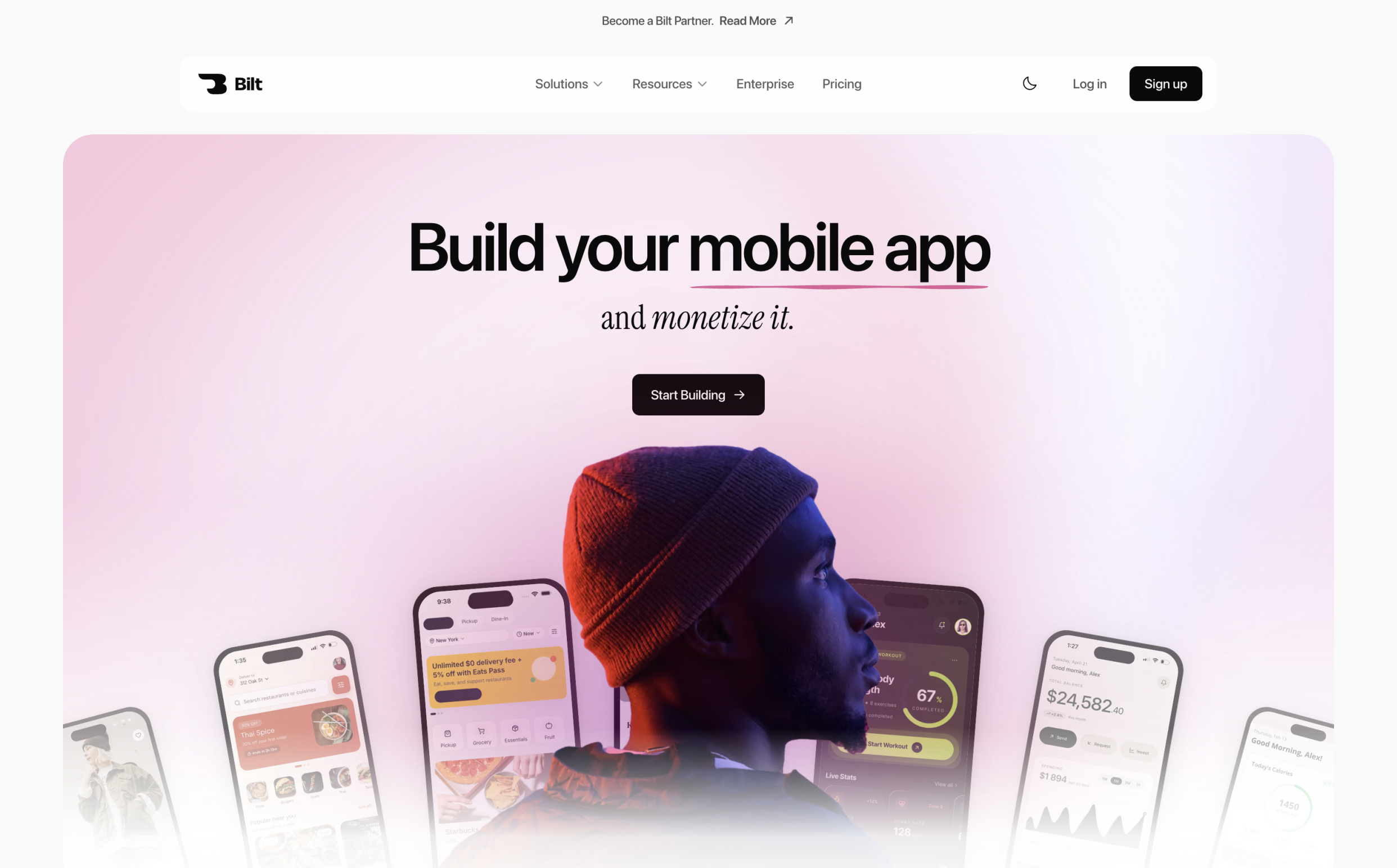
You own the generated React Native code, and Bilt provides a source-code export path. A developer can continue working on the exported project outside Bilt.
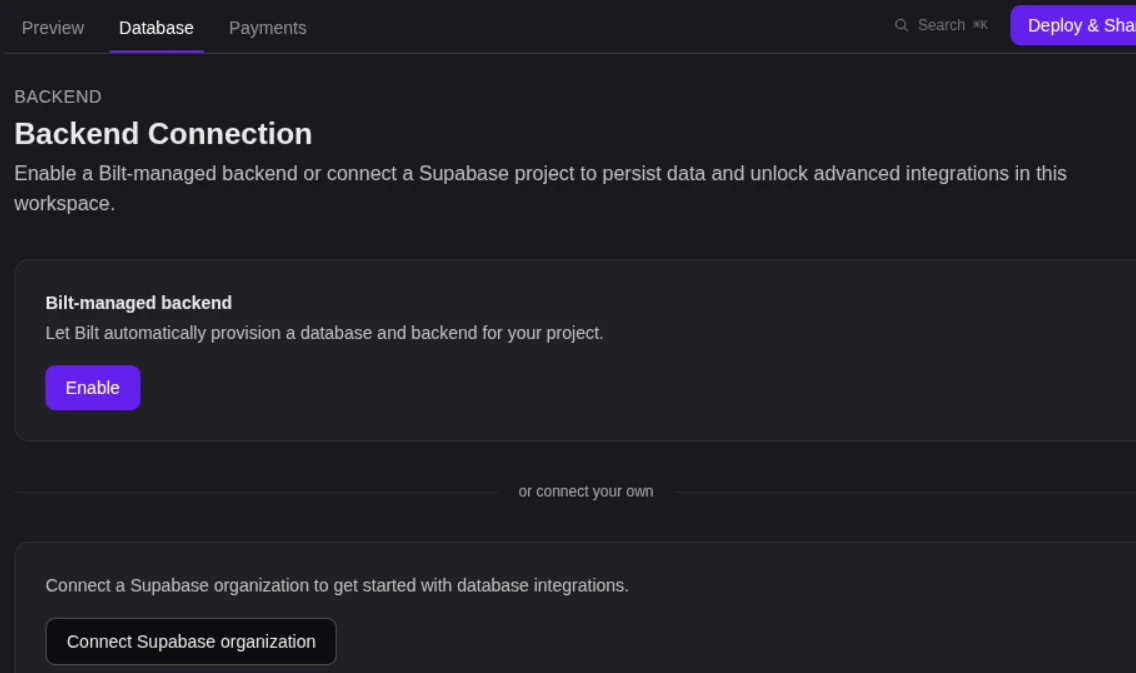
Bilt also handles backend setup and mobile publishing steps that often stall first-time builders.
| Feature | Bilt |
|---|---|
| App type | Native iOS and Android apps |
| Architecture | React Native source code you own |
| Backend | Authentication, database, storage, and media uploads |
| Publishing | Signs and uploads iOS builds to App Store Connect; builds Android .aab packages for Google Play. You submit the iOS build for Apple review in App Store Connect. |
| Starting price | Free tier available |
Best for
Bilt fits builders who need the mobile version to make it all the way to users, not stop at a polished demo.
- First-time app builders: Turn a plain-English idea into a native iOS and Android app.
- Vibecoders: Escape prototype limbo when web-first tools stop short of backend setup, code signing, or store submission.
- Web app owners: Convert a Lovable, V0, Replit, or Next.js product into a mobile app without rebuilding everything by hand.
The outcome is a live app people can download from the App Store or Google Play, with the hard mobile plumbing handled in one workflow.
Quick fit check: Bilt is the right lane when the app needs:
- Native iOS and Android output
- Backend, auth, storage, and media handled in the same workflow
- App Store Connect and Google Play Console support
- Exportable React Native code for future handoff
Key strengths
- Conversational building: Describe the app, ask for changes, add screens, adjust UI, and refine functionality by typing what you want.
- Native output: Bilt generates React Native code, so the app is built for native iOS and Android instead of being packaged as a simple web wrapper.
- Publishing workflow: Bilt automates code signing and build upload. You submit the iOS build for Apple review in App Store Connect.
- Backend included: The free tier includes authentication, database storage, media uploads, and live app previews. Bilt covers the backend work that AI UI builders leave for later.
- Device testing: You can preview in the browser and use QR code testing to run the app on a physical phone before release.
- Code ownership: You can export the React Native source code, hand it to a developer, or keep iterating inside Bilt.
- Team controls: Enterprise accounts can add centralized identity management, automated user provisioning, onboarding services, custom integrations, and custom design systems.
Bilt workflow:
Describe your app idea → Bilt generates the React Native app → preview it in the browser → test on a phone with a QR code → publish through App Store Connect and Google Play Console.
Limitations
Bilt is built for native mobile apps. If the product only needs a browser-based web app, a web-first builder like Lovable is the better lane.
You still need the store accounts that Apple and Google require:
- Apple Developer Program: $99/year
- Google Play Console: $25 one-time
Complex apps with many screens can quickly use the Free plan’s daily grants: 500,000 tokens accrue per day, up to 3M per month. Paid plans and one-time top-ups provide more tokens.
Pricing
Bilt pricing is built around a free entry point and predictable monthly token allowances.
Free: €0 with **3M monthly AI tokens, roughly 12-30 prompts per month, depending on prompt complexity.
Professional: €25/month with **10M monthly AI tokens, roughly 40-100 prompts per month.
Professional Plus: €50/month with **20M monthly AI tokens, roughly 80-200 prompts per month.
- Enterprise: Flexible billing with dedicated support, onboarding, custom integrations, group-based access control, and custom design systems.
Need more tokens before your next reset? Top-ups are available as one-time add-ons, and annual billing saves 2 months compared with monthly billing.
Describe your app idea and get a working native app in minutes. Start building free, with no coding or developer needed.
2. FlutterFlow
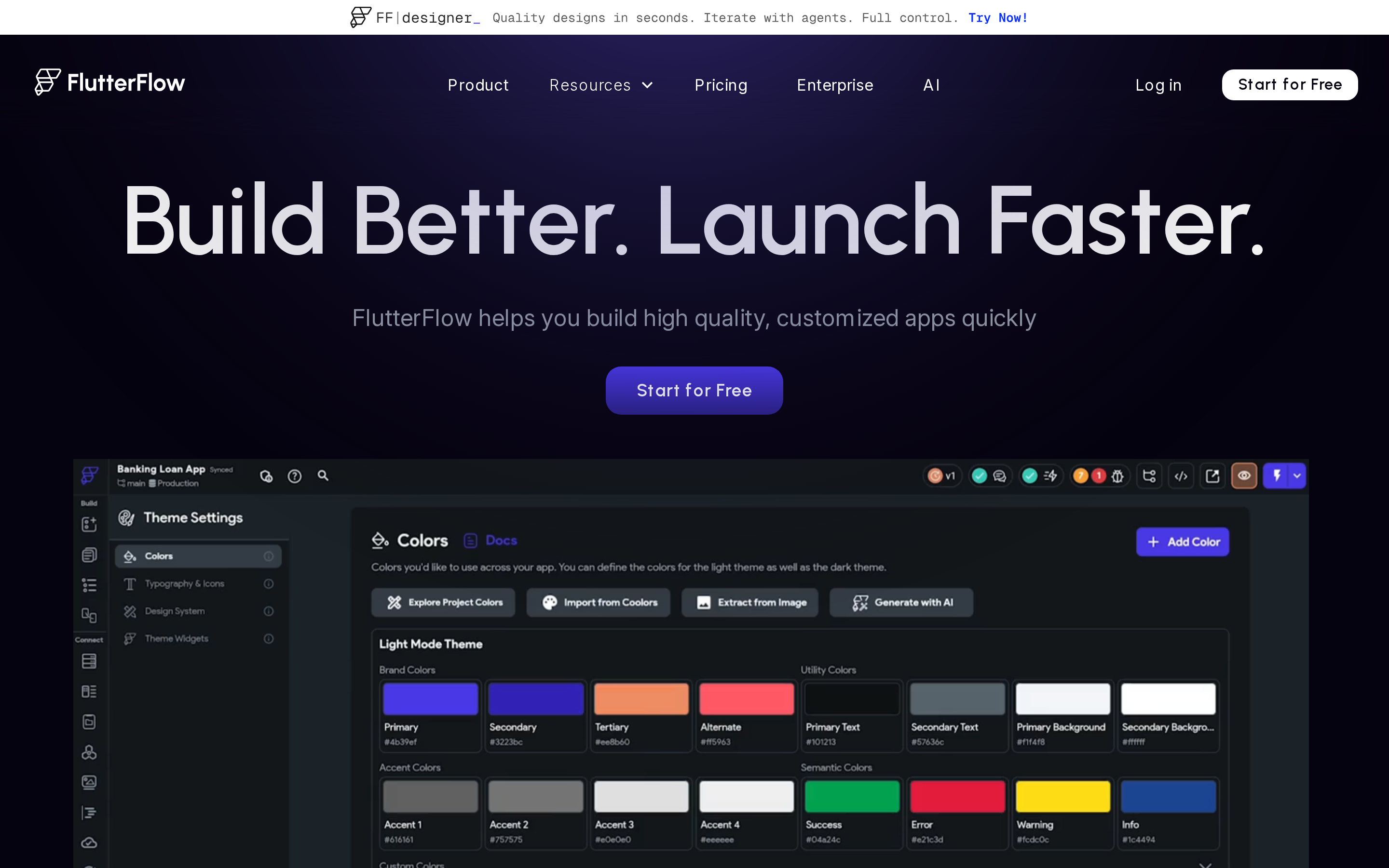
FlutterFlow sits closest to traditional development in this list. It uses a visual builder, but the output is still Flutter/Dart code that paid users can export.
That changes the workflow. Teams can start visually, then bring in developers when architecture, custom logic, or maintenance gets more technical.
Best for
FlutterFlow is built for teams that want visual app building with access to the underlying Flutter code.
- Builder profile: Startups, agencies, and technical founders comfortable with data models, Firebase, Supabase, and release testing.
- App type: Data-driven apps for iOS, Android, web, and desktop, including Windows, Mac, and Linux targets.
- Ownership need: Projects where source code export matters more than the simplest editing experience.
Key strengths
FlutterFlow's differentiators are more technical than Adalo or Appy Pie.
- Multi-platform output: FlutterFlow generates Flutter code for iOS, Android, web, Windows, Mac, and Linux from one project.
- Template depth: The platform lists 1,000+ templates, which helps teams start from existing screens instead of blank canvases.
- Design import: Figma import and AI-assisted design workflows can move existing mockups into the builder faster.
- Visual logic: Action Flows connect UI events, conditions, navigation, and backend actions without writing every step by hand.
- Backend integrations: Firebase and Supabase support covers authentication, databases, cloud functions, and real-time data sync.
- Code access: Paid plans allow Flutter/Dart source code download, which gives teams a path outside the platform.
Limitations
FlutterFlow still requires planning, testing, and technical judgment once an app moves beyond a basic prototype.
- Free tier limits: Free projects cannot download source code, deploy to app stores, or use production features like payments and third-party packages.
- Code complexity: Community reports note that exported Dart code can become harder to refactor as an app grows.
- Scaling constraints: Apps with heavy Firestore listener usage or complex queries may need manual Firebase optimization outside FlutterFlow's visual editor.
- Review split: G2 reviewers rate FlutterFlow around 4.5/5, while Trustpilot reviews sit around 2.5/5. That split points to a tool that rewards technical fluency but frustrates less technical builders.
- Support risk: Long-term users have criticized plan changes, tier limits, and support responsiveness in community threads.
Watch out: FlutterFlow can get you closer to production than simpler no-code tools, but complex Firebase architecture still needs someone who understands app performance and backend costs.
Pricing
FlutterFlow has a free tier for prototyping. Code download starts on the Basic plan, listed at $39/month or $29.25/month with annual billing.
| Plan | Monthly Price | Users or Projects | AI Requests and Access |
|---|---|---|---|
| Free | $0 | 2 projects | 5 lifetime AI requests |
| Basic | $39 | 1 editor | 50/month; code/APK; one-click store deployment |
| Growth | $80 first; $55 second | 2 users | 200 per seat/month |
| Business | $150 first; $85 seats 2-5 | Up to 5 users | 500 per seat/month |
FlutterFlow provides code export for teams that want a visual start and a developer handoff later. The learning curve and backend decisions still remain.
FlutterFlow gives technical teams more room to grow; Adalo moves the other direction, with a simpler visual workflow and tighter platform boundaries.
3. Adalo
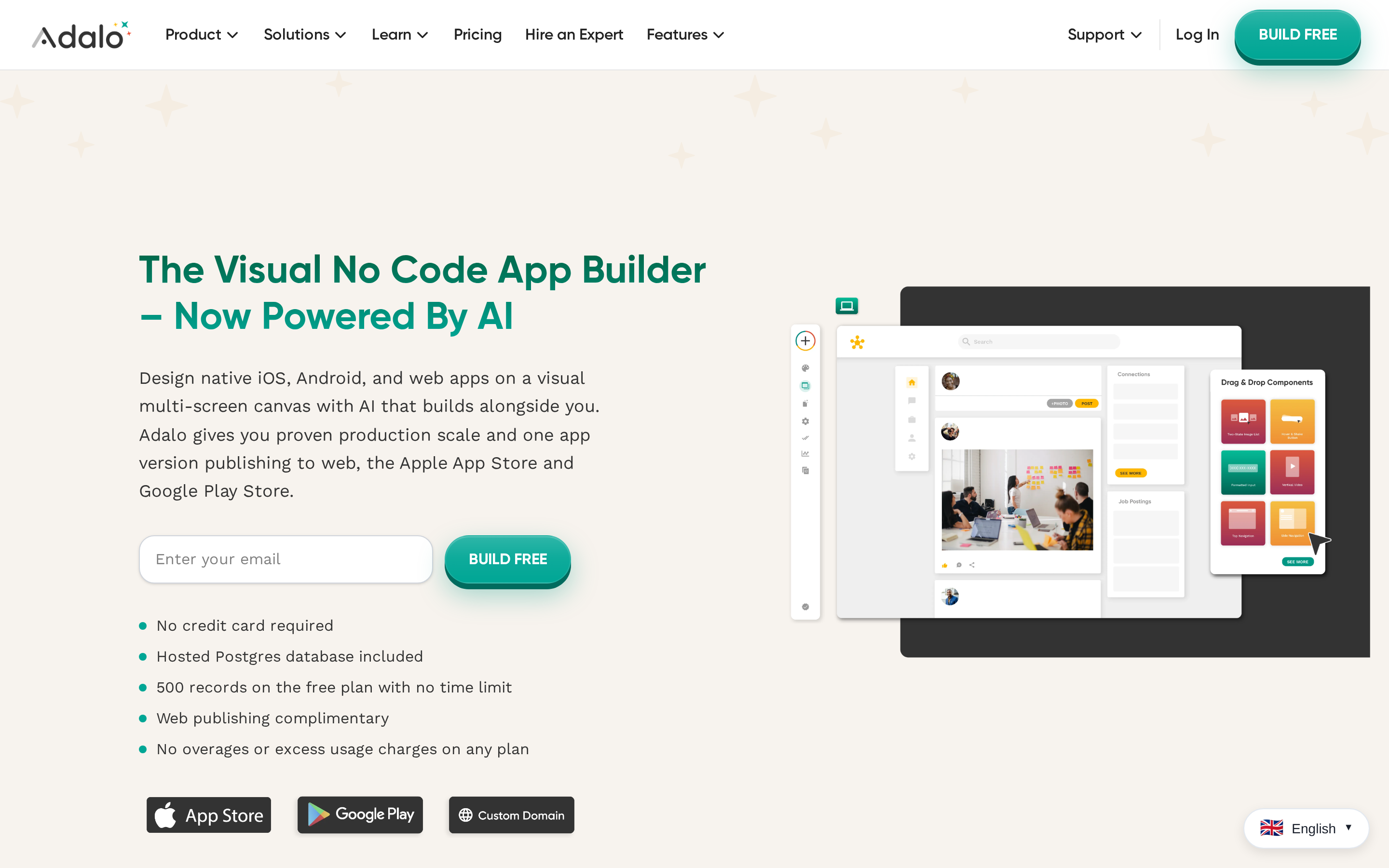
Adalo starts from screens, forms, and database records rather than exported code. That keeps the finished app inside Adalo's platform.
Adalo's usual scope is MVPs and internal tools.
Best for
Adalo is designed for early-stage apps built from screens, forms, user accounts, and structured database records.
- Builder profile: Solopreneurs, small teams, and founders testing a first mobile app without a development team.
- App type: Marketplaces, directories, communities, booking apps, and internal tools with moderate data needs.
- Practical ceiling: Community reports flag slower screen loads once apps reach more active users or more complex data needs.
Key strengths
Adalo's value is speed inside a closed visual system.
- Cross-platform publishing: One Adalo project can produce web apps plus native iOS and Android apps.
- External Collections: Adalo's API can connect app screens to data stored outside Adalo's native database.
- Component marketplace: Third-party components add UI patterns and functional modules without custom code.
- AI starting point: Ada AI includes Magic Start, which generates an initial app structure from a natural language prompt.
Limitations
Adalo's limits matter more once the app needs scale, portability, or a more technical development workflow.
- No source export: Adalo does not support exporting application source code, so the app remains hosted and managed on Adalo. Check Adalo's help center before choosing it for a project that needs code ownership.
- Performance reports: User reports mention slower screen loads and reliability issues as apps grow.
- Editor stability: Some users report freezing and dropped UI elements when building more complex applications.
- Billing feedback: Capterra reviews cite difficulty getting refunds after automatic subscription renewals.
Watch out: Adalo's biggest risk is platform lock-in. If the app outgrows the builder, there is no source-code export path to continue the same codebase elsewhere.
Pricing
Adalo has a free plan for basic prototyping, with 200 records included. App Store and Google Play publishing are limited to Pro plans and above.
- Free: Basic prototyping with a small record cap.
- Starter: Web publishing on an Adalo subdomain, without app store publishing.
- Pro: Required for Apple App Store and Google Play distribution.
- Business: Adds higher storage capacity, listed up to 500GB in current pricing data.
| Plan | Price | Data Storage | App Store Publishing |
|---|---|---|---|
| Free | $0/mo | 200 records | Not included |
| Starter | $36/mo (billed annually) | Limited | Not included |
| Pro | Paid tier | Scales with plan | Included |
| Business | Higher paid tier | Up to 500GB | Included |
Adalo covers quick validation for database-backed apps. Its lack of source export creates a hard boundary for projects that later need custom engineering or a portable codebase.
Adalo starts with a visual database and builder; Appy Pie starts with a prompt-to-app workflow for users who want the first draft generated for them.
4. Appy Pie
Appy Pie's 2026 workflow can generate a functional native app draft from a prompt in minutes, then move the project into a visual dashboard for manual screen edits.
The finished output can be a native binary, such as an IPA or AAB file. The tradeoff is control: source-code ownership and deeper customization still depend on Appy Pie's platform.
Best for
Appy Pie is designed for small businesses building straightforward customer-facing apps with a guided no-code workflow.
It is more comfortable for template-led projects than for builders who want deep control over app structure.
Where Appy Pie's AI start helps
Appy Pie starts with a prompt-to-app workflow. Type a description like "a restaurant booking app with a menu and push notifications" and the platform generates a functional native app draft before you touch the dashboard.
That first draft saves setup time compared with starting from a blank template.
From there, the drag-and-drop editor handles screen adjustments, content changes, and basic behavior without writing code.
The finished output is a native binary, such as an IPA or AAB file, not a browser-only preview.
Limitations
Appy Pie is less direct than newer AI-first builders. The prompt creates a starting point, but the build still shifts into drag-and-drop editing and setup screens.
Standard business apps stay within Appy Pie's template-led workflow, though the setup still exposes more screens and technical choices than some non-technical builders expect.
Custom apps require more drag-and-drop refinement, which reduces the time saved by the initial AI prompt.
Pricing
Appy Pie pricing starts at $16/app/month and scales to custom enterprise.
- Entry: $16/app/month
- Billing: Per app, which matters if you manage multiple apps
- Enterprise: Custom pricing available
Appy Pie covers simple business apps with standard mobile features. Source ownership, unusual hardware integrations, and complex backends sit outside its main scope.
Appy Pie starts with AI generation. Buildfire starts with a plugin catalog and asks teams to assemble the app from modules.
5. Buildfire
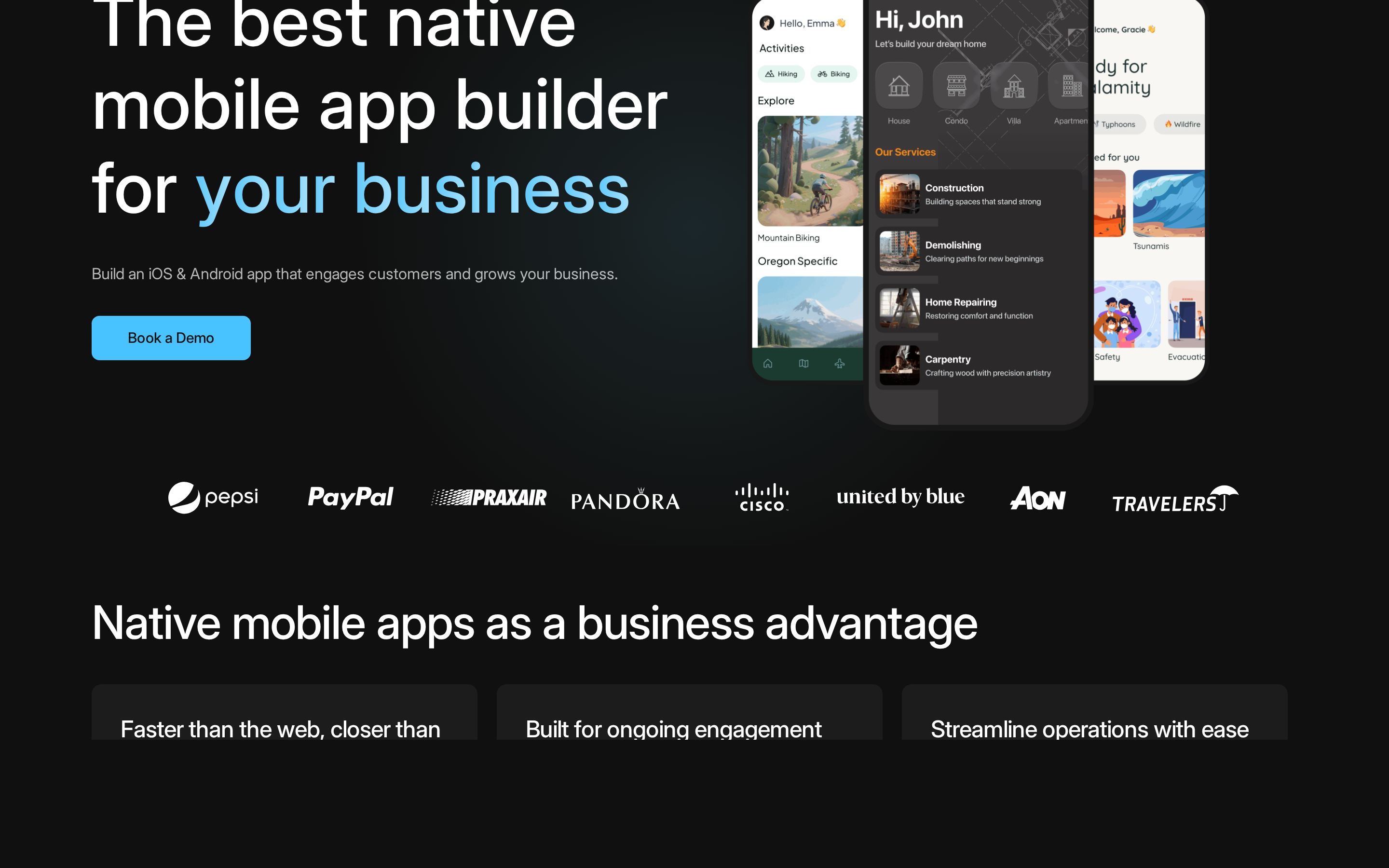
Buildfire is a no-code native app builder for iOS and Android with a drag-and-drop editor, plugin marketplace, and JavaScript SDK for custom extensions.
Best for
Buildfire is designed for organizations that want a managed native app builder with a JavaScript SDK for developer customization.
The JavaScript SDK matters when the app cannot be built entirely from standard no-code components.
Where the plugin catalog earns its price
Buildfire's workflow has 3 main parts:
- Plugin catalog depth: The Buildfire plugin catalog includes 150+ modules covering push notifications, loyalty programs, event listings, podcast feeds, and ecommerce.
- Native publishing support: Growth and Scale plans include App Store and Google Play publishing support, plus PWA functionality for web access.
- JavaScript SDK: When plugins fall short, a developer can write a custom extension that runs inside Buildfire's native shell without a full rebuild.
Limitations
Buildfire's cost profile is closer to a managed platform than a low-budget no-code tool.
The SDK adds flexibility, but it also means technical help may still be needed for custom workflows.
Watch out: Buildfire's Growth and Scale plans require quarterly or annual billing from the start. There is no month-to-month option on those plans.
Pricing
Buildfire's main commercial plans start at $315/month for Growth and $440/month for Scale.
Budget for the billing commitment before testing a serious project:
- Growth: $315/month, billed quarterly or annually.
- Scale: $440/month, billed quarterly or annually.
- Month-to-month: Not available on Growth or Scale.
Buildfire's $315/month Growth plan and quarterly or annual commitment make it a poor fit for idea validation. The plugin catalog needs to justify that cost before development starts.
| Plan | Price | Billing | Key Features |
|---|---|---|---|
| Growth | $315/mo | Quarterly or annual | App Store publishing, PWA, Zapier, push notifications |
| Scale | $440/mo | Quarterly or annual | All Growth features plus Single Sign-On (SSO) |
| Enterprise | Custom pricing | Custom | Buildfire team designs and builds the app |
Buildfire is built around a broad plugin catalog. Andromo takes a narrower path, with a stronger focus on content and monetization apps.
6. Andromo
Andromo uses Flutter under the hood to generate native binaries for content and ad-monetized apps, with entry pricing starting at $24/month.
| What Andromo does well | Where it falls short |
|---|---|
| Gets simple apps built quickly from templates | Template structure can limit custom UX and complex logic |
| Supports ad monetization starting at $56/mo | Revenue workflows cannot be fully tested on the trial |
| Keeps entry pricing clear at $24/mo | Monetization costs matter if ads are the app's business model |
| Offers higher tiers up to $130/mo | Less suitable for apps that need deep native behavior or custom backend workflows |
Andromo's template library covers 40+ app categories, including news, music, podcast, restaurant, and fitness apps.
Simple first builds are usually assembled from existing modules rather than designed from scratch.
Andromo's documented workflow centers on templates and modules. Its product materials do not establish prompt-based native AI generation.
Watch out: Andromo's 14-day trial blocks store publishing and monetization, so you cannot test the full launch or revenue workflow until you move to a paid plan.
| Plan | Monthly price | Key capability |
|---|---|---|
| Hobbyist / Basic | $24-$32/mo | Android and iOS app builds |
| Ultra | $56/mo | Direct ad monetization unlocked |
| E-commerce / Small Business | $76-$80/mo | Shopify integration, dedicated manager on the $80 plan |
| Max / Ultra top tier | $130/mo | Full feature access |
Andromo's modules cover template-based content and ecommerce apps. Custom product logic, automated store handling, and an extendable codebase sit outside that scope.
Thunkable gives you more control over app behavior through visual logic blocks, but that control comes at a price jump. Publishing alone starts at $59/month.
7. Thunkable
Thunkable's main angle is the Scratch-style logic editor. You design screens visually, then connect app behavior with blocks instead of writing Swift, Kotlin, or React Native.
Pricing
- $59/mo Builder: required for App Store and Google Play publishing, with 1 live published app.
- $189/mo Advanced: required to remove Thunkable branding.
- 100,000 AI tokens: included on the Advanced plan per billing cycle.
| Where the block editor helps | Where the workflow gets expensive |
|---|---|
| Non-developers can see app logic instead of reading code | Publishing starts at $59/mo, not on a low entry tier |
| Simple interactions are easier to reason through visually | White-labeling requires $189/mo Advanced |
| The workflow suits builders who like assembling behavior step by step | Multiple serious apps can outgrow the 1 live app Builder limit |
Thunkable's block editor handles straightforward conditions such as showing a screen after a button tap. Real-time sync, background processing, and custom native animations reach the editor's ceiling faster.
- Performance: Trustpilot reviews mention poor performance on older iPhones, Android devices, and larger apps with input lag.
- Learning curve: G2 reviewers note that complex features still require programming concepts.
- Bug resolution: Trustpilot users report slow support on critical issues, including In-App Purchase bugs.
- No source-code export: Logic stays inside Thunkable's proprietary block system.
- Publishing friction: App store publishing starts on the Builder plan, and the process can still feel manual.
Thunkable covers apps built with visual logic blocks. Owned code, high-performance screens, and more than one live app require a different workflow or a higher tier.
Draftbit is the technical fork in this list: more React Native structure, more setup work, and a clearer path toward code ownership.
8. Draftbit
Draftbit sits closer to a developer tool than a classic no-code builder. The main draw is React Native source code export, not instant app-store publishing.
Best for
Draftbit is built for technical founders, agencies, and small teams that want a visual interface with access to the underlying React Native project.
The workflow assumes familiarity with APIs, app architecture, and mobile handoff. A solo non-technical founder still has to manage more of the launch path.
Key strengths
Draftbit's main differentiator is code ownership:
- Full React Native export: Teams can continue development outside Draftbit in a standard IDE.
- API-first structure: Draftbit connects to REST and GraphQL APIs, which works for products with an existing backend.
- Visual assembly: Screens and components can be assembled without writing every view by hand.
- Developer handoff: Exported code gives a technical team something concrete to review, refactor, or extend.
Draftbit workflow:
Visual screen builder → REST or GraphQL API connection → React Native source export → developer review in a standard IDE.
Limitations
Draftbit still expects technical judgment. Exporting code does not remove the need to maintain that code after launch.
Common friction points include:
- Startup performance: One user review reported a roughly 30-second first launch for a published Draftbit app.
- Builder complexity: Draftbit is more flexible than template builders, but that also means more setup decisions.
- Publishing work: Teams should expect to verify app-store readiness, builds, and native configuration outside the visual editor.
Watch out: Draftbit can reduce early React Native setup work, but exported code becomes your team's responsibility once the app leaves the platform.
Pricing
Draftbit's self-serve plans are available on its site, and live pricing should be checked before budgeting.
What matters for planning:
- Draftbit usually sits above simple no-code tools because source export is part of the value proposition.
- Budget for developer time if you plan to export, refactor, and maintain the React Native codebase.
- Compare the plan against your expected handoff path, not just the monthly subscription.
An early code export shows whether a team can open, run, and maintain the project in a standard IDE before the app grows.
Draftbit provides React Native code ownership when technical help is available. It leaves more app-store and maintenance work to the team than a managed publishing workflow.
Mobiroller takes a completely different bet: fewer features, much lower cost, and a focus on getting a simple app published rather than owning the codebase.
9. Mobiroller
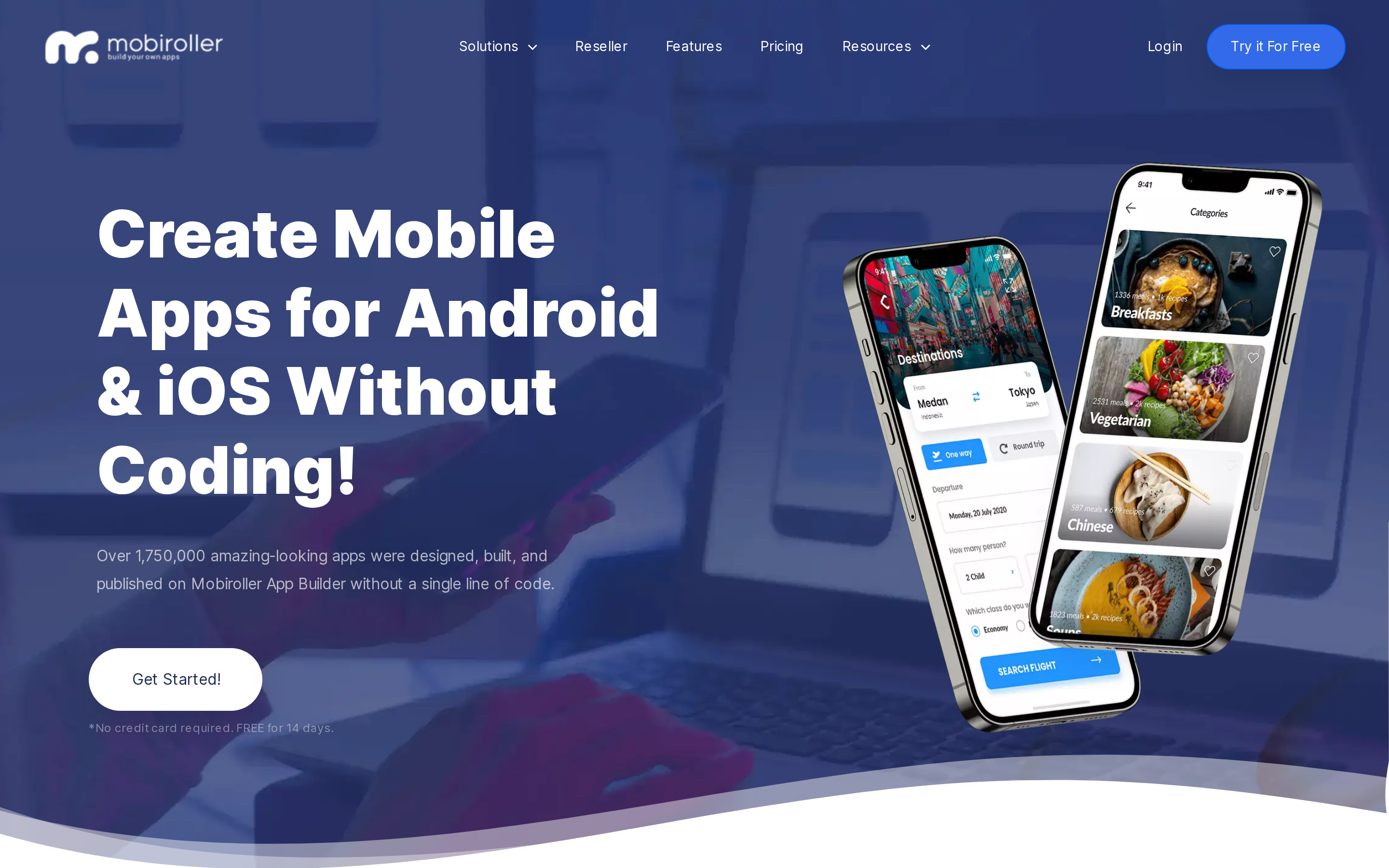
Mobiroller is the budget-friendly module builder in this list. It uses pre-made sections for content, contact details, booking, and simple engagement instead of custom product logic.
A local restaurant could use those modules to publish weekly menus, share opening hours, and send push notifications without building a separate backend.
That makes Mobiroller easier to start than Draftbit, but the tradeoff is control. The platform is better for simple content, community, and business apps than for custom mobile products.
Best for
Mobiroller is designed for small businesses and creators assembling a basic app from existing modules.
Good fit examples include:
- Restaurant, salon, or local business apps
- Community apps with simple content sections
- Event or information apps that do not need custom backend logic
- Budget-conscious teams testing whether an app channel is worth maintaining
Key strengths
Mobiroller's appeal is speed and low setup effort:
- Module-based building: Users start from existing sections instead of designing every screen from scratch.
- Lower technical burden: The workflow avoids source-code setup and traditional IDE work.
- Small-business fit: The feature set works best when the app is mostly content, contact, booking, or simple engagement.
- Accessible entry point: Mobiroller is positioned for teams comparing lower-cost GoodBarber alternatives.
Limitations
User feedback on AppSumo and Trustpilot describes long support delays. AppSumo feedback also mentions app-store publishing failures that block launch.
Watch out: Mobiroller may be simple to build in, but publishing and support are the risk points to test before committing serious time.
Pricing
Mobiroller pricing should be checked on the live pricing page before purchase, especially if you need publishing support or advanced modules.
For budgeting, separate the subscription from launch costs:
- Apple Developer Program: $99/year
- Google Play Console: $25 one-time
- Any paid Mobiroller plan or add-ons required for the modules you need
Mobiroller reviews place the common failure point at app-store submission rather than initial assembly. A small Google Play submission can expose account or publishing problems before a larger launch.
Mobiroller covers simple, low-budget apps built from standard modules. Custom product logic, complex integrations, and time-sensitive support needs sit outside that scope.
AppMySite is built for a different starting point entirely: you already have a website, and you want it in the App Store. The app is the website.
10. AppMySite
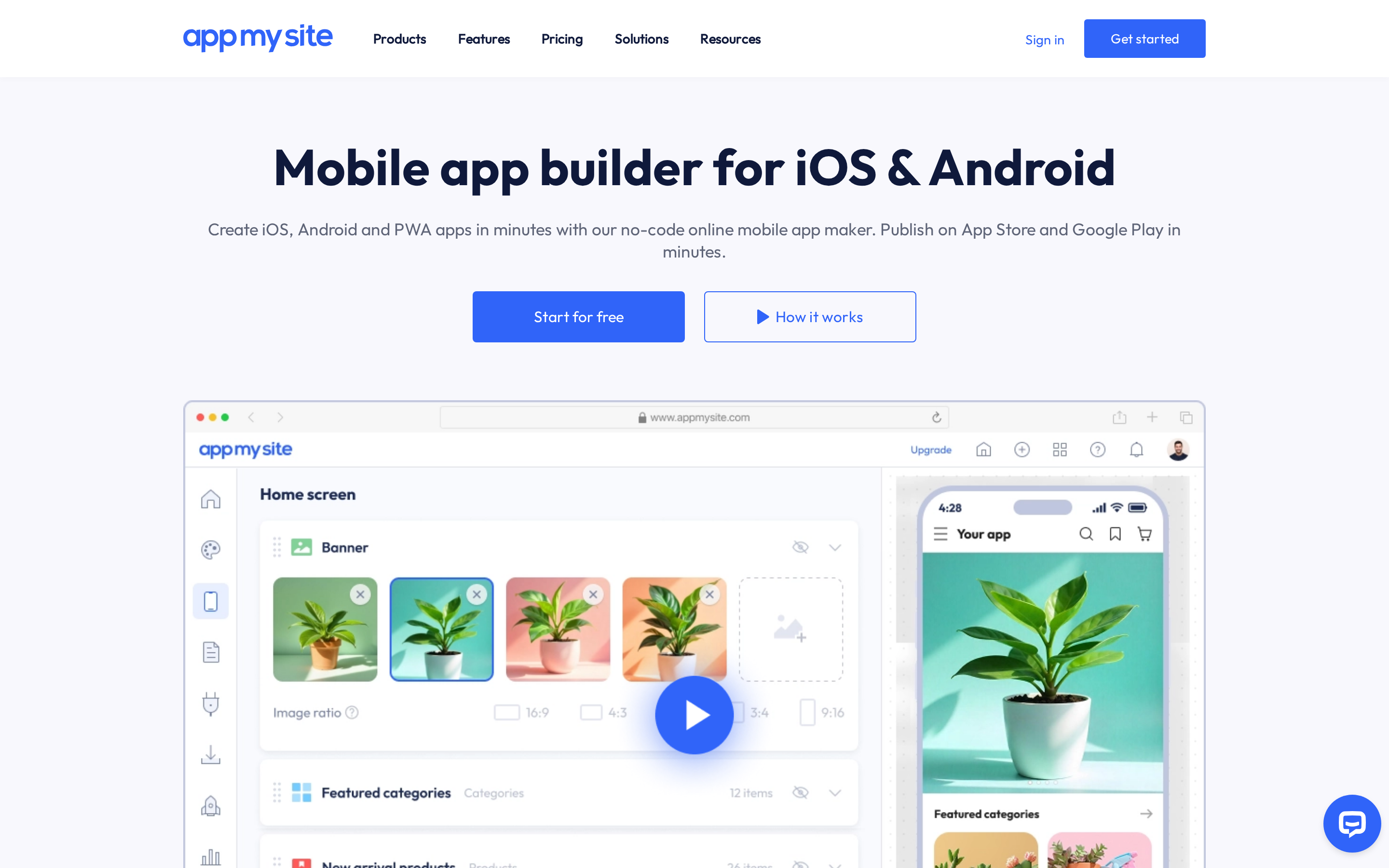
AppMySite generates webview wrappers. It takes an existing WordPress, WooCommerce, or Shopify site and packages it inside a native app shell.
That tradeoff matters. AppMySite can move faster than a full app builder, but the finished product depends on the mobile website underneath.
Best for
- WordPress site owners who want a companion app for existing content.
- WooCommerce or Shopify stores that need a storefront app without rebuilding product data.
- Teams with a working mobile site that only need basic app-store presence.
How AppMySite works in 3 steps
- Connect your WordPress, WooCommerce, or Shopify site so AppMySite can pull in existing pages, posts, products, and web content.
- Customize the app icon, brand colors, splash screen, and basic layout controls.
- Generate Android and iOS builds, then use those builds for Google Play and App Store submission.
Limitations
AppMySite primarily uses webview technology. The app behaves more like a mobile wrapper around your site than a fully native product.
WordPress, WooCommerce, and Shopify content carry into the wrapper. A store can reuse its catalog and send sale notifications, but custom mobile workflows remain constrained by the website.
- Native depth is limited: Advanced device APIs, complex interactions, and high-performance native UI are not AppMySite’s main lane.
- Brand control can feel tight: User feedback mentions constraints around image sizing and headline alignment; check recent Capterra reviews before committing.
- Site quality carries over: Slow pages, weak mobile UX, or messy checkout flows will still show up inside the app.
Watch out: Webview apps can run into App Store review risk when the app adds minimal native functionality beyond the website. For AppMySite, that risk is practical, not theoretical.
Pricing
Treat AppMySite pricing as part of your website operating cost, not as a full app rebuild budget.
Check AppMySite's pricing page before committing, especially if you need iOS builds, store submission support, or branding removal.
AppMySite covers cases where the website remains the product and the app serves mainly as a distribution channel. Native device features and custom mobile behavior remain constrained by the webview approach.
AppMySite pricing runs from $0/month for Free Preview to $249/month for Premium. The Agency plan is listed at $999/month for white-label use and multiple app projects.
| Plan | Monthly Price | Key Inclusions |
|---|---|---|
| Free Preview | $0/mo | Basic app build, Google Play publishing, essential features |
| Starter | $69/mo | iOS and Android publishing, login and signup, push notifications |
| Pro | $129/mo | Advanced features, ad monetization, expanded customization |
| Premium | $249/mo | Full feature access, priority support, higher usage limits |
| Agency | $999/mo | White-label branding, multiple app projects |
With all 10 tools covered, the comparison table can do the filtering work. Use the next section to compare output type, pricing, publishing path, and best-fit use case side by side.
To weigh webview wrappers against native options, the wrapper-to-native AppMySite alternatives roundup evaluates ten builders.
GoodBarber alternatives compared: features, pricing, and best use case
Use the table below as a filter, not a leaderboard. Start with the constraint that matters most: native output, AI generation, code export, or the lowest monthly cost.
| Tool | Development Approach | Native Output | Generative AI | Code Export | Starting Price |
|---|---|---|---|---|---|
| Bilt | AI conversation + visual | iOS & Android (React Native) | Yes | Yes | €0; €25/mo; €50/mo |
| FlutterFlow | Visual low-code | iOS, Android & Web (Flutter) | Yes (5–500 requests/mo) | Yes (paid plans) | $39/mo |
| Adalo | Drag-and-drop, database-driven | iOS, Android & Web | Yes (Ada AI) | No | $36/mo |
| Appy Pie | Prompt-to-app + visual editor | iOS & Android binaries | Yes (full workflow) | No | $16/mo |
| Buildfire | Plugin-based no-code + JS SDK | iOS & Android | Yes (template generation) | Partial (SDK only) | $315/mo |
| Andromo | Drag-and-drop templates (Flutter) | iOS & Android | Unconfirmed for 2026 | No | $24/mo |
| Thunkable | Block-based logic builder | iOS, Android & Web | Yes (token-based) | No | $59/mo (Builder) |
| Draftbit | Visual low-code + direct code access | iOS, Android & Web (React Native) | Yes | Yes (full) | $0 (basic) |
| Mobiroller | Module-based no-code | iOS, Android & Huawei | No | No | $10/mo |
| AppMySite | Website-to-app conversion | Webview wrapper | No | No | $0 |
Before judging scale, inspect the architecture:
- Rendering model and access to native components
- Backend queries, API-call volume, and offline requirements
- Image and media handling
- Profiling tools and access to exported code
Bilt generates owned React Native code with native components. FlutterFlow offers Flutter source download on paid plans. Adalo and Thunkable do not export source code, so architecture changes must stay within their builders.
That table shows what each tool can do. The harder question is which constraint matters most for your specific app.
Which GoodBarber alternative is right for you?
The right GoodBarber alternative starts with one question: are you building a mobile app people download from the App Store, or a web tool people use in a browser?
Once that answer is clear, the shortlist gets easier: native output, publishing support, code ownership, and browser-first workflows each point to a different tool.
- Need a published app, not a prototype: Bilt is purpose-built for the finish line: native React Native output, managed code signing, and App Store submission support.
- Need low-cost publishing: Adalo starts at $36/month for web publishing, but App Store and Google Play publishing require Pro plans and above. The tradeoff is long-term lock-in because Adalo does not export source code.
- Need AI generation depth: Appy Pie, Thunkable, and Bilt all generate app drafts from prompts. Bilt adds React Native output, backend setup, managed code signing, and App Store submission support.
- Need code ownership: FlutterFlow and Draftbit are the clearest fits when developers need to keep building outside the platform. FlutterFlow exports Flutter code on paid plans, while Draftbit exports React Native source code.
- Need website-to-app conversion: AppMySite makes sense when the source product is already a WordPress, Shopify, or WooCommerce site. Expect webview limits because the app inherits logic from the website.
- Need the lowest monthly price: Mobiroller starts at $10/month, and Andromo starts at $24/month. Both fit simple app structures better than custom product ideas.
Evaluation checklist: Before picking any tool, check 5 things:
- Does it output native binaries or a webview wrapper?
- Does the AI generate full app logic or just speed up setup?
- Can you export source code if the platform raises prices?
- Does publishing include code signing and store submission support?
- Will the app still work when payments, auth, push notifications, and backend logic matter?
Decision tree:
Start with the app type, then choose the constraint:
- Downloadable mobile app: Bilt if you want prompt-to-store support
- Code ownership: FlutterFlow or Draftbit
- Lowest monthly cost: Mobiroller or Andromo
- Website-to-app conversion: AppMySite
A few adjacent tools worth knowing:
- Glide: Turns Google Sheets or Airtable into a mobile-friendly app. Useful for internal tools and dashboards, not consumer iOS/Android apps.
- Bubble: Handles complex web app logic, but it generates web apps rather than native mobile binaries.
- Bravo Studio: Converts Figma designs into native iOS/Android apps, which fits designers who already have detailed mockups.
- SAP Build Apps: Enterprise no-code for workflow automation, not consumer app publishing.
Why Bilt is the right call for a real native app
Alternative builders can look great in preview. Bilt earns its place when the goal is a downloadable native app, because it handles the mobile steps that usually appear after the demo looks done.
- Native React Native apps: Bilt generates iOS and Android apps with native modules and React Native source code that can be handed to a developer when needed.
- Prompt-to-store workflow: Builders describe the app, refine it through conversation, preview it, and move toward App Store submission without rebuilding by hand.
- Managed mobile complexity: Bilt handles backend pieces, code signing, deployment, and App Store publishing support, so non-technical builders do not have to learn the release process before they can ship.
That matters when the last 5% starts creating the hard work: App Store Connect submission, TestFlight distribution for iOS testing, Google Play Console release tracks, payments, authentication, and database logic.
Bilt is the right call when the app needs to be installed from the App Store or Google Play. If the product belongs in a browser, a web-first builder is usually the better fit.
Ready to turn the idea into a native app? Describe what you want and start building free.
If you are still deciding whether switching is necessary, here is where GoodBarber itself still fits.
What is GoodBarber actually good for?
GoodBarber is good for small businesses, content creators, and agencies that need a polished app from templates, PWA publishing, and native iOS/Android app builds.
GoodBarber was founded in 2011. Its builder generates native Swift for iOS and Kotlin for Android, and one project can cover both PWA and native publishing.
What GoodBarber includes:
- Design-first builder: Templates and layout tools for content, commerce, and SMB apps.
- PWA and native publishing: A single project can support a web app and native iOS/Android publishing.
- App binaries: GoodBarber delivers app binaries but does not provide source-code export.
GoodBarber pricing is plan-based, with annual billing listed by GoodBarber at:
- Standard: $30/mo annually, or $36/mo monthly
- Premium: $55/mo annually
- Pro: $105/mo annually
- Agency: $215/mo annually, or $280/mo monthly
Shopping PWA access is priced separately from the base plans:
- Standard Shopping PWA: +$35/mo
- Full Shopping PWA: +$95/mo
- Premium Shopping PWA: +$255/mo
Feature-to-limit check: GoodBarber is strongest when templates, PWA publishing, and app binaries are enough. The fit gets weaker when source code export or deeper developer control becomes part of the roadmap.
GoodBarber falls short if you need source code export, enterprise-level control, or a developer workflow you can take outside the platform. Loyalty program and club membership features are also paid add-ons, not standard-plan inclusions.
Are any of these app builders free?
Several tools in this list are free to start, but free usually means “build and test,” not “publish.” App Store and Google Play release generally requires a paid plan.
Free tiers worth noting:
Bilt: Free tier available for building and testing a native app. Self-service paid tiers are €25/month for Professional, €50/month for Professional Plus, €100/month for Professional Max, and €250/month for Professional Ultra.
- FlutterFlow: Free for building and previewing, but publishing, APK download, and source-code export require an upgrade.
- Adalo: Free for prototyping; paid plans start at $36/month when billed annually.
- Thunkable: Free tier includes 2,000 AI tokens for app generation.
- Draftbit: The Draftbit free tier limits accounts to 2 projects and 5 screens per project, with limited web publishing.
AppMySite's free Website-to-App plan includes Google Play publishing but not Apple App Store publishing. Treat it as an Android-only launch path.
The type of builder also determines what the free tier unlocks. No-code tools tend to gate publishing; low-code tools tend to gate code export.
What's the difference between no-code and low-code?
No-code requires zero programming knowledge. Low-code still gives you a visual builder, but developers can add or edit code when the app needs more control.
Both work until the app gets complicated. The ceiling usually hits in 3 places:
- Scale: No-code tools can slow down when apps rely on heavy API calls, large data sets, or many concurrent users.
- Custom logic: Complex algorithms and integrations like custom payment flows or hardware triggers often require workarounds.
- Ownership: Platforms without code export can make future migration harder because the app stays inside the builder's format.
Tool split in this article:
- Low-code: FlutterFlow and Draftbit, because both can export source code for continued development outside the platform.
- AI no-code with code ownership: Bilt, because you build by prompting and can access generated React Native code.
- No-code: Adalo, Appy Pie, Mobiroller, and AppMySite, because they are built around visual or prompt-based editing.
- Block-based no-code: Thunkable, because logic is built with Scratch-style blocks and there is no code export.
Can you build a real native app without coding?
Yes. You can build a native app without coding if the builder generates compiled iOS and Android binaries, not just a website inside an app shell.
The important distinction is output:
- Native binaries: Appy Pie, FlutterFlow, Thunkable, and Bilt can generate IPA or AAB builds for app store deployment.
- Webview wrappers: AppMySite wraps an existing website in a webview container, which can limit push notifications, hardware triggers, and app-like performance.
- Source-code paths: Draftbit exports React Native code, so developers can continue after visual builder limits.
No-code native builders still hit limits when the app needs complex business logic or non-standard integrations. At that point, source-code export matters because a developer can continue instead of rebuilding from scratch.