Replit is a solid environment for prototyping and learning. Once you need a native iOS and Android app, production-grade hosting, or billing you can actually predict, it starts to show real gaps.
This guide compares 10 alternatives across two categories: prompt-first AI builders and visual no-code or low-code platforms. Bilt leads the list for native mobile, while the other tools are ranked by their documented strengths and limits.
The list starts with the target platform: native mobile or web. It then compares output type, store publishing, code ownership, and pricing.
Why teams look for Replit alternatives
Replit removed always-on free hosting, pushing any project that needs continuous uptime onto a paid tier. The current Starter plan still includes publishing one app, but credit-based pricing for AI actions adds up fast during iterative debugging, making monthly costs hard to predict.
Replit runs on shared infrastructure, so execution speed varies with server load and can interrupt development mid-flow. Developers who already use Cursor or GitHub Copilot often find Replit's browser-based environment a step backward for serious, day-to-day coding work.
A few specific gaps push teams toward alternatives:
- AI governance: The AI Agent runs without configurable prompt constraints or policy enforcement. For teams with compliance requirements, that is a hard blocker.
- Access controls: Built-in roles, custom groups, audit logs, and dev/prod environment separation exist in Replit — but only at the Enterprise tier.
- Vendor lock-in: Replit's proprietary environment configuration makes migrating projects to other platforms more work than it should be.
If any of those gaps sound familiar, here is a look at the tools that fill them.
Replit alternatives at a glance
The 10 tools here split into two distinct groups. Tools 1-8 are AI-driven coding platforms: you describe what you want in natural language and the AI generates production code. Tools 9-10 (FlutterFlow and Bubble) are visual no-code/low-code platforms, where drag-and-drop editing comes first and AI is a secondary assist layer.
Six tools offer publishing workflows for the iOS App Store and Google Play: Bilt, Emergent, Blink, Rork, FlutterFlow, and Bubble. Lovable is web and PWA only.
Bolt supports Expo previews but does not handle native code signing or direct store submission. Rocket generates Flutter code for the stores, but uploading it is a manual step.
| Tool | Best For | Output Type | Mobile? | Starting Price |
|---|---|---|---|---|
| Bilt | Non-devs building native iOS/Android apps via chat | Native mobile (React Native) | iOS + Android | Free tier available |
| Lovable | Non-technical founders building web MVPs fast | Full-stack web app | Web/PWA only | Free (5 credits/day); Pro ~$25/mo |
| Base44 | Solopreneurs prototyping web CRMs or internal tools | Full-stack web / PWA | Limited native export | Free (25 msg/mo); Starter ~$20/mo |
| Bolt | Entrepreneurs wanting rapid browser-based prototypes | Full-stack web + Expo mobile | Expo (no native deploy) | Free (limited); Pro $25/mo |
| Emergent | Non-coders needing fast native mobile or SaaS prototypes | Web + native mobile | iOS + Android | Free (limited); Standard ~$20/mo |
| Blink | Solopreneurs building scalable web or cross-platform apps | Full-stack web + React Native mobile | iOS + Android (App Store publishing) | Free (5/day); Starter $25/mo |
| Rocket | Founders needing idea validation + cross-platform apps | Web (Next.js) + mobile (Flutter) | iOS + Android (manual upload) | Free (20-100 credits); Build $25/mo |
| Rork | Non-devs targeting native iOS/Android with monetization | Native mobile (React Native / SwiftUI) | iOS + Android | Free (35 credits); Junior $25/mo |
| FlutterFlow | PMs and designers wanting visual prototyping + code export | Native cross-platform (Flutter) | iOS + Android + web + desktop | Free (limited); Basic $39/mo |
| Bubble | Non-tech founders building full-stack web/mobile SaaS | Full-stack web + native mobile | iOS + Android (paid plans) | $59/mo billed annually |
The 10 best Replit alternatives in 2026
Here's what each tool actually does well, and where it falls short.
AI app builders
AI app builders generate working code from natural-language prompts instead of relying on a drag-and-drop editor. Bilt through Rork follow this model, but their output ranges from web apps to native mobile apps.
1. Bilt
Describe your app idea in plain English. Bilt builds a real native app for iOS and Android, then helps you get it into the App Store and Google Play.
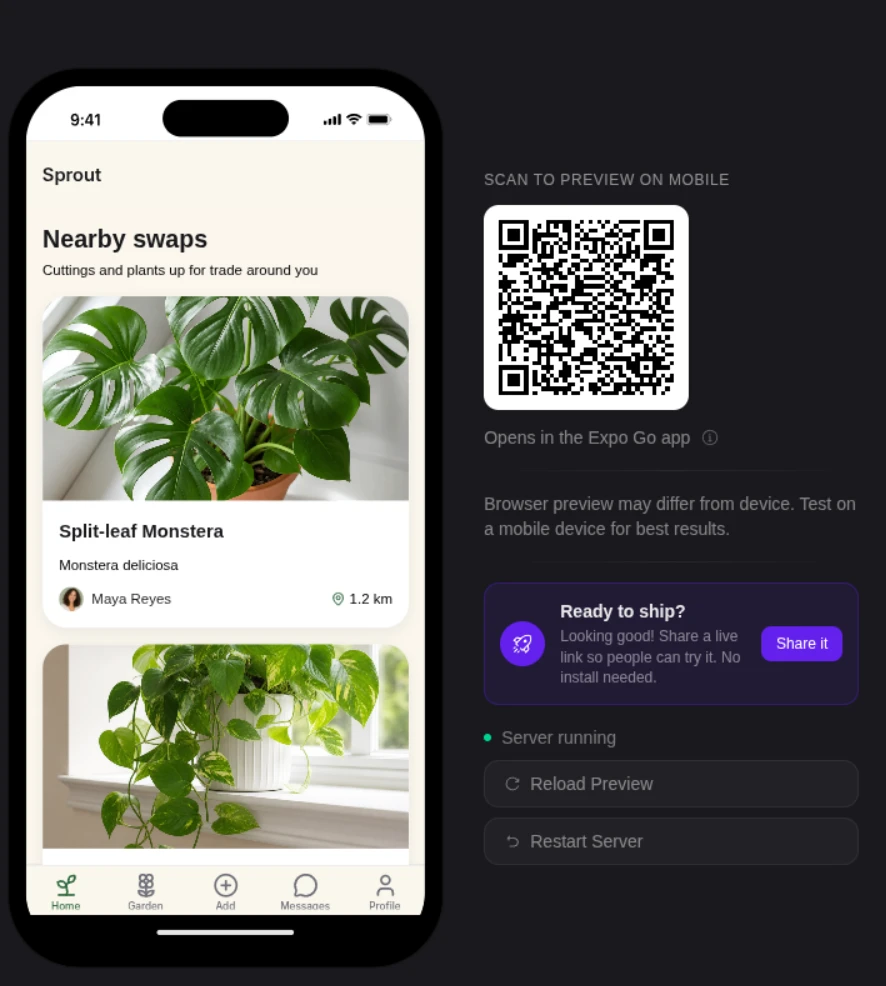
Describe an app, then watch Bilt build a native app in live preview.
You do not need to write code, install Xcode, or manage certificates, provisioning profiles, and native build tools.
Bilt generates React Native code that compiles into real native binaries, not a web app stuffed inside a mobile shell.
Start free, preview your app on your phone, and keep improving the build until it is ready to publish and earn.
Best for
- Non-technical founders who want a native iOS and Android app without hiring a developer or learning React Native
- Vibecoders who built a promising prototype in Replit, Bolt, Cursor, or Lovable and need a cleaner path to the app stores
- Web app owners who want to turn a Lovable, V0, or Next.js project into a real mobile app without starting from scratch
Key strengths
- From idea to app store: Describe what you want, test the app on your phone, and let Bilt handle the native build steps that usually slow people down
- In-browser simulator: See your app running in a phone-like preview without installing Xcode or Android Studio
- QR code testing: Scan a QR code and try a live build on your own phone, no cables or developer certificates needed
- Web-to-native conversion: Turn existing Lovable, V0, or Next.js apps into native iOS and Android builds without a full rebuild
- App-store help: Bilt handles native builds and signing, then guides you through each store's release workflow so you are not stuck figuring out Apple and Google setup alone
Here is the basic Bilt workflow:
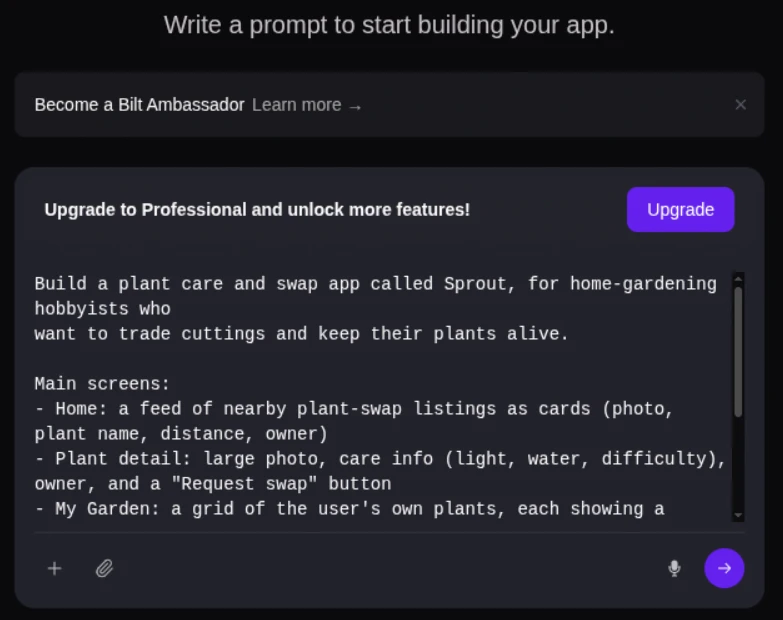
- Describe your app idea in plain English.
- Bilt generates the React Native build for iOS and Android.
- Preview the app in the in-browser simulator.
- Scan a QR code and test the app on your phone.
- Bilt handles native builds and signing. It uploads iOS builds to App Store Connect, where you submit them for review; for Google Play, it builds the
.aaband sends it to internal testing when publishing is ready, though the first release may require a manual Play Console upload. - Publish your app and keep improving it after launch.
Limitations
Bilt is built primarily for native mobile apps, but it can also publish the current app to the web as a PWA; it does not generate a separate web codebase.
- Free-tier token limits mean complex builds or lots of revisions can hit a ceiling
- Paid self-service plans start at €25/month
- A clear first prompt saves tokens because fewer revision loops are needed
Pricing
Start free and build your first native mobile app today. Paid self-service plans begin at €25/month, with eligible new monthly subscribers receiving 40% off the first month.
Move your Replit prototype into a native mobile build you can preview on your phone. Start building free with Bilt.
2. Lovable
Lovable is an AI-powered chat platform that turns natural language prompts and screenshots into production-grade full-stack web apps with GitHub sync and dozens of integrations.
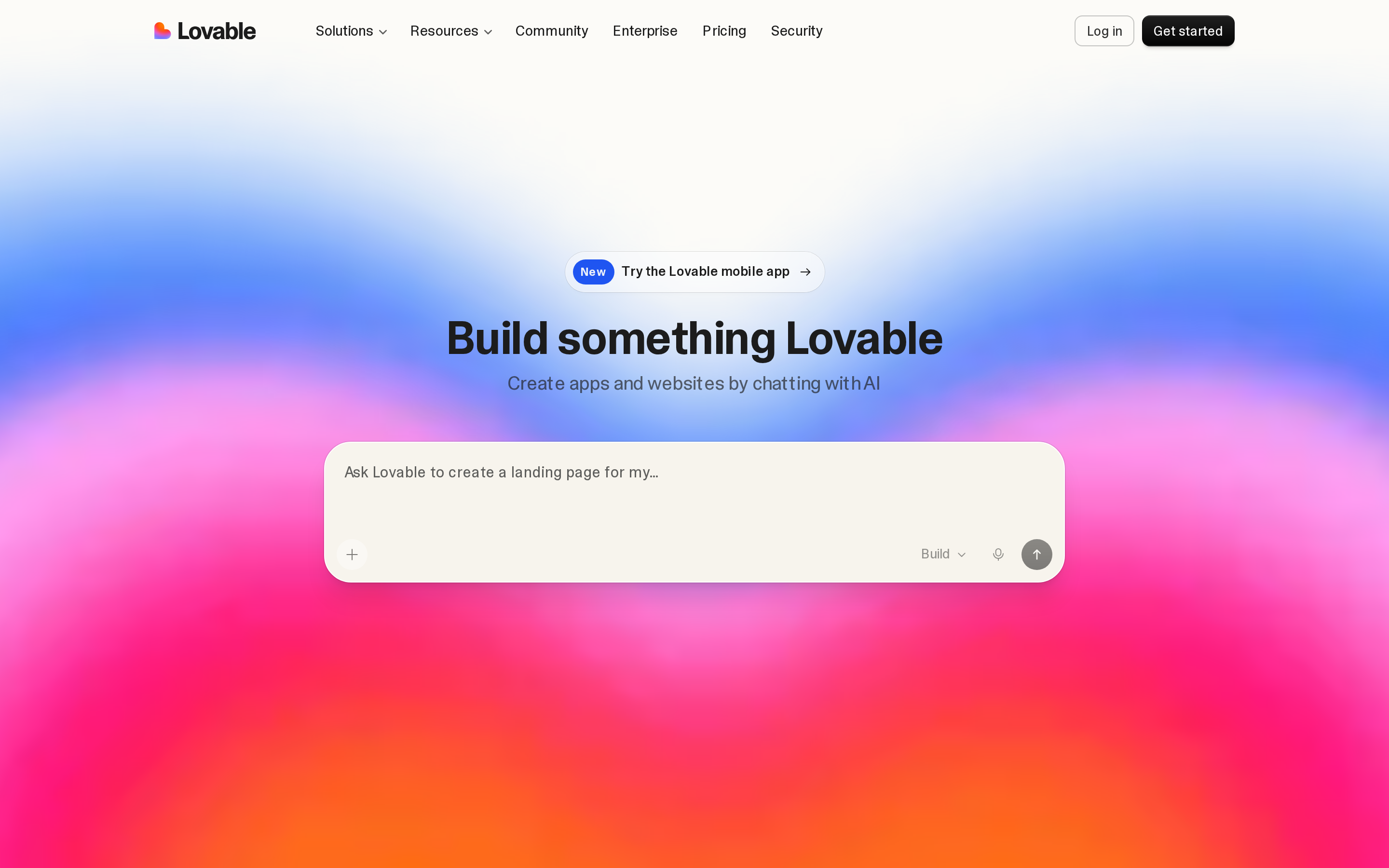
Lovable focuses on full-stack web apps and includes a broad integration catalog. It does not generate native iOS or Android apps, while Rork and Emergent are built for mobile output.
Best for
Used by non-technical founders and small teams, Lovable supports web MVPs, internal tools, and SaaS prototypes with code ownership and rapid iteration.
React and Tailwind generation with GitHub sync gives non-technical founders access to the full Lovable codebase.
Base44 can export frontend code and backend functions, but managed hosting, auth, and database infrastructure stay on Base44's servers. Code ownership depth is meaningfully different.
Web publishing is Lovable's limit. App Store or Google Play distribution requires a code export and a native wrapper such as Capacitor or Median.co; Rork and Emergent include native publishing workflows.
Key strengths
The integration catalog includes dozens of connectors plus Google and Apple authentication. Highlights include:
| Category | Specific tools |
|---|---|
| Database | Supabase, Snowflake, BigQuery |
| Payments | Stripe |
| Authentication | Google and Apple auth |
| Development | GitHub, Twilio |
| Business tools | HubSpot, Asana, Linear |
A text prompt or uploaded screenshot can generate a full-stack React and Tailwind app with a Supabase backend. Agent mode builds autonomously, while Plan mode presents each step before executing.
The Enterprise tier includes SSO, SAML, SCIM, audit logs, and support for SOC 2, ISO, and GDPR requirements.
A 4.6/5 G2 rating from more than 260 reviews gives Lovable a substantial public review base. Users report building web MVPs from a single prompt in minutes.
Limitations
Web apps and PWAs are the only direct outputs. Native iOS or Android distribution requires exported Lovable code and a wrapper such as Capacitor or Median.co, which adds another setup layer.
Reddit reviews report that generated code can become fragile as projects grow, sometimes leading to a rebuild before production. Trustpilot feedback is mixed across more than 1,000 reviews.
Watch out: Plan mode costs 1 credit per prompt, while Agent mode usage varies during debugging. Authentication and payment flows still require manual setup.
Pricing
The monthly plan covers AI prompt credits only. Hosting and infrastructure costs are billed separately, including the Supabase database, custom domain, and CDN.
| Plan | Price | Credits Included | Key Features |
|---|---|---|---|
| Free | $0/mo | 5 daily credits (~30-50/mo) | Basic app generation, limited prompts |
| Pro | ~$25/mo | 100 credits/mo | Custom domains, GitHub sync, Supabase integration |
| Student | ~$12.50/mo | 100 credits/mo | Same as Pro at discounted rate |
| Business | ~$50/mo | Higher credit volume | Team workspaces, priority support |
| Enterprise | Custom | Custom | SSO/SAML/SCIM, SOC2, audit logs, dedicated support |
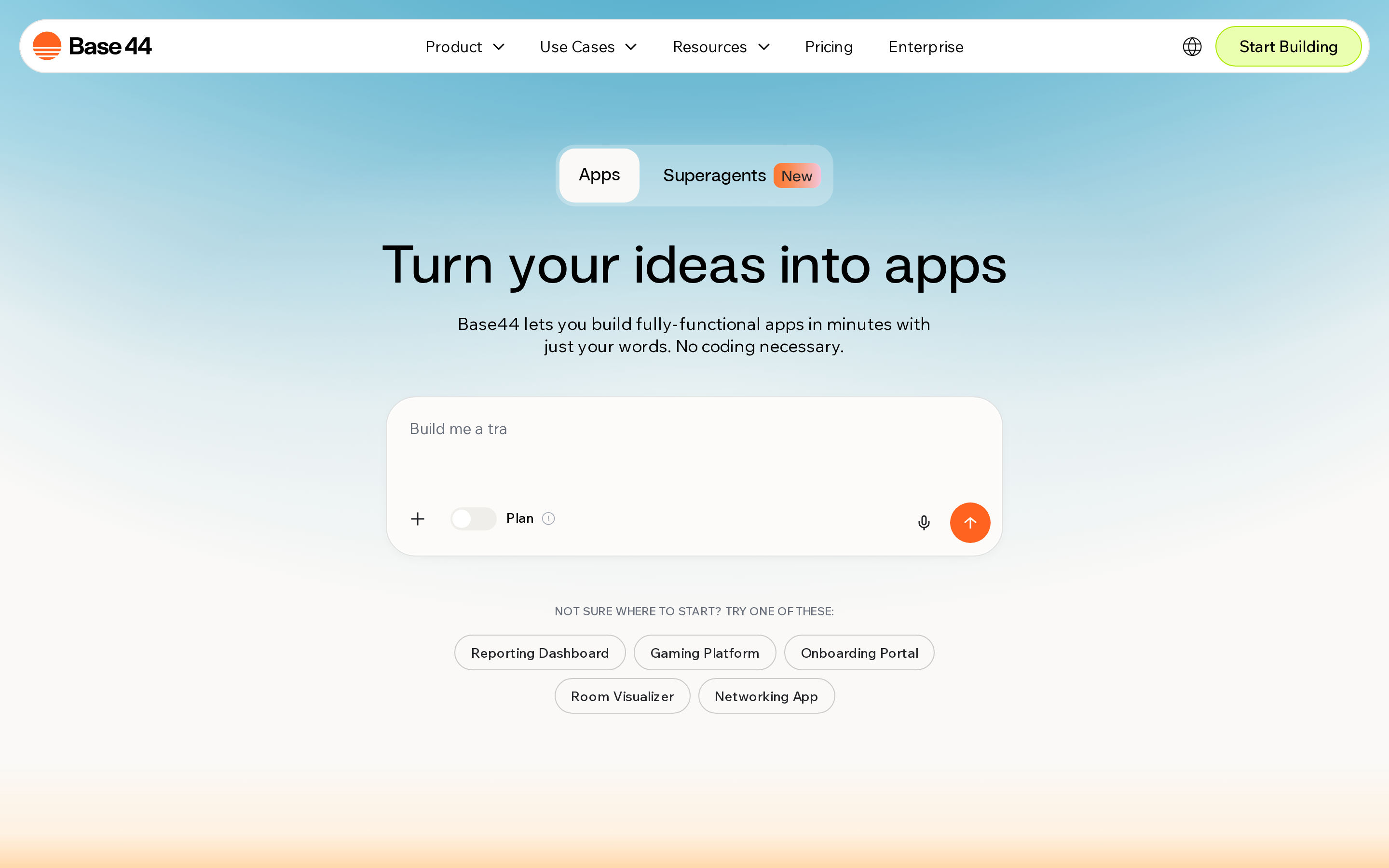
3. Base44
Base44 is a no-code AI app builder that generates full-stack web apps from natural language or voice prompts, with built-in backend, database, and auth.
Best for
Base44 is used by solopreneurs and non-technical founders prototyping web CRMs, SaaS tools, and internal business apps without writing code.
Base44 uses a backend-first architecture for SaaS tools and internal apps where auth, workflows, and API layers are generated together.
Natural language or voice prompts create the frontend, backend, database schemas, and business logic in one pass.
Lovable instead emphasizes React and Tailwind frontend generation plus third-party connectors for customer-facing web MVPs.
Base44 has a 2.4/5 Trustpilot rating across 585 reviews. That feedback provides useful context alongside the platform's zero-code generation workflow.
Key strengths
Single-prompt full-stack generation. One plain-English description produces frontend UI, backend logic, database schemas, and API layer together. No separate configuration steps.
Built-in auth and user management. Authentication, user roles, and session logic are included by default. No third-party auth setup required.
Superagents. Custom AI agents can automate business workflows inside a Base44 app without separate third-party automation.
Voice prompt support. Describe your app by speaking instead of typing, useful for non-technical users who find typing prompts awkward.
One-click integrations. Slack, Notion, HubSpot, Salesforce, Stripe, Zapier, and Gmail are available out of the box, along with custom API support.
Code export via GitHub or ZIP. Builder plan and above can export frontend code and backend functions. Managed hosting, auth system, and database infrastructure are not exportable.
Limitations
Base44's Trustpilot score is 2.4/5 across 585 reviews; common complaints include AI loops, duplicate code, wasted credits, and poor support. Output is described as "junior dev level" — complex apps require heavy iteration and significant credit spend.
Native iOS/Android publishing arrived in February 2026 and lets users prepare and submit apps directly to the Apple App Store and Google Play from inside the editor. The mobile implementation uses a secure web view wrapper and does not support push notifications natively. IPA/AAB export is restricted to Builder+ plans.
Rork and Emergent include automated App Store submission workflows. Bubble and Lovable have larger bodies of public review data for production web projects.
Pricing
Reviews repeatedly mention credits being consumed by failed AI iterations. That can push the effective cost above the listed plan price.
| Plan | Price | Message Credits/Month | Notable Features |
|---|---|---|---|
| Free | $0/mo | 25 | Basic app generation, hosted deployment |
| Starter | ~$20/mo | 100 | Custom domains, Slack/Notion integrations |
| Builder | ~$50/mo | 250 | iOS/Android export (IPA/AAB), GitHub sync |
| Pro | ~$100/mo | 500 | Advanced integrations, priority support |
| Elite | $200/mo | Higher allocation | Extended credits, dedicated support |
| Enterprise | Custom | Custom | SSO, dedicated support, custom SLA |
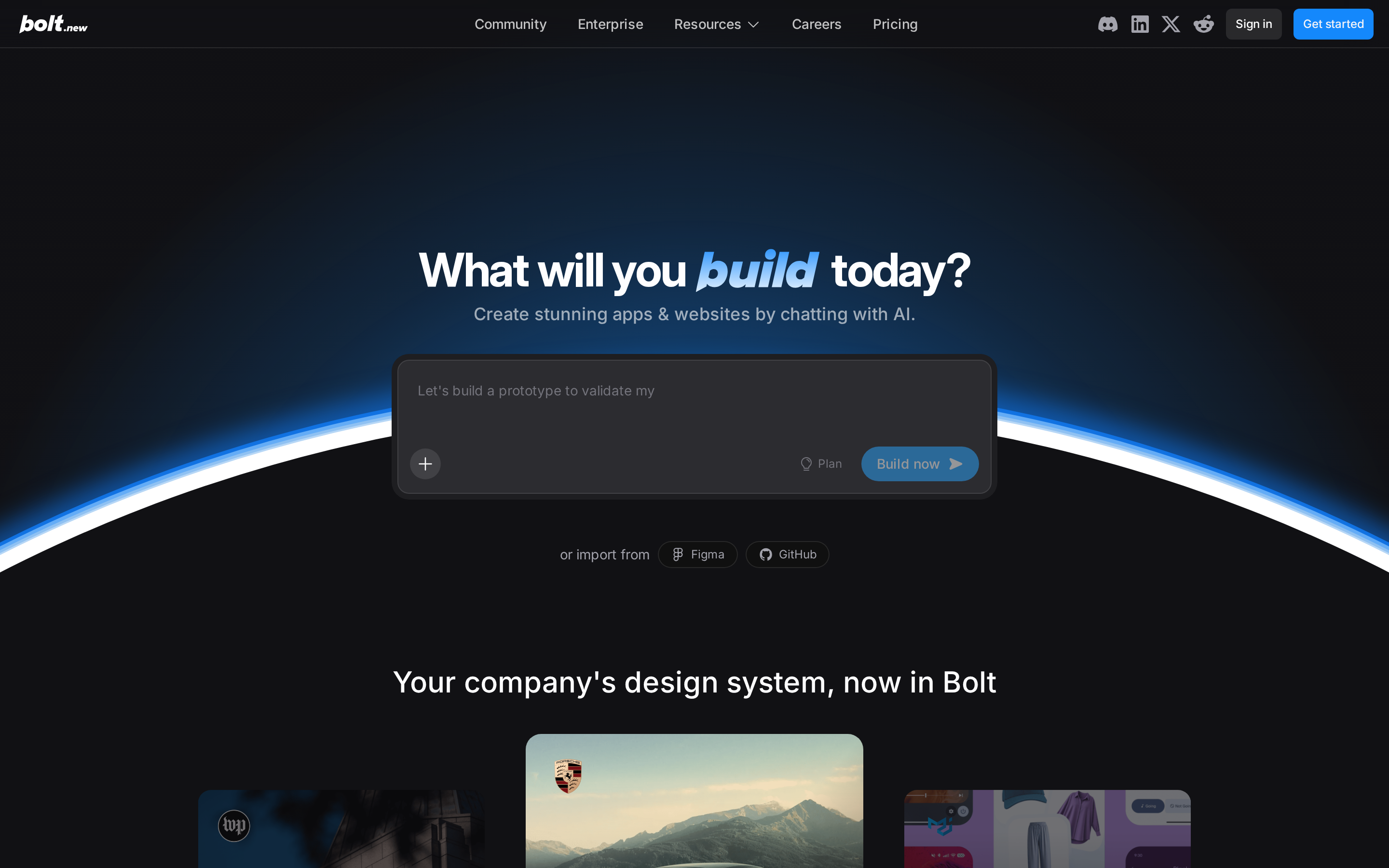
4. Bolt
Bolt runs a full Node.js stack in the browser, so it needs no local installation or server setup. The StackBlitz platform generates and refines full-stack web and Expo mobile apps from natural-language prompts.
Best for
Bolt is used by entrepreneurs, product managers, and students creating full-stack web or Expo mobile prototypes without local setup.
Bolt targets rapid product validation: a single natural language prompt generates a working prototype in the browser with no local environment setup required. It also suits non-developers prototyping AI agents, with built-in control over AI memory and token usage.
Bolt builds Expo apps but does not manage native code signing or store submission. Rork and Bilt include those mobile release steps; Rocket documents SOC 2 and ISO 27001 controls.
Key strengths
Bolt's core differentiators are in-browser WebContainers execution, full-stack code generation with auto-handled databases and APIs, and enterprise-grade collaboration via a Microsoft Azure partnership.
WebContainers runs the full Node.js stack in the browser, removing the need for local installs, Docker, or cloud VM setup. Bolt reports a 98% reduction in errors caught through in-browser refactoring.
That figure covers syntax and runtime errors caught by in-browser execution only. AI hallucinations in generated logic remain a separate, known issue on complex projects.
A single prompt generates UI components, backend logic, database schemas, and API layers simultaneously, with follow-up chat for refinement. Out-of-the-box integrations include:
| Category | Specific tools |
|---|---|
| Design and code | Figma, GitHub |
| Mobile preview | Expo |
| Payments | Stripe |
| Database | Supabase |
| Deployment | Netlify |
Bolt supports multiplayer collaboration and connects with Azure and Teams through its Microsoft partnership. Bolt Cloud and Netlify add databases, authentication, custom domains, and one-click web deployment.
Limitations
Token consumption is as unpredictable as Replit's credit system; real projects routinely exceed $50-75/month on the $25/mo Pro plan. Hallucinations and token waste are recurring complaints, alongside high 30-day churn.
Bolt becomes less reliable as project complexity grows, with more reports of hallucinated logic and prototypes that need developer work before production. FlutterFlow and Bubble have longer public production records.
Bolt generates Expo (React Native) mobile apps for cross-platform previews but does not handle native code signing or App Store and Google Play submission directly.
Bilt handles automated signing and store publishing workflows for native mobile apps.
Pricing
Bolt's plans start free with token limits, Pro at $25/month, and Teams at $30/user/month; real project costs often run $50-75/month due to token consumption.
Bolt Pro ($25/mo) matches Lovable Pro and Blink Starter at entry level, but all three have token/credit patterns that push real costs higher. Rork is the most expensive for iterative mobile development (up to $200+/mo for SwiftUI access), while Bubble's paid plans start at ~$119/mo.
| Plan | Price | Token Allocation | Notes |
|---|---|---|---|
| Free | $0/month | 400k tokens/day, 2.5M tokens/month | Daily cap applies; good for light experimentation |
| Pro | $25/month | 10M tokens/month | No daily limit; unused tokens roll over |
| Teams | $30/user/month | 10M tokens/user/month | Multiplayer collab; Microsoft Azure/Teams integration |
| Enterprise | Custom | Custom | Advanced security, dedicated support |
Pro tip: Narrow, well-defined prompts consume fewer Bolt tokens than broad requests because they require fewer revision loops.
5. Emergent
Emergent is a YC-backed AI platform for building web and native mobile apps from natural-language prompts. The company reports six million apps shipped and $50 million in annual recurring revenue.
Native mobile output comes alongside web app generation. The catalog includes more than 10,000 user-created custom agents for specialized workflows.
Best for
Non-technical founders, product teams, and entrepreneurs use Emergent to build native mobile or full-stack web apps without writing code.
Documented examples include dating apps, fitness trackers, and delivery apps. Rork adds iOS-specific access to ARKit and HealthKit, while Emergent covers both web and mobile output.
Key strengths
End-to-end native mobile.
One codebase can produce iOS, Android, and PWA output. Bilt, Emergent, Blink, Rork, FlutterFlow, and Bubble support direct publishing workflows for both mobile stores.
10,000+ custom agents.
Over 10,000 user-created custom agents give access to specialized community-built workflows beyond the default AI assistant.
Full-stack generation from a single prompt.
Emergent generates complete systems including frontend, backend, and database from natural language, with built-in deployment and system-wide context for complex logic. The platform reports significant scale, with millions of apps shipped per their public figures.
Emergent's documentation highlights dating apps, fitness trackers, and delivery apps built on the platform. It does not publish comparable user revenue figures for those projects.
Limitations
Emergent's main weaknesses are unpredictable credit burn, agent instability with reported data loss, and a black-box tech stack with minimal integration transparency.
User reviews report spending $50 to $3,000 on credits with failed results; one reviewer cited '40 minutes = full Pro subscription' in credit burn. Pro plan runs $200/month for 750 credits, among the highest per-credit costs here. Blink Pro offers 200 credits at $50/month for comparison.
Watch out: Users report credit burn that can exhaust a full Pro subscription ($200/mo) in under an hour on complex or failing tasks.
A 2.8/5 Trustpilot rating across 382 reviews gives context on Emergent's reliability. Complaints repeatedly mention credit traps, unstable agents, data loss, broken deployments, and poor support.
Emergent lists SOC 2 Type I certification, but its SSO and audit-log support is not verified here. Rocket documents SOC 2, ISO 27001, RBAC, and audit logs; Lovable documents SOC 2, SSO, and SCIM.
Pricing
Emergent has five plans from free to enterprise, ranging from $0 to $300+/month, with credits as the core consumption unit across all tiers.
At Pro, Emergent costs $200/month for 750 credits; Blink Pro offers 200 credits at $50/month with a more stable reliability record. Lovable Pro ($25/mo) and Base44 Starter ($20/mo) both undercut Emergent's Standard plan on price.
| Plan | Price | Credits/Month | Key Features |
|---|---|---|---|
| Free | $0/month | 10 credits | Basic access |
| Standard | $20/month | 100 credits | Private hosting |
| Pro | $200/month | 750 credits | Advanced AI features |
| Team | $300/month | 1,250 shared credits | Collaboration tools |
| Enterprise | Custom | Custom | Custom pricing and features |
6. Blink
Blink generates full-stack React, Deno, and Turso apps or native mobile apps from plain-English prompts. It includes two-way GitHub sync and access to more than 200 AI models.
Best for
For solopreneurs and small teams, Blink covers web, SaaS, and cross-platform mobile projects with code ownership and a managed backend.
Web and mobile output sit inside one full-stack platform. App Store and Play Store publishing is limited to Blink's Max plan at $200 or more per month; Starter and Pro do not include it.
Key strengths
Key capabilities include full-stack backend generation, more than 200 AI models, two-way GitHub sync, native mobile publishing, and integrations with Supabase, Stripe, and RevenueCat.
On the backend, Blink combines React and TypeScript frontends with Deno and Turso. Edge execution places API calls closer to users, while custom domains, autoscaling, and Cloudflare R2 cover production hosting.
More than 200 AI models are available for backend logic, UI scaffolding, or newer releases. Integrations include Supabase, Firebase, Stripe, RevenueCat, Turso DB, Cloudflare R2, and custom APIs.
Two-way GitHub sync launched in 2026, allowing code pushes and pulls between Blink and external repos, unlike Bolt which only pushes. Full App Store and Play Store publishing (builds, signing, and submissions) is available on the Max plan ($200+/month) using React Native + Expo. Starter and Pro plans do not include store publishing.
Limitations
Blink's main limitations are credit exhaustion on complex projects, AI context loss over long sessions, a complexity ceiling for large custom systems, and limited verified user reviews compared to more established tools.
Reviews cite credit exhaustion on complex builds and AI context loss over long sessions on Starter ($25/mo, 100 credits) and Pro ($50/mo, 200 credits) plans. Teams needing heavy iteration may find Bubble's workload-based pricing more predictable for sustained development.
- Limited support for complex or custom system architecture
- Less control over underlying structure than FlutterFlow (custom Dart/Flutter injection) or Bubble (8,000+ plugins)
- FlutterFlow allows custom Dart and Flutter code, while Bubble provides more than 8,000 plugins for workflow extensions
Blink has no G2 profile and limited Trustpilot/Capterra reviews; positive signals come primarily from X posts. This contrasts with Lovable (G2 4.6/5, 260+ reviews) and Bubble (G2 4.5/5, 166+ reviews).
Store publishing requires Blink's Max tier, even though web and mobile output share one codebase.
Pricing
Blink has a free tier (5 daily / 30 monthly credits) and paid plans from $25/mo (Starter, 100 credits) to $200+/mo (Max, 800+ credits), with 50% annual discount and credit rollover.
Lovable Pro (~$25/mo, 100 credits) and Bolt Pro ($25/mo) match Blink Starter without Blink's daily credit bonuses or annual rollover. Rork's Middle plan ($50/mo, 250 credits, monthly reset) costs the same as Blink Pro ($50/mo, 200 credits) but lacks Blink's daily bonuses and rollover.
| Plan | Price | Credits/Month | Notes |
|---|---|---|---|
| Free | $0 | 30 (5/day cap) | Limited daily usage |
| Starter | $25/mo | 100 + daily bonus | Most popular entry tier |
| Pro | $50/mo | 200 + daily bonus | For active builders |
| Max | $200+/mo | 800+ | High-volume / complex projects |
| Team | $50+/seat | Shared credits | Workspace + roles |
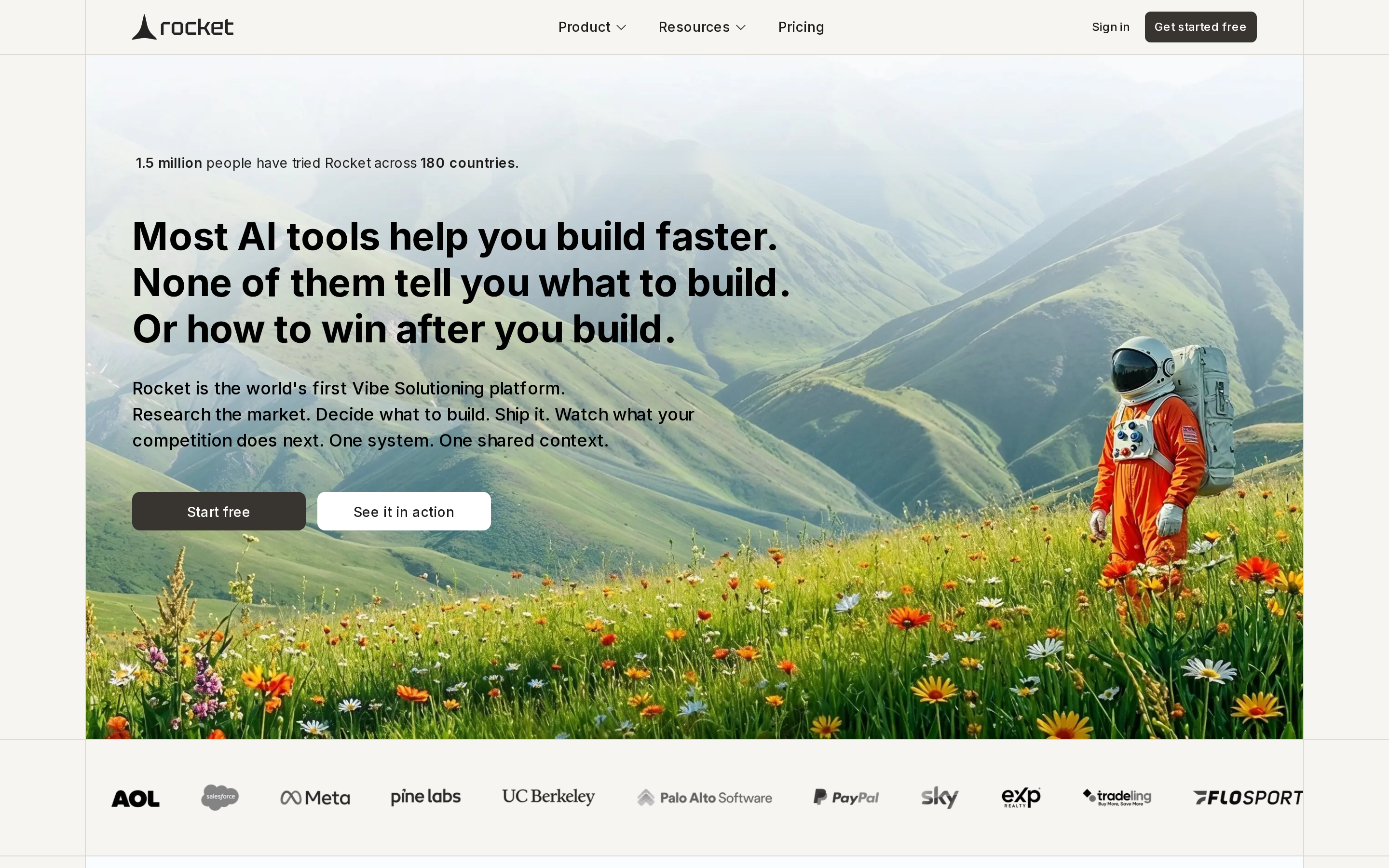
7. Rocket
Rocket.new combines prompt-based Next.js and Flutter generation with market research and competitor tracking. Its workflow can validate an idea before generating the first version of the product.
Best for
Rocket.new is used by solo founders and product teams that want idea validation, market research, and web or mobile generation in one workflow.
Rocket generates Flutter code for native iOS and Android, plus Next.js for web and SaaS, from a single prompt.
Key strengths
- Solve generates market research reports and PRDs from a prompt, giving founders validated product ideas before a line of code is written.
- Intelligence tracks competitors and delivers ongoing market briefings after launch.
- Compliance includes SOC 2, ISO 27001, SSO, SAML, and RBAC controls alongside the research and build modules.
Rocket generates editable Flutter and Next.js code with SEO and GDPR compliance baked in, plus one-click deploy and GitHub push. Prebuilt templates cover dashboards, landing pages, web apps, and database schemas with auth and APIs ready to deploy.
Rocket holds SOC2 and ISO 27001 certifications, supports SSO/SAML and RBAC, and has an Enterprise tier with audit logs and no per-seat fees. Among pure AI builders in this list, only FlutterFlow and Bubble match this compliance posture.
Rocket credits never expire and can be topped up with add-ons, unlike Rork and Blink where credits reset monthly.
Limitations
Rocket generates Flutter code, but you must manage code signing and store uploads manually. The platform provides step-by-step guides rather than an automated deployment pipeline.
User reports on Reddit and X describe inconsistent results for simple apps. Reports also mention credits being consumed by failed iterations and complex backend work.
Community reports flag heavy iteration consuming credits fast, with one example of 6 million credits burned on a single failing task.
Pricing
Rocket.new starts free (20-100 one-time credits) with paid plans from $25/mo (Build, 100 credits) up to $350/mo (full platform, 1,500 credits); all credits never expire.
Rocket's $25 Build plan credits never expire, reducing waste from failed iterations. The $350 full-platform plan is the only tier in this article that bundles pre-launch research (Solve) and post-launch competitor intelligence (Intelligence) alongside app generation.
| Plan | Price | Credits | Notes |
|---|---|---|---|
| Free | $0 | 20-100 (one-time) | No expiry |
| Build | $25/mo | 100 | Web + mobile generation; credits never expire |
| Solve + Build | $250/mo | 1,000 | Includes market research PRD (Solve module) |
| Full Platform | $350/mo | 1,500 | Solve + Build + Intelligence (competitor tracking) |
| Add-ons | $100+ | Varies | Top-up credits available |
Rocket requires manual mobile publishing. Bilt handles native builds, signing, and store publishing workflows inside its native mobile workflow.
8. Rork
Rork highlights two community revenue stories: one solo builder reported $131,000, and another reported $19,000 per month. Both builders said they created their apps without writing code.
Rork is an AI no-code platform for building and publishing native iOS and Android apps from natural language.
Best for
Rork is used by non-technical solopreneurs, teens, and side-project builders creating monetized native iOS or Android apps.
Rork supports App Store and Google Play publishing for builders without a coding background. Its community stories include apps earning reported revenue after launch.
Rork focuses only on mobile and includes iOS API access such as ARKit and HealthKit. Emergent covers web and mobile, while Blink adds store publishing on its Max plan.
Key strengths
Rork's core strengths are its exclusive mobile focus, native iOS API depth, 2-click App Store publishing on the Max tier, and built-in monetization via RevenueCat.
Rork generates React Native and Expo code on Pro plans. The Max tier adds SwiftUI plus access to iOS features such as ARKit and HealthKit for augmented reality, fitness, sleep, and wellness apps.
The Max plan automates code signing and submission to the Apple App Store in 2 clicks. Google Play submission requires manual desktop steps through the code editor, terminal commands, and the Expo workflow — it is not as streamlined as the iOS path. Rocket, by contrast, generates production-ready Flutter code but requires the user to manage App Store and Play Store uploads manually.
Rork integrates RevenueCat for in-app purchases, subscriptions, analytics, renewal tracking, and receipt validation. You can describe weekly, monthly, or lifetime paywalls in a prompt without configuring StoreKit directly.
Rork combines RevenueCat, SwiftUI on Max, and automated App Store submission for monetized iOS apps.
Limitations worth knowing before you commit to Rork
Rork builds exclusively native mobile apps. If you need a web app, PWA, or SaaS dashboard alongside a mobile product, it is the wrong tool.
Credits reset monthly with no top-up option, and users report the model burns fast when iterating on complex features or fixing bugs. Reddit and X reviews highlight slow output and the need for specific prompts, which accelerates credit use on revision-heavy projects.
Watch out: Credits reset monthly with no top-up option. Complex or bug-heavy builds can exhaust a plan faster than expected, and Rork positions the $50/month Middle plan for more active projects.
Some users report App Store rejections on Rork-generated apps, requiring additional credit spend to fix compliance issues before resubmission.
Pricing
Rork pricing runs from a free tier (35 total credits) to $1,800/month on Scale, with the $200/month Max plan required for SwiftUI and 2-click App Store publishing.
Emergent's Pro plan is ~$200/month for 750+ credits, with users reporting rapid burn and a full subscription consumed in 40 minutes. Blink Pro is $50/month for 200 credits; Max starts at $200+ for 800+ credits, making Rork's mid-tier comparable but with mobile-only scope.
React Native and Expo are available from the Junior plan at $25/month. SwiftUI generation and 2-click App Store submission are exclusive to the Max tier at $200+/month.
| Plan | Price | Credits/Month | Notable Feature |
|---|---|---|---|
| Free | $0 | 35 (one-time) | Basic React Native generation |
| Junior | $25/mo | 100 | React Native + Expo |
| Middle | $50/mo | 250 | React Native + Expo |
| Senior | $100/mo | 500 | React Native + Expo |
| Scale | $200–$1,800/mo | 1,000–10,000 | High-volume builds |
| Max | $200+/mo | Varies | SwiftUI + 2-click App Store |
No-code / low-code app builders
All eight tools above start the same way: you type, the AI builds. The two tools below work differently. FlutterFlow and Bubble put you in the driver's seat with a visual canvas — more control, more learning curve, but also more flexibility when your app outgrows what a prompt can describe.
9. FlutterFlow
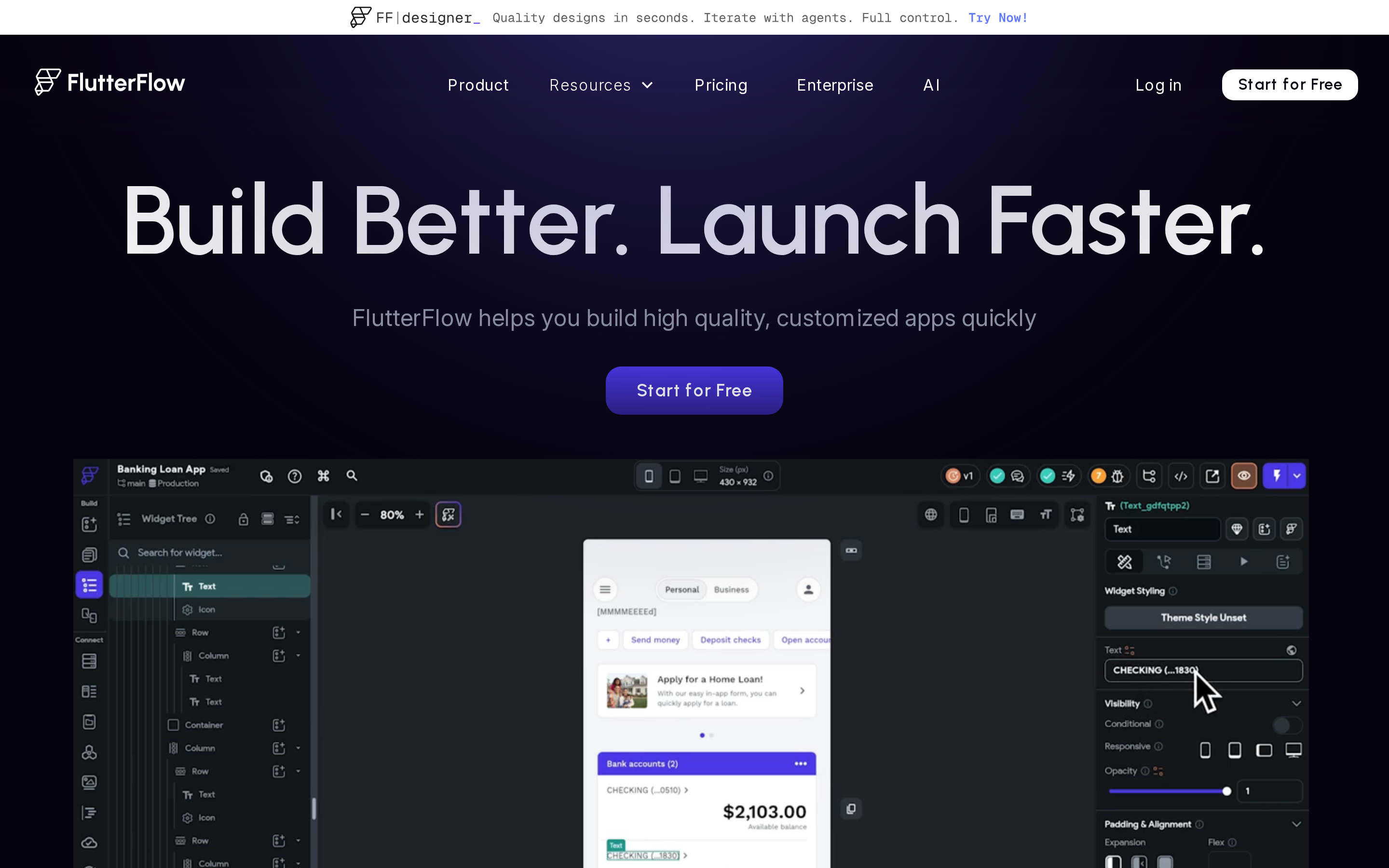
FlutterFlow is a visual drag-and-drop low-code platform for building native cross-platform apps with AI generation, custom Flutter/Dart code export, and one-click App Store and Google Play deployment.
Best for
FlutterFlow is used by product managers, designers, agencies, and development teams that want visual prototyping, Figma integration, code export, and enterprise collaboration features.
FlutterFlow uses a visual editor with optional AI generation. Emergent, Blink, and Rork start from natural-language prompts, while FlutterFlow lets you inspect, extend, and export Flutter and Dart code.
FlutterFlow has 2M+ users, with published case studies from FairPrice SuperApp and Atlassian internal tools. Teams report 80% faster delivery compared to traditional Flutter development workflows, per FlutterFlow's published case studies.
Key strengths
FlutterFlow's core strengths are its native cross-platform output (iOS, Android, web, desktop), deep visual editor with Figma import, exportable Flutter/Dart code, and enterprise collaboration features.
FlutterFlow generates Flutter code that runs natively on iOS, Android, web, and desktop from a single project, with one-click publishing to both the App Store and Google Play. Lovable is exclusively web/PWA-focused with no native iOS/Android output; Base44's mobile export produces IPA/AAB files but does not support push notifications.
Here is what the publishing workflow actually looks like for a non-technical user:
- Design your app in the visual editor.
- Connect your Apple Developer and Google Play accounts.
- Click Deploy. FlutterFlow handles build generation and submission.
- Review and release from App Store Connect.
FlutterFlow exports production-ready Flutter/Dart code that developers can continue building in VS Code, the FlutterFlow CLI, or GitHub. Full code ownership, no platform lock-in.
Business and Enterprise plans include Git-style branching, real-time collaboration, activity logs, and automated testing. No AI-first tool in this list, including Emergent, Rork, or Blink, currently matches this collaboration feature set.
FlutterFlow connects to Firebase, Supabase, REST APIs, Cloud Functions, payments, ads, and maps, plus 1,000+ pre-built templates to accelerate project setup.
FlutterFlow exports Flutter code that a developer can continue editing outside the platform. Using the visual editor and custom code requires more setup than a prompt-only workflow.
Limitations
Where FlutterFlow's learning curve bites
User reviews describe a notable learning curve for complex logic in FlutterFlow. Prompt-first builders such as Emergent and Base44 require less visual workflow setup.
Trustpilot reviews (2.5/5) and G2/Capterra feedback repeatedly flag pricing increases that force plan upgrades to retain features users previously had. Bubble's Starter plan offers a lower entry point for web-focused apps, though it carries its own pricing concerns.
AI generation is capped at 50 requests per month on Basic and 200 on Growth. Reviews report stability issues with generated UI components; Bolt and Blink place more emphasis on prompt-based generation.
Pricing
FlutterFlow has four main paid tiers: Basic at $39/month, Growth at $80/month, Business at $150/month, and Enterprise at custom pricing, all with annual discounts and a limited free plan.
- FlutterFlow Basic: $39/month
- Bolt and Lovable: $25/month
- Base44 Starter: about $20/month
- Bubble Web & Mobile Starter: $59/month when billed annually
Monthly prices vary when annual billing discounts apply.
| Plan | Price (monthly) | AI Gen requests/mo | Notable features |
|---|---|---|---|
| Free | $0 | 5 lifetime | 2 projects, limited features |
| Basic | $39/mo | 50 | Core editor, one-click deploy |
| Growth | $80/mo | 200 | More AI quota, advanced features |
| Business | $150/mo | 500 | Branching, real-time collab, automated testing |
| Enterprise | Custom | 500+ | Dedicated support, enterprise security, custom IP |
10. Bubble
Bubble is a visual no-code platform with a database, workflow engine, AI Agent, native mobile support, and more than 8,000 plugins. Bubble reports that builders have created over seven million apps on the platform.
Best for
Bubble is used by non-technical founders, agencies, and enterprises building web or mobile SaaS products, marketplaces, and internal tools with visual workflows.
Bubble has powered 7M+ apps built by 6M+ builders, spanning full-stack marketplaces, SaaS dashboards, and enterprise workflows. Hive Health built its complete health platform on Bubble with auto-scaling and SOC2 compliance.
Lovable and Bolt prioritize fast prompt-to-prototype workflows. Bubble uses a visual editor and workflow engine for teams that want to manage more complex application logic over time.
Key strengths
Bubble combines visual workflows, more than 8,000 plugins, native mobile support, autoscaling, and enterprise security controls.
Bubble runs on auto-scaling infrastructure with SOC2 and GDPR compliance, serving 7M+ apps including enterprise deployments. 2026 updates added Postgres 17 and auto-indexing, improving database performance for data-heavy applications.
Bubble's plugin marketplace offers 8,000+ plugins covering payments, auth, maps, messaging, and third-party APIs, more than any other tool in this list. It also supports any REST API natively and includes Figma import for design-to-build workflows.
Bubble supports native iOS and Android projects in public beta. The Free plan lets users build, debug, and test on devices through BubbleGo.
Starter adds mobile build submissions and live release options. Paid projects can also use device features such as push notifications and in-app purchases.
Bubble holds a 4.4/5 rating on G2 from more than 166 reviews.
Bubble's plugin marketplace and workflow engine support complex web SaaS projects after prompt-first tools reach their customization limits.
What Bubble costs you in practice
Bubble's main limitations are vendor lock-in, pricing hikes on scaling workloads, a learning curve for visual logic, and slower pure-speed iteration compared to AI-first builders.
Bubble does not export underlying source code, meaning your app is permanently tied to Bubble's infrastructure and pricing. If code portability matters, Lovable (GitHub sync, exportable React) or FlutterFlow (Flutter code export) are better choices.
Bubble uses a workload-unit model. Add-ons or overages can raise costs as app activity grows.
Bolt and Lovable start at $25 per month and focus on faster prompt-based web prototyping.
Annual billing is required for Bubble's advertised $59/month Starter rate.
Pricing
Bubble offers plans from Free through Enterprise. Paid tiers add higher usage limits and team features.
Bubble prices paid plans by workload capacity and team features, with lower monthly rates on annual billing.
| Plan | Price | Key limits |
|---|---|---|
| Free | $0 | 50,000 workload units; build, debug, and test projects |
| Starter | $59/month billed annually | 175,000 workload units; live website; five mobile build submissions monthly |
| Growth | $209/month billed annually | Higher workload capacity and team features |
| Team | $549/month billed annually | Collaboration tools and higher capacity |
| Enterprise | Custom | Dedicated support and enterprise options |
Which Replit alternative is right for you?
The single biggest decision is platform target: native mobile apps vs. web apps. Everything else, including AI vs. visual building and price, flows from that choice.
Native iOS/Android:
- Bilt — React Native, with builds, signing, and store release workflows
- Rork — React Native or SwiftUI, with automated store submission on Max plan
- FlutterFlow — Flutter cross-platform, production-ready mobile code
- Emergent — native mobile and web from a single build
Web and SaaS:
- Lovable — full-stack web MVPs with GitHub sync and Supabase
- Bolt — browser-based web and Expo prototypes
- Base44 — web CRMs and internal tools
- Blink — edge-deployed React/Deno full-stack
- Rocket — Next.js web apps with research-grade output
- Bubble — mature no-code web and SaaS platform
Bilt handles builds and signing for iOS and Android; users complete the final store review and release steps. Rork automates App Store submission on Max, while its Google Play workflow uses manual Expo steps.
FlutterFlow supports one-click deployment to both stores. Rocket requires manual code signing and store uploads.
Bolt, Base44, and Emergent prioritize fast first output, but their reviews report credit burn or instability as projects grow.
Lovable provides GitHub sync and Supabase integration. Blink uses an edge-deployed full stack, while Bubble adds a visual workflow engine and more than 8,000 plugins.
- Prompt-first tools: Bilt, Rork, Base44, Emergent, and Lovable let you describe the product in plain English instead of starting in a visual editor
- Tools with more hands-on control: FlutterFlow supports visual editing and custom Dart, Bubble uses workflow logic, and Blink exposes TypeScript and Deno code
- Under $30/month entry: Bolt Pro ($25), Lovable Pro ($25), Blink Starter ($25), Rork Junior ($25), Rocket Build ($25), Base44 Starter (~$20). Credit limits are tight for production builds at these tiers.
Quick decision checklist
- Native mobile or web: Decide whether you need an iOS and Android app or a browser-based product.
- Code ownership: Check whether you can inspect, export, and maintain the code outside the platform.
- Credit-based pricing: Estimate how prompts, builds, and revisions could affect your monthly cost.
- Store submission: Confirm whether the tool handles code signing and App Store or Google Play submission.
- Higher-use plans: FlutterFlow Growth costs $80/month, Rork Middle to Senior costs $50 to $100, Blink Pro costs $50, and Bubble Starter costs $59/month with annual billing. Emergent Pro costs $200/month, with reviews reporting $50 to $3,000 in wasted credits on complex projects.
Build native iOS and Android apps with Bilt
Getting a demo working is often easy. The last stretch is where builders get stuck between a good-looking preview and an app they can actually publish.
Bilt is built for that mobile release path. Describe your app, preview it live, then publish when you are ready.
FAQ
Is Replit worth it?
Replit can be worth it for learning, prototypes, and simple web apps.
Starter includes:
- Daily Agent credits
- A built-in database
- One published project
Replit Core plan costs $20/month, or $18/month with annual billing, and includes $20 in monthly credits.
For native iOS or Android publishing, code signing, and store submission, compare a mobile-focused builder instead.
Bubble or Replit: which is better?
| Tool | Workflow | Free-plan scope | Public launch |
|---|---|---|---|
| Replit | Code-oriented workspace with Agent assistance | Starter can publish one project | Included within Starter limits |
| Bubble | Visual no-code web and mobile development | 50,000 workload units with on-device testing | Starter costs $59/month billed annually |
Replit provides an editable coding workspace. Bubble provides visual workflows and a managed backend.
Choose Replit for an editable coding workspace. Bubble fits a visual workflow with a managed backend.
Are any Replit alternatives free?
Yes, but free plans are generally intended for building and testing rather than a full production launch.
- Bilt Free: up to 3 million monthly AI tokens, backend services, and live preview.
- Bubble Free: development, on-device mobile testing, and 50,000 workload units; launch features begin on Starter at $59/month billed annually
Compare credit limits, deployment rights, and store-submission access before choosing a $0 plan.
Free tiers are useful for testing the workflow, but compare deployment rights and store-submission access before building a production app.