
You can price the subscription in seconds. The monthly total gets harder to predict once Agent and app resources begin using credits.
Replit can be good value for a prototype or internal tool. Your plan choice depends on workspace activity, Agent usage, and deployment costs.
Replit now supports mobile-app artifacts. For a store release, verify native output and device preview, then confirm how signing and submission work.
Start with the plan overview, then use the billing breakdown to estimate the full monthly cost.
Replit plans at a glance
Replit has four pricing paths, from the free Starter plan to custom Enterprise pricing. The breakdown below is the quick scan.
Core includes a monthly credit balance. Pro uses selectable prepaid credit tiers shared across the team, with pooled usage controls.
How Replit billing works
Replit billing makes more sense when you separate the subscription from the usage meter. The monthly plan unlocks the workspace, while credits pay for the work happening inside it.
Credits can be used across several parts of Replit:
- AI prompts and Agent runs
- workspace compute while apps are running
- deployments
- storage and other resource usage
For Core, the current billing math is simple:
- $20/month on monthly billing
- $18/month with annual billing
- $20 in monthly credits included
Publishing charges use monthly credits first. After that balance runs out, Replit applies its published deployment rates.
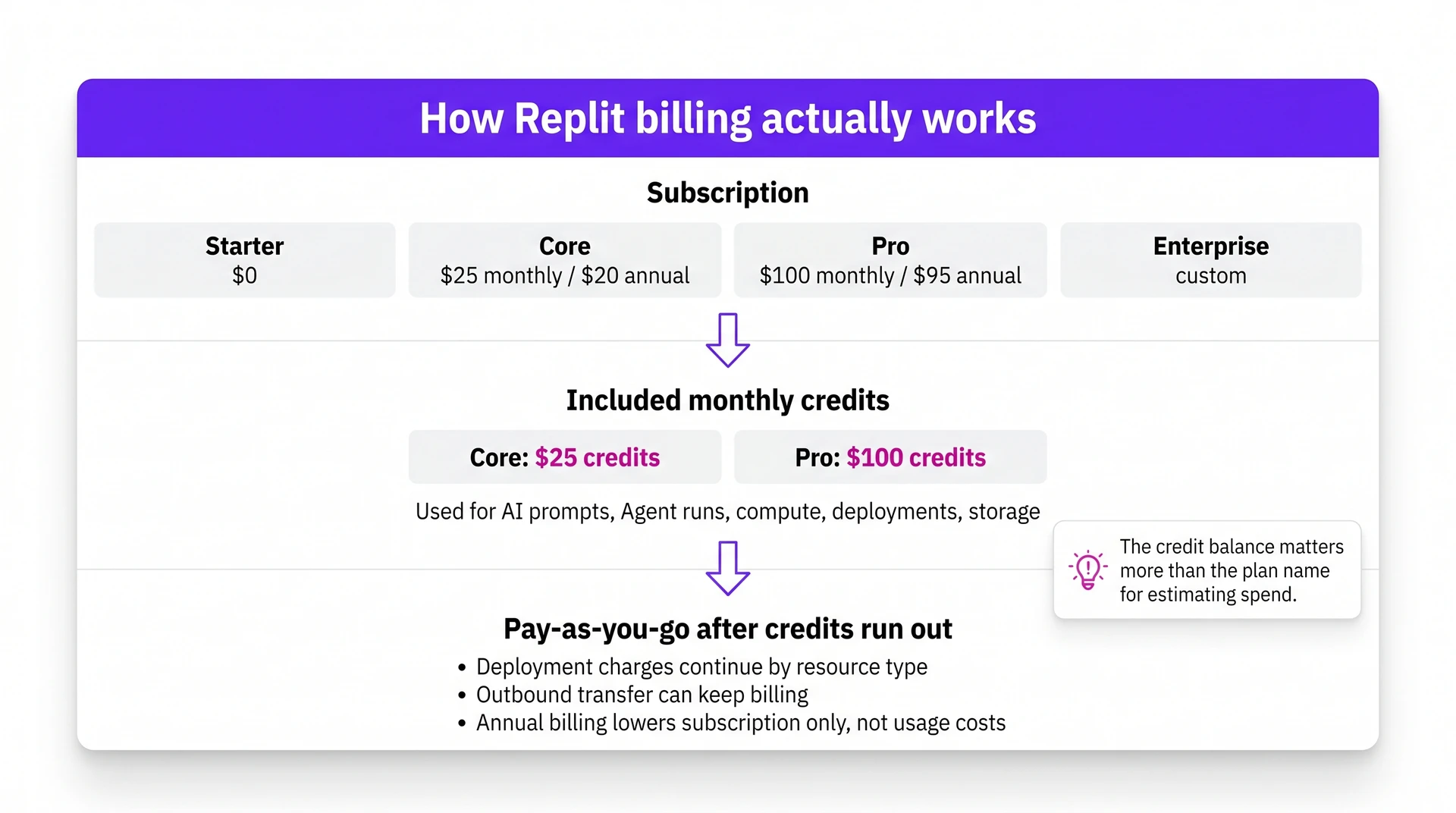
That is why the credit balance is worth checking before you leave deployments running. Annual billing lowers the subscription, but usage still depends on what the project consumes.
Plan-by-plan breakdown
With Replit's billing model in mind, the plan choice comes down to project seriousness, team access, and expected AI or compute usage.
Starter plan (free)
Starter is for learning Replit, testing ideas, and publishing one very small project. Treat it as a workspace trial run before a real build depends on daily limits or Replit-branded deployment.
Where Starter starts to pinch:
- Included limits: $0/month, limited daily credits, limited Agent access, one published app, and Replit branding on deployed projects.
- Best fit: Students, beginners, and builders who want to understand the workspace before paying.
- Upgrade trigger: Move to Core when you need full autonomous Agent access, more room to build, or a project that feels closer to production.
Core plan ($20/month or $18/month annually)
Core is the first Replit plan to price out for serious solo building. The monthly cost is still low enough for active prototyping, and the included credits give Agent more room than Starter.
Where Core earns its price:
- Price: $20/month, or $18/month when billed annually.
- Included credits: $20 in monthly credits for AI usage, compute, and deployments.
Best for: Solo builders making active web prototypes and internal tools. Pro adds pooled credits and team access when shared work becomes the constraint.
Pro plan ($100/month or $95/month annually)
Pro changes Replit from a solo workspace into a shared build environment. It uses tiered prepaid credits, so check Replit's current pricing and Pro documentation.
Where Pro changes the workflow:
- Pooled credits: Choose a prepaid credit tier and share it across up to 15 builders.
- Budget controls: Set spending guardrails for shared Agent and deployment usage.
- One-month rollover: Unused prepaid credits roll into the next month.
- Up to 10 parallel tasks: Run separate Agent tasks without waiting for one job to finish.
- Turbo in Power mode: Pro can enable Turbo when faster runs justify higher request costs.
Best for: Small teams building commercial web apps or internal tools with shared credit usage. Enterprise becomes relevant when procurement, contracts, or custom terms enter the decision.
Enterprise plan (custom pricing)
Enterprise belongs in the conversation when the buying process needs a contract, security review, or custom usage terms. Treat Pro as the clearer comparison point before using Enterprise as a simple “more credits” upgrade.
Enterprise is mainly about:
- Custom usage: credit volumes, seat counts, and limits set through a custom arrangement.
- Formal support and procurement: direct support, privacy review, billing terms, and internal approval handled through a contract.
Hidden costs and gotchas
The plan breakdowns above show what Replit includes. The bill changes once Agent runs, deployments, and outbound transfer leave the included allowance.
| Deployment type | Published rate | How to budget it |
|---|---|---|
| Autoscale | $1/month + usage | $3.20/M compute; $1.20/M requests |
| Scheduled Deployments | $1/month + compute | Budget for scheduled run time |
| Reserved VM | From $20/month | Fixed monthly instance cost |
| Static hosting | Hosting free | $0.10/GB transfer |
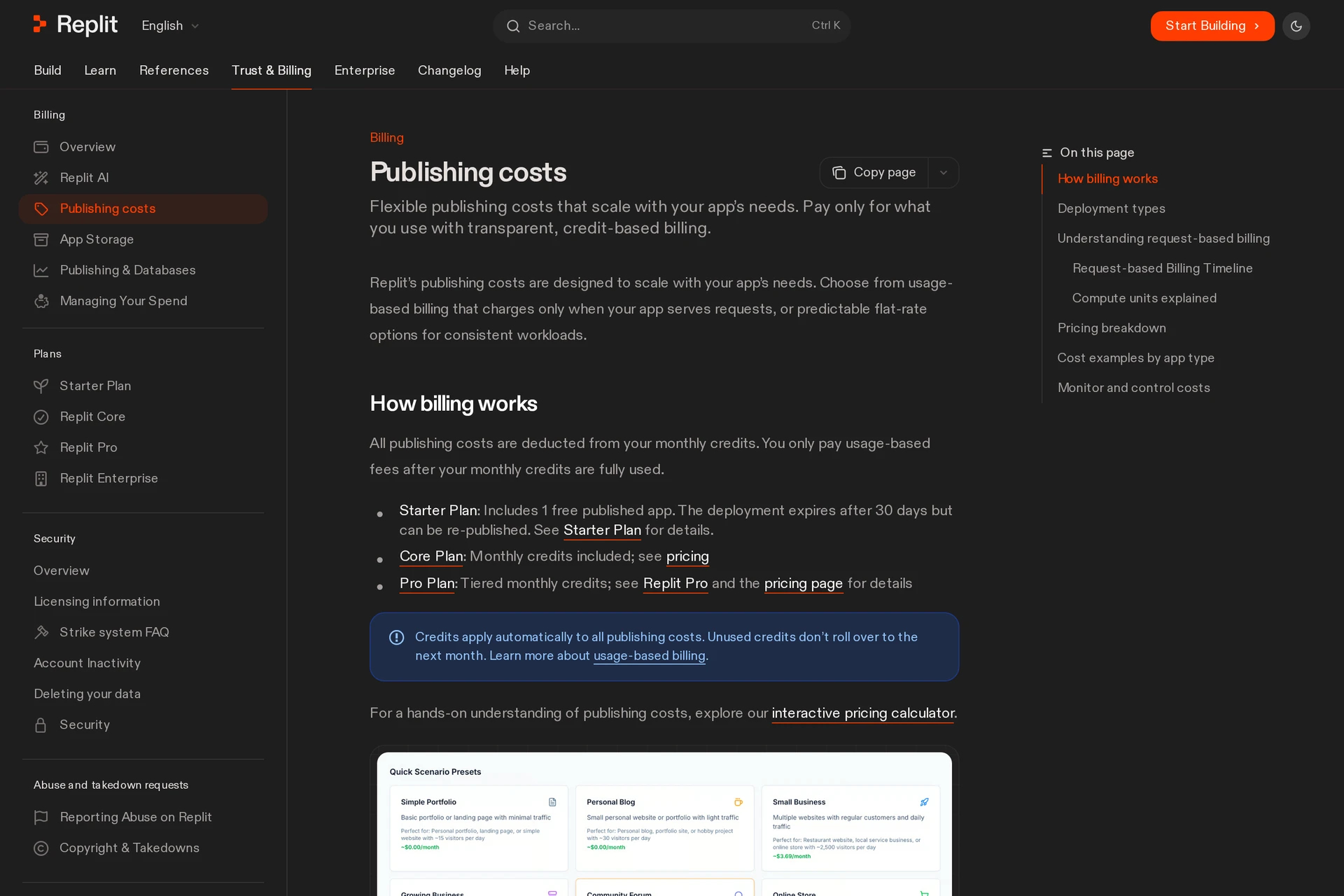
- Credits can run past the plan price when credits run out, because Replit can keep billing the card on file. Core credits also expire monthly instead of rolling over.
- Agent usage needs a baseline. Record your credit balance, run one defined task in the chosen mode, then compare the balance after the run. Include expected retries in the project budget.
- Claude API comparisons are not one-to-one. Direct Anthropic token pricing does not include Replit's IDE, orchestration, or retry behavior, so use it as rough context instead of a bill estimate.
- Agent modes affect the bill. Lite suits targeted edits. Economy and Power suit autonomous builds. Turbo is a separate Pro-only toggle inside Power.
Replit's Pro documentation says Turbo runs are about 2.5x faster, while requests cost about 2x as much. Use it when the saved time is worth the higher request cost.
Replit's deployment-pricing example estimates about $1.05 in publishing charges for a low-traffic personal blog with 4,500 monthly requests, before credits are applied.
How to control your Replit spend
Replit spend control starts before you open Agent. Pick a ceiling, choose a mode, then check usage before another run becomes a paid retry loop.
| Lever | When to use | Credit impact | Mobile alternative note |
|---|---|---|---|
| Usage dashboard | Weekly, daily during builds | Find costly runs early | Track web prototype spend |
| Lite mode | Targeted edits | Lower-cost small changes | Use Bilt for native changes |
| Economy or Power | Autonomous web builds | Higher task usage | Web-first workflow |
| Turbo in Power | Time-sensitive Pro tasks | About 2x/request | Native builds need Bilt |
| Deployment type | Before publishing | Hosting and transfer vary | Plan mobile hosting separately |
- Use annual billing only after a month of stable usage. The subscription discount is predictable, but Agent overages are where the surprise usually appears.
- Set a hard budget limit before complex Agent work. Treat the limit as a stop-loss, and pause when a run hits the ceiling.
- Watch outbound data as its own budget line. A media-heavy app can spend through bandwidth even when compute looks controlled.
Is Replit worth it?
Yes for web apps, if speed matters more than perfectly predictable usage costs. Replit's value is having the browser IDE and Agent tied to deployment in one place.
In testing, Replit felt worth paying for when the project needed quick iteration on a working app. The cost risk showed up when Agent retries continued without checking usage.
Readers often compare Replit with Bolt and Lovable, which are prompt-to-app builders for fast web prototypes. Replit is closer to a coding workspace, so the pricing decision is different.
Use Replit when the work looks like this:
- You want to skip local setup and build in the browser.
- You need to inspect or edit generated code.
- You are deploying a web app.
- You are building an internal tool.
- You are learning inside a real codebase.
Compare Replit's subscription, credits, and deployment costs before committing.
For a native mobile release, review Bilt alongside Replit and verify native output, device preview, code signing, and store submission support.
Building a native mobile app? Bilt helps you take it to launch
Describe your app idea in plain English. Bilt builds a real native app, previews it live, and helps you publish on iOS and Android.
Describe an app and watch Bilt build it in a live native preview.
No code is needed. Bilt handles:
- Backend and authentication
- Database and storage
- Code signing
- Store submission steps
For mobile builders, Replit credits are only one part of the budget. The bigger risk is spending your revision time on release work you still have to solve somewhere else.
Bilt uses fixed monthly plans with clear token counts, so you can predict your build and revision room.
The numbers are not a direct conversion from Replit credits. Tokens measure the AI work used across prompts, edits, and generation, so an allowance does not convert to a fixed number of prompts.
| Plan | Monthly price | Monthly AI tokens | What the token room means |
|---|---|---|---|
| Free | €0 | 3M | Shape the idea, test screens, and decide whether Bilt fits the build. |
| Professional | €25/month | 10M | Room for a serious first build, including screen changes, backend adjustments, and fixes. |
| Professional Plus | €50/month | 20M | Room for heavier revision before launch, plus priority support and early access. |
| Professional Max | €100/month | 45M | Higher monthly allowance and higher cloud limits for published apps. |
| Professional Ultra | €250/month | 115M | Bilt’s highest published self-service token allowance. |
| Enterprise | Custom | Confirm in custom quote | Support for teams that need onboarding, custom integrations, group access controls, or dedicated help before release. |
Apple and Google still require their own platform accounts, separate from Bilt plan fees:
- Apple Developer Program: $99/year
- Google Play Console: $25 one-time
If Replit helped you prove the idea, Bilt gives the native mobile version a clearer path to launch. You can start from scratch or bring over a web app without turning code signing and store submission into a second project.
Start building free when you are ready to preview and publish. Comparing costs first? See all plans.
You can also review Bilt or book a call before choosing a plan.
Common questions about Replit pricing
Use these quick answers when Replit's plan table stops answering the practical questions.
Is Replit free?
Yes, Replit has a free Starter plan, but regular building reaches its limits quickly.
Starter works for experiments because the limits are visible upfront:
- 1,200 monthly dev minutes for development time.
- Daily Agent chat caps, so AI help can run out before the day is over.
- One published app at a time, limited to a 30-day publish window.
Do unused credits roll over?
Only Pro credits roll over. Core credits expire at the end of each billing cycle.
Pro rollover is capped:
- rollover lasts one month
- your balance can cover at most two months of credits
- old credits do not become a long-term reserve
What happens when you run out of credits?
When credits run out, Replit can switch the account to pay-as-you-go billing by resource type unless budget controls stop it.
Set hard budget limits before a serious Agent session or deployment test. Fixed credit packs are simpler when you need a known ceiling.
Is Replit free for students?
Replit is not automatically free for students. With a valid .edu email, students can get 50% off Core, which brings the current monthly Core price to $10/month.
A practical student setup looks like this:
- Use Starter for coursework and small prototypes.
- Rely on daily Agent credits for limited AI help.
- Move to discounted Core when publish limits or AI caps block the project.
Check Replit's current student offer before budgeting around it. Do not assume a GitHub Student Developer Pack benefit applies unless Replit confirms that benefit.