
You've felt the rush. AI writes your frontend in seconds, the preview looks polished, and the app feels basically done.
Then you add the backend. Auth, payments, a real database, and suddenly it's 11 PM and you're debugging code you didn't write.
The category splits by endpoint. Cursor and Devin Desktop focus on repository work, Replit builds in a hosted workspace, Qodo governs code review, and Bilt takes native mobile apps through store submission.
This is a curated workflow comparison, not a market-share leaderboard. Each platform is assessed by action scope, codebase context, human review, deployment endpoint, privacy controls, and pricing predictability.
Best AI-powered coding platforms at a glance
These nine platforms cover six practical roles: agent platforms, IDE assistants, cloud-focused assistants, browser builders, native mobile builders, and review governance. Prices below use the lowest verified paid entry point.
- Bilt, best for native mobile publishing: generates React Native apps for iOS and Android and automates store submission steps. Free tier; Professional costs €25/month.
- Cursor, best for agent work across an existing codebase: runs agents through desktop, CLI, cloud, web, and mobile surfaces. Pro costs $20/month.
- Devin Desktop, formerly Windsurf, best for managing several coding agents: combines an IDE with local and cloud agent workflows. Pro costs $20/month.
- JetBrains AI, best for JetBrains teams: adds completions, refactors, and agent tasks inside supported JetBrains IDEs. AI Pro costs $100 per user per year.
- Gemini Code Assist, best for Google Cloud and Firebase teams: provides IDE, terminal, and agent assistance with a 1-million-token context window. Standard costs $22.80/user/month, or $19 with an annual commitment.
- Amazon Q Developer, best for AWS and modernization work: covers AWS troubleshooting, unit tests, and Java or .NET upgrades. Pro costs $19/user/month.
- Claude Code, best for terminal-first repository work: reads repositories, edits files, runs commands, and can submit pull requests. Claude Pro costs $20/month, or $17/month billed annually.
- Replit Agent, best for hosted builds: creates web and native iOS apps in a browser workspace, with hosting for web projects and guided App Store submission for iOS. Core costs $20/month with $20 in monthly credits.
- Qodo, best for pull-request governance: analyzes pull requests, enforces review rules, and generates tests. Pro Team starts at $30/month.
AI coding platforms compared: type, action scope, and pricing
The paid entry points cluster tightly, but the platforms finish very different parts of the job. Compare the endpoint first, then the price.
Here is the product type, action scope, and entry price for each:
| Tool | Product type | Primary action scope | Entry pricing |
|---|---|---|---|
| Bilt | Native app builder | Native iOS and Android apps, plus store submission | Free tier. Paid plans from €25/mo |
| Cursor | AI-first code editor | Repo-aware editing and multi-file agent work | Free hobby tier. Pro $20/mo |
| Devin Desktop | Agentic IDE | Local and cloud agent work across files | Pro $20/mo |
| JetBrains AI Assistant | IDE assistant plugin | Coding and agent tasks in JetBrains IDEs | AI Pro $100/user/year |
| Gemini Code Assist | IDE and cloud assistant | Repository analysis for Google Cloud workflows | Standard $19/user/mo annually |
| Amazon Q Developer | Cloud coding assistant | AWS troubleshooting and modernization | Free tier. Pro $19/user/mo |
| Claude Code | Terminal agent | Repository edits and shell commands | Included in plans from $20/mo |
| Replit Agent | Browser coding workspace | Full-stack builds in a hosted workspace | Core $20/mo with $20 credits |
| Qodo | Code review platform | Pull-request analysis and test generation | Pro Team from $30/mo |
Three takeaways from the comparison:
- The paid floor is tight: Amazon Q Developer starts at $19/user/month, Cursor and Devin Desktop at $20/month, and JetBrains AI Pro at $100/user/year.
- Higher tiers spread out: Devin Desktop Max costs $200/month, while Gemini Code Assist Enterprise costs $54/user/month or $45 with an annual commitment.
- The endpoint matters most: Cursor, Devin Desktop, JetBrains AI, Gemini Code Assist, Amazon Q Developer, and Claude Code act on code. Replit adds hosted deployment and guided iOS submission. Bilt adds native iOS and Android generation with store-submission automation.
What counts as an AI-powered coding platform?
An AI-powered coding platform is software that uses AI to generate, edit, explain, review, or execute code across a real development workflow.
The test is action, not conversation. The platform has to work on real artifacts: generate, edit, review, test, or execute code using file, repo, or workflow context.
Prompt-driven building qualifies as long as the output is executable software rather than a snippet you paste in somewhere yourself.
- Six product types qualify on that basis:
- AI agent platforms: plan and apply changes across editors, terminals, cloud agents, and repositories.
- IDE assistant plugins: add completions, refactors, and agent tasks inside an IDE you already use.
- Terminal agents: read repositories and run shell commands from the CLI.
- Browser development environments: build, run, and deploy inside a hosted workspace.
- App builders: output complete codebases, including native mobile projects.
- Code review platforms: analyze pull requests, enforce rules, and generate tests.
The 9 platforms, matched to different workflows
The nine entries cover distinct workflow endpoints. Bilt starts with an app idea and ends at mobile release; Cursor, Devin Desktop, JetBrains AI, Gemini Code Assist, Amazon Q Developer, and Claude Code work on existing code; Replit hosts a build; Qodo governs pull requests.
1. Bilt
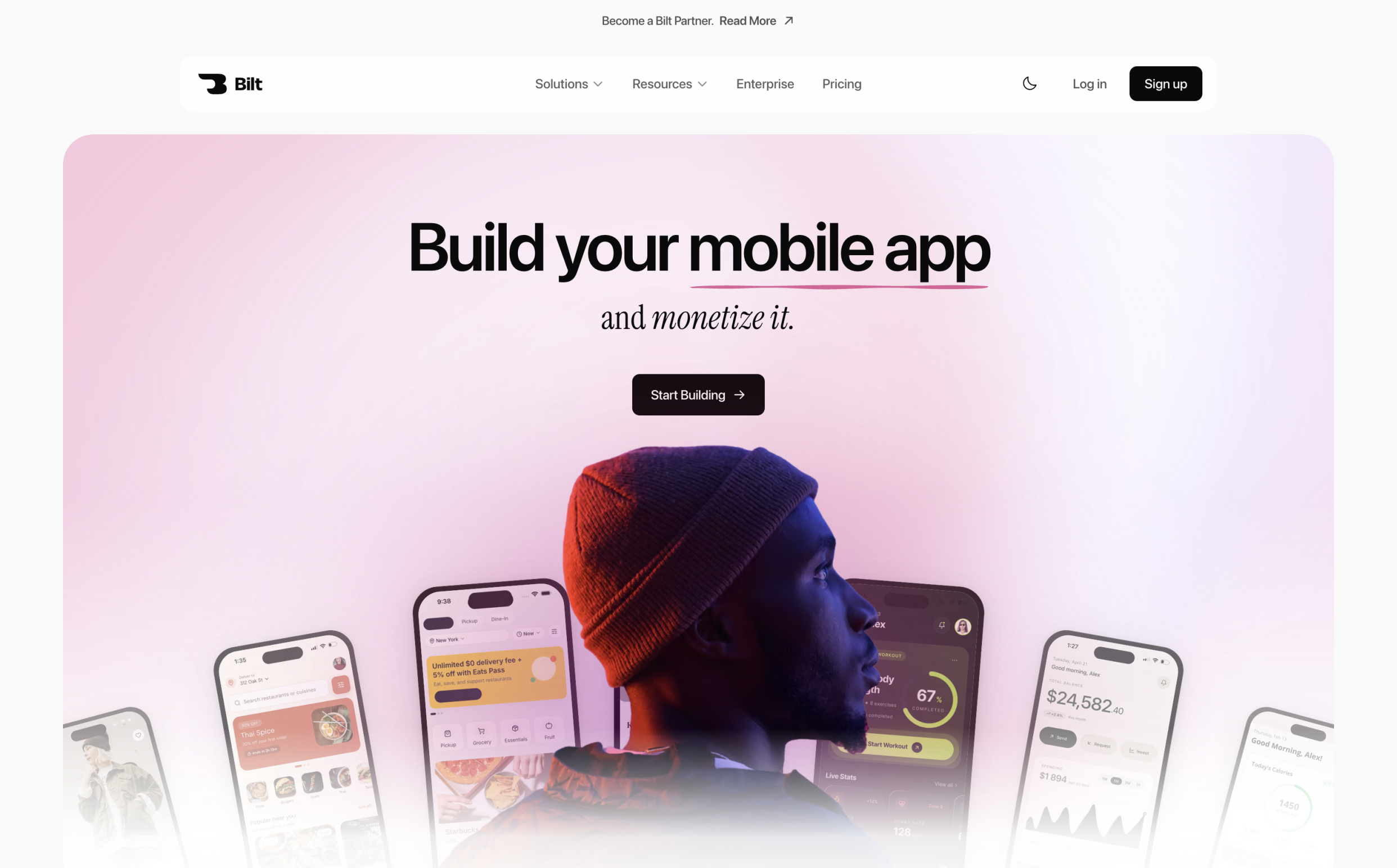
Bilt is the mobile-first entry in this list. You describe the app in plain English, and Bilt generates a React Native app for iOS and Android, then carries the project through build and store submission.
Cursor, Devin Desktop, JetBrains AI, Gemini Code Assist, Amazon Q Developer, and Claude Code begin with a codebase or development environment. Bilt can begin with the app idea, then keep native build and release work in the same workflow.
Describe the app in plain English, and Bilt writes the React Native codebase, connects the backend, and prepares submission to the App Store and Google Play.
The important difference is the path after the first draft. Bilt keeps the build, signing, device testing, and store steps in the same workflow.
- Best for: non-technical founders, business owners, and vibecoders who want a published native app rather than help writing code.
- Not for: engineers who want an AI pair programmer inside an existing repo, or projects that only ever need to run in a browser.
- The honest limit: usage is metered in AI tokens. Heavy iteration can use a lower tier’s monthly allowance, and a 5M-token top-up costs €25, or €15 on a paid plan.
| Plan | Price | What you get |
|---|---|---|
| Free | €0 | 3M monthly AI tokens and backend |
| Professional | €25/month | 10M monthly AI tokens and priority access |
| Professional Plus | €50/month | 20M monthly AI tokens and priority support |
Annual billing saves two months against the monthly price. Start building free, or see all plans if you want to compare token allowances and support. Free to start, no credit card.
What it builds
Bilt builds the interface, feature logic, and backend integrations together from a plain-English prompt.
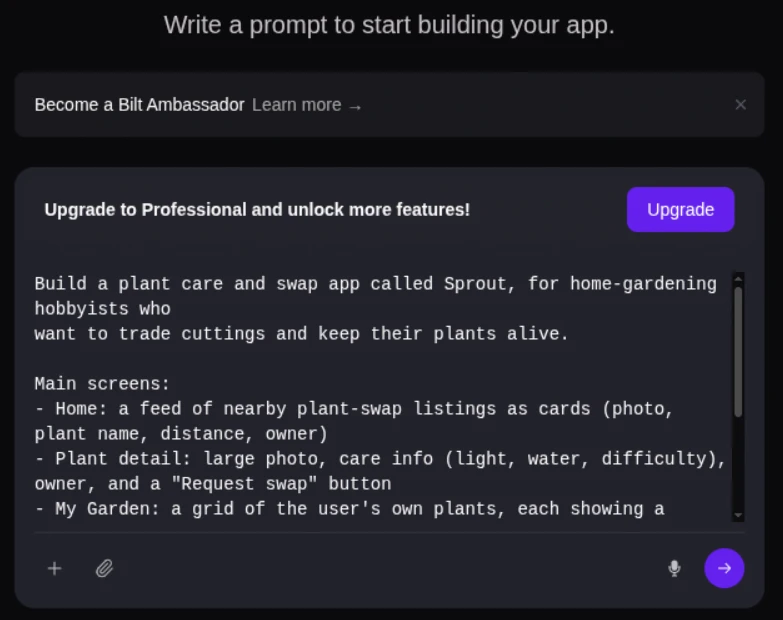
Start with one description in the browser. Bilt writes the interface, feature logic, and backend integrations, then you refine the project through the same conversation.
Then you keep talking to it: rename a screen, add a paywall, change how a flow behaves.
The prompt interface keeps the project history beside the input, so each change builds on the same app conversation:
What comes out of that first prompt:
- Screens and navigation: built and connected, not left as a wireframe.
- Backend: authentication, database, and storage are included on the free tier.
- App logic: forms, state, and the flows behind each feature.
- Native features: push notifications, camera, GPS, and paywalls without handwritten native code.
- Both platforms: one build process covers iOS and Android.
- Your branding: apply a logo, icons, colors, and fonts from the start.
Bilt writes real React Native source code on the same stack a development team would use, so the project can move into a normal development workflow.
Teams build in the same project rather than emailing exports around:
- Shared workspaces so more than one person works on the app at once.
- Version control on the generated code, so changes are tracked.
- Enterprise controls including SSO, group-based access control, and isolated AI processing that keeps your app code out of shared model training.
Native mobile output and code ownership
Bilt outputs React Native source code that you can export, edit, host, or hand to a developer. That makes Bilt a different fit from Cursor or Claude Code when you are starting with an app idea instead of an existing repository.
The generator writes React Native, with an Expo package covering the parts that usually break first, like in-app purchases and StoreKit lifecycle handling.
- Files land in a normal project structure. Someone opening the repo sees a mobile app project, not a web page wrapped in a shell.
- What that ownership actually buys you:
- Export the full source at any time, including a synced GitHub repository.
- Host the app yourself if you would rather run it outside Bilt.
- Open it in a normal IDE and edit it like any other React Native project.
- Hand it to a developer to write custom algorithms the agent did not generate.
- Wire it into your CI/CD pipeline through API access.
The exported React Native app can run outside Bilt, while projects using Bilt Payments or a Bilt-managed backend retain those service dependencies.
From preview to app store
Bilt includes browser and device testing, then manages native builds, signing, and store uploads for the App Store and Google Play. That release endpoint separates it from coding agents such as Cursor and Claude Code, which work on repository changes.
Previewing runs in a browser-based simulator, so you watch the app behave in a native environment while you change it. Scan the QR code and the same build opens on your own phone.
There is no local development environment to configure first: no Xcode setup, no Android emulator install, no Mac needed to see the iOS side.
Publishing keeps build and signing work in Bilt, while final review and release actions remain in the stores’ tools:
- Store assets generated in the formats each store asks for.
- Code signing, certificates, and provisioning profiles handled by the pipeline instead of by you.
- Store uploads: Bilt uploads the iOS build to App Store Connect and sends the Android bundle to Google Play’s internal testing track; you submit Apple review in App Store Connect, and a first Play release may require a manual upload.
Web-to-mobile conversion
Bilt can turn an existing web app into a native React Native project for iOS and Android.
This one is for builders who already have something live: a web product shipped with Lovable, Replit, V0 or Next.js, or sitting in a GitHub repo.
- What they want next is push notifications and a home screen icon, the retention channel a browser tab never gives them.
Connect the repository and the agent reads the existing code, then replicates its core functionality in a native app. The web product stays as it is.
What comes out the other side:
- A React Native codebase that compiles to real iOS and Android binaries.
- Native module access for device features the web version could not reach.
- A store-ready build rather than a web view in a mobile shell.
From there the mobile version goes through the same publishing path as any other Bilt build.
2. Cursor
Cursor is an AI coding agent platform for developers working in an existing repository. It offers desktop, CLI, cloud, web, and mobile surfaces for repo-aware planning, editing, command execution, and review.
Cursor is a fork of VS Code, so the layout, extensions, and keybindings are the ones most developers already have muscle memory for.
Cursor lets developers select OpenAI, Anthropic, Gemini, and Grok models inside the same editor, without switching tools to change engines.
Operating model
Cursor can work inside its VS Code-based desktop editor, from the CLI, or through cloud agents, while using codebase context across a task.
Its agent can search the codebase, edit several files, run terminal commands, and create checkpoints for rollback. Composer remains available for agent work inside the product.
Four things happen without leaving the editor:
- Autocompletion that predicts the next edit rather than the next token.
- Codebase-aware chat that answers with repository context attached.
- Multi-file editing applied as a single change set through Composer.
- Agent mode that works through a stated problem, with in-place debugging alongside it.
Best-fit use case
Cursor fits teams that want an agent to plan, edit, run commands, and review changes against an existing codebase.
The shape that fits is an existing codebase where the work is spread across files: a refactor touching routes and tests together, or a bug whose cause sits three files from the symptom.
Debugging happens in the same loop, so the surrounding code stays in view while the fix is proposed.
It suits developers who want one agent across desktop, terminal, cloud, browser, and mobile surfaces without giving up direct code review.
Privacy Mode prevents Cursor and its model providers from using code data for training. Teams can enforce that setting centrally.
Main constraint
Cursor can edit code, run commands, and submit changes, but it does not provide an integrated native App Store and Google Play release pipeline.
The workflow stops at the code. Editing, chat, debugging, autocompletion, and agent runs all land inside the editor, and native compilation, store compliance, and release handling stay your job.
Choose it when the codebase is the center of the workflow. If the goal is a published native app with store automation, that release layer still needs another owner.
Cursor can search very large codebases, but teams still need explicit rules and review when a change spans repositories or release systems.
Review agent changes for architectural drift, especially during broad refactors. A locally correct edit can still make the wider system harder to maintain.
Pricing
Cursor separates a free Hobby tier from paid plans for heavier agent use.
Pro costs $20/month. That matches Devin Desktop Pro, sits just above Amazon Q Developer Pro at $19/user/month, and compares with JetBrains AI Pro at $100/user/year.
3. Devin Desktop (formerly Windsurf)
Devin Desktop, formerly Windsurf, is Cognition’s IDE and command center for local and cloud coding agents. It is built around coordinating repository work across agents rather than shipping a mobile app through store release.
Cognition also makes Devin, and Devin Desktop can manage agents such as Devin Cloud, Claude Agent, Codex, Cascade, and local models from one surface.
The model layer is selectable. OpenAI, Anthropic, and Gemini models are all available, plus free access to Cognition's own in-house SWE model for task completion.
Operating model
Devin Desktop can turn one instruction into coordinated work across files, local agents, and cloud agents.
The IDE supplies code navigation, debugging, autocomplete, and review. Spaces share context and Git worktrees across agents so several tasks can run without losing their boundaries.
Shared Spaces preserve context for the agents working on a project, reducing the need to restate the same repository instructions for each task.
Tab completions are workspace-aware too, referencing the wider architecture instead of only the open file.
Best-fit use case
Large refactors that touch related files are the clearest fit for Windsurf's multi-file workflow.
The case this architecture is built for is the large multi-file refactor. Rename a model, and the edits land in routes, tests, and templates at the same time.
Shared chat can keep developers and Cascade in one conversation instead of separate private sessions.
Main constraint
Devin Desktop manages coding agents, but teams still own their application hosting and native mobile release workflow.
Its built-in IDE can run and review changes, while production infrastructure remains wherever the application already runs.
Replit Agent is the tool on this list that provisions hosting inside its own workspace.
There is no native mobile binary step either. Windsurf is a general-purpose agentic IDE, so an iOS or Android release needs a mobile build pipeline around it.
Bilt covers that layer directly, generating React Native codebases and automating native builds and store uploads for Apple and Google Play.
Pricing
Windsurf prices access through agent-capacity tiers and usage quotas.
Pro costs $20/month and Max costs $200/month. Higher tiers provide more agent quota and broader model access.
Replit meters hosted agent work through credits. Bilt uses monthly AI-token allowances for its mobile build and publishing workflow.
4. JetBrains AI Assistant
JetBrains AI Assistant adds context-aware coding and agent tasks to supported JetBrains IDEs. Its project index and refactoring engine keep the work inside the editor developers already use.
JetBrains AI Assistant is a plugin, not a separate editor. It installs into the JetBrains IDEs developers already use: IntelliJ IDEA, PyCharm, GoLand, Android Studio, and the rest of the suite.
That placement decides how it works. Instead of building its own picture of the codebase, it reads the project index and refactoring engine the IDE already maintains.
Operating model
JetBrains AI uses the project index and refactoring engine already maintained by supported JetBrains IDEs.
That lets completions, explanations, and refactors use project structure without moving the work into a separate editor.
What it does with that context:
- Core assistance: project-aware completion, explanations, inline workflows, and refactoring.
The model layer is mixed. JetBrains ships its proprietary Mellum models alongside OpenAI, Anthropic, and Google models, available through the subscription or a bring-your-own-key setup.
Local and in-house models are also supported, which matters for teams that cannot send source code to a third-party API.
Best-fit use case
Teams already using JetBrains IDEs can add project-aware refactoring and analysis without changing editors.
The appeal is that nothing else about the workflow changes. Keybindings, run configurations, version control, and the debugger stay where they are, and the AI layer sits on top of them.
Where that fits:
- Teams already standardized on IntelliJ IDEA, PyCharm, GoLand, Android Studio, or another supported JetBrains IDE.
- Larger repositories where project-wide analysis and multi-file agent tasks matter more than file-level autocomplete.
- Developers who want project-aware suggestions without adopting a second editor
Getting project-wide edits from Cursor means working inside a dedicated AI-first editor; JetBrains AI Assistant keeps that work in the IDE that is already open.
Main constraint
A JetBrains IDE is required, and deployment or native publishing automation remains outside the plugin's scope.
The boundary is the JetBrains ecosystem. It ships as a plugin, so the workflow assumes a JetBrains IDE rather than a standalone editor, a terminal agent, or a browser workspace.
It also stays on the coding layer. Three things sit outside that scope:
- Production infrastructure: hosting and runtime operations remain outside the IDE assistant.
- Native publishing: mobile signing and store submission need a separate release workflow.
- Review governance: Qodo centers on cross-repository pull-request rules and review, while JetBrains AI centers on assistance inside the IDE.
Pricing
JetBrains separates AI access into Pro and Ultimate tiers, with cloud usage billed through credits.
AI Pro costs $100 per user per year, and AI Ultimate costs $300 per user per year. A free tier includes three AI credits every 30 days.
Paid plans include monthly AI credits, and additional credits can be purchased as top-ups. One AI Credit is priced at $1 and remains valid for 12 months.
5. Gemini Code Assist
Gemini Code Assist is Google’s AI coding assistant for repository-scale analysis, multi-file planning, and Google Cloud and Firebase development.
Two things define it against the rest of this list. Agent Mode analyzes a full repository and proposes multi-file plans that you approve before any change lands.
The second is context size. A 1-million-token window makes the repository, not the open file, the normal unit of analysis.
Operating model
Agent Mode analyzes repository context, drafts a multi-file plan, and waits for approval before applying changes.
Agent Mode, currently in preview, can use full-project context and make multi-file edits with human oversight. The 1-million-token context window applies to Standard and Enterprise subscribers.
That propose-then-approve pattern is the defining behavior: the agent drafts the change set, a human signs off, and only then does code move.
Where it plugs into the surrounding stack:
- Firebase and Google Cloud: assistance connects with Google’s development and cloud services.
- GitHub pull requests: Enterprise adds code review and style checks.
- IDE and terminal: assistance runs in supported editors and through Gemini CLI.
Best-fit use case
Google Cloud and Firebase teams can use repository-scale analysis within their existing governed review workflows.
The clearest fit is a team already using Google Cloud or Firebase, because the integrations and administrative controls sit inside that environment.
The governed review step is the other half. Enterprise adds AI code review and stylistic issue detection on GitHub pull requests, so the approval gate sits in the workflow those teams already use.
Environments that line up with it:
- Teams shipping on Google Cloud and Firebase
- Codebases large enough that repository-scale analysis beats file-level completion
- Organizations that require human approval before AI-authored changes merge
Main constraint
Google infrastructure and Gemini models anchor the workflow, so developers cannot switch providers inside the tool.
Gemini Code Assist assists with existing code rather than generating a complete native iOS and Android codebase from a text description. It also stops short of an end-to-end build-and-deploy agent.
Repository-scale suggestions also still need auditing:
- Review broad structural changes for security, performance, and unnecessary file edits before merging.
Pricing
Plan choice separates Standard from Enterprise by review capability and scale rather than by a different coding interface.
Standard costs $22.80/user/month, or $19 with an annual commitment. Cursor Pro costs $20/month, while JetBrains AI Pro costs $100/user/year.
Enterprise costs $54/user/month, or $45 with an annual commitment. This tier adds the broader enterprise review and governance features.
6. Amazon Q Developer
Amazon Q Developer is an AWS-integrated AI coding platform that specializes in cloud resource optimization and legacy codebase modernization.
AWS account context shapes suggestions through service metadata and IAM roles alongside open-source patterns, so recommendations can reference resources and permissions already in place.
Operating model
Feature implementation and backend cloud coding run through agentic workflows and IDE integrations.
Two modes cover most of the work:
- Agentic workflows for multi-file feature implementation and unit test generation.
- Inline assistance for completion and debugging while you write in the IDE.
Best-fit use case
AWS-specific guidance and modernization agents address cloud architecture and legacy Java and .NET upgrades.
That makes Amazon Q Developer most relevant to teams whose applications and operational work already sit inside AWS.
Modernization runs through dedicated agents that upgrade legacy Java and .NET applications. Automated security scanning covers the backend code as a separate workflow.
Main constraint
Amazon Q Developer is strongest around AWS and modernization. Native mobile builds and store release remain separate workflows.
AWS backend services and cloud deployment are its documented focus. Native iOS or Android builds need a separate mobile-specific pipeline.
Pricing
Paid access primarily raises agent limits for sustained modernization work.
Pro costs $19 per user per month and raises agentic and transformation limits while adding administration and IP indemnity.
The free tier covers 50 agentic requests plus IDE suggestions, so the paid step is about volume rather than unlocking the feature set.
7. Claude Code
Claude Code is a terminal-based AI coding agent for existing repositories. It reads files, runs shell commands, and manages multi-file development tasks without owning deployment or mobile release.
Claude Code runs primarily from the terminal, while IDE integrations let developers review changes alongside their editor. A CLAUDE.md file in the repository carries project memory and coding standards from one session to the next.
That sets it apart from the editor tools here: Cursor keeps multi-file work inside a VS Code window, and Replit Agent keeps it inside a browser workspace.
Operating model
Natural-language prompts can trigger repository mapping, multi-file changes, and shell commands from the terminal or supported IDE integrations.
Context size depends on the plan. Individual paid plans list a 200k context window, while Enterprise lists 500k on its default model.
- Repository actions: reads and writes files across a repository instead of working one file at a time.
- Shell execution: Runs tests, builds, and Git commands in the same loop.
- IDE integrations: Surfaces changes in supported editors while terminal commands remain available.
- Structured tasks: Handles refactors and API work as multi-step tasks rather than isolated suggestions.
Best-fit use case
Repository maintenance, refactors, and bug fixes fit Claude Code when the task can be checked with tests and shell commands.
It suits code that already exists. The work it handles well shares a shape: statable as a task, checkable with tests.
- Bug fixing, where reading the repo and running commands happen in the same loop.
- API design and dependency surgery, handled as multi-step work rather than single suggestions.
It fits developers who already work in the shell, where the agent can run beside Git, tests, builds, and command-line tools.
Well-specified tasks with clear tests are the safest fit. For broader app work, use branches, checkpoints, and pull-request review so each agent run remains understandable and reversible.
Main constraint
Claude Code leaves delivery tasks outside its workflow, even when developers use its IDE integrations.
Supported IDE integrations expose Claude Code's changes in the editor, while shell commands remain central to its workflow.
- Delivery: Hosting, infrastructure management, and mobile store release require a separate workflow.
Pricing
Access is bundled into Claude subscription tiers instead of sold as a standalone coding product.
Claude Pro costs $20/month, or $17/month billed annually, and includes Claude Code. Coding and chat draw from the same usage pool; heavier work can use usage credits at API rates.
That packaging differs from the rest of the list. Cursor and Windsurf sell the editor itself, while Replit Agent and Bilt attach price to build and deployment workflows.
8. Replit Agent
Replit Agent is an AI coding agent inside Replit's hosted development environment. It builds and deploys applications from plain-language requests, with the workspace and hosting in one place.
Replit Agent’s main advantage is the hosted workspace. It can generate an app, configure its services, and keep the build and deployment environment together.
Operating model
Give Replit Agent a plain-language app brief, and it can take the project from an initial plan to a deployed result.
From a plain description of the app, the agent lays out the file structure, writes the first version of the code, installs dependencies, and sets environment configuration.
It asks clarifying questions before building, then produces frontend, backend, and database pieces together and can carry the result through to deployment.
- Prompt to running app: plain-language instructions guide code generation, service setup, testing, and deployment inside the hosted workspace.
- Infrastructure handled: Replit can configure project services and hosting within the workspace.
- Editor work: Inline assistance supports smaller code changes and quick experiments.
Best-fit use case
Replit Agent fits hosted web apps and native iOS projects that need a working environment quickly.
The natural fit is a web app you want running today. The agent generates frontend, backend, and database pieces together, then configures the environment around them.
A hosted workspace removes local setup for web projects. For mobile, Replit Agent can generate native iOS code, preview it on a physical device through Expo, and guide App Store submission.
Two groups get the most from it. Non-technical builders skip the setup barrier entirely, and experienced developers skip boilerplate and deployment wiring.
Its user base leans toward students, educators, and hobbyists, which matches that low-setup environment.
Core costs $20/month and includes $20 in monthly credits. Its main difference at that price is the hosted environment for code, databases, authentication, and deployment.
Main constraint
Usage-based agent work can make budgeting and longer runs less predictable.
Complex tasks still need review because agent output and resource use can vary during a run.
Replit supports native iOS generation, physical-device preview through Expo, and guided App Store submission. Bilt covers native iOS and Android output plus submission steps for both the App Store and Google Play.
Pricing
Replit subscriptions set the base fee, while agent credit usage determines how far that plan goes.
Core costs $20/month and includes $20 in monthly credits. Bilt Professional costs €25/month and uses a 10M-token monthly allowance.
Credits can push spend higher because the plan fee and agent usage are separate. Pro costs $100/month and includes $100 in credits.
| Plan | Monthly price | Credits included |
|---|---|---|
| Starter | Free | Not specified |
| Core | $20/mo | $20 in credits |
| Pro | $100/mo | $100 in credits |
9. Qodo
Qodo is an AI code review platform for pull request governance, test generation, and code-quality enforcement across engineering repositories.
Qodo centers its product on the review stage: pull-request analysis, governance rules, and generated tests rather than initial app creation.
That makes it a companion to the builders on this list rather than a replacement for one.
Operating model
Qodo analyzes pull requests before merge and generates tests around the proposed changes.
It validates changes before they merge. Pull requests are analyzed against the surrounding code, with cross-repository context available rather than a diff read in isolation.
Two concrete jobs sit underneath that:
- Coverage analysis that identifies where tests are missing.
- Unit test generation at file level, written against the code as it stands.
Best-fit use case
Teams with shared repositories and formal merge gates can use Qodo to automate review and coverage checks.
The workflow it aligns with has a real merge gate: several contributors, shared repositories, and a review step that already exists but costs human hours.
It is built for large engineering teams, which is also where consistent coverage across repositories is hardest to hold by hand.
Qodo focuses on quality control rather than initial creation. It is useful when missing coverage, inconsistent rules, and unreviewed pull requests are the bottleneck.
Main constraint
Qodo needs existing code and a pull request, so it cannot handle the initial application build.
Everything before the pull request falls outside. Coverage analysis, unit test generation, and code review are the documented tasks, so code has to exist before Qodo has anything to act on.
Generation, preview, and release sit elsewhere; Bilt, for instance, covers app generation through store submission.
Private cloud deployment requires setup for teams with strict data controls. The team-focused model can make adoption heavier than taking a single editor seat.
Pricing
Pro Team uses credit packs shared across a workspace rather than a per-seat fee.
Pro Team starts at $30/month. Pricing then depends on the credit pack and review volume the workspace uses.
The shared-credit model makes total cost depend on how much review and test-generation work the workspace runs.
| Tool | Entry plan or tier | Starting price |
|---|---|---|
| Qodo | Pro Team | ~$30/mo |
| Bilt | Professional | €25/mo |
| Cursor | Pro | $20/mo |
| Amazon Q Developer | Pro | $19/user/mo |
| Gemini Code Assist | Standard | ~$19/user/mo |
| Windsurf | Max | $200/mo |
How to choose the right platform
Start with the work the platform must own. Then check whether it fits your codebase and release path.
Six questions decide it, and the first one usually removes half the list.
- What should the platform own? Faster editing inside a repo you already run, or generating and shipping the product itself. Start from your stack and your current stage rather than headline capability.
- How much autonomy is safe here? Cascade and Claude Code act across a workspace on their own, while Gemini's Agent Mode and JetBrains' Junie propose changes for approval first. Whichever you pick, pair it with human review, because unattended generation is where codebases fragment.
- Can it reason over your actual codebase? Repo-wide context is the baseline; multi-repository indexing and workflow fit predict daily usefulness better than raw speed. Planning data flows and integrations before prompting produces more cohesive output.
- How will you verify what it writes? AI can produce most of an application's structure, but edge cases, hardening, and scaling still need a human pass. Strict typing, automated tests, CI/CD validation, and dependency scanning are the standing guardrails, and Qodo is the one platform here built specifically for that gate.
- How predictable is the cost? Compare fixed subscriptions, token allowances, credits, and overage rules using the same task. A low entry price can become expensive when long agent runs consume usage unpredictably.
- Does it reach production? Bilt automates native iOS and Android submission steps. Replit handles hosted web deployment and guides native iOS App Store submission, while coding agents leave the final runtime or store workflow to your stack.
How to combine platforms without overlap
Give each workflow layer a single owner, from initial build through release.
Assign one owner to each layer: initial build, repository editing, review and tests, and deployment or release.
- Initial build: Bilt for native iOS and Android projects, or Replit Agent for hosted web apps and native iOS projects.
- Repository editing: Cursor, Devin Desktop, JetBrains AI, or Claude Code. Pick one primary agent surface for the repo.
- Review and tests: Qodo for review-first governance, or an existing platform’s review features if they already meet the team’s needs.
- Deployment or release: Replit for hosted web deployment and guided iOS submission, or Bilt for native iOS and Android store workflows.
One workable pairing is Claude Code as the terminal interface with Bilt’s MCP server handling mobile generation and release tasks. Claude Code owns the repo conversation; Bilt owns the native app workflow.
Overlap starts at the editing layer. Cursor, Devin Desktop, JetBrains AI Assistant, Gemini Code Assist, Amazon Q Developer, and Claude Code all handle repository work, so use the platform that fits your editor, cloud, or terminal workflow and give it ownership of that layer.
- Keep a design document in the repo: record the product purpose, features, data models, integrations, and stack choices so every agent works from the same reference.
- Review structurally, not line by line: unaudited output is where technical debt and security gaps accumulate.
How to pilot an AI coding platform
Pilot an AI coding platform in one contained Git repository. Give each candidate the same tasks, then compare the review work, runtime fit, and usage cost before committing.
- Pick one real repo. Use the same contained codebase for every candidate, with enough routes, tests, and dependencies to expose context handling. A blank demo tells you little about repository work.
- Give every tool the same tasks. Include a bug fix, a cross-file refactor, and one feature change. Add a refinement pass to test whether the agent follows earlier instructions.
- Measure the review cost. Track tests passed, human corrections, unnecessary file changes, security findings, rollback clarity, review time, and usage cost for the same task.
- Start with limited access. Use a free tier, trial, or capped budget, and keep private code out until retention, training use, and administrative controls are approved.
What to do if the list still leaves a gap
Name the missing workflow layer before adding another platform.
The gap is usually one of three things: an unsupported release target, a privacy requirement, or an unpredictable usage model.
- Missing release target: add a specialist for the output you need, such as hosted deployment, native signing, or store submission.
- Privacy requirement: compare retention, training use, regional processing, secret handling, and administrator controls before granting repository access.
- Unpredictable usage: run the same task under a capped budget and compare the completed work, not the advertised credit count.
Build and ship with Bilt, plus common AI coding questions
Choose Bilt when the endpoint is a native iOS and Android app with a store-release workflow. It is built for taking a plain-English app idea through generation, preview, and submission rather than stopping at repository changes.
Describe the product in plain English, refine it through conversation, test it in the browser or on a phone, then move through the store workflow without setting up local mobile toolchains.
- Describe it. Plain English goes in, and the interface, feature logic, and backend integrations come back in one pass.
- Refine by talking. Live preview updates as each change lands, and a QR code opens the same build on your own iPhone or Android device.
- Publish. Certificates and provisioning profiles are handled for you, then Bilt uploads the iOS build to App Store Connect and sends the Android bundle to Google Play’s internal testing track, with camera, GPS, and push notifications running as native device capabilities.
One prompt will not produce a finished app, and expecting it to is the most common way this goes sideways. The workflow is built for repeated passes.
For Bilt, the useful test is whether the app reaches the stores and works on real devices, not simply whether code appears.
Watch Bilt turn an app description into a native app in live preview.
What are five major AI coding platforms?
Five widely used AI coding platforms are GitHub Copilot, Cursor, Claude Code, Gemini Code Assist, and Amazon Q Developer. They cover different combinations of completion, repository action, terminal work, and cloud integration.
This article uses a curated nine-platform set to compare distinct workflow endpoints, including native mobile building, hosted deployment, and review governance. Market size alone does not determine inclusion.
Are AI coding platforms safe for private code?
Use enterprise privacy settings and zero-data-retention agreements before putting private code into an AI coding workflow.
Private code can leak through pasted credentials, prompts, logs, telemetry, or a provider’s retention policy. Treat repository access like any other vendor security review.
Check data retention, model-training use, subprocessors, processing regions, administrator controls, and secret scanning. Use approved privacy modes or zero-data-retention terms before granting access to sensitive repositories.
How accurate are AI coding platforms?
Accuracy varies by task, and benchmark scores only partially predict how an agent will behave in your repository.
Benchmarks cover narrow tasks and change quickly. Shortlist candidates with them, then measure test failures, security findings, unnecessary file changes, human corrections, and review time on your own repository.
Repository tests, code review, and threat modeling remain necessary before merging generated changes, particularly for security-sensitive work.
Are there free AI coding platforms?
Yes. Free tiers let you test code completion and chat assistance before committing to a paid plan.
Cursor's Hobby tier is permanent with limited agent requests and no credit card. Amazon Q Developer includes IDE suggestions and a limited monthly allowance of agentic requests on its free tier.
For mobile specifically, Bilt’s free tier includes 3M monthly AI tokens plus backend, authentication, database, storage, payment integrations, and preview access.
If your goal is a native mobile app, prioritize the release path over the longest feature list. Start building free to turn your idea into an iOS and Android app, or see all plans to compare token allowances and support.