You are probably looking beyond Andromo because its templates made the first version easy, then boxed in the design, logic, or publishing workflow.
These 10 Andromo alternatives cover four ways to build: AI conversation, visual canvases, structured data, and ready-made modules.
The ranking prioritizes ease of use, then weighs design freedom, app logic, native publishing, and source-code ownership. Use the quick picks first, then jump to the group that matches your app.
Quick picks and comparison table
For a structured starting point, compare Appy Pie, Adalo, and Glide. For native output with full source-code export, compare Bilt and FlutterFlow.
Easiest to start
- Appy Pie: Assemble an app from 200+ pre-built feature components rather than beginning with a blank canvas.
- Adalo: Drag screens onto a visual canvas and publish web and native apps from one build.
- Glide: Generate screens from spreadsheet or database structure, so organized data becomes the starting point.
Most room to grow
- Bilt: Describe the app in natural language, generate React Native output, and export the full React Native and Expo codebase.
- FlutterFlow: Build on a visual canvas, then export full Flutter and Dart source code on paid plans.
- The tradeoff: Source-code ownership changes your exit path. Without a full export, moving platforms usually means rebuilding the interface and logic.
The summary separates the starting workflow from the finished output, because an easy first build does not guarantee native store delivery or an exportable codebase.
| Tool | Build style | Best fit | Delivery and ownership | Starting price |
|---|---|---|---|---|
| Bilt | AI conversation | Custom consumer and startup apps | Native stores; full React Native export | Free; paid from €25/mo |
| Adalo | Visual canvas | Database-driven mobile and web apps | Native stores on Professional; no export | $52/mo for store publishing |
| Thunkable | Visual builder with logic blocks | Apps needing custom no-code logic | Native stores; no source export | $59/mo |
| App Maker by Appy Pie | Modular feature components | Small-business content and commerce apps | Native on Platinum; no export | £12 Android; £48 cross-platform |
| Bubble | Visual workflow editor | Logic-heavy products and marketplaces | Native on eligible plans; no raw export | $59/mo |
| Glide | Data-generated interface | Internal tools and simple data apps | PWA only; no export | $199/mo |
| AppSheet | Spreadsheet-to-app generation | Google Workspace internal tools | Managed runtime; branded apps on higher plans | $5/user/mo |
| GoodBarber | Templates and extensions | Content, retail, and commerce apps | Native and PWA; no export | $30 content; $55 native |
| FlutterFlow | Visual builder to Flutter code | Agencies and scalable mobile projects | Native stores; full export on paid plans | $39/mo |
| Buildfire | Plugin marketplace | Managed business and enterprise apps | Native stores; no full export | $315/mo |
Why people outgrow Andromo
People outgrow Andromo when its template model no longer supports the app's design, logic, or publishing needs. Bilt addresses that gap with native React Native output and automated build, signing, and store-upload workflows.
- Design freedom: Rigid templates become restrictive when branded screens or custom interactions matter, so compare control over layouts and reusable components.
- Logic depth: Fixed patterns work for simple content apps, but conditional workflows and backend integrations require deeper logic or code you can extend.
Publishing model: Look for native iOS and Android output with an automated build and signing path, because native code alone does not remove certificate and provisioning work.
Best for custom consumer and startup apps
These no-code mobile app builders focus on custom consumer products and startup MVPs rather than spreadsheet-driven internal tools or packaged content apps. The picks below differ mainly in how they balance ease of use, logic depth, native publishing, and long-term ownership.
1. Bilt
Bilt is the most direct option here for turning a plain-English idea into an owned native iOS and Android app, then carrying it through testing and store submission.
Describe an app and watch Bilt turn it into a native app in the live preview.
Here is the practical difference between Bilt and the visual builders in this list:
| Dimension | Bilt | Adalo | Thunkable |
|---|---|---|---|
| Starting workflow | Natural-language conversation | Visual drag-and-drop canvas | Visual builder with block-based logic |
| Code ownership | React Native and Expo export | No source-code export | No source-code export |
| Publishing path | Automated builds and signing; store-upload support | Native build generation | Compiled native builds |
Instead of configuring native tooling, you can review generated screens and user flows while Bilt prepares the preview environment and publishing setup.
Core capabilities:
- Generate screens, navigation, forms, logic, and a connected backend from a plain-English description.
- Refine the app through conversation instead of rebuilding screens by hand.
- Use the live browser preview or streamed iOS simulator, then test on an iPhone or Android phone with the Expo Go QR code.
- Use native features such as push notifications, camera access, GPS, and paywalls.
- Prepare and submit builds for the Apple App Store and Google Play.
Ease of use and first build
Your first build starts with a description, not a blank canvas. Tell Bilt who the app serves, what users should do, and which screens matter most.
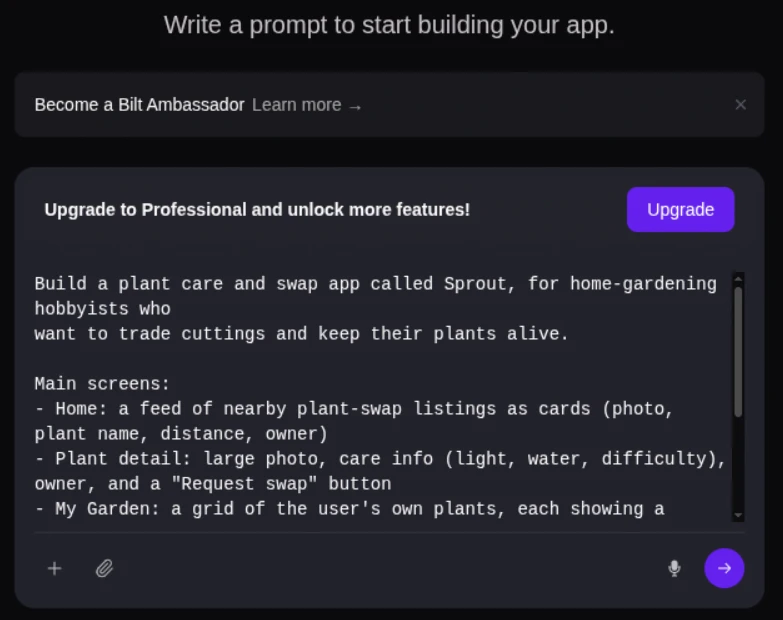
- Describe the app and its core user flow.
- Bilt generates the screens, navigation, logic, and backend foundation.
- Preview the result in the browser or a streamed iOS simulator.
- Ask for changes in plain English and watch the app update.
The initial iOS build can be ready in about two minutes. More complete apps take longer as you add integrations and edge cases, but the first feedback loop begins almost immediately.
Pro tip: Write down your core screens and the action a user should complete on each one. A specific prompt gives Bilt a clearer first build.
Best-fit apps
Bilt is strongest when your idea needs custom flows and native mobile features, not just a fixed content template.
- Consumer apps: Habit trackers, community products, subscription tools, and other ideas built around repeat use.
- Startup products: Native MVPs that need room to grow beyond the first release.
- Business apps: Loyalty, support, booking, or companion experiences for an existing customer base.
- Web-to-mobile projects: Existing web products that need a native iOS and Android app built using their web repository as a reference.
Best for: Non-technical builders who want to ship a real app, plus web builders who need a path from an existing product to native mobile.
Skip it if: You only need a disposable mockup or prefer placing every element manually on a drag-and-drop canvas.
Design, logic, and publishing
Your prompt creates the first version, but it does not lock the design or behavior. Keep chatting to change layouts, add screens, adjust logic, or connect new features.
Bilt covers the parts that usually turn a promising prototype into a technical project:
- Design: Apply your logo, colors, fonts, icons, and images so the app feels like your product.
- Logic: Add authentication, databases, storage, forms, payments, and custom workflows without writing the implementation yourself.
- Testing: Use the live browser preview, streamed iOS simulator, shareable links, or Expo Go QR testing on your phone.
- Publishing: Let Bilt handle build generation, signing, certificates, provisioning profiles, and configured store uploads.
Developers can extend the generated React Native code when a project needs deeper customization. You are not limited to the options exposed in a visual editor.
The result is an app people can install and use, with the source code available for future work inside or outside Bilt.
Pricing and ownership
Bilt's code ownership gives you three practical exit paths:
- You keep the underlying source code and can continue development outside Bilt.
- GitHub export gives a technical teammate a familiar handoff point.
- Bilt charges no platform transaction fee, although payment processors such as Stripe still charge their standard fees.
Token usage: Every prompt and agent step draws from your token balance.
- Free: €0 with 3M monthly AI tokens.
- Professional: €25 per month with 10M monthly AI tokens.
- Professional Plus: €50 per month with 20M monthly AI tokens.
- Enterprise: Flexible billing, dedicated support, onboarding, and custom integrations.
Annual billing saves two months. One-time token top-ups are also available if you need more room before the next monthly reset.
Apple and Google charge their own publishing account fees: $99 per year for the Apple Developer Program and $25 once for Google Play Console.
Ready to turn the idea into an owned native app?
Start building free. Describe the app, preview the first version, and refine it without a credit card.
2. Adalo
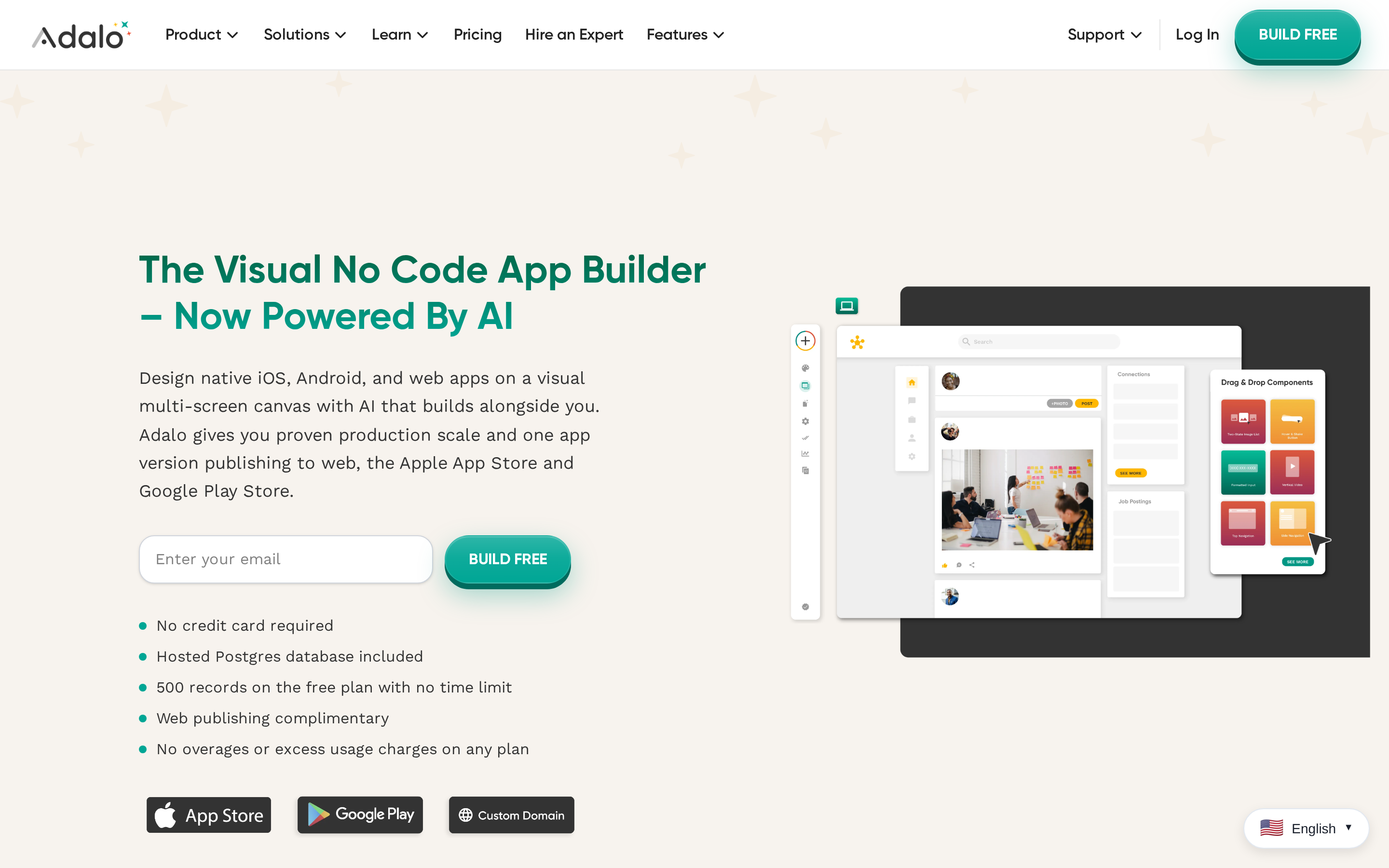
Adalo uses a drag-and-drop canvas for database-driven web and native mobile apps. It suits projects where screens, collections, and user actions fit a visual data model.
Compared with Andromo: Adalo gives builders more control over custom screens, collections, and actions. The finished app still runs on Adalo's platform.
- Build model: A drag-and-drop canvas connects screens to database collections and user actions.
- Output: The same project can publish to the web and produce native iOS and Android apps.
- Ownership: Adalo's managed runtime remains part of the app's operating model.
Ease of use and first build
Adalo is designed for beginners who want to assemble an app visually rather than write code or manage a native development toolchain.
- AI-assisted setup: Magic Start turns a text description into an initial database structure, screens, and user flows.
- Ready-made interface elements: More than 50 components cover common needs such as forms, lists, buttons, and navigation.
- Learning resources: App Academy provides more than 70 courses covering setup and platform workflows.
Build a small proof of concept before committing a complex project, especially when the app has numerous screens, collections, and conditional actions.
Best-fit apps
Adalo's data model fits apps where user actions create or update records. A local service directory, for example, can store provider profiles and inquiry forms as collections.
- Consumer MVPs: Account-based directories, social concepts, e-commerce prototypes, and task-oriented apps.
- Business utilities: CRM interfaces, project trackers, internal directories, and other collection-driven workflows.
- External data: API-based external collections let a project use data held outside Adalo’s built-in database.
Test the busiest workflow before launch, including external data calls and record updates. Adalo does not publish a user-count threshold that predicts performance.
Design, logic, and publishing
Adalo combines freeform screen editing with database actions, making it more flexible than a builder limited to fixed feature modules.
- Canvas control: Elements can be placed and resized directly, while the project view can display up to 400 screens for structural navigation.
- Logic model: Components can trigger navigation, record creation, updates, and other database-driven actions.
- Extensions: The component marketplace adds options such as advanced charts and custom integrations, sometimes at an additional cost.
Native iOS and Android publishing starts on Adalo's Professional plan.
External collections can connect through APIs, while Adalo's standard plans do not include a full native source-code export.
Pricing and ownership
Adalo lists these monthly plans:
- Starter: $36 per month
- Professional: $52 per month, including native store distribution
- Team: $160
- Free tier: Supports building and testing, but not publishing to the Apple App Store or Google Play.
- Paid database usage: Paid plans are listed without database-record limits and include unlimited app actions.
- Annual billing: Annual billing is listed at roughly 20% less than month-to-month billing.
- Additional costs: Marketplace components can add fees beyond the subscription.
- Developer accounts: Apple and Google charge their own store-account fees separately.
Moving away from Adalo can require rebuilding the app's interface and logic elsewhere, even when the data already lives in an external system.
3. Thunkable
Thunkable starts with drag-and-drop screen design, then uses Blockly-style visual logic for app behavior. Qualifying paid plans support native iOS and Android publishing.
Compared with Andromo’s module-first configuration, Thunkable exposes more app behavior through visual blocks. The first screen is quick to assemble, while custom behavior still requires programming-style thinking.
- Screen setup: Drag components onto a visual canvas.
- App behavior: Connect blocks for interactions, data, and workflows.
- Distribution: Publish native builds to Apple’s App Store and Google Play on qualifying paid plans.
Ease of use and first build
Thunkable keeps the first build approachable with visual screen editing and prompt-based AI generation. You can produce a basic project before learning the full logic system.
The free tier provides a limited starting point:
- AI generation: 2,000 tokens
- Project size: Up to five screens per project
- Workspace limits: Up to three public projects, with no private projects
The learning curve rises when an app needs custom interactions or complex workflows. Visual blocks remove text-based syntax, but you still need to understand how events and logic connect.
Best-fit apps
Thunkable’s visual editor and block logic align with four recurring use cases:
- Educational projects and classroom prototypes
- Custom utility apps
- Internal tools, including CRM and project management apps
- Startup MVPs that need behavior beyond fixed templates
Offline-heavy field apps are a narrower fit. The available evidence describes simpler local-storage patterns rather than AppSheet-style full offline sync.
Design, logic, and publishing
Design happens on a drag-and-drop canvas, while Blockly-style blocks control inputs, data handling, and screen behavior. This split provides more control than a fixed feature-module builder, with more setup decisions as logic expands.
- Logic: Visual blocks define workflows without text-based code.
- Native output: Thunkable builds apps for Android and iOS.
- Publishing: Store submission is supported from the platform on eligible plans.
- Runtime: Published apps remain managed through Thunkable’s platform.
Test editor responsiveness and runtime behavior on the devices your audience uses before launch. Published product limits do not establish how complex projects will perform.
Pricing and ownership
Free access covers learning and basic prototypes, but direct app-store publishing starts on the Builder plan at $59 per month.
Thunkable keeps published apps on its managed runtime rather than providing a complete source-code handoff. Moving development elsewhere therefore requires a rebuild.
4. App Maker by Appy Pie
App Maker by Appy Pie begins with more than 200 pre-built feature components, with AI assistance during setup. Users assemble a mobile app from modules rather than a blank canvas.
This reduces screen-by-screen configuration for familiar business workflows. The trade-off is less direct control over custom layouts and logic than builders centered on visual components or block-based programming.
Ease of use and first build
The guided setup is designed around selecting and configuring packaged features rather than constructing every screen manually.
A first build mainly involves:
- Selecting modules: Add features that match the app's purpose, such as booking, loyalty, ordering, or content delivery.
- Configuring details: Replace default content with the business's branding, services, products, or customer information.
- Previewing the app: Review how the selected modules work together before preparing a store release.
AI assistance can shorten initial configuration, but it does not remove every setup decision. Apps with unusual navigation, conditional behavior, or bespoke interactions require more adaptation within the available modules.
Best-fit apps
The packaged model fits small-business apps whose core workflow already matches the component library.
- Booking apps: Appointment or reservation flows built from existing scheduling features.
- Loyalty apps: Rewards, offers, and repeat-customer engagement without designing the program interface from scratch.
- Ordering apps: Menu or catalogue-based experiences for accepting customer orders.
- Content apps: Mobile access to a business's published information and updates.
Built-in offline mode also supports use cases where customers need access to stored content without a connection.
Highly customized interactive products fit less neatly. The same modules that speed up common business apps provide less low-level control for original interaction patterns or complex, data-driven workflows.
Design, logic, and publishing
Design and logic begin inside pre-built components, so customization focuses on arranging and configuring modules rather than defining every element and action independently.
Key publishing details include:
- Native platforms: iOS and Android publishing is available on the Platinum tier and above.
- Offline mode: Stored app content can remain available when a user is not connected.
- Submission support: Appy Pie provides human help with Apple App Store and Google Play rejection issues.
This managed approach reduces the administrative burden around store submissions. It does not change the platform's main constraint: the app remains structured around Appy Pie's component system.
Pricing and ownership
Pricing separates Android-only publishing from cross-platform distribution:
- Basic: Starts at £12 per month, billed yearly, for Android-only apps.
- Platinum: Starts at £48 per month, billed yearly, and adds iOS alongside Android.
- Source code: App Maker by Appy Pie does not provide code export.
5. Bubble
Bubble centers projects on relational data, event-driven workflows, and server-side actions. Its editor supports custom web products rather than Andromo's content-module workflow.
Key characteristics include:
- Build model: Events trigger visual workflows, including actions that run on the server.
- Data model: Relational records support products with connected users, transactions, listings, or permissions.
- Extension model: APIs and the plugin marketplace add services without requiring every integration to be built from scratch.
Ease of use and first build
Bubble’s first build usually takes longer than template-led mobile tools because users must define data relationships, triggers, and actions before the app behaves as intended.
- Setup: The blank-canvas approach creates more configuration decisions than a builder based on prebuilt feature modules.
- Learning: Bubble provides tutorials, guides, courses, and Bubble Academy for learning the editor and workflow model.
- Iteration: Once the data structure and workflows are established, changes remain inside the same visual environment.
Best-fit apps
Bubble’s workflow and relational-data model aligns with products where user actions change connected records. Common use cases include:
- Marketplaces: Listings, user roles, transactions, and multi-step interactions can share one data model.
- SaaS products: Accounts, permissions, dashboards, and recurring workflows map to Bubble’s event-driven structure.
- Data-heavy consumer web apps: Custom interfaces can sit above linked records and conditional workflows.
Simple content apps require less configuration in template-led builders. Complex business rules and non-standard third-party services can also push a no-code project toward custom API work or platform limits.
Design, logic, and publishing
Bubble combines a visual interface editor with workflow logic, so layout, data, and behavior are managed in one platform.
- Design: The editor supports custom interfaces rather than restricting projects to fixed content modules.
- Logic: Triggered workflows and server-side actions handle events, data changes, and multi-step processes.
- Integrations: APIs and marketplace plugins extend the app’s connection to external services.
- Mobile output: Bubble's native mobile builder supports iOS and Android apps for Apple App Store and Google Play distribution on eligible paid plans.
Pricing and ownership
Bubble's Starter plan costs $59 per month. Workload Units meter database activity, workflows, and API usage, so the running cost depends on how much work the app performs.
Bubble projects run on Bubble's managed platform, and a move to independent hosting requires a rebuild rather than a raw source-code handoff.
Seller roles and payouts require a separate decision; builders for multi-vendor marketplaces span hosted backends, extensions, and native app layers.
Best for internal tools and data-driven apps
After considering canvas-first builders, teams working from spreadsheets or operational databases can build internal tools around the data they already use. Glide and AppSheet turn that data into workflows with different business-process tradeoffs.
6. Glide

Glide is the quickest fit in this group when clean spreadsheet or database structure already defines the app. It publishes a mobile-friendly PWA rather than a native store app.
Ease of use and first build
A clean table can become a usable first Glide app without drawing each screen. Column names and relationships determine the generated lists, detail views, and forms.
Glide generates the first interface from the columns in your tables:
- List views for records
- Detail screens for individual records
- Forms for data entry
The finished app publishes as a PWA.
The data editor is where the learning curve shifts. Pro tip: link relations before building screens, so a customer view can show that customer's orders without duplicating data.
Best-fit apps
Inventory systems, client dashboards, and sales trackers fit Glide because records and status changes already map to rows, forms, and views.
Glide fits inventory systems, client dashboards, sales trackers, and similar tools where rows, forms, and status views already define the workflow.
Consumer store apps and products with highly customized interactions fit less naturally in Glide. Approval workflows that route records based on status conditions need careful column and relation design.
| App type | Glide fit | Why |
|---|---|---|
| Inventory and field tracking | High | Spreadsheet-first structure maps directly to rows, forms, and status views |
| Client dashboards | High | Existing business data can become browser-accessible views quickly |
| Consumer store apps | Low | No App Store or Google Play publishing |
| Highly customized interactive apps | Lower | Complex logic and scale limits appear sooner |
Design, logic, and publishing
Glide trades freeform layout control for faster data-driven assembly. Components shape the interface, while computed columns handle relations, lookups, calculations, and text logic.
You build screens from Glide’s component library rather than placing every element freely. That speeds up common layouts but gives you less control over unusual interactions and precise visual details.
Computed columns can handle relations, calculations, lookups, and text logic. Intricate branching and multi-step automation require more planning and may expose the limits of this model.
Glide apps run as PWAs in a browser and can be saved to a home screen. They do not receive a standard Apple App Store or Google Play listing.
Pricing and ownership
A move away from Glide requires rebuilding the app's interface and logic in the new platform.
| Plan or ownership factor | Glide |
|---|---|
| Business price | $199/month |
| Included users | 30 |
| Extra users | $6/user/month |
| Apps | Unlimited |
| Monthly updates | 5,000 included |
| Code export | No |
| Publishing model | PWA via browser |
7. AppSheet
AppSheet is the stronger data-first option here for offline field work, inspections, inventory, and approval flows tied to Google Workspace or structured business data.
Its defining difference is full offline synchronization after connectivity returns. Higher plans can package the managed AppSheet project for branded store deployment.
| Tool | Primary build model | Offline behavior | Publishing model |
|---|---|---|---|
| AppSheet | Spreadsheet-driven app generation | Full offline sync with background synchronization | AppSheet container, plus branded store apps on higher plans |
| Andromo | Content-centric builder | Cached offline content | Native Android and iOS builds |
| Glide | Spreadsheet and database app builder | Limited offline row additions on Business plans | PWA only |
Ease of use and first build
AppSheet is a spreadsheet-first builder with AI-assisted app generation from existing business data sources.
AppSheet can infer tables, fields, and views from existing business data, which shortens setup for spreadsheet-based workflows. Consumer-facing layouts require more adaptation because the core mental model remains data-first.
Best-fit apps
AppSheet is a no-code builder for internal field, inspection, inventory, and approval apps tied to structured business data.
Field inspections, inventory tracking, approvals, and site visits fit AppSheet because workers can capture structured data and synchronize it after reconnecting.
Content apps and highly customized consumer products fit less naturally. Their success depends more on distinctive screen design and open-ended interactions than spreadsheet rules.
Design, logic, and publishing
AppSheet is a data-driven builder with offline sync, rule-based logic, and AppSheet-container or white-label mobile deployment.
AppSheet handles rules, data changes, approvals, and routine automations well. Unusual business logic can require workarounds because behavior is defined through tables and platform actions rather than open code.
Branded store deployment still depends on AppSheet's managed runtime. A developer handoff requires recreating the app in an independent project.
Pricing and ownership
A 10-person team on Core costs $100/month under the listed per-user price. Publisher Pro uses a per-app calculation instead.
| AppSheet plan | Price | Ownership note |
|---|---|---|
| Starter | $5/user/month | Runs in AppSheet runtime |
| Core | $10/user/month | Adds deployment options |
| Publisher Pro | $50/app/month | No raw source export |
Best for content, commerce, and packaged business apps
This group covers no-code mobile app builders built for polished content apps, mobile storefronts, and packaged business apps with stronger template systems and publishing support. The sections below focus on how each tool handles design control, app logic, and native delivery for those app types.
8. GoodBarber
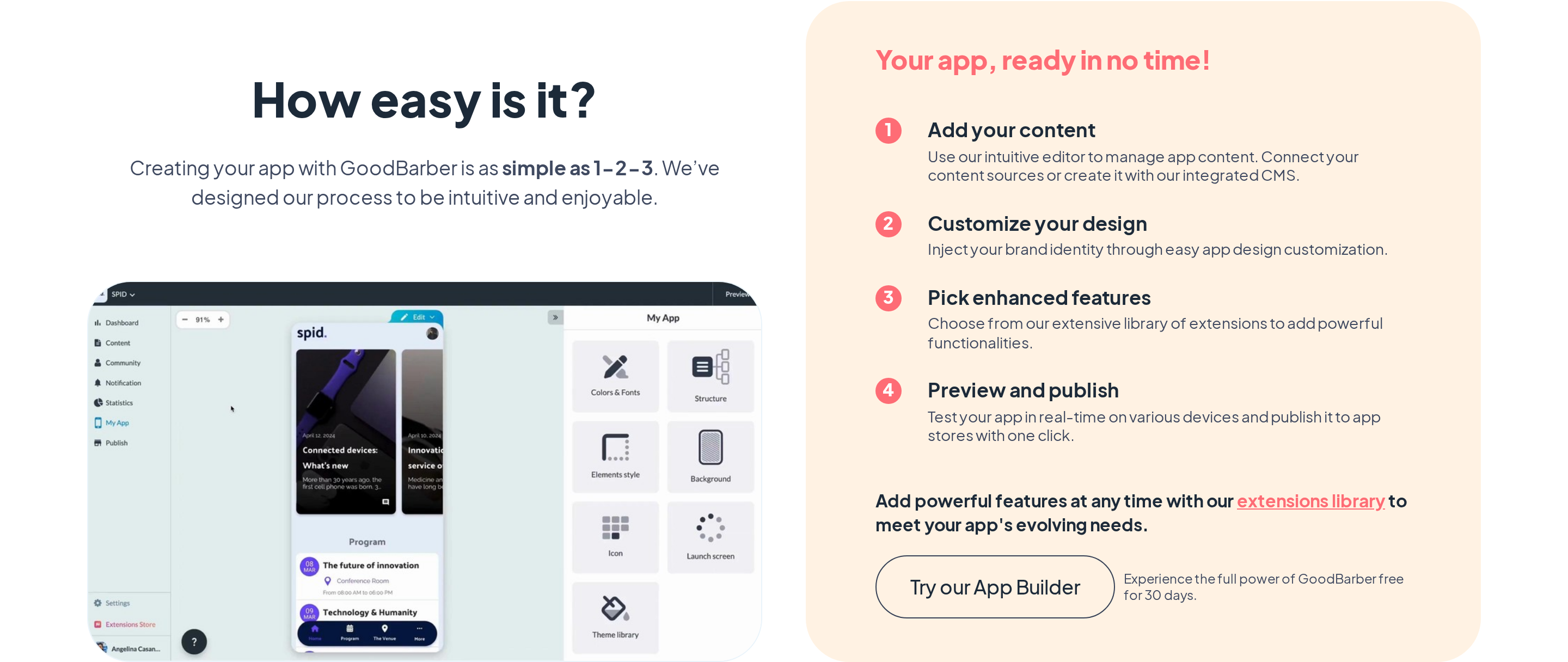
GoodBarber is a template-led fit for content publishers and stores that want native iOS and Android delivery without designing every screen or workflow from scratch.
Ease of use and first build
The first GoodBarber build begins with a template, giving content and store apps a defined starting structure.
Pre-styled layouts let you configure product pages or article feeds through existing screens. Branding and navigation come from settings instead of a blank canvas.
The setup becomes less direct when the app needs behavior outside GoodBarber’s templates and extensions. Its focused structure trades open-ended logic for a shorter path through familiar content and store workflows.
Best-fit apps
GoodBarber fits editorial apps, paid content, product catalogues, local-delivery stores, and subscriptions built around familiar content or commerce flows.
- Editorial apps and paid content
- Product catalogues and local-delivery stores
- Subscription apps
The commerce system includes shipping zones and delivery settings.
Custom internal workflows and consumer products with unusual logic fit less cleanly. GoodBarber’s offline support centers on cached content rather than full field-data synchronization.
Design, logic, and publishing
Styled templates and extensions shape GoodBarber apps before its publishing pipeline delivers them.
Design control comes through styled templates, layout settings, and extensions. This gives content and store apps a polished starting point without turning the builder into a freeform interface editor.
App behavior comes from configured features and extensions rather than a visual workflow engine. Native apps can cache content, but interactive functions often still need a connection.
GoodBarber produces native iOS and Android apps alongside PWAs. The compiled app can reach the stores, but the underlying project source is not available for export.
Pricing and ownership
GoodBarber separates plans by publishing channel and commerce needs. The table shows the cost and ownership tradeoffs.
| Item | GoodBarber |
|---|---|
| Content plan | $30/month |
| Store plan | $40/month |
| Native iOS + Android publishing | $55/month |
| Platform transaction fee | 0% |
| Source code export | No |
9. FlutterFlow
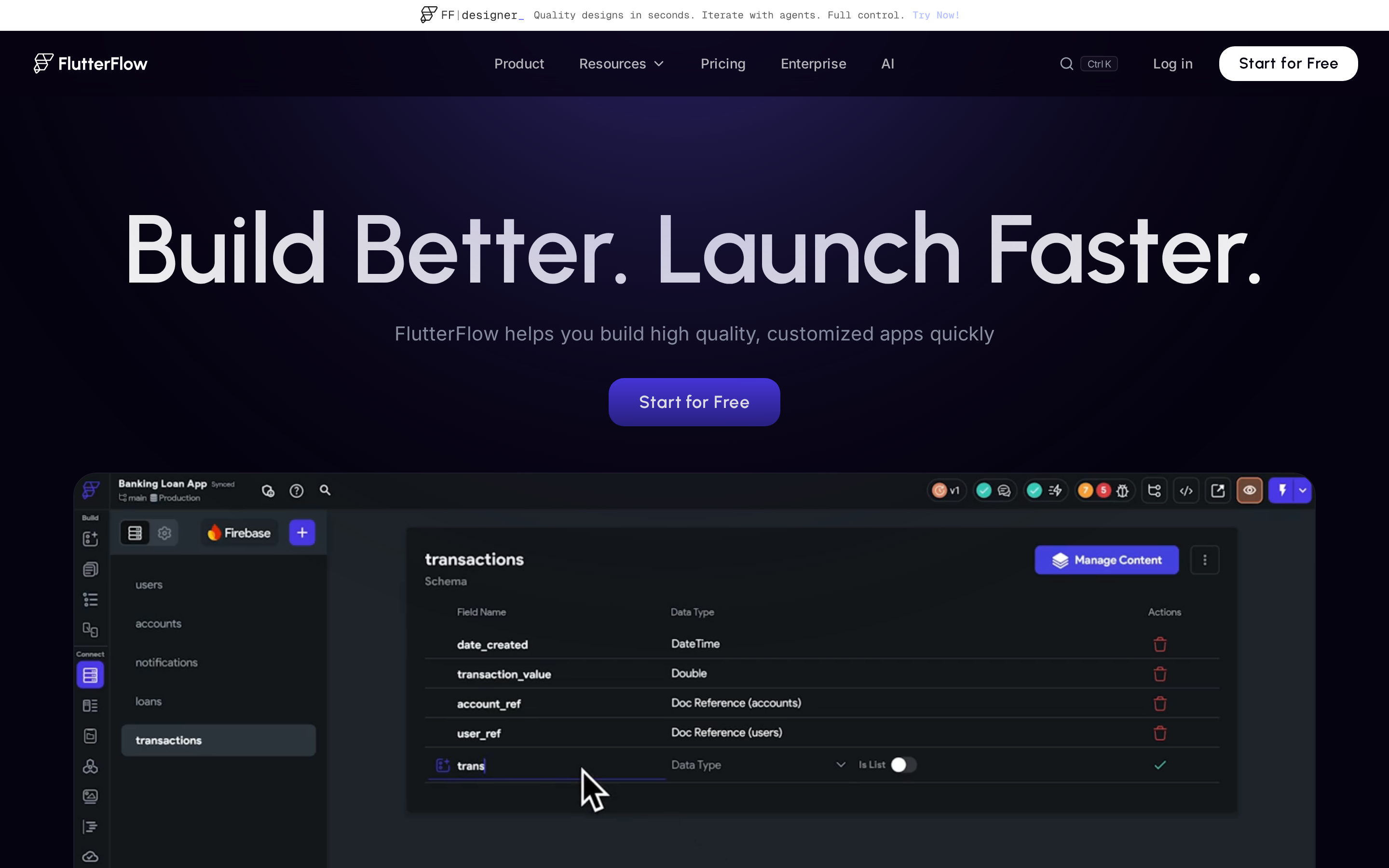
FlutterFlow fits custom mobile projects that need visual development now and a full Flutter or Dart handoff later. That flexibility comes with a steeper first-build workflow.
| Dimension | FlutterFlow | Adalo | Thunkable |
|---|---|---|---|
| Primary build logic | Visual development environment that translates designs into Flutter and Dart code | WYSIWYG drag-and-drop canvas | Visual UI builder plus Blockly logic |
| Source code export | Full Flutter and Dart export on paid plans | No source export | No source export |
| Native deployment | Native Flutter builds | Native mobile builds | Compiled native builds |
Ease of use and first build
The first FlutterFlow build asks beginners to navigate the visual editor alongside Flutter concepts.
Early FlutterFlow work involves several connected pieces:
- Flutter concepts
- App state and data connections
- The visual editor
Learning them together makes a first useful build slower than a template or spreadsheet-led setup.
Early builds need careful testing around compilation and backend connections. Branch changes and Firebase or Supabase configuration can create repair work as the project grows.
Best-fit apps
FlutterFlow suits projects that need custom interfaces and a future developer handoff.
FlutterFlow commonly supports:
- Branded consumer apps with custom screens
- Startup MVPs that may later need a developer handoff
- Agency projects that need reusable visual builds
Exported code gives the project a route beyond the visual build.
Complex backends, heavy integrations, and device-first offline workflows require extra engineering. Packaged content or store apps may take more setup here than in a template-led platform.
Design, logic, and publishing
FlutterFlow joins visual design and app logic to generated Flutter code.
FlutterFlow gives builders control over:
- Visual actions and app state
- API connections and custom code
- Configured offline persistence
Developers can continue refining exported projects outside the editor.
Before release, test a compiled build on a physical device:
- Sign in with production credentials
- Make an API request and confirm the response
- Create or update a record in Firebase or Supabase
A connection that works in the editor can fail in the installed app because of backend configuration.
Pricing and ownership
FlutterFlow's Basic plan costs $39 per month and includes source-code export. The price matters when the project needs an independent developer handoff.
Growth costs $80/month and adds team collaboration. Exported projects can still require a developer to troubleshoot code and backend connections.
10. Buildfire
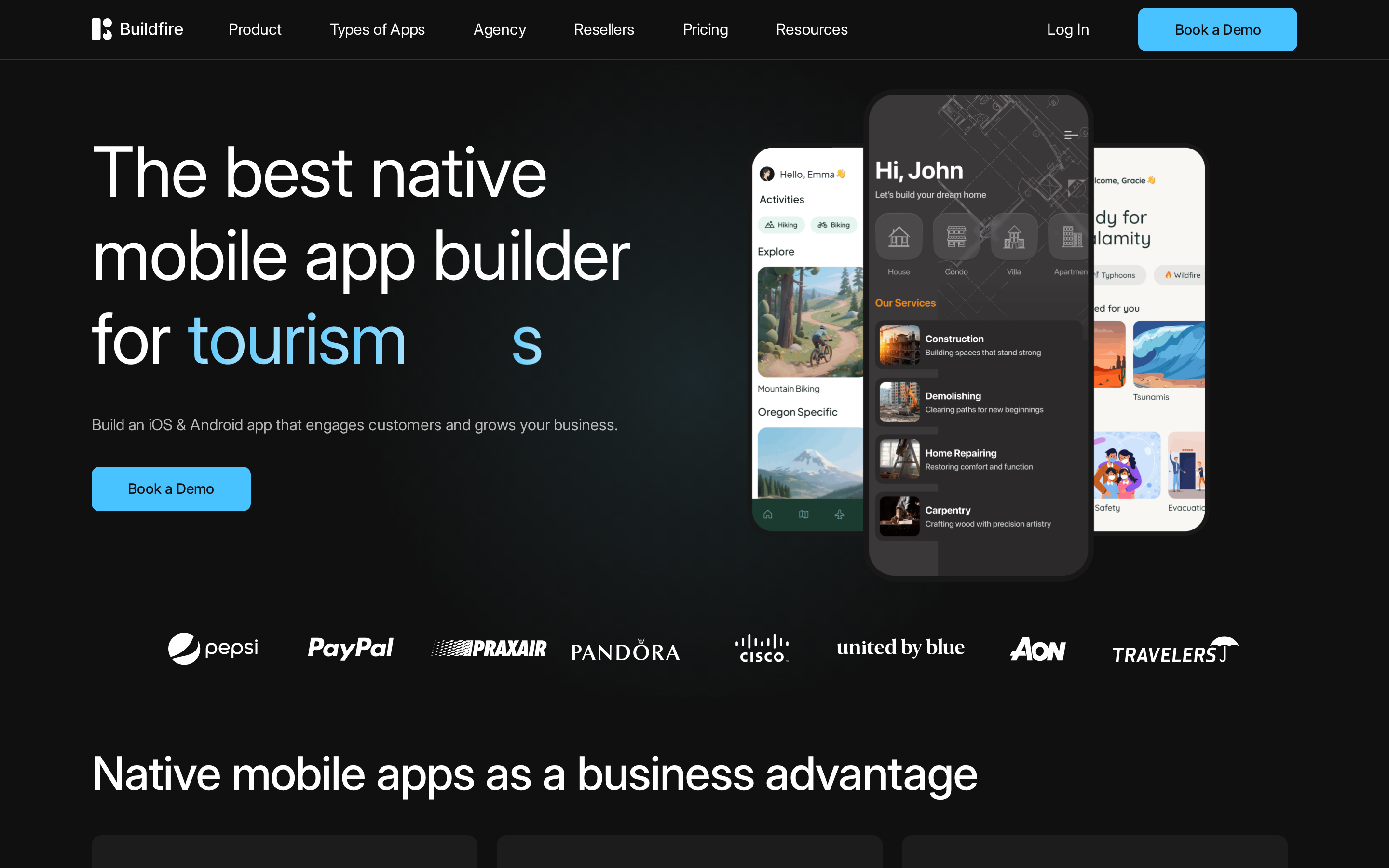
Buildfire fits managed business apps whose core features already exist in its plugin marketplace. A JavaScript SDK covers custom work, but full app source export is not standard.
Ease of use and first build
A Buildfire first build starts with selecting marketplace plugins, then configuring each one for the app.
Marketplace plugins cover common first-build needs:
- Maps
- Push notifications
- Commerce
A first build moves quickly when the required features already exist in the marketplace.
Customizing layouts and connecting several plugins adds setup work. Test the configured app in the builder and after publishing, because plugin combinations can expose configuration issues.
Best-fit apps
Buildfire's plugin library fits packaged apps with familiar content, communication, or commerce modules.
Event apps and service directories map cleanly to existing plugin categories. Employee communication hubs and customer resource apps use the same module-based approach. Basic storefronts also fit that model.
Original interaction models and specific business logic can exceed marketplace patterns. When an existing plugin cannot express the behavior, custom SDK work may be required.
Design, logic, and publishing
Plugin assembly gives Buildfire its starting point, while the JavaScript SDK handles custom feature work.
SDK extensions can connect custom plugins to device features:
- Camera access
- Geolocation
Apps that need behavior beyond existing marketplace plugins require custom SDK work.
Teams can develop and test before subscribing, but submitting to app stores requires a paid plan. Test final builds on real devices, where plugin combinations can expose stability or usability issues.
Pricing and ownership
Buildfire's published entry plan is Growth at $315 per month, billed quarterly or annually. Scale costs $440 per month and includes 300,000 monthly push notifications.
The Buildfire pricing page lists the current billing and publication terms for each plan.
Buildfire does not include standard full-app source export. A developer takeover may therefore require work inside Buildfire's SDK rather than a complete codebase handoff.
| Plan | Price | Billing | Key publication note |
|---|---|---|---|
| Growth | $315/month | Quarterly or annual | Includes app store publishing |
| Scale | $440/month | Quarterly or annual | Includes app store publishing and 300,000 push notifications monthly |
Which option fits your workflow
Your preferred way of building should narrow the shortlist first. Decide whether you want to describe the app, arrange screens visually, connect structured data, or configure ready-made modules.
Use Bilt for conversational building with an exportable React Native codebase. Adalo favors visual screen design, while Thunkable exposes behavior through blocks and GoodBarber packages common commerce workflows.
Match the logic model to the app. Bubble handles triggered workflows, Thunkable uses visual blocks, and AppSheet or Glide works from structured business data.
Confirm the final output before building. Bilt and FlutterFlow export source code, Glide publishes a PWA, and several other options deliver native apps that remain tied to the platform.
| Workflow need | Most relevant options in this list | Why they fit |
|---|---|---|
| Fast visual launch for database-driven apps | Adalo, AppSheet | Visual builders tied to data models and forms |
| No-code custom logic without text coding | Thunkable, Bubble | Block logic or workflow logic handles more custom behavior |
| Design-led native consumer apps with code ownership | Bilt, FlutterFlow | Native output plus exportable source code |
| Internal tools from spreadsheets or existing data | Glide, AppSheet | Data-first setup and operations-focused app patterns |
| Content or commerce apps with packaged modules | GoodBarber, Appy Pie, Buildfire | Template and plugin ecosystems reduce setup work |
What to check before you commit
Test the hardest part of your app before paying for a plan. Focus on real logic, a non-standard screen, the final publishing route, source-code access, and the price at launch scale.
Build one representative workflow with user roles, conditions, and an external service. A polished home screen proves little if the builder cannot support the action that makes your app useful.
Recreate your most unusual screen instead of judging the default template. Check layout control, navigation, reusable components, and behavior on different phone sizes.
Ask what users will install and where it runs. A native binary, PWA, and branded container can look similar in a demo but differ in store access, offline behavior, and device features.
Check whether you can export the complete project, host it elsewhere, and hand it to a developer. Without source access, migration usually means rebuilding the interface and logic.
Price the version you will publish, not the free prototype. Include store access, active users, app count, team seats, integrations, usage limits, and any required marketplace components.
| Criterion | What to verify before buying |
|---|---|
| Logic depth | Custom workflows, user roles, integrations, and non-template behavior |
| Design control | Custom screens, navigation, branding, and layout flexibility |
| Publishing model | Native iOS/Android builds, PWA, container app, and offline needs |
| Ownership | Source code export, hosting dependency, and migration path |
| Pricing | Cost to publish, monetize, scale, and run more than one app |
From app idea to App Store with Bilt
Bilt takes an app from plain-English description to a testable native build, then automates certificates, provisioning, signing, and build uploads that usually require native tooling.
Start by describing the users, core action, and essential screens. Bilt generates the interface, features, and backend foundation, then lets you refine the result through follow-up prompts and live previews.
For iOS, Bilt signs and uploads the build to App Store Connect, while you complete the listing and submit it for review in Apple's tools. For Android, Bilt builds the .aab and can send it to Google Play's internal testing track, although the first release may require a manual Play Console upload. Live examples include DailyHorse and View Finder: Photo Spots.
| Stage | Typical no-code friction | Bilt workflow |
|---|---|---|
| App concept | Manual planning before any build starts | Natural-language prompt starts the build |
| Prototype iteration | Separate feedback and testing loops | Live browser preview, streamed iOS simulator, shareable links |
| Store launch | Certificates, provisioning, submission steps handled manually | Builds and signing automated; store-upload support; you submit for review |
Ready to build? Start building free, describe the app you want, and refine the native iOS and Android version through conversation. Free to start, with no credit card required.
FAQ
Is Andromo good?
Yes. Andromo works well for simple native content apps, with built-in ad monetization and basic e-commerce components.
Andromo fits straightforward content apps such as news feeds, recipe collections, and wallpaper galleries, especially when the project follows an existing template.
Its limits become clearer when you need custom APIs, unusual workflows, or a web version. Monetization features also require a higher paid tier.
How much does Andromo cost?
Andromo's monthly plans range from $24 to $130, depending on the features you need.
The Hobbyist plan starts between $24 and $32 monthly, while the $56 Ultra plan allows unlimited projects. Business tiers begin at $76 for more specialized needs.
Andromo offers a 14-day trial with full feature access. Publishing and active monetization require a paid subscription after the trial.
Are there free app builders like Andromo?
Yes. Adalo and Thunkable offer free plans for prototyping, although app-store distribution requires payment.
Free plans usually limit projects, screens, usage, private work, or store publishing. Adalo and Thunkable let you prototype for free but require payment before app-store distribution.
Bilt and FlutterFlow both let you build and test without an upfront subscription. Compare the paid publishing and code-export requirements before committing to either workflow.