
Ask in the forum of almost any no-code tool how to get into the App Store, and the same thread keeps coming up. Someone has built a working app for their community, their users want a real icon on their phone, and the tool only makes a web app.
The usual fix is a wrapper service that puts a browser shell around it. The app still runs on the vendor's servers, and the vendor won't support it if it breaks.
If customers are the point, finding that out after months of building means starting over. So it's worth knowing first which builders make a native iOS and Android app, who gets it through review, and whether you can take it elsewhere. Bilt, our own builder, is one of the seven, and you can start building free with no credit card.
1. Bilt.me
✨ Best for full mobile app creation (👋 that's us): non-technical business owners, founders and web-app owners who want to build and publish a native iOS and Android app by describing it.
Bilt.me is an AI mobile app builder that turns plain-English descriptions into native iOS and Android apps, and you change the app the same way. It takes your app through App Store and Google Play submission under your own developer accounts, though Apple and Google still review every app. You can export the React Native code to hand to a developer later.
Mo-Haven is a cozy social app built solo with Bilt and now live on the App Store, with an optional $3.99/mo premium tier. Its builder describes it as "a safe, low-pressure place where communities can share what's really on their mind without feeling judged."
When we moved a business's app from AppMachine to Bilt, its customers got smoother animations and a cleaner feel. The bigger change was for the owner, who can now change the app as fast as feedback comes in. A gift-store brand used Bilt to add mini-games that help shoppers pick or reveal a gift, and its conversion increased.
A business app with a backend and paid subscriptions can be built this way. A personal trainer described a subscription fitness tracker for women over 50, with workout plans, progress photos and push reminders. It was shippable after about 11 prompts over two hours.
We turned a Figma Make barbershop design into an app ready for people to use. Web-app owners can start from what they already have: Murat converted his Lovable web app to native iOS and Android in one click with Bilt's Web-to-App feature, without a mobile developer or a second codebase.
Business owners who reach submission ask about the agreements, signing and review process. We take care of almost all of that and support them through publishing. One founder, rejected by the App Store six times after two rebuilds elsewhere, shipped for the first time with Bilt.
Key features
- Chat-based building lets you describe a new screen or feature change and keep refining it.
- Bilt Select lets you click an element in the preview and describe the change.
- Figma import turns Figma frames into working iPhone and Android screens.
- A backend with authentication, database and storage comes with every plan.
- Browser previews include an iOS simulator that needs no Mac or Xcode, plus an Android emulator.
- A QR code opens the app on your own phone for real-device testing.
- Bilt handles builds, code signing and submission to both stores.
- Code export gives a developer the React Native source to pick up.
Cons
- There's no drag-and-drop canvas, so you change a layout by describing it rather than placing each element by hand.
- Testing and upkeep after launch stay with you, including who can access what and how the app handles unexpected inputs.
Pricing
- Free: 3M AI tokens a month, roughly 12–30 prompts depending on complexity.
- Professional: €25/mo or €19/mo billed annually, 10M tokens, roughly 40–100 prompts. The first month on monthly billing is €15, then €25/mo.
- Higher tiers: more monthly tokens, starting at Professional Plus for €50/mo.
Bilt Payments uses Apple and Google's native in-app purchases, so the standard 15–30% store cut applies and Bilt takes no extra revenue share.
Verdict
Bilt fits a business owner who wants to describe the app their customers need, have submission handled and keep the code. You can start building free, with no Mac to buy and no developer to hire first.
2. Adalo
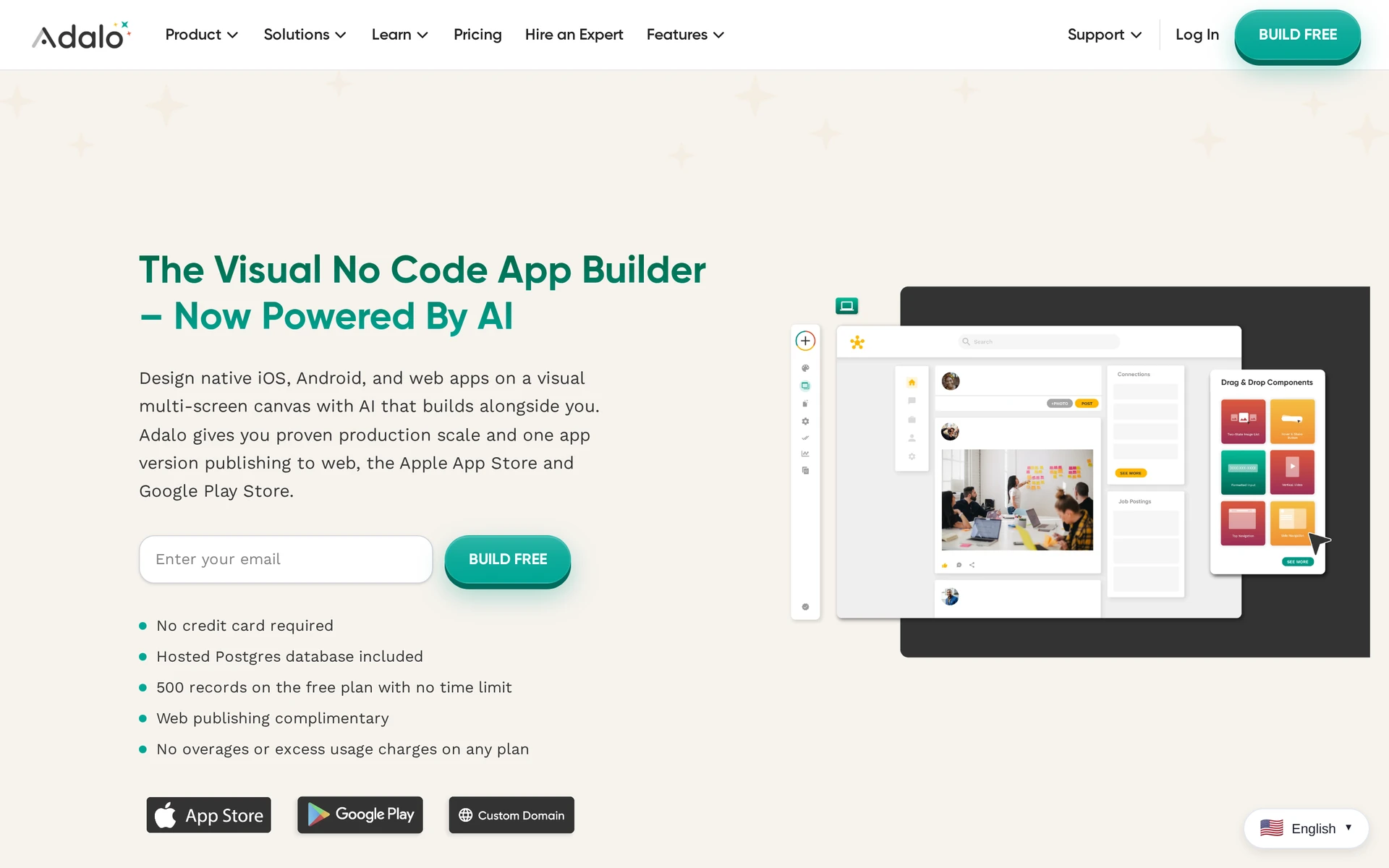
Adalo gives you a drag-and-drop canvas for arranging each screen yourself. One build produces a web app plus native iOS and Android apps.
It suits solo makers and small teams building a first version of a database-driven app, such as a directory or simple business tool. If you’d rather place every button and list yourself than describe changes, Adalo gives you that control.
Key features
- External data connections let you store and manage app data outside Adalo’s own database.
- A component marketplace adds features such as advanced charts without custom code, though components can increase your project cost.
Cons
- Apps don’t work offline, and Bluetooth isn’t available.
- Users report performance drops above about 5,000 users.
- Complex apps can make the editor difficult to use, with reports of freezing and disappearing elements.
- Builders who outgrow Adalo report feeling trapped when they want to take their project elsewhere.
Pricing
The free plan supports basic prototyping and caps the records your app can store. App Store and Google Play publishing requires the Builder plan or higher, so the free plan can’t put your app in the stores.
Builder costs $65/month, or $624 billed yearly, and Business costs $200/month. Users report steep cost increases on higher tiers.
Verdict
I’d consider Adalo for a small, data-driven app. For a loyalty or member app you expect to pass about 5,000 users, the reported slowdowns matter. If customers need offline access or a Bluetooth connection, Adalo won’t fit.
3. Thunkable
For educators and business owners building internal tools, Thunkable offers a way to control what an app does using draggable blocks. You connect those blocks to define behavior rather than write text-based code.
Key features
- Visual blocks let you define workflows, handle what users enter and manage data without text-based coding.
- Cross-platform building produces native iOS and Android apps plus a browser app from one project.
Cons
- Complex features can require an understanding of programming logic, even though you aren’t typing code.
- Users report performance problems on iPhone 6, 7 and 8 devices, particularly in low power mode.
Pricing
- Free: $0/month, with three public projects and five screens per project. Private projects and store publishing aren’t included.
- Accelerator: about $19/month.
- Builder: $59/month, the minimum plan for store publishing. It permits one live published app at a time.
- Advanced: about $189/month.
At $59/month, Builder costs $708 over a year, before store fees.
Verdict
I’d choose Thunkable for direct control over an app’s logic through visual blocks. The free tier gives you room to try that approach, but a private business project requires a paid plan. For store publishing, budget for Builder and weigh its one-live-app allowance against how many apps your business needs.
4. Rork
Rork creates mobile apps from prompts using React Native and Expo, a framework and toolset for building across platforms. You can describe your app instead of coding the first version yourself, though you’ll need to be comfortable troubleshooting generated-code errors before release.
If your customers use both iPhone and Android, choose the standard React Native workflow. Rork’s separate SwiftUI product builds for iOS only and won’t give you an Android app.
Key features
- Prompt-based creation generates the initial mobile app without manual coding.
- GitHub synchronization lets you keep the project in a code repository.
Cons
- When we built with Rork Pro and relied on Expo’s browser preview, native interface components came out broken.
- Testing on iPhone goes through TestFlight, Apple’s tool for distributing test versions of an iOS app, which we found difficult to work with.
Pricing
- Free: $0/month.
- Pro: $20/month.
- Max: $200/month for 1,000 credits, $500 for 2,500, $900 for 5,000 or $1,800 for 10,000 monthly credits.
Build credits cover editor activity and publishing. Customer use of Rork-hosted backend and AI features draws Cloud credits separately, while Supabase bills customer-owned accounts directly. Spending limits, alerts and top-ups help you manage that ongoing usage.
Verdict
For me, the trade-off is a prompt-driven route to one iOS and Android build against the native-interface and TestFlight friction we ran into.
5. Draftbit
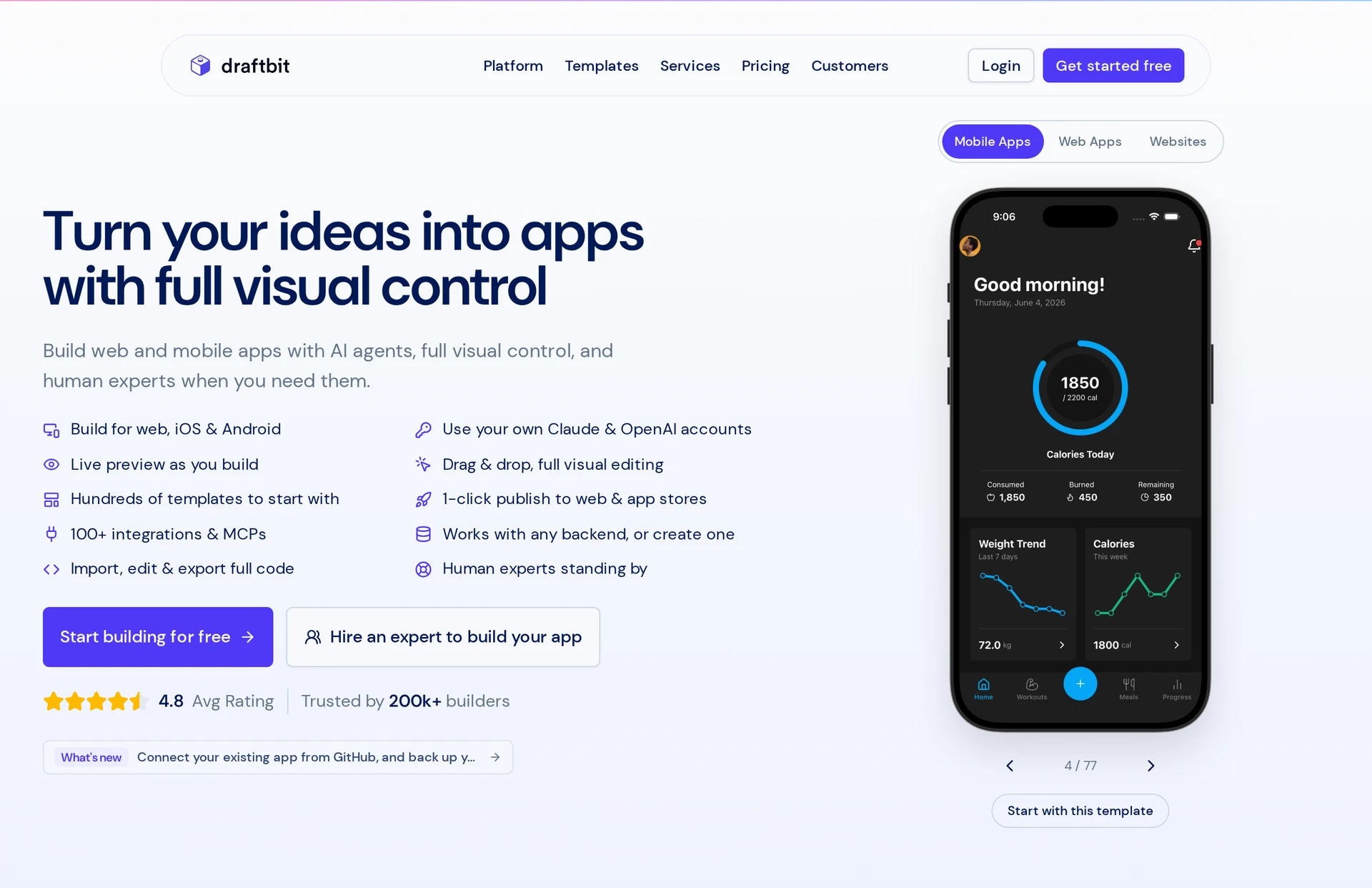
Draftbit lets you arrange screens on a visual canvas and exports React Native source. Complex application logic still requires manual custom code, making it better suited to a business owner working alongside a developer.
Draftbit combines visual screen building with AI agents and code editing to produce iOS and Android apps from one codebase.
Key features
- Full React Native source export lets a developer continue working outside Draftbit.
- Separate development, staging and production configurations keep work in progress and testing apart from the live app.
- Runtime logs help a developer see what went wrong in the live app.
- History and rollback controls let you undo a bad update by returning to an earlier version.
Cons
- Draftbit’s FAQ recommends technical review of authentication, payments and data access. For member logins or payments, budget for a developer’s check before submission.
- Users describe lag in the editor, which can slow down screen building.
Pricing
- Free: $0/month.
- Standard: $15/month, or $144 billed yearly.
- Pro: $30/month, or $288 billed yearly.
- Enterprise: priced on request.
Professional implementation services cost extra, separately from the software subscription:
- Starter Backend Launch Package: $2,500 one-time for backend setup.
- Complete v1 app Launch Package: $12,999 one-time for a full first-version app build.
A year on Pro billed yearly costs $288. Adding the Complete v1 app Launch Package puts that first-year budget near $13,300, before store fees.
Verdict
The trade-off is visual control and code ownership with technical work still attached. I’d shortlist Draftbit if you already have a developer or plan to budget for one.
6. Choicely
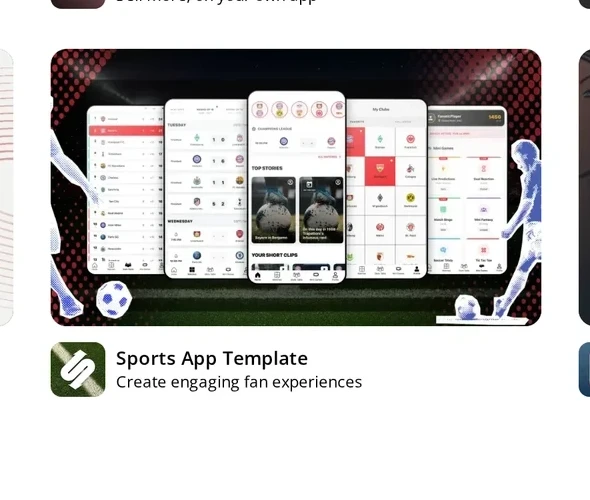
A branded fan app is Choicely’s clearest use case. Its no-code platform supports audience apps combining news and media with voting, quizzes, contests and personalized notifications, making it relevant to sports, media and event organizations.
Key features
- News feeds and media portals carry updates, interviews and highlights.
- Voting, shareable rankings, quizzes and prize contests give fans ways to take part.
- Member benefits and personalized notifications for registered fans.
Eurovision’s app combines a news feed, a media portal, shareable fan rankings and voting during the shows.
Dave Goodman, ESC Digital and Communications Manager at the European Broadcasting Union, said: “Despite Choicely being a no code platform, we got a fully tailormade app that matches our needs and our brand. Making improvements is quick and easy.”
Cons
- Under Choicely’s terms, you’re the publisher, responsible for developer accounts, signing keys and certificates, store listing details and testing each release.
- Privacy notices and legal compliance remain your responsibility, and Choicely doesn’t guarantee store approval.
You retain the rights to your app, but its AI-generated parts are intended to run on Choicely’s infrastructure. If taking the code elsewhere matters, weigh that platform dependence alongside ownership.
Pricing
- Free: $0, with 25 AI credits a day, up to 150 a month.
- Premium: $25/month, adding in-app purchases and GitHub sync.
- Business: $50/month, with Choicely's most capable AI models and priority support.
- Enterprise: priced on request, with app design and build and a publishing service.
Choicely says you pay only when you're ready to publish, so plan on at least Premium at $25 a month once the app goes live. A publishing service that takes on the store work comes only with Enterprise.
Verdict
The engagement features are in use at Eurovision scale. I’d give Choicely more weight if you have a content team or agency behind the app.
FISI FAN, the Italian Winter Sports Federation’s fan app, shows the work involved. Choicely supplied technology and app-building expertise, Gummy Industries handled project management, design and content, and Infront Italy coordinated the partnership. Working alone means covering those design and content jobs yourself, alongside publisher duties, for an app built to run on Choicely’s platform.
7. Dreamflow
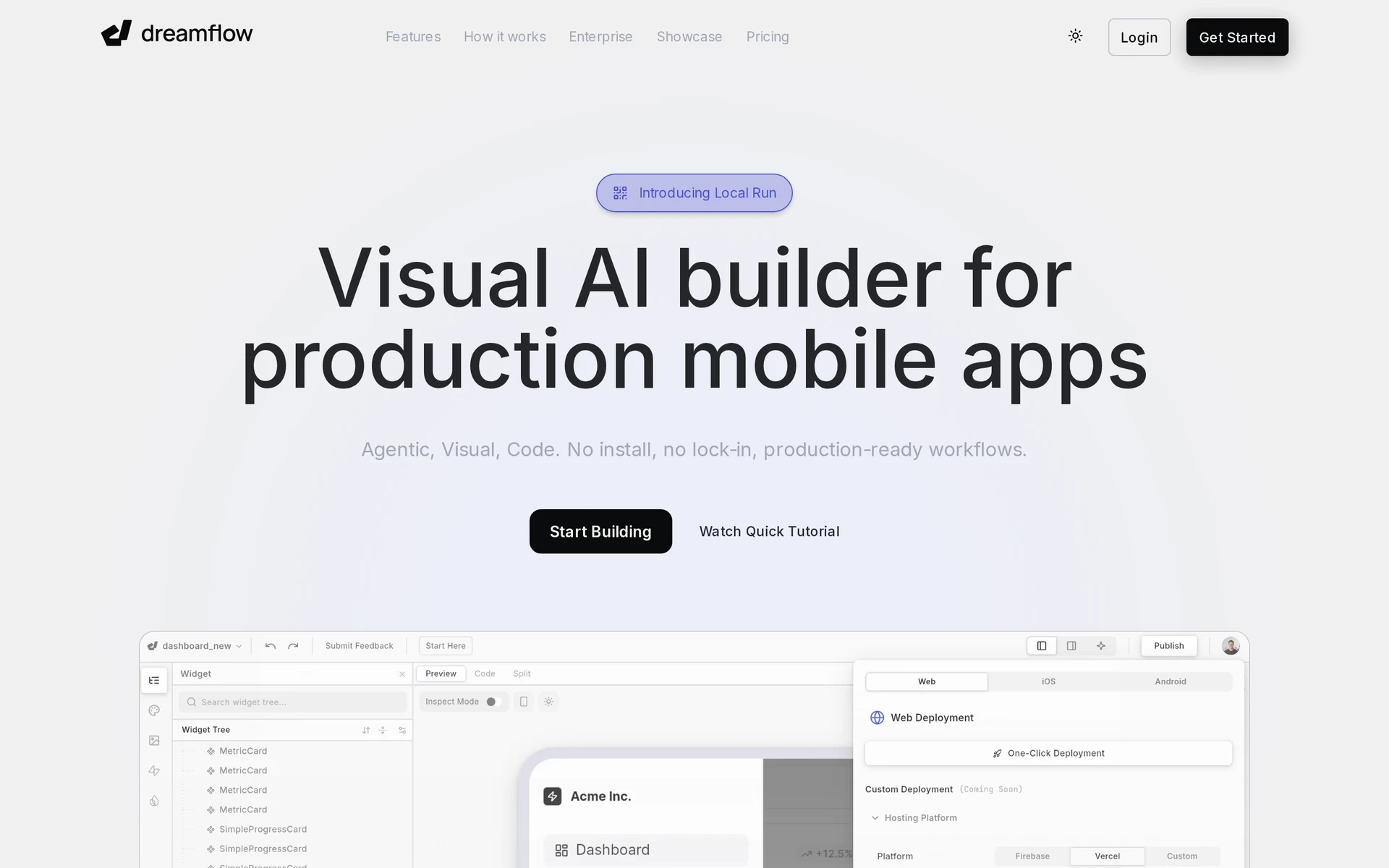
Flutter is the main reason to consider Dreamflow. It generates projects in Flutter, while Rork produces React Native code. Those frameworks require different skills from the developer who takes over your app, so the choice matters when you plan a handoff.
Dreamflow comes from the team behind FlutterFlow and suits teams that want to continue developing directly in Flutter.
Key features
- Git connection lets your team track project changes as development continues.
- Full Flutter-project export lets a developer work on the app outside Dreamflow.
Cons
- Users report errors in the documentation for connecting app data, which can slow a developer down.
- Trying the real app on your phone needs a Mac with Xcode, because the phone preview runs in the browser without camera, push notifications or in-app purchases.
Pricing
- Hobby: $20/month, with code export and one-click deployment to the App Store and Google Play.
- Pro: $90/month.
- Enterprise: priced on request.
Verdict
Flutter output suits a Flutter developer. Dreamflow deploys to the App Store and Google Play from its Hobby plan, so the deciding question is whether the developer who takes over works in Flutter.
What makes a no-code app native instead of a web wrapper?
A native app runs a mobile interface built for iOS and Android, so its screens, lists and buttons are the phone's own. A web wrapper shows a website inside an app shell. Your customers open it from the home screen, but what they scroll through is still a web page.
The download file won't tell you which one you have. An iOS or Android app file can contain a wrapper, so a store listing only shows that the app was packaged for the store.
Device features are where to start asking questions. Native apps reach the camera, GPS and push notifications through native APIs. Each app still needs the feature built in and the user's permission, and a wrapper can sometimes reach them too.
A loyalty app that reminds customers about rewards needs push notifications, and a booking app that uses location needs GPS access.
Treat a browser preview as a draft, and check the app on a real phone before submission. A browser misses problems that only appear on a phone.
Before you commit to a builder, ask:
- Are the screens built with native mobile components, or is a website loaded inside the app?
- How are push notifications, camera and location added to my app?
- Can I install a test build on my own iPhone and Android phone before submission?
No-code app builders compared: features, pricing, and code export
Here are the seven builders side by side. For each one, read the store submission column first, then the price.
| Builder | How you make changes | Store submission | Source code | Starting paid price |
|---|---|---|---|---|
| Bilt.me | Describe changes or select a preview element | Bilt signs and submits to both stores | React Native export | €25/mo or €19/mo billed annually |
| Adalo | Drag-and-drop editor | Builder plan or higher, your own accounts | Users report feeling locked in | $65/mo |
| Thunkable | Visual logic blocks | Builder plan or higher, one live app | No export | About $19/mo, publishing from $59/mo |
| Rork | AI prompts | Publishing draws Build credits | GitHub export and two-way sync on paid plans | $20/mo |
| Draftbit | Visual editor, AI agents and code editing | Managed builds | Full React Native/Expo export | $15/mo |
| Choicely | No-code building and branded-content updates | You publish under your own accounts | Runs on Choicely’s infrastructure | $25/mo |
| Dreamflow | AI-generated Flutter projects | Hobby plan or higher, both stores | Full Flutter-project export and Git connection | About $20/mo |
Prices are in each builder’s own currency, so Bilt’s is in euros and the rest are in dollars.
How to choose the right no-code app builder for your business
Start with your own business. The first thing I ask a business owner is who their customers are and what they want to achieve. Next, I ask how they run things today, because that shows which screens the app needs first.
If the app's whole job is to be your online store, a store builder fits better. When someone wanted an ecommerce store, I pointed them to Shopify instead of Bilt.
Do you want to describe changes or drag them into place?
Conversational editing suits you if you know what the app should do and can say it plainly, such as "add a rewards screen." A visual editor suits you if you'd rather arrange each screen on a canvas yourself.
Who handles store submission and updates?
You pay for your own developer accounts, separate from the builder subscription:
- Apple Developer Program: $99/year.
- Google Play developer account: $25 one-time.
Apple and Google review every app. Ask each builder who signs and submits it, and what you do if review sends it back. After launch, someone has to fix errors and keep up with platform updates, so decide who before you publish.
Can you take the code with you?
Only if the builder exports the source project, and even then the app still relies on its connected services and the outside packages it was built with. An iOS or Android app file is the finished package, and a developer can't keep building from it.
Without the source, a developer starts from your designs. One quoted €200 per hour to turn finished Figma files into a native app. A Bilt customer handed their exported code to a developer, who carried on building.
Ask whether the login, database and payments keep working once the code runs outside the builder.
Build and launch a native mobile app with Bilt.me
You already know what your app should do for customers, whether that's collecting loyalty points, taking bookings or running a member space. If you'd rather describe that app than arrange every screen yourself, Bilt is built for that way of working.
Bilt also takes the app through signing and store submission under your own developer accounts, and the React Native code stays yours. Start building free and reach store submission without learning code signing yourself, or see all plans.
FAQs
Is no-code the same as low-code?
No-code lets you build without writing code, while low-code involves coding for customization or complex requirements. Both require understanding the app’s logic, such as what happens after a customer confirms a booking.
Are there free no-code app builders?
Bilt, Adalo, Thunkable, Rork and Draftbit all have free plans you can start building on. Adalo and Thunkable need a paid plan before your app can go into the stores, and developer-account fees come on top of any builder plan.
Can I build a business app without coding?
A no-code builder can create one without you writing code, though you still decide who can access what and check that data is saved and shown correctly. Before launch, test unexpected inputs, such as a past date in a booking form, and assign someone to maintain the app.