Building an iOS app is not just about making screens look right.
The hard part starts when a non-technical founder has a working demo, no coding background, and no clear path to App Store approval.
Across the full process, custom mobile app projects average about 11 months from planning through launch.
This guide compares 10 iOS app development tools by output type, coding level, App Store support, and fit for builders who want to move from prototype limbo to a real native app.
TL;DR: quick comparison
Bilt is the best fit if you are stuck between a promising prototype and a published native app. It handles React Native output, code signing, and upload to App Store Connect without requiring you to learn Xcode.
FlutterFlow fits visual builders who still want code export. AppMySite fits WordPress or WooCommerce sites that need an app wrapper.
| Tool | Best fit | Output | App Store path |
|---|---|---|---|
| Bilt | No-code native app building | React Native apps | Automated signing and App Store Connect upload |
| Adalo | Drag-and-drop business apps | iOS and Android apps | Publishes from platform |
| FlutterFlow | Visual building with code ownership | Flutter code | One-click on Basic+; Apple setup required |
| Rork | AI-assisted mobile development | Native mobile code | User manages submission on export tiers |
| Replit | Cloud coding without local setup | Source code | Manual deployment |
| GoodBarber | Content and e-commerce apps | iOS and Android apps | App Store handling available |
| Thunkable | Beginner-friendly prototypes | iOS, Android, and web | Direct publishing from platform |
| Draftbit | React Native design-to-code workflows | React Native | Manual submission workflow |
| AppMySite | WordPress or WooCommerce conversion | Web-to-app output | Platform-guided publishing |
| Andromo | Content apps with monetization | iOS and Android apps | Platform-guided publishing |
Submission support matters because App Store review is not a formality. In a 2025 survey, 38% of iOS developers reported at least one App Store rejection.
What kind of iOS app development software do you actually need?
Start with the app you need to ship. A content app, database-backed marketplace, and developer-led product require different output, ownership, and publishing support.
The right tool depends on whether you need native performance, how much code you want to touch, and who handles App Store submission.
- Native app or wrapper: Native apps can access the camera, microphone, push notifications, GPS, and Bluetooth directly. Web wrappers run through a browser layer and can feel limited on real devices.
- Code required: Xcode expects Swift or Objective-C knowledge. Adalo and Thunkable use drag-and-drop builders, while Bilt and Rork generate app code from prompts.
- Production path: Prototype-friendly tools can feel fast early, then stall when you need backend logic, integrations, testing, or App Store compliance.
Visual no-code platforms can hit performance limits as usage grows, especially with complex queries or real-time data.
Pressure-test the backend early and consider a specialized external backend when sustained usage is part of the plan.
- Submission owner: Bilt handles signing and upload to App Store Connect. FlutterFlow offers one-click deployment on Basic+, with Apple setup left to you. Replit and Xcode leave the full Apple workflow to the builder.
Apple still requires a paid Apple Developer Program account for App Store submission. The software choice mainly changes how much of the signing, provisioning, and review workflow you manage yourself.
For non-technical builders, the biggest risk is choosing a tool that makes the first demo easy but leaves the last steps unclear.
If Rork's credit model or project-lock risks concern you, Rork alternatives compares ten options by native output and submission support.
How to evaluate any iOS app development tool
Evaluate iOS development tools by how far they carry the project after the prototype. A preview is useful, but a published app needs native output, backend support, testing, and a clear submission path.
- Output type: React Native and Swift compile to native binaries. Web-wrapper approaches like PWAs, Ionic, or Capacitor run inside a browser shell.
- Device access: Native output is better suited for camera, GPS, push notifications, Bluetooth, and other hardware-dependent features.
- Code ownership: FlutterFlow, Draftbit, Rork, Replit, and Bilt provide source-code access. Bilt exports full React Native source while letting no-code builders keep the technical workflow in the platform.
- Submission workflow: Ask whether the tool handles signing, provisioning profiles, build generation, and App Store submission, or whether those steps become your job.
AI-builder check: Industry research found AI-generated code contained 2.74 times more security vulnerabilities and logic errors than traditionally written code. Test authentication, payments, privacy flows, and database actions before submission.
- Prototype-to-production gap: A fast preview still leaves signing, store assets, privacy details, and rejection fixes.
A simple rule helps: pick a prototype tool for learning, a code-export tool for developer-led builds, and a native submission-focused tool when the goal is a store-ready app.
1. Bilt
Bilt is the best fit for non-technical founders who want a native iOS and Android app without learning Xcode or managing deployment tools.
Describe an app and watch Bilt generate a native app in live preview.
Bilt turns a plain-English prompt into a React Native app, then keeps going through backend setup, preview testing, code signing, and upload to App Store Connect.
| Feature | Bilt |
|---|---|
| App type | Native React Native app for iOS and Android |
| Build method | Plain-English conversation |
| Preview and testing | In-browser and native preview |
| Backend | Authentication, database, and storage setup |
| Publishing | Code signing and App Store Connect upload |
| Code ownership | Exportable React Native source code |
| Starting price | Free tier available |
The workflow stays in one place, so you do not have to manage Xcode, signing certificates, or separate deployment tooling.
Bilt is built for that full loop:
- Describe the app you want in plain English.
- Review the generated native app in preview.
- Keep refining through conversation.
- Move toward App Store review with Bilt handling the build, signing, and upload.
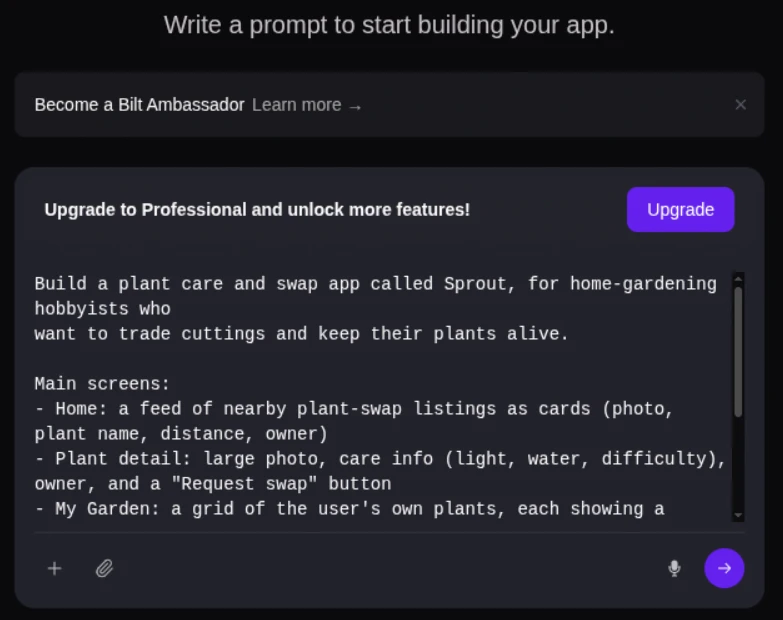
Bilt can produce a first working version in minutes.
Timing varies by app and excludes testing, revisions, and Apple’s review.
AI-builder check: Speed does not replace testing. Check authentication, payments, privacy permissions, and database actions on real devices before submitting the app.
One founder reached the familiar “almost done” stage after scrapping and rebuilding the same app twice. Six App Store rejections still blocked launch.
They finally shipped with Bilt and called the experience “liberating.”
Best for: non-technical entrepreneurs, vibecoders moving from ChatGPT, Cursor, or Replit into mobile, and solo builders who want to publish without hiring a developer.
Also useful for: web app owners who built with Lovable, V0, or Next.js and want a native mobile version instead of a web-only experience.
What Bilt replaces: the usual chain of AI coding tools, mobile setup tutorials, backend wiring, TestFlight confusion, code signing problems, and agency quotes in the $30k-$100k+ range.
Bilt is not the right fit if you want to hand-code every native module, manage the entire React Native stack yourself, or work inside a visual drag-and-drop canvas. In those cases, a code-heavy tool or visual builder may fit your workflow better.
You will still need an Apple Developer account to publish on iOS. Bilt handles the workflow around submission, but Apple still controls the developer account and review process.
Bilt has a free tier, with Professional at €25/month and Professional Plus at €50/month. Start building free, then upgrade as you need.
2. Adalo
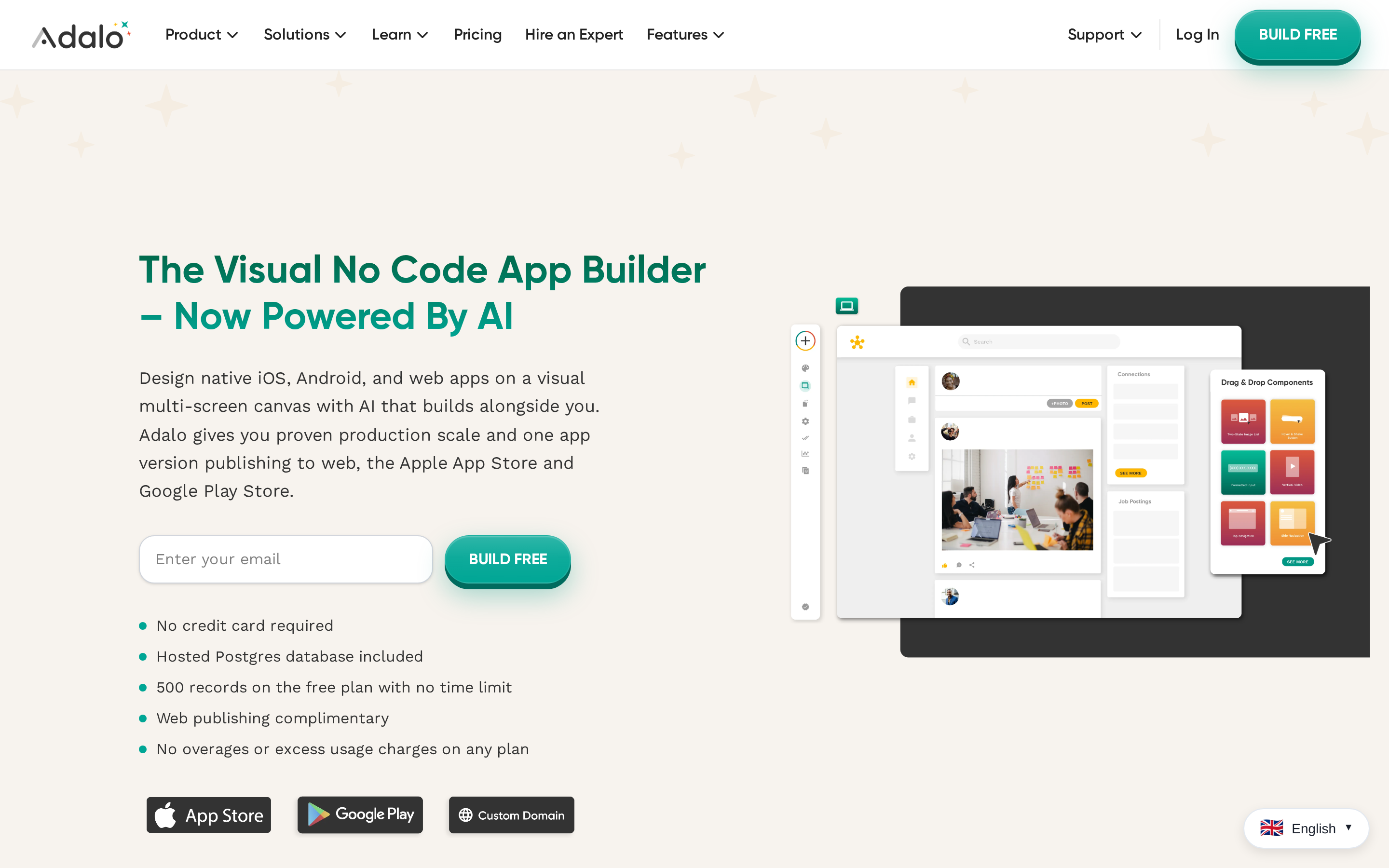
Adalo's drag-and-drop canvas makes simple screens quick to assemble.
Larger projects expose editor and performance limits. User reports mention frozen screens and disappearing elements, while customization and source ownership remain limited.
Where Adalo is useful
Adalo is built around app screens, data, and user flows rather than source code. One project can publish to iOS and Android from the same build once the plan supports store distribution.
Adalo includes the basics for a functional first version:
- 200+ UI components: Adalo lists more than 200 components, including buttons and forms.
- Built-in database: Simple apps can use Adalo's internal database without setting up a separate backend.
- External Collections: Adalo's API can connect the front end to third-party databases or legacy backend systems through External Collections.
- Shared mobile build: The same project can be used for iOS and Android publishing once the plan supports store distribution.
Where the ceiling starts to hurt
Production scale is the main caveat. G2 reviews report slower performance as Adalo apps grow.
A local marketplace might work fine with its first few hundred signups. As traffic grows, slower search screens or missing listing cards can turn into daily support tickets.
Developers also describe using Adalo for prototypes, then migrating to FlutterFlow or another platform when traffic and customization needs increase. Adalo does not support source code export or custom code injection.
Planning note: Pressure-test Adalo's database and query performance before sustained usage reaches roughly 1,000 active users. Complex data or real-time updates can require a specialized external backend or a different architecture.
Reported editor issues include:
- Screen freezing while designing app screens
- Missing horizontal scrolling controls
- Elements disappearing during layout work
These issues appear in G2 reviews, so check them before committing a large project to Adalo.
Publishing threshold
Native store publishing requires a paid Adalo plan.
Starter is the first tier with automated App Store publishing.
| Plan | Price | Publishing and limits | Storage |
|---|---|---|---|
| Free | $0 | No app; 500 records per app | Not listed |
| Starter | $36/mo annually | 1 app; automated App Store publishing | 5 GB/team |
| Professional | $52/mo annually | 2 published apps | 25 GB/team |
| Team | $160/mo annually | 5 published apps | 125 GB/team |
3. FlutterFlow
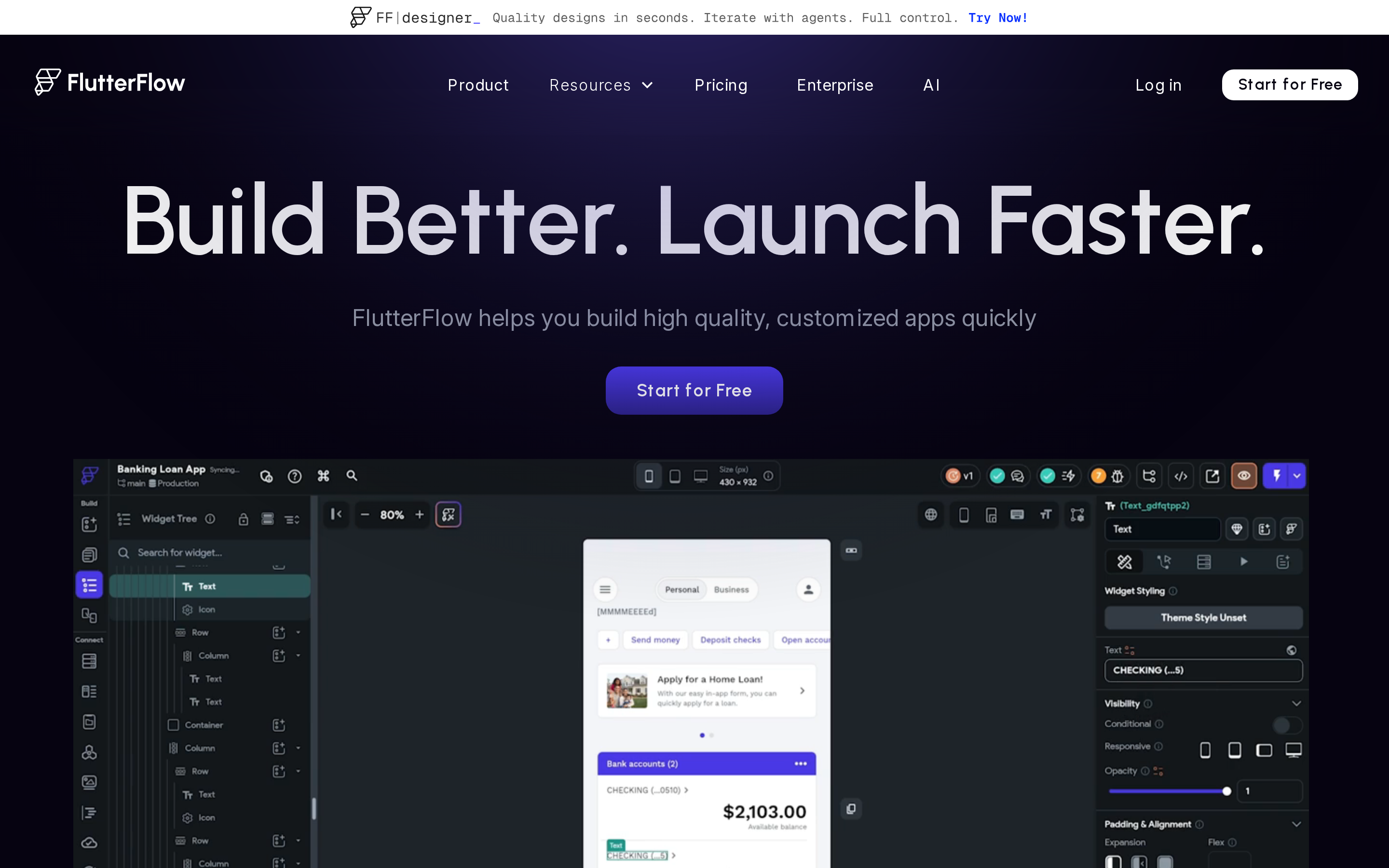
Code ownership is FlutterFlow's main advantage, but exported Dart can still need developer cleanup once an app becomes complex.
The editor gives teams more control than closed no-code builders. It also sits farther from plain-English app generation than AI-first tools.
Why teams use it anyway
FlutterFlow supports Flutter and Dart source-code export. Plan access differs:
- Basic: Code and APK downloads, plus one-click App Store deployment
- Growth: GitHub integration
The editor makes screen structure visible quickly. After export, generated Dart can require cleanup before a Flutter developer maintains it.
Useful capabilities include:
- Output: FlutterFlow generates Flutter and Dart from one codebase.
- Interface: The product uses a drag-and-drop canvas for screens, layouts, and flows.
- Platform reach: FlutterFlow supports mobile apps plus web and desktop output from one codebase, according to FlutterFlow.
- Component library: The platform provides over 200 pre-built UI components across mobile and web interfaces.
- Backend integrations: Firebase and Supabase cover authentication, database management, and real-time data sync without manual backend setup.
- Action flows: Developers can connect buttons, screens, and data changes to visual logic sequences.
- Code export: Paid plans can export generated Flutter and Dart source code for work outside FlutterFlow.
Where technical ownership returns
The documented limitations show up as projects get more complex. Community feedback reports that generated Dart code can become difficult to refactor as app logic expands.
That friction matters because code export is only useful if a developer can work with the exported project. A visual build can still require Flutter knowledge once custom logic grows.
Common planning risks include:
- High-load apps can require engineering work beyond the no-code environment.
- Deep external system integrations may still need custom Flutter or backend work.
- Free users cannot export source code, download APK files, or deploy to app stores.
- Community feedback criticizes pricing changes, so teams should confirm current plan limits before relying on export or deployment.
Pricing threshold
FlutterFlow lists four plan tiers:
- Free: Builder access with limited publishing; free users cannot export source code, download APK files, or deploy to app stores.
- Basic: $39/month.
- Growth: $80/month.
- Business: $150/month.
FlutterFlow combines visual building with code export. Basic supports one-click App Store deployment, but Apple account requirements, listing details, refactoring, and advanced integrations can still require technical ownership.
4. Rork

Rork makes the first mobile build feel simple, but credits, subscription access, and App Store handoff still determine whether a founder can finish.
Standard Rork generates React Native apps through Expo, so one workflow can target iOS and Android. Expo Go lets testers preview a development build on a phone before App Store review.
The iOS paths split by output:
- Standard Rork: React Native and Expo for iOS and Android, with possible web compatibility.
- Rork Max: Native Swift code for iOS apps, aimed at Apple App Store publishing.
- Source export: Generated source code can be exported, which gives technical users a path outside the platform.
Where the buying decision changes
Generation loops, billing state, and store requirements can interrupt the project after the first version is working.
- Failed repairs: Rork's AI repair tools can consume credits even when the attempted fix does not resolve the bug.
- Credit expiry: Unused credits do not roll over, and remaining credits can be deleted immediately when a subscription is cancelled.
- Project lock risk: When a paid subscription lapses, users can lose source export and GitHub sync access until payment resumes.
- Account access glitches: Users have reported paid subscriptions being downgraded to free plans, which can block premium features mid-project.
- Store handoff: Rork does not provide direct Apple App Store publishing, so exported projects still require external tools like Xcode for signing and submission.
A project lock after a subscription lapse is not a small billing annoyance. For a non-technical founder, credit expiry and project inaccessibility can change the buying decision because fixes may be needed after the first build.
Rork's pricing is credit-based:
- Junior: $20-$25/month with 100 credits.
- Scale: $200/month with 1,000 credits.
- Scale includes: Private projects, a built-in code editor, GitHub integration, and chat support.
Rork is mainly used by non-developers building MVPs without Swift or React Native experience. Source export makes the platform more practical when a technical person can review or continue the generated code.
AI-builder check: Treat generated code as a draft until authentication, payments, privacy permissions, and database actions pass review. Repeated repair prompts do not replace real-device testing.
Rork vs Rork Max: which tier fits your iOS project?
Rork and Rork Max differ mainly in output language and platform reach. Standard Rork uses React Native and Expo; Rork Max generates Swift for iOS only.
| Tier | Output | Platform target | Testing requirement | Main tradeoff |
|---|---|---|---|---|
| Standard Rork | React Native and Expo | iOS, Android, and potential web | Standard mobile preview workflow | Broader reach from one cross-platform stack |
| Rork Max | Native Swift | iOS and Apple App Store | Requires a Mac and the Rork Companion app | Deeper Apple platform integration, but no Android output |
Native Swift changes how close the app sits to Apple's platform APIs. Rork Max can support deeper iOS-specific integration than the React Native abstraction layer.
A separate guide explains how prompt-to-native-app generation works in practice, including React Native output and in-browser simulation.
The Android tradeoff matters. Rork Max is limited to the Apple App Store, while standard Rork keeps the cross-platform path through React Native and Expo.
5. Replit
Replit is useful for browser-based coding, web apps, and backends. It does not provide a complete iOS publishing path.
Its AI Agent can create an app-like project from prompts, then keep the code, packages, database setup, and deployment in one cloud workspace.
What the Agent workflow actually looks like
- Prompt the project: Describe the app, screens, logic, and backend behavior in natural language.
- Generate the codebase: Let Replit Agent create the files and suggest the project structure.
- Install packages: Let Agent add the software dependencies needed for the generated code.
- Configure the database: Set up the database environment inside the same workspace.
- Deploy in the browser: Use Replit's cloud deployment path to put the web or backend project online.
The mobile limitation appears after that workflow. Replit does not automate iOS code signing, App Store submission, or app asset generation.
Community evidence is uneven in a practical way: one Replit project can run cleanly, while a similar later project fails after the same build pattern. Other reports say deployments can require migration once traffic or backend complexity increases.
For iOS app development, Replit is best described as a cloud coding environment. Bilt handles the mobile-specific steps inside its app-building workflow, including the store handoff work Replit leaves outside the IDE.
Pricing and credit exposure
Replit offers Starter, Core, and Pro plans. Annual billing lowers the listed monthly rate for the paid tiers.
Credits on Core and Pro are used for AI usage, compute, and deployments. Heavy AI Agent work or higher-traffic deployments can use credits faster than the base subscription price suggests.
Replit's credit exposure and mobile gaps lead some teams toward purpose-built builders. Replit alternatives compares ten options by App Store support and pricing predictability.
| Plan | Monthly Price | Annual Price | Credits Included |
|---|---|---|---|
| Starter | Free | Free | None listed |
| Core | $20/mo | $17/mo | $20/month |
| Pro | $100/mo | $95/mo | $100/month |
6. GoodBarber
GoodBarber focuses on content apps and shopping catalogues. Support limits and submission-management fees affect the total cost and launch timeline.
GoodBarber is more template-led than AI-led. Users assemble pages from visual modules, while Bilt generates React Native app code from plain-language prompts.
GoodBarber's practical lane is narrow:
- Content apps: Publishers, communities, and schools can turn structured pages into an app without writing code.
- Shopping apps: GoodBarber offers separate shopping PWA plans on top of its standard app builder tiers.
- Template editing: The visual editor is approachable, but G2 reviewers describe the templates as restrictive for custom UI or complex logic.
GoodBarber's templates align with magazine apps, local guides, school communities, and small product catalogues more closely than apps with unusual screen behavior.
Support is limited to one email response per day, which can stretch App Store review fixes across several days.
GoodBarber's iOS App Store submission-management option costs $450 and covers the initial submission plus 3 updates.
Pricing and store costs
GoodBarber's subscription price depends on the plan and billing cycle. Monthly billing is higher where listed.
Shopping PWA functionality can add a separate monthly cost:
- Standard Shopping PWA: $35/month extra
- Full Shopping PWA: $95/month extra
- Premium Shopping PWA: $255/month extra
App Store submission costs may sit outside the base subscription. Slow support can stretch rejection fixes across several days.
| Plan | Annual billing (per month) | Monthly billing (per month) |
|---|---|---|
| Standard | $30 | $36 |
| Premium | $55 | Not listed |
| Pro | $105 | Not listed |
| Agency | $215 | $280 |
7. Thunkable
Thunkable makes app building feel beginner-friendly at the screen level, but its block system still requires programming logic. The editor hides code syntax, not the need to think like a developer.
The workflow has two layers:
- Screen design: Drag-and-drop actions can cover basic layouts and navigation.
- Logic blocks: Conditional flows still require users to map rules, states, and outcomes.
- Data structure: Apps that depend on stored user data need more planning than a visual mockup.
G2 reviewers report that complex Thunkable projects can require foundational programming logic, despite the no-code positioning.
Where the block model shows cracks
Performance feedback is mixed for larger apps. Thunkable community guidance documents issues on older iPhones, including iPhone 6, 7, and 8 devices, especially in low power mode.
An app that stutters on an iPhone 7 in low power mode is not just an edge case. Older users feel that friction the first time they open the app.
Trustpilot reviewers mention input lag in medium-to-large projects. Some also describe long waits to resolve In-App Purchase issues.
That delay matters when the blocked feature is a store payment path, not a cosmetic setting.
Pricing
Thunkable's paid tiers scale by AI tokens, project limits, screens, published apps, branding, and support level.
| Plan | Monthly price | AI tokens | Published apps |
|---|---|---|---|
| Accelerator | $19/mo | 20,000/month | No live app listed |
| Builder | $59/mo | 50,000/month | 1 live published app |
| Advanced | $189/mo | 100,000/month | Unlimited live apps |
Published apps require an active subscription to remain live in app stores. Unused AI tokens expire and replenish on the plan's billing schedule.
Community discussions on r/nocode describe Thunkable as more expensive than Adalo and FlutterFlow for equivalent functionality, especially around database integrations and app publishing. Treat that as community feedback, not a universal pricing rule.
For a wider look at category tradeoffs, the no-code mobile app builder comparison covers the main options.
8. Draftbit
Draftbit assumes you understand React Native concepts and can make coding decisions as the app grows.
Community feedback says prior coding knowledge is needed to use Draftbit effectively. That puts the tool closer to a React Native builder for technical users than a beginner publishing path.
That distinction shows up in the workflow:
- Output: Full React Native source code that can be exported.
- Workflow: Visual assembly with low-code concepts, not plain-English app generation.
- User fit: People who understand app structure, components, and coding principles.
A community review reports long initial load times for Draftbit apps and describes the builder as slower than FlutterFlow and Adalo. This is one user’s experience, not a controlled performance benchmark.
On a phone, a long pause is enough for the app open to feel broken before the first screen appears.
Paying users have also flagged infrequent updates as a reason to consider moving away. Treat Draftbit as a React Native visual builder, not a hands-off publishing path for non-technical founders.
Pricing
Draftbit does not provide enough stable public detail here to quote a reliable mid-tier price. Confirm the current plans on Draftbit's official pricing page before budgeting.
9. AppMySite
AppMySite is fastest when an existing WordPress or WooCommerce site is already the product. The same shortcut creates the main limit: the mobile app stays close to the website.
The main workflow syncs WordPress content, including posts, pages, and WooCommerce products, into a mobile app interface without manual coding.
Technical feedback describes AppMySite apps as enhanced webviews rather than fully native mobile apps. That architecture can limit advanced hardware access, complex native UI components, and high-performance interactions.
Pressure-test the webview tradeoff before paying for a publishing plan:
- Push notifications: A WooCommerce store may need extra setup before notifications behave like a native retention channel.
- Camera access: A marketplace or profile app should test uploads on real iPhones and Android devices, not just in a browser preview.
- Biometric login or custom UX: These features may require paid add-ons, extra configuration, or a different native build path.
The architecture question is worth asking early. A webview app and a native app can both pass App Store review, but users feel the difference on real phones.
Reported setup and customization issues include:
- Website linking: Some users report persistent errors when connecting an existing WordPress site.
- Support delays: Users report needing to contact support more than once to resolve technical issues, with no guaranteed response time listed.
- Branding: Lower tiers can include AppMySite branding inside the app.
- Design controls: Users report limits around image resizing and headline alignment.
AppMySite's listed monthly pricing includes:
- Free: $0.
- Starter: $69/month for basic features.
- Pro: $129/month for extended features.
- Premium: $249/month for full feature access.
- Agency white-label: $999/month for multi-client use.
10. Andromo

Andromo is designed for template-led apps such as podcast feeds, local directories, recipe apps, wallpaper galleries, and ad-supported content libraries.
The ceiling shows up when the app needs to feel less like a template, especially if the finished product is mostly a thin website wrapper.
Who it's for: Creators shipping simple content apps or ad-supported libraries.
What it handles: Browser-based assembly, drag-and-drop components, pre-configured templates, and ad network integration.
Where it stops: Custom layouts, dynamic API-backed content, unusual UX patterns, and deeper brand systems.
Templates make the first screen quick to assemble. Moving beyond the preset structure turns customization into component selection rather than open-ended product design.
Pricing to verify before budgeting:
- Plans run from $24/month to $130/month.
- Ultra is listed at $56/month.
- The Shopify-integrated plan is listed at $80/month with a dedicated manager.
- The 14-day trial does not allow store publishing or monetization.
iOS app development software compared: type, coding level, and best use
Compare the ten tools by output, coding level, and the job each one is built to handle.
A few details matter before you read it:
- Native binary vs. web wrapper: Bilt, Adalo, FlutterFlow, Rork, GoodBarber, Thunkable, Draftbit, and Andromo produce app-store-ready native binaries. AppMySite is different because it converts an existing site into an app wrapper.
- Framework maturity: Flutter and React Native are the two main cross-platform stacks here. Flutter is used by 46% of cross-platform developers, while React Native is used by 32%, according to Clutch data.
- No-code ceiling: Bilt stays no-code through app building, signing, and upload to App Store Connect, while FlutterFlow and Draftbit become low-code for custom logic. Data complexity and backend architecture can limit visual builders as usage grows.
Native output usually matters more once performance, device APIs, and App Store review become part of the project. Web-wrapper apps can feel slower on database-heavy screens and less fluid during UI transitions, especially when the app behaves like a website inside a shell.
The table shows what each tool produces. The next section helps you decide which output actually fits your project.
{"type":"lockedTable","headerRows":1,"rowsJson":"[]"}
How to choose the right iOS development software
For most builders, the choice comes down to four constraints: hardware, control, code, and submission. A tool can look easy in the editor and still become difficult when signing, compiling, or App Store upload begins.
Start with hardware and publishing, then compare code ownership and template limits.
1. Do you have a Mac, and do you need one?
Traditional iOS development runs through Xcode on macOS. Xcode compiles Swift and Objective-C apps, manages signing, and prepares builds for App Store delivery.
Xcode includes:
- Predictive code completion
- Optional coding models and agents
- Live previews for SwiftUI and UIKit
- Debugging and performance profiling
Use Xcode on a Mac
Choose this path when you need direct control of Apple frameworks, project files, and native build settings.
Simulator tests apps across Apple devices and OS versions. It can also reproduce:
- Location changes
- Memory warnings
- Throttled network conditions
Use a macOS cloud build service
Xcode Cloud and other CI services can compile and sign iOS builds on macOS infrastructure. You still need an Apple Developer account and release information.
Use a cloud app builder
Bilt lets non-technical builders create native iOS apps without opening Xcode. Bilt handles code signing, binary compilation, and upload to App Store Connect in the cloud.
A Windows editor alone does not complete the release path. Apple signing and review requirements still apply.
2. Do you want native iOS control, cross-platform reach, or no-code speed?
| Goal | Best approach | Example tools |
|---|---|---|
| Apple-specific APIs like ARKit, HealthKit, or CarPlay | Native iOS | Xcode, Swift |
| iOS and Android both matter | Cross-platform | Bilt, FlutterFlow, Rork |
| Ship fast without coding | No-code | Adalo, Thunkable, GoodBarber |
Cross-platform does not automatically mean web-wrapped. Flutter and React Native compile to platform-specific binaries, which is why they dominate cross-platform mobile development.
Cross-platform projects can add schedule overhead because iOS and Android each need platform-specific testing and fixes, even from a shared Flutter or React Native codebase.
No-code speed has a different ceiling:
- Simple CRUD apps, directories, content apps, and basic marketplaces fit many no-code builders.
- Custom backend logic, unusual data flows, or deep hardware integration can push visual builders into workarounds.
- Native-output AI builders like Bilt are designed to keep the workflow no-code while still producing React Native apps for iOS and Android.
If your app depends on Apple-only hardware features, native control matters most. If your launch depends on reaching both stores quickly, cross-platform or native-output no-code tools usually make more sense.
If native output matters more than a wrapper, AppMySite alternatives compares AI, visual, template, and modular builders.
3. How much code do you want to write?
For this article's primary reader, zero code is the default lane. The safer question is when a project should move from zero code to low code or full code.
- Zero code: You build with prompts or visual blocks and never touch source files.
- Low code: You configure logic, edit generated output, or hand off code to a developer.
- Full code: You own the source, environment, dependencies, and submission workflow.
No-code iOS app builders fit founders who can describe an app and test screens without debugging Swift, Dart, or React Native.
FlutterFlow connects app interfaces to Firebase and Supabase for authentication and data services. Bilt generates native React Native output, supports owned source export, and facilitates App Store publishing.
Low code: FlutterFlow exports Dart and Flutter, while Rork Max generates native Swift for iOS-specific work through its Rork docs.
Full code: A basic coded app usually takes 2 to 4 months from planning through deployment, according to Resourcifi. VS Code with AI agent mode can write boilerplate, but setup, dependencies, builds, and App Store submission still sit with you.
- Cross-platform projects need separate iOS and Android testing cycles, even from a shared codebase.
- Full-code workflows give the most control, but they also leave submission and maintenance on you.
Switching zones mid-project is expensive. Moving from a locked no-code platform to full code often means rebuilding the app structure, not just exporting and continuing.
If handoff matters, choose a tool that gives you ownable source code. FlutterFlow exports Dart, Bilt exports React Native, and that source can move with you later.
4. Who handles App Store submission?
App Store submission is where non-technical builders tend to fail. Check whether a tool handles signing, metadata, testing, and rejection fixes.
Common rejection triggers include:
- Missing privacy descriptions
- Incorrect bundle configuration
- Broken device API usage
Manual submission usually means you handle the distribution stack yourself:
- Apple Developer Program: Required for App Store release and costs $99/year.
- Xcode submission: You manage bundle IDs, code signing, provisioning profiles, and compliance metadata through Apple Developer.
- Review timing: Approval often adds 3 to 7 days after the deployment phase, based on the Resourcifi timeline. TestFlight, Apple's beta distribution tool, is optional but useful for real-device testing before submitting for review.
- App Store Connect: Apple's web portal where you upload builds, add screenshots, set pricing, and track review status.
Guided tools reduce confusion, but they do not always remove the work. You may still need to create certificates, upload screenshots, answer privacy questions, or fix rejected builds.
Bilt reduces the manual release work by handling the cloud build, signing, and upload to App Store Connect. You complete the store listing and submit the build for review in Apple’s tools.
FlutterFlow offers one-click App Store deployment on Basic and higher plans, but you still manage your Apple account and store listing details. Appy Pie uses a team-assisted model through its app maker.
Rejection risk matters more when you do not code. A rejection for privacy metadata, broken native features, or incorrect configuration is hard to diagnose if you cannot read the project.
Before choosing an iOS development tool, ask one plain question: when Apple rejects the build, does the platform fix the submission path, or do you become the release engineer?
A signed binary still needs screenshots, privacy answers, and reviewer notes in the App Store publishing steps.
5. A quick practical map
Use this map when the tool list starts to blur together. Match your technical skill level to the app type you are building, then check who owns publishing.
| Technical skill level | App type / use case | Best-fit tool type | Examples | Watch for |
|---|---|---|---|---|
| Zero code | Native iOS and Android app from an idea | AI-native mobile generator | Bilt, Rork | Publishing support, source export, and who fixes App Store rejections |
| Zero code | Content app, directory, school app, or catalogue | Visual no-code or template app builder | Adalo, Thunkable, GoodBarber, Andromo | Customization limits, platform lock-in, and update costs |
| Low code | Design-heavy product with developer handoff later | Exportable low-code builder | FlutterFlow, Draftbit, Rork Max | Export quality, refactoring work, and current plan limits |
| Full code | Apple-specific APIs or custom native behavior | Native or cloud coding stack | Xcode, Swift, Replit | Mac setup, signing, dependencies, and longer build cycles |
| Existing web product | WordPress, WooCommerce, or web app moving to mobile | Website-to-app converter or native rebuild | AppMySite, Capacitor, Bilt | Native feel, device APIs, and App Store review |
The main selection criteria are simple:
- Native requirements: Pick native-first tools when App Store distribution, device APIs, or performance are non-negotiable.
- Publishing ownership: Know whether you, the platform, or a service team handles App Store submission.
- Code portability: Choose exportable source code if a developer may take over later.
- Iteration cost: Check whether updates are included in a flat plan or charged per publish.
- Technical ceiling: Avoid visual builders if your app needs complex backend logic or custom native behavior.
Build and publish your iOS app today, without Xcode complexity
Most iOS tools look easy in the editor and get complicated when signing, testing, or App Store review begins.
Bilt is built for that gap. Describe the app in plain English, and Bilt generates a native React Native app, then handles the parts that usually stop non-technical builders:
- Backend setup for authentication, database, and storage
- Native preview and testing on real devices
- Code signing and App Store Connect upload
- iOS and Android output from the same build process
Ready to turn your idea into a native app? Start building free and see the first version on a real device.
Can you build iOS apps on Windows?
Yes. You can design, code, and preview many iOS apps on Windows with Flutter, React Native, and browser-based builders.
The final App Store step is where Windows builders get stuck. Apple's Xcode tools for signing and App Store delivery run on macOS, so Windows builders need one of these paths:
- Use a Mac later for the final archive, signing, and upload step.
- Use a CI service that builds and signs the iOS app on macOS infrastructure, such as Xcode Cloud for teams already inside Apple's ecosystem.
- Use a cloud platform such as Bilt, which can automate code signing and upload to App Store Connect from the cloud through instant deployments.
Windows-friendly options in this list include Bilt, Replit, FlutterFlow, and Thunkable. Flutter runs on Windows too, but final iOS signing still needs a Mac or macOS build service.
Which of these tools are free?
Five tools in this list have free tiers for building and testing: Bilt, FlutterFlow, Adalo, Replit, and Thunkable. Free building is common. Free publishing is not.
Free or starter options include:
- Bilt: Free plan for building and testing iOS and Android apps with natural language prompts; production App Store publishing requires a paid subscription.
- FlutterFlow: Free tier for templates and app building; native iOS export and App Store submission require a paid plan.
- Adalo: Free plan for test apps and screens; App Store and Google Play publishing are not included on the free tier.
- Replit: Free tier for coding and running projects in-browser; advanced deployment and mobile-specific features sit behind paid plans.
- Thunkable: Free tier for building and previewing apps; app store publishing requires a paid subscription.
Paid plans usually unlock the last-mile features:
- App Store and Google Play publishing
- Code export
- Custom domains
- Push notifications
- Automated App Store submission
Apple's fee is separate. You still need the Apple Developer Program to publish an iOS app, regardless of the tool you use.
Do you need to know Swift to build an iOS app?
No. Swift is Apple's native language, but you only need it when you build directly in Xcode or need deep native iOS control.
You can build iOS apps without Swift through three paths:
- AI builders: Tools such as Bilt let you describe the app in plain English while the platform generates the underlying mobile code through no-code development.
- No-code builders: Adalo, Thunkable, and GoodBarber use visual editors instead of Swift syntax.
- Cross-platform frameworks: Flutter uses Dart, while React Native uses JavaScript. Both can produce cross-platform mobile apps without Swift.
Swift still matters for native Xcode work. Use Swift when your app needs Apple's newest APIs, custom hardware access, or low-level iOS integrations that no-code and AI platforms do not expose.
Apple's own Swift resources are the right starting point if you plan to build those native features yourself.
What's the best tool for iOS game development?
Use a dedicated game engine. The 10 tools in this article are better suited to apps, marketplaces, dashboards, directories, and mobile workflows than game loops or real-time rendering.
The right iOS game tool depends on the game:
| Tool | Best fit | iOS notes |
|---|---|---|
| Unity | Cross-platform 2D and 3D mobile games | Uses C#, supports iOS and Android, has ~48% mobile developer share, and powers ~70% of top-grossing mobile games. |
| SpriteKit | Native 2D iOS games | Built into Xcode, uses Swift or Objective-C, supports iOS/macOS/tvOS, has Metal-accelerated rendering, and has ~3% developer share. |
| Godot | Indie games and royalty-free projects | Open-source, royalty-free, supports iOS export, has ~14% mobile developer share, and added StoreKit 2 iOS integration in Godot 4.6 in Jan 2026. |
| Unreal Engine 5 | High-fidelity 3D games | Has ~17% mobile developer share, supports premium iOS devices through Mobile Forward Renderer, and uses a 5% royalty after the first $1M/year per title. |
Unity, SpriteKit, Godot, and Unreal Engine cover different game types. For non-game apps, the tools in this article are a better fit than a full game engine.