Google will shut down Firebase Studio on March 22, 2027. If you're comparing Firebase Studio alternatives now, the right choice depends on what you need to ship next.
New workspace creation stopped on June 22, 2026, but existing workspaces remain available until shutdown. Core Firebase services, including Firestore, Authentication, and App Hosting, will continue separately.
You'll find seven tools below, grouped by what they actually ship, plus the two migration paths Google recommends for existing projects.
Last reviewed: July 28, 2026.
Quick answer: the best options by use case
Start with the product you need to ship and how much release work you want to handle.
| Tool | Best use case | Native mobile binary output | App store publishing | Starting price |
|---|---|---|---|---|
| Bilt | Building native iOS and Android apps from chat | Yes | Build and upload support; final review submission in store tools | Free tier. Paid from €25/month |
| Rork | Mobile apps with deeper Apple ecosystem work | Yes | iOS in-product, Play upload manual | Free tier. Pro from $20/month |
| Lovable | Rapid full-stack web app and SaaS prototyping | No | No | Free tier. Pro from $25/month |
| Base44 | Prompt-built web apps with managed backend logic | No, web-view wrapper | Generates store files, you upload | Free tier. Starter from $16/month billed annually |
| Emergent | Agentic full-stack web and mobile building for teams | Yes, export-ready builds | No in-product submission | Free tier. Standard from $20/month |
| v0 | UI-first React and Next.js generation on Vercel | No | No | Free tier. Plus from $30/user/month |
| Replit | Cloud IDE workflows with AI agent and backend control | Partial | Guided iOS submission, Play manual | Core from $18/month billed annually |
The real dividing line is release work. Bilt handles signed builds and store uploads in-product; Rork submits from inside the product, Emergent hands over export-ready builds, and the web-first tools leave mobile delivery to you.
Firebase Studio vs Firebase: what this guide covers
Firebase Studio combines a Code OSS-based cloud IDE with an App Prototyping agent for full-stack web apps. The wider IDE can also preview Android projects and support other frameworks.
Google's sunset guide draws a line worth noting. Firebase Studio is closing, but Firestore, Authentication, App Hosting, and other Firebase services are not.
That leaves three directions.
- Google AI Studio: The official browser-based path for prompt-led prototyping and full-stack web apps.
- Google Antigravity: The official code-first path for local, agent-led development with deeper control.
- Other builders: A better fit when you need native store delivery, a different managed backend, or a non-Google workflow.
How we compared these tools
Capabilities and prices come from official product pages, checked on July 28, 2026. Each tool is judged on the job it was built for.
| Criterion | Why it matters |
|---|---|
| Native mobile binary output | Shows whether the tool generates real mobile apps or web-first builds |
| App store publishing integration | Shows how much manual submission and signing work remains |
| Backend infrastructure type | Shows how much setup, flexibility, and lock-in to expect |
| Cloud development environment | Shows how easily you can build and test without local setup |
| Code export and ownership | Shows whether you can leave the platform later without rebuilding |
Firebase Studio alternatives compared
The seven tools split into three groups, based on what they actually produce.
| Group | Tools | What you get |
|---|---|---|
| Native mobile builders | Bilt, Rork | Real iOS and Android apps; publishing support varies by product and store |
| Web and full-stack builders | Lovable, Base44, Emergent, v0 | Browser products first, with mobile packaging ranging from export-ready builds to a web-view wrapper |
| Developer-controlled workspace | Replit | Code, terminal, and infrastructure control, with more of the release work on you |
Native mobile builders
Bilt and Rork both aim at native output from the first prompt. The differences show up in the code stack, backend setup, device testing, and what happens at submission time.
1. Bilt
Describe an app and watch Bilt build a native app in live preview.
Bilt is an AI mobile app builder. Describe the app in plain English and it builds a real native iOS and Android app you own, not a prototype or a web wrapper.
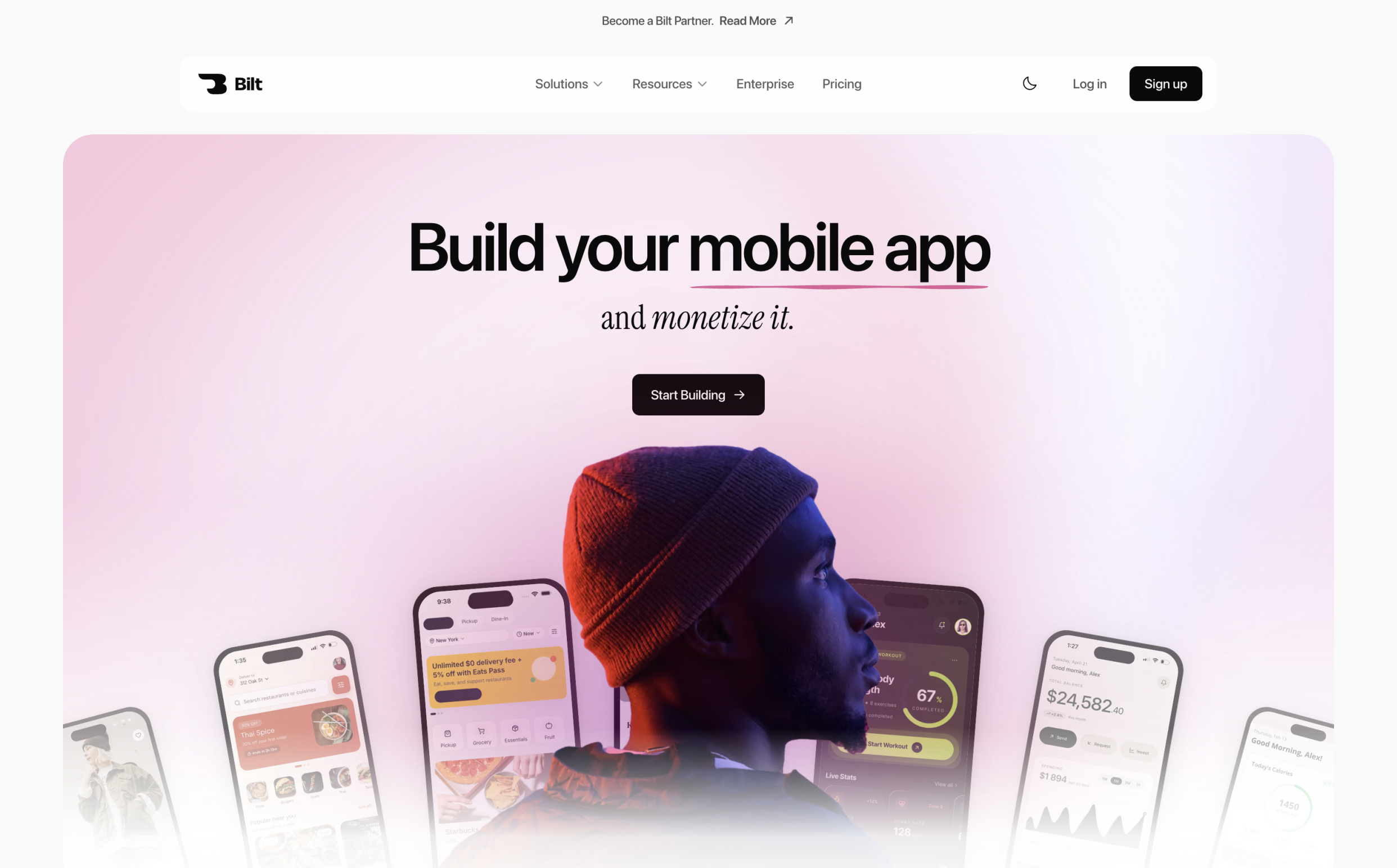
If your next release is a mobile app, that difference decides everything after the first screen. Testing, backend services, signing, and store-upload preparation stay inside the same platform.
Best for: Non-technical founders, business owners, and web-to-mobile builders who want a real native app without running the mobile toolchain themselves.
What you get
- Native output: React Native source and iOS and Android binaries with access to device features.
- Testing: Browser simulators plus QR testing on a physical phone.
- Backend: Authentication, database, and storage are available from the start.
- Ownership: Export the source to GitHub or hand it to a developer.
Publishing: Bilt handles build generation, signing, assets, and upload to App Store Connect; you submit the iOS build for review in Apple’s tools. For Android, Bilt builds the .aab and can send it to Google Play’s internal testing track, though the first release may need a manual Play Console upload.
How Bilt differs from Firebase Studio
Firebase Studio's Prototyping agent focuses on web apps. Bilt focuses on the full mobile path, from describing an idea to testing a native app and preparing both store submissions.
If the Firebase Studio web project is in GitHub, link that repository under Settings → Convert Website so Bilt can use it as a read-only reference while building the native mobile app. Plan Firestore data, Auth users, and Cloud Functions as separate migrations, especially when the project already has live users.
Limits to know
- Bilt generates React Native apps, not SwiftUI projects.
- Web-first products and terminal-heavy workflows fit a web builder or cloud IDE better.
Pricing
The free tier includes 3M AI tokens a month. Professional is €25/month with 10M tokens, roughly 40 to 100 prompts depending on complexity.
2. Rork
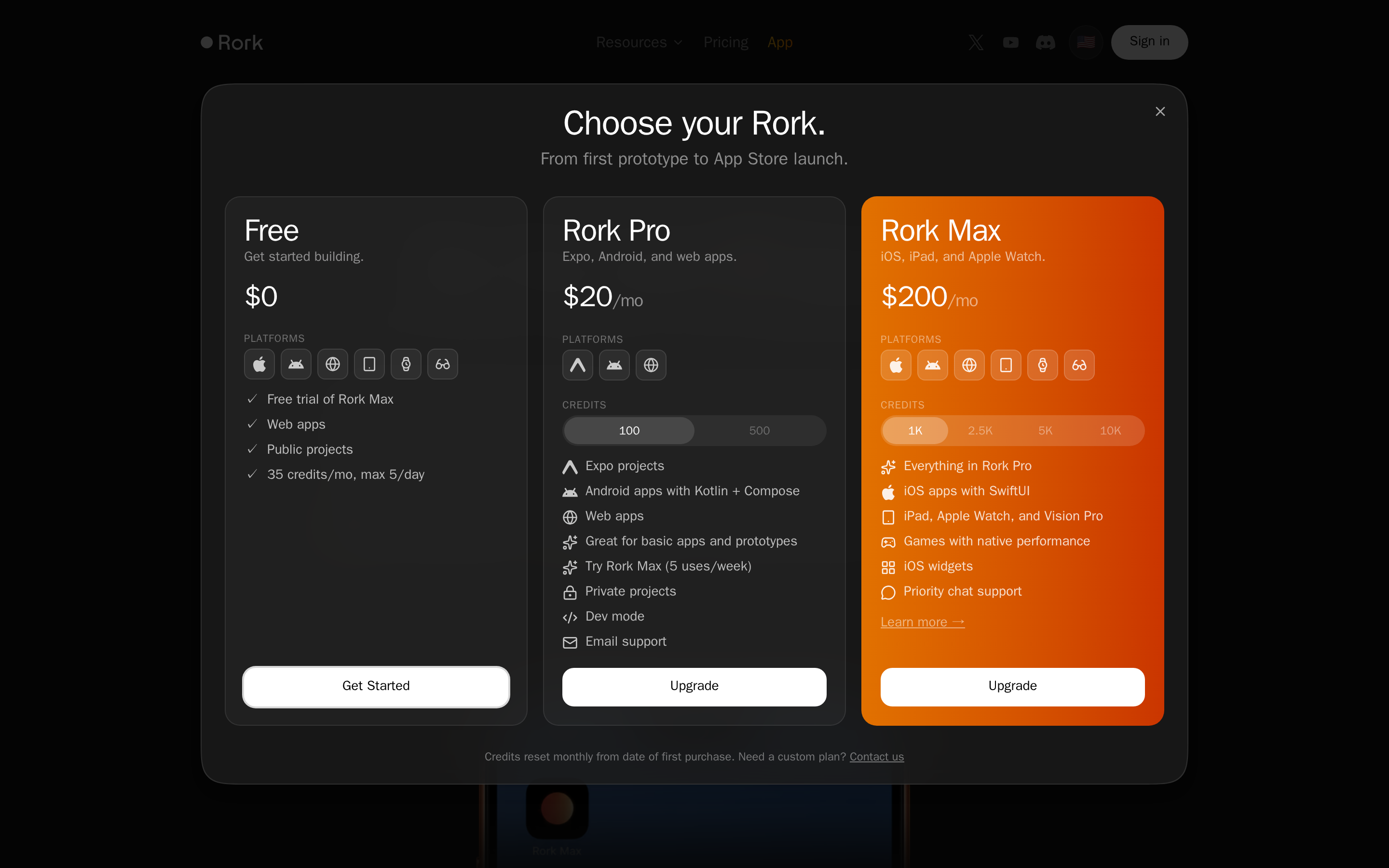
Rork is a prompt-based mobile builder with exportable code. Rork Pro covers Expo, Android, and web projects, while Rork Max adds SwiftUI output for Apple platforms.
Mobile workflow and publishing
- Output: Build cross-platform Expo projects or use Rork Max for SwiftUI apps.
- Backend: Rork documents Firebase, Supabase, and Rork Cloud options.
- Ownership: Two-way GitHub sync supports developer handoff and work outside Rork.
- Apple: Rork provides an in-product App Store submission flow using your Apple and Expo accounts.
- Google Play: Rork's current guide uses Expo EAS to create an AAB, followed by a manual upload in Play Console.
Pricing and limits
Rork's current pricing lists a Free plan with 35 monthly credits, Rork Pro at $20/month, and Rork Max at $200/month.
Credits reset monthly and different build actions can consume them. Test your backend, device features, and full release path before funding a large project.
Web and full-stack builders
These tools turn prompts into web products or managed full-stack projects. Mobile packaging varies, so check whether the result is native code, an export-ready build, or a web-view wrapper.
3. Lovable
Lovable is a chat-led builder for full-stack web products. It generates React, Vite, and Tailwind CSS code, with Lovable Cloud or Supabase as backend options.
It's designed for browser-delivered products, not native iOS or Android binaries.
How Lovable differs from Firebase Studio
- Starting point: Lovable begins in chat, while Firebase Studio combines an IDE with an App Prototyping agent.
- Backend: Use Lovable Cloud or connect Supabase.
- Code handoff: Two-way GitHub sync supports local development and deployment elsewhere.
- Delivery: Publish a web app from Lovable; native packaging sits outside the workflow.
Best for and tradeoffs
Lovable fits web MVPs, SaaS products, landing pages, and teams that want prompt-led development before a GitHub handoff.
- Moving data and authentication between Lovable Cloud and Supabase can add migration work.
- The Free plan includes 5 daily build credits, up to 30 per month. Pro starts at $25/month.
4. Base44
Base44 turns prompts into full-stack web apps with a managed backend, authentication, hosting, and two-way GitHub sync.
For app stores, Base44 packages the published web app inside a secure web-view wrapper. It can generate IPA and AAB files, but you upload them through your own Apple and Google developer accounts.
Where Base44 fits
- Web MVPs with structured data and authentication
- Internal tools with roles and server-side logic
- Teams that want hosting and backend setup managed in one place
- Projects that may later move into GitHub for developer work
Pricing
The Free plan includes 25 monthly message credits. When billed annually, paid plans start at $16/month for Starter, then $40 for Builder, $80 for Pro, and $160 for Elite.
Control and mobile tradeoffs
- Exported source can move to GitHub, but platform-managed services may still need refactoring during a migration.
- The mobile package is a web-view wrapper, not a fully native app, and lacks native-only features such as push notifications and full offline mode.
- Base44 generates store files, while your team handles uploads, review responses, and release management.
5. Emergent
Emergent is an agent-led builder for web and mobile apps. Its agents coordinate interface, backend, testing, and deployment work, with GitHub integration available on paid plans.
Emergent's current product page describes native iOS and Android output as export-ready builds for store submission. It does not document a direct in-product App Store or Google Play submission flow.
Emergent's agent-led approach
- Build model: Specialized agents handle different stages of a full-stack project.
- Mobile output: The company documents native iOS and Android builds, plus progressive web apps.
- Handoff: Standard includes GitHub integration for continued development.
- Infrastructure: Enterprise pricing lists deployment in your own cloud through VPC setup.
Pricing and checks
The Free plan includes 10 monthly credits. Standard costs $20/month, or $17/month when billed annually.
Before committing, test the generated mobile build, confirm the store-submission steps, and check which hosting and support terms your plan includes.
6. v0
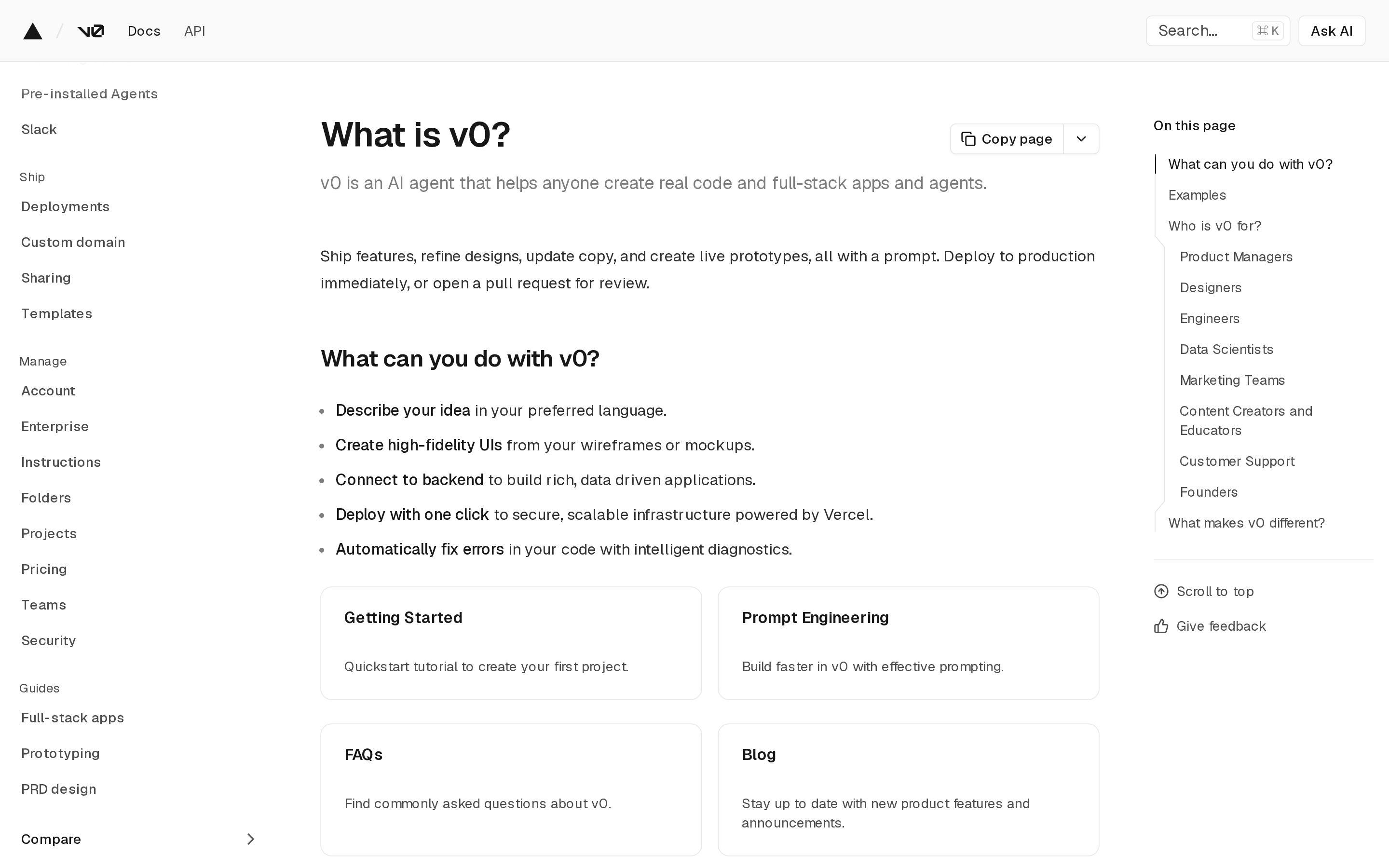
v0 turns prompts, mockups, and Figma work into React and Next.js applications. It supports full-stack web development and one-click deployment in a Vercel-centered workflow.
Native iOS and Android binaries are outside its scope.
What v0 covers
- React and Next.js interfaces, components, and application foundations
- Tailwind CSS and shadcn/ui workflows
- Live previews, backend connections, and Vercel deployment
- GitHub sync for normal repository-based development
Where the web workflow ends
v0 does not handle native app builds, signing, or App Store and Google Play submission. Teams targeting app stores need a separate mobile delivery path.
A Free plan is available. Plus costs $30 per user per month.
Developer-controlled workspace
Replit puts AI inside a full cloud development environment. You get more code and infrastructure control, along with more responsibility for testing and release decisions.
7. Replit
Replit is a browser IDE for builders who want AI assistance without giving up direct access to code, packages, a terminal, Git, and cloud infrastructure.
It supports web projects and React Native mobile apps through Agent and Expo. The workflow is more hands-on than a managed prompt-to-publish builder.
Replit's development workflow
- Plan and generate: Agent creates the initial files, logic, dependencies, and environment.
- Refine: Edit code, run terminal commands, and manage packages in the browser.
- Test: Use streamed iOS and Android previews or Expo Go on a physical phone.
- Ship: Deploy web projects, or prepare mobile builds for store review.
Mobile publishing and pricing
Replit provides guided TestFlight and App Store submission for iOS. Android apps can be built, but Google Play publishing remains a manual process.
Replit Core costs $18/month when billed annually. Agent work and cloud resources can add usage charges beyond the included monthly credits.
Which one fits your workflow?
Here's where each option lands, depending on what you're starting from.
- For an existing Firebase Studio project: Use Google AI Studio for browser-based prototyping or Antigravity for a code-first local workflow.
- For a native app with an integrated publishing path: Bilt covers iOS and Android generation, device testing, backend services, source ownership, and an integrated store build and upload path.
- For prompt-led mobile building with more release work: Rork offers mobile code, while Base44 packages a web app in a store-ready wrapper.
- For a web MVP: Lovable, Base44, Emergent, and v0 offer different combinations of managed backend services, code export, and web deployment.
- For direct development control: Replit provides a browser IDE, terminal, packages, Git, native previews, and guided iOS submission.
Whatever you choose, make sure it's a workflow you can test, release, and still live with a year from now.
What to check before you commit
Test the workflow against the version of your app you expect to run after launch. Check these seven areas before you commit to an annual plan:
- Output type: Confirm whether you receive a web app, native code, native binaries, or a wrapped web experience.
- Total cost: Include credits, usage charges, backend services, publishing work, and paid support.
- Code ownership: Check source export, GitHub sync, local editing, and licensing terms.
- Backend portability: Understand how data, authentication, functions, and integrations move if you leave.
- Production path: Verify device testing, security review, signing, store submission, monitoring, and maintenance.
- Developer accounts: Mobile publishing still requires accounts with Apple, Google, or both.
- Support after launch: Check who fixes rejected builds, broken integrations, and production bugs.
Build a small project before paying annually. Export its source, hand it off, and run a real store-submission test if mobile publishing is your goal.
Build a store-ready native app with Bilt
A convincing first screen is not the finish line. Native testing, backend setup, signing, and store review are where many mobile projects slow down.
Bilt keeps that work in one conversation. Describe your idea, refine the app, test it in browser simulators and on a real phone, then prepare native iOS and Android submissions without learning the mobile toolchain.
Already have a Firebase Studio project in GitHub? Use its repository as a reference for the native build, then migrate Firebase services separately.
Start building free and take your idea from prompt to a store-ready native app.
FAQ
What will replace Firebase Studio?
Google recommends Antigravity for code-first, agent-led development and Google AI Studio for browser-based prototyping. Other tools may fit better when you need native store delivery or a different stack.
Is Firebase Studio being discontinued?
Yes. Firebase Studio will shut down on March 22, 2027, and remaining workspace data will be deleted. Firestore, Authentication, App Hosting, and other core Firebase services will continue.
What is a better alternative to Firebase Studio?
It depends on the output. Bilt covers native iOS and Android creation and publishing, Lovable focuses on web apps, and Replit offers a more hands-on cloud development environment.
What is a free website like Firebase Studio?
Lovable and Replit offer free entry points for browser-based AI building. Bilt also offers a free starting point for native iOS and Android apps. Free-plan limits were checked in July 2026 and can change.