If you already have a Firebase Studio workspace, you may be deciding whether to keep building there, move the project, or pay for the services needed to publish it. The costs depend on what you want to put in people’s hands: a prototype, a public web app, or a native app they can download.
Firebase Studio can still make sense for short-term prototyping in an existing workspace, but its closure makes it a poor long-term home for a production app. Your decision now includes the Firebase services the app will use and where you will maintain the code after moving it.
Firebase Studio pricing: the quick answer
Firebase Studio doesn’t charge a separate editor fee, and it’s still worth using for short-term prototypes if you already have a workspace. With the editor closing on March 22, 2027, it’s a poor long-term home for a production app. What you pay depends on what your project runs on Firebase.
- Editor access: $0 for existing workspaces until shutdown.
- New workspaces: Unavailable, regardless of membership tier.
- Membership pricing: Google Developer Program Standard costs $0. Premium now comes with Google AI Pro ($19.99/month) or Ultra. The standalone $299/year plan no longer takes new sign-ups, and personal subscriptions have stopped renewing. Google Workspace accounts that already have it keep Premium.
- Firebase services: Charges come from the Firebase project that holds your app’s services. Linking a billing account moves the project to Blaze, Firebase’s pay-as-you-go plan, and moves its Gemini API usage to the paid tier.
Can you still create a new Firebase Studio workspace?
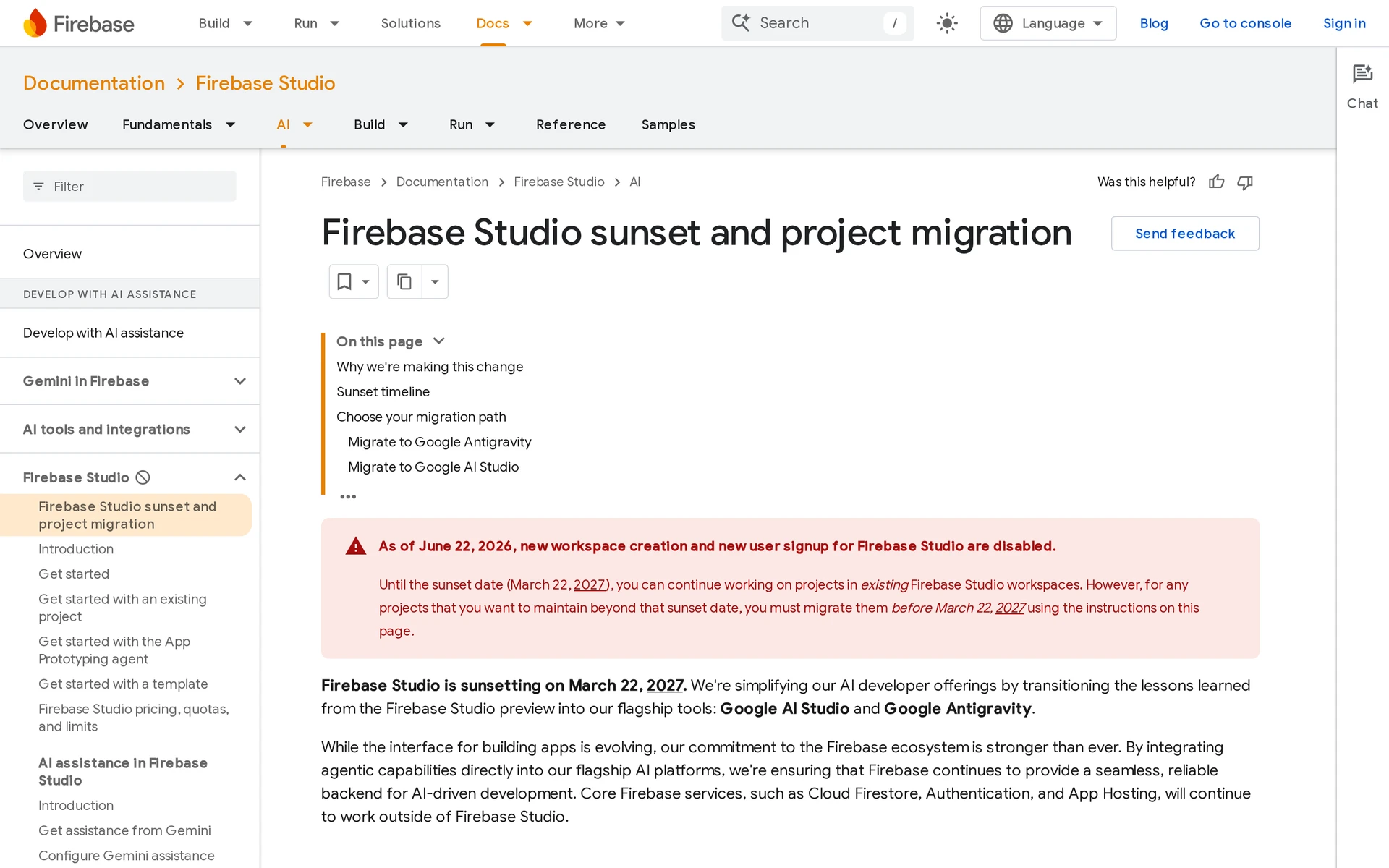
No. Google closed new workspace creation and new sign-ups on June 22, 2026. Existing workspaces remain available until March 22, 2027.
- You already have a workspace: You can keep using it until shutdown. Move it out before that date.
- You do not have one: Joining Standard or Premium does not open a path to create one.
At shutdown, Google will permanently delete Studio VMs, the computers running your workspaces, and their workspace storage. Apps already deployed to the connected Firebase project keep running, as do core Firebase services such as Firestore for storing app data and Authentication for managing sign-in.
Move workspace-only material before then:
- Push source and local Git history to a remote repository.
- Download untracked files and Gemini chat data stored under
/home/user/.idx/ai. The Zip and Download export leaves out the chat data, so copy it separately.
What a Firebase Studio project costs now
You may still see Studio's 3, 10 and 30 workspace tiers quoted elsewhere. They set how many workspaces you could create, and Google now marks them as no longer applicable.
Gemini API calls: price one request
On the paid tier, each Gemini API request is billed by input and output tokens, the small pieces of text or code the model processes and generates. Output tokens also include the model's thinking.
On the paid tier, Google doesn't use your prompts to improve its products. On the free tier it does.
Price one request before launch. Using the rates in Gemini API pricing, multiply its input tokens by the model's input rate and add its output tokens times the output rate. Multiply that request cost by the requests you expect each day, then choose the cheapest model that does the job well.
Before you publish, check that no screen calls the API repeatedly in a loop. A loop left running overnight can create a surprise bill.
App Hosting: what a published app costs
Studio's Publish button deploys to App Hosting, which runs your web app on Cloud Run and requires Blaze. Google's own App Hosting cost example puts 10,000 visits a month at about a cent. As traffic grows in that example, bandwidth, the data sent to visitors, makes up most of the bill rather than compute, the work done to run the app.
Open the App Hosting backend's settings and check that minimum instances is 0, the documented default. This lets Cloud Run stop running instances when they aren't needed. A higher number keeps instances running and billing even while nobody uses the app.
Spend caps versus budget alerts
A budget alert emails you when spending crosses a threshold you choose. It does not stop charges.
A spend cap, still in Preview, pauses new requests to that service when spending reaches the cap. Requests remain paused until you lift it.
Caps cover the Gemini API and Cloud Run, which runs App Hosting, with one cap per project and service. Before you publish, set an alert on the billing account and a cap on each of those two services.
Stored data and other persistent resources keep billing under a cap. Budget for those ongoing charges even when new requests are paused.
How the bill actually works: Spark vs Blaze
Spark is Firebase’s no-cost plan. Blaze links the project to a Google Cloud Billing account. Usage beyond the no-cost allowances is metered under the Firebase plan rules.
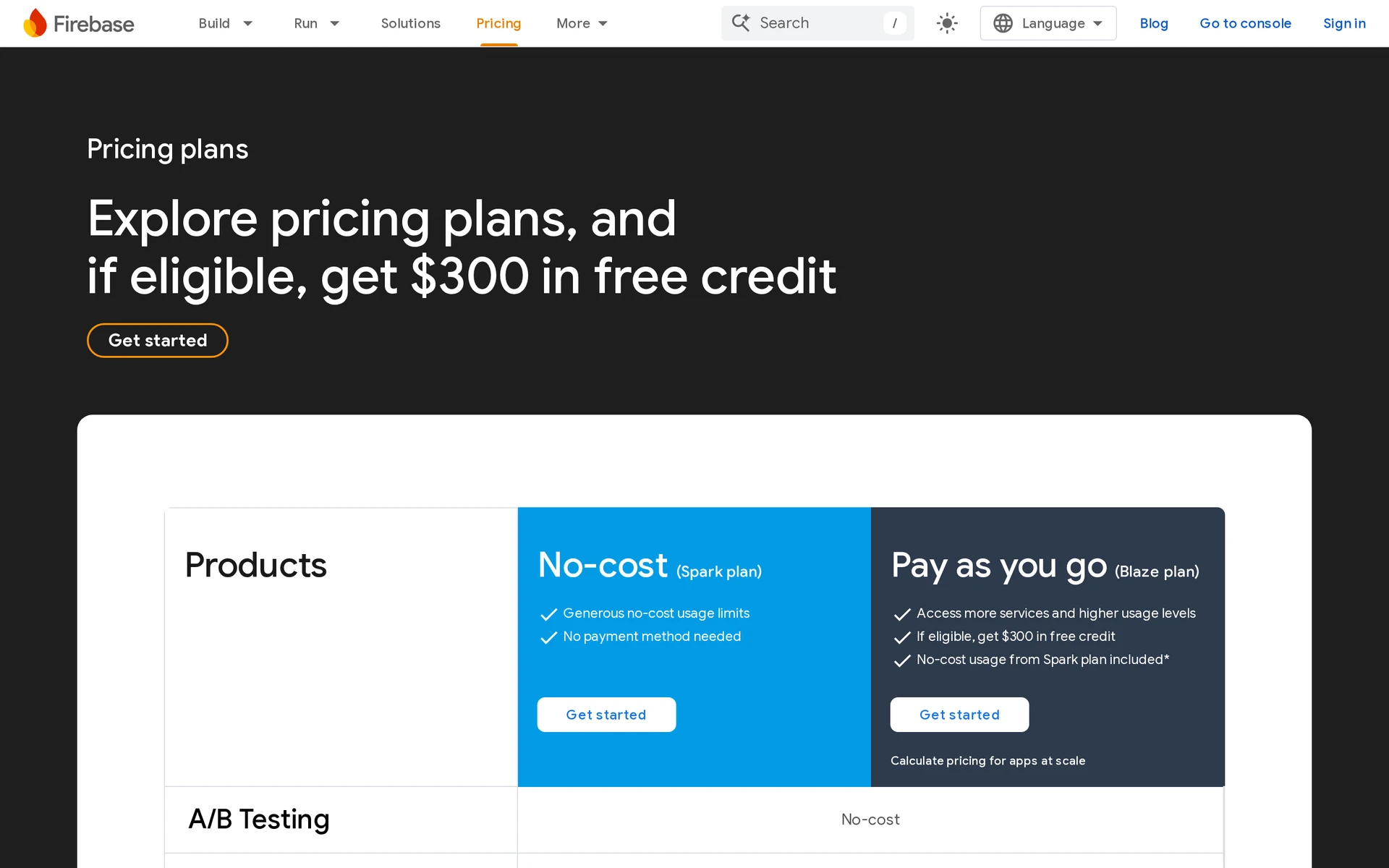
- Spark: No payment method is required, and the project stays within the products and quotas available on the no-cost plan.
- Blaze: The project has a linked billing account, keeps applicable no-cost allowances, and can use metered Firebase and Google Cloud services.
- Upgrade trigger: Enabling a service that requires billing moves the entire Firebase project to Blaze.
- First charge: Linking billing creates no flat subscription fee. Charges start when a service records billable usage beyond its applicable allowance.
| Plan | Base price | Billing setup | When usage is charged |
|---|---|---|---|
| Spark | $0 | No payment method | Never, within Spark products and quotas |
| Blaze | Pay as you go | Linked Cloud Billing account | After applicable no-cost allowances |
What can cost money even on the free tier
Each service bills on its own. Check these before you deploy:
- Cloud Firestore: Database activity and stored data are metered on Blaze. Network transfer can add charges after the no-cost allowances.
- Cloud Functions: Deploying functions requires Blaze. Runtime use and network transfer can bill, while build images may add Artifact Registry storage charges.
- Cloud Storage: A default bucket requires Blaze under Firebase’s billing rules. Stored files and downloads can then generate usage charges.
- Firebase App Hosting: A billing account is required before rollout. Build and runtime resources are metered, and data delivery can add charges as traffic grows.
Review each enabled service in the Google Cloud Billing report instead of treating the workspace as one line item.
Firebase Hosting vs Firebase App Hosting
- Classic Firebase Hosting: Static files and client-side apps can stay on Spark. A connected backend may still introduce its own Blaze usage.
- Firebase App Hosting: Full-stack deployments use metered build and runtime resources, so the project needs a billing account before you publish.
What it costs depending on what you're building
Your cheapest path depends on where the app runs. A workspace prototype can cost $0. Deployed products add usage charges, store fees, or both.
| Build path | Known starting cost | What can add cost | Result |
|---|---|---|---|
| Workspace prototype | $0 without production deployment | Paid Gemini API usage, if enabled separately | Preview for testing |
| Published web app | $0 on classic Hosting within Spark, Blaze for App Hosting | Hosting, backend, and bandwidth usage | Public web app |
| Web app with an AI feature on App Hosting | Blaze from the first deploy | Gemini API tokens per request | Public web app with AI |
| Native mobile app | $99/year for Apple and/or $25 once for Google Play | Firebase backend usage | Mobile project plus store-release work |
Prototyping without deploying
Firebase Studio can remain $0 while you use workspace previews and avoid production deployment. You can test the idea without linking a billing account.
Two choices can move the project beyond unpaid prototyping:
- Deploying through Firebase App Hosting requires a billing account on Blaze.
- Calling the Gemini API from your prototype can incur charges under its API billing plan. This is separate from Studio’s included Gemini coding assistance.
Publishing a web app
Publishing through Firebase App Hosting requires a billing account and Blaze. Blaze is pay as you go, so the bill follows actual usage rather than a fixed subscription.
Charges can come from:
- Hosting or App Hosting
- Cloud Functions
- Database activity
- Outbound bandwidth
A static site on classic Firebase Hosting stays free within 10 GB of storage and 360 MB a day of transfer. Those allowances cover the files you host and the data sent to visitors.
Building and publishing a native mobile app
Publishing a native app adds developer-account fees to any Firebase backend costs.
Budget for two separate layers:
- Firebase: Authentication, database activity, functions, and traffic can create Blaze charges after the app moves beyond no-cost allowances.
- App stores: The Apple and Google fees pay for developer accounts. Signing, submission, and review still take time and technical work.
Is Firebase Studio worth it given the shutdown?
If you already have a workspace, Firebase Studio is still useful for disposable prototypes and learning before March 22, 2027. It's a poor choice as the only long-term home for a production app.
Keep using the remaining window when:
- You want to test a flow in a workspace preview.
- You are learning how a Firebase-backed project fits together.
- You keep the source outside Studio from the start.
For an existing workspace, migrate before the cutoff:
- Click Move now at the top of the workspace. Only the person who created the workspace can use it, so a shared workspace has to be moved by its owner.
- Choose Google AI Studio, Google Antigravity, or Zip and Download to move the project into another tool. Google Antigravity is a desktop IDE, a place to edit and run code on your computer. It requires Node.js 20+, which runs JavaScript tools locally, and Firebase CLI 15.10.0+, the command-line tool for managing and deploying Firebase projects.
- Save your environment variables, the settings your app reads when it runs, and secrets such as API keys in a secure place. For publishing through GitHub sync, add your Gemini API key as an environment variable in the Firebase console or store it in Secret Manager, Google's service for keeping credentials secure.
Studio read the key from your
.envfile. That file shouldn't go into GitHub, so you need to set the key separately in the new publishing setup. - Open the project in its replacement development environment, then verify that it builds and deploys there.
Google’s migration guide has the full steps for each route. Test the app in its new setup before Studio closes, so you can confirm the move worked while the old workspace is still available.
Taking a Firebase Studio project to the app stores
Firebase Studio can generate project code. In Flutter workspaces, which use Flutter to build apps, it can also preview the app in an Android emulator, a virtual Android device. It has no iOS simulator for previewing an iPhone app.
That emulator preview runs inside the workspace, so it does not produce the signed release build that Apple or Google will accept.
Choose the target before you treat the preview as a finished app:
- Web prototype or PWA: Use this for browser-based testing or link sharing when you do not need store distribution.
- Native store app: Use this when you want a native iOS or Android app distributed through the App Store or Google Play.
- Examples include the camera, GPS, push notifications, and native in-app purchases.
Camera, GPS, and push notifications can also work in web apps, depending on browser support. For a native app, check device access and store payment requirements for each of those features.
To move from a Studio prototype to the stores, you still need to complete each of these steps:
- Produce a release build for each platform you plan to support.
- Test the build on physical devices.
- Configure Apple signing for iOS or an Android signing key for Google Play.
- Complete the store listing assets and required privacy disclosures.
- Submit through your developer account and respond to store review.
Plan for testing, signing and store submission when you choose a builder, because the preview is only part of getting an app into people's hands.
Convert your web project to a mobile app with Bilt
If your Studio project is a web app and you want a mobile release, Bilt’s Web-to-App feature gives you that route. Push the project to GitHub and connect the repository to convert it into native iOS and Android apps. The web app keeps driving the mobile version. Murat used Web-to-App to turn his Lovable web app into iOS and Android apps without a mobile developer or a second codebase.
Bilt handles the release build, signing, and submission. You use your own Apple Developer or Google Play developer account, pay the store fees separately, and both stores still review the app.
Bilt’s permanent Free tier costs €0. Professional costs €25/month, or €19/month billed annually. New subscribers on a monthly paid plan get 40% off their first month, so Professional starts at €15 and then costs €25/month. The discount applies once per account and excludes annual billing. See all plans.
Start building free to see how your web project works as a native app. Test the mobile version and its device features before preparing it for store review.
FAQs
What happens to your projects after the shutdown date?
Workspace VMs and storage are permanently deleted on March 22, 2027. Follow the migration steps above to save your code and workspace-only files before then.
Apps already deployed to Firebase Hosting or App Hosting keep running. Firebase backend services tied to the project also continue under their existing billing.
Does the Studio editor itself cost anything to use?
No. Firebase Studio has no editor subscription or hourly workspace fee.
Studio's built-in Gemini help comes with the editor, within a daily quota Google doesn't publish. Usage through your own Gemini API key follows Gemini API billing separately from that included help.
Can you still buy Google Developer Program Premium for Firebase Studio?
You can't buy the standalone Premium plan as a new subscriber. The current Google AI Pro and Ultra routes, along with the rules for existing subscriptions, are listed in the quick answer above. Program fees are non-refundable.
Premium through Google AI Pro includes $10 a month in Google Cloud credits. The $500 Cloud credit and $50 GenAI credit were benefits of the standalone plan.
How does Firebase Studio pricing compare to Lovable?
Lovable pricing lists Pro at $25/month, with 100 monthly credits plus 5 daily credits.
Lovable's credits meter the AI requests you use while building. Firebase's usage charges follow the services your deployed app uses, so the two bills grow for different reasons.