A no-code dating app builder can help you turn profile browsing, mutual likes, and conversations into a native app, built to run on iOS and Android rather than inside a browser. When choosing one, look at how far it can carry the idea through building, testing, and store submission. You’ll still shape how people connect and what happens when someone reports a problem.
Before building, decide what makes your dating app different and where its first members will come from. Apple’s rules for new dating apps make that distinction important, and members need enough people nearby to make discovery useful.
Decide what your first release needs
Write down these five decisions before you build:
- What to build first: Write one must-have feature list and save extra ideas for a later version.
- How the app works: Define its purpose and sketch a data model, showing how stored member information connects to likes, matches, messages, and reports.
- Which builder to use: Make a shortlist that passes the four filters below.
- Launch plan: A sequence from feature definition through device testing to release.
- Launch area: The one city, campus, or community you will fill with members first.
Whatever the builder generates still needs a security review and repeated testing. Record outside services for sign-in or messaging as dependencies in the plan, not as invisible assumptions.
What kind of dating app builder do you actually need?
For App Store and Google Play distribution, choose a builder that produces installable mobile apps. Matching and chat also need working data flows. Native output alone doesn’t mean those flows work.
Use four filters when you compare builders:
- Device behavior: Can members use the camera and location services? Can the app alert them when they are away?
- Live interaction: Does a new like or message appear for the other member without a manual refresh?
- Ownership and release: Check that the builder can produce apps for both stores and let you export the source code. It also needs to support in-app purchase, in-app account deletion, and adults-only access so you can meet the store requirements described below.
- Room to change: Can you alter the matching rules, the reporting flow, and the profile structure without fighting a fixed template?
Test the full journey between two member accounts before committing. A polished first screen says little about live data or native device behavior.
What does a dating app need before you build it?
A dating app needs a niche, profile fields, matching rules, private chat, and safety reporting before you start building.
Turn those basics into a one-page product brief before choosing screens. Apple treats dating as a saturated category. Its spam guideline says Apple will not accept a new dating app unless it offers a meaningfully different or improved experience. Apple may also remove an app that is not updated, not improved, or does not attract customers.
Several small dating apps have been rejected under this rule, some even after an appeal, and launched on Google Play instead. Define your distinction in one sentence and reuse it in your App Store review notes.
- First session: Define what a new member must complete before they can discover someone.
- Profile rules: Mark each field as public or private. Then decide whether it affects matching or can be skipped.
- Matching logic: State exactly who can appear in discovery and what action creates a match.
- Conversation rules: Decide when messaging opens and what happens after someone unmatches.
- Find your first members: Decide where your first members will come from and how close together they will be. Low-star reviews of nearly every small dating app complain about an empty discovery screen: “you’ve seen everyone”, or a few profiles, all far away. Start with one city or one community, keep people outside it on a waitlist, and tell new members how many people are nearby before asking them to pay.
- Who can join and pay: Decide who can join and whether any capability requires payment. Plan for an uneven ratio among members. Sign-ups often run about two men for every woman, because women leave faster when the experience is poor. Design the first session, filters, and safety tools for the group that is harder to keep.
How you store data should connect each member's preferences to discovery, and each match to its messages and reports.
Treat membership itself as sensitive. In Europe, the General Data Protection Regulation (GDPR) gives extra protection to data about sexual orientation and biometric data used to identify someone, such as face-matching data. Processing these special categories normally requires explicit consent.
Norway’s regulator fined Grindr NOK 65 million partly because being a Grindr user was itself data about sexual orientation. For a niche app, membership can make every profile sensitive. Ask for explicit consent and do not share member data with ad networks.
Apple’s Guideline 1.2 expects safety controls for apps with user-generated content:
- Filter objectionable content before it reaches another member.
- Put reporting inside the app and define who handles reports.
- Let a member block another account immediately.
- Publish a support contact members can reach.
Remove content that violates these safety rules. Apple can remove the app until you comply. Google Play’s user-generated content policy also requires members to accept your terms before posting and requires ongoing moderation.
Keep the first release focused. Boosts, which give a profile more visibility, and location passporting, which lets members browse another area, can wait. Advanced filters can also wait unless one creates the app’s distinctive experience.
Keep content filtering in the first release to meet Apple’s requirement. OpenAI’s moderation endpoint checks text and images for potentially harmful content at no cost.
Describing your app to Bilt
Start with one prompt that defines the audience, the first-session goal, and the route through the main screens. Give Bilt the whole user journey, then refine one behavior at a time.
First prompt example
Build a native dating app for local book lovers. New members create an account, add photos and reading interests, set discovery preferences, then browse profiles.
A like stays private. When both people like each other, create a match and open one-to-one chat.
Use warm neutral colors and readable type. Add bottom navigation with four areas:
- Discover
- Matches
- Messages
- Profile
Put report and block actions on profiles and conversations.
Only adults can join. Ask for date of birth at sign-up and block anyone under 18.
That request gives Bilt enough context to build the native screens and core journey. Review the result, then ask for one change at a time.
Check the generated version in this order:
- Account creation leads to profile setup.
- Required profile fields must be completed before saving.
- Saving a profile opens discovery.
- Each navigation item opens the intended screen and preserves entered information.
Keep each follow-up focused on one rule, screen, or state. A narrow request makes the resulting change easier to check.
Useful follow-up prompts
- Profile data: “Save profile photos and the bio, then show the saved information when the member returns to Profile.”
- Match rule: “Create a match only after both accounts like each other. Do not create duplicate matches.”
- Discovery screen: “Make profile photos the main focus. Keep Like and Pass visible without covering the bio.”
- Missing information: “If a required profile photo is missing, explain what the member needs to add before continuing.”
- When profiles run out: “When discovery runs out of profiles, show how many members are within the member’s chosen distance and offer to widen it. Never show a blank screen.”
Getting profiles, matching, and chat working
Build the core loop in this order: profile, discovery, saved like, mutual match, then chat. Each step should work before the next one depends on it.
- Create profiles. Decide which information is required before an account can enter discovery.
Add profile setup with photos, a bio, interests, age, and discovery preferences. Let members edit their own profile and save every change.
- Store each like. A Like action needs to remember who liked whom, even after the member moves to another screen.
When someone taps Like, save the action and load the next profile. Keep the like private until the other account also taps Like.
- Create one mutual match. Two reciprocal likes should produce one shared match that appears for both accounts.
Check for a reciprocal like after every Like action. If one exists, create one match and show it in Matches for both people.
- Open chat for matched accounts. Save messages against the shared match so both people see the same conversation in the same order.
Add one-to-one chat to each match. Save every message with its sender, match, text, and sent time, then update the conversation when a message arrives.
Run the complete loop in the current Bilt build after each logic change. Use two sample accounts so you can test both sides of the like, match, and message flow.
Core-loop check
- Each account can complete and edit its own profile.
- Discovery excludes the current account’s profile.
- A like remains saved when the member changes screens.
- The first reciprocal like creates exactly one match.
- Unmatched accounts cannot open or send messages in chat.
- Both matched accounts see the same thread and message order.
- A deleted account disappears from discovery, matches, and chat for everyone at once.
Fix the first failed step before refining later screens. Polished chat cannot compensate for a match record that was never created.
Adding safety, moderation, and notifications
Add safety controls before opening the app to a wider audience. Start where members contact each other. Then connect each report or block to moderation, notifications, and the rules that actually restrict the account.
More than half of US dating app users say they have met someone they thought was trying to scam them, and 56% of women users under 50 have been sent an explicit message or image they did not ask for.
Build the controls in this order:
- Put Report and Block on profiles and chats. Keep both actions easy to find without making them the main focus of either screen.
Add Report and Block actions to every profile and conversation. Blocking immediately stops new messages and removes both accounts from each other’s discovery results.
- Send reports to a moderation queue. Save who reported whom and why. Link the report to the relevant profile or message, then record its submission time and review status.
Create an admin moderation queue with open, reviewing, and resolved states. Let a moderator review the related content and record the action taken.
- Give locked accounts a resolution path. If moderation or an automated rule restricts an account, show the reason and the next available verification or appeal step.
Add optional photo verification with pending, verified, and rejected states. Explain what the member needs to submit again after a rejection.
Assign someone to read reports and set a response time. Apple expects timely responses. Safety complaints in low-star reviews of small dating apps are rarely about a missing button. They are about reports and ban appeals that nobody answered. Make sure the resolution path above is available for every restriction, and have someone answer each appeal.
Define notifications by event and destination, rather than asking for “all notifications.” This keeps a match alert separate from a private moderation update.
| Event | Delivery | Destination |
|---|---|---|
| Mutual match | Push notification | New match |
| New message | Push notification | Relevant conversation |
| Report update | In-app notice | Current review status |
| Account restriction | In-app notice | Required next step |
Add a separate in-app notice for verification results, and link it to the relevant screen.
Finish with rules that run behind the interface. Hiding a button is not enough if a blocked account can still send the same request.
Abuse-control checklist
- Rate-limit message sends and report submissions.
- Validate profile fields and chat text before saving them.
- Require an authenticated session for likes, matches, messages, blocks, and reports.
- Apply block rules whenever discovery results or conversations load.
- Keep API keys outside the mobile client.
- Check new sign-ups against the device and photo signals of banned accounts, because banned members often try to come back.
Run the report, block, moderation, and notification paths in the current build. Confirm that each action changes both the visible screen and the stored account state.
Testing on real phones and publishing to the app stores
Test the dating app on physical iPhones and Android phones before store submission.
- QR preview: Check layouts, navigation, profile creation, matching, and chat on physical phones without Xcode or a local SDK.
- Cloud iOS simulator: Inspect native iOS appearance and interactions from a browser when you do not have a Mac.
- Native beta build: Use TestFlight, Apple’s beta testing service, or Google Play Internal testing, Google’s private testing track, for push notifications, in-app purchases, and deep links that open a specific app screen. Use these installed test builds rather than Expo Go, the preview app, to verify push notifications and real purchases.
Before inviting outside testers, complete this end-to-end pass:
- Create two test accounts and complete both profiles.
- Confirm discovery rules show the expected profiles, then create a mutual match from both sides.
- Send messages in both directions and test reconnecting after the app closes.
- Block and report an account, then confirm the blocked member cannot continue the conversation.
- Trigger notifications, try invalid inputs, and delete an account with its stored data.
For store review, prepare the controls and access a reviewer needs:
- A privacy policy and accurate privacy disclosures.
- In-app account deletion for accounts created inside the app.
- Working report, block, and content-filtering controls for member-generated content.
- A pre-seeded test account or reliable demo login, with instructions in the review notes.
- Your one-sentence distinction in the App Review notes, so the reviewer sees how the app differs from existing dating apps.
- Adults-only settings: enable Restrict Minor Access in Play Console to block minors, and answer Apple’s age rating questionnaire accurately.
- A web page where members can request account deletion, which Google Play requires alongside the in-app option.
- For a new personal Google Play developer account, a closed test with at least 12 testers for 14 days in a row before applying for production access. Members of your launch community can be those testers.
Bilt takes you through the publishing workflow for iOS and Android. You still complete developer-account setup, store listings, reviewer access, and submission details in App Store Connect and Google Play Console.
- Apple: Bilt generates and signs the iOS build and automates submission through App Store Connect. Apple reviews the app and decides whether to approve it.
- Google Play: Bilt automates deployment to Google Play Console. You need a Google Play Developer account, and Google controls review and approval.
What it takes to launch: time, cost, and what you'll have
Your launch plan should separate Bilt’s build time from store review time and ongoing operating costs.
Mo-Haven is a cozy social app built solo with Bilt and live on the App Store.
Mo-Haven’s builder describes it as “a safe, low-pressure place where communities can share what's really on their mind without feeling judged.”
Mo-Haven passed App Store review with features that also matter for a dating app: reporting, blocking, moderation tools, private messaging between connected members, and a $3.99 premium upgrade.
Your build time depends on how many rounds of describing, previewing, and refining the app you need. Matching, chat, and safety each add rounds.
Compare launch paths by the costs you need to plan for, the work you keep, and the handoff you receive:
| Launch path | Costs to plan for | Work you keep | Handoff |
|---|---|---|---|
| Bilt publishing workflow | Bilt plan and developer-account fees | Store listings, reviewer access, and release decisions | Native store builds and Bilt’s publishing workflow |
| Bilt source-code handoff | Bilt plan and any developer help | Development and release work after export | Exportable React Native source code |
| Custom development | Development contract and developer-account fees | Responsibilities defined in the contract | Code, documentation, and maintenance terms defined in the contract |
Developer accounts are separate from the build cost:
- Apple: The Developer Program costs $99 per year for public App Store distribution.
- Google Play: Play registration costs $25 once for the developer account.
If the app sells digital subscriptions, budget for native in-app purchase, the store’s payment system inside the app. Apple requires it and keeps 30% of a subscription in its first year and 15% after that. The rate is 15% from the start if you join the Small Business Program while your proceeds stay under $1M a year. Google Play’s service fee on subscriptions is 15%.
Bilt Payments uses Apple’s and Google’s native in-app purchases and takes no additional revenue share.
At submission, your release package should include:
- Tested iOS and Android builds with stable bundle and package identifiers.
- Store copy, screenshots, privacy details, and reviewer instructions.
- Test accounts that let reviewers reach matching, chat, reporting, and account deletion.
- Exported source code if you want a developer or internal team to continue the work.
After launch, database, storage, and third-party API usage can increase operating costs as activity grows. Someone also needs to monitor reports, test updates, and maintain the app.
If you add identity verification, budget for each check. A selfie check with liveness, which checks that a real person is present, costs $0.015 per check on AWS. Matching the selfie to profile photos costs $0.001 per image. A government ID check costs more: Veriff starts at $0.80 per verification with a $49 monthly minimum.
Multiply each price by the number of checks you expect each month, using expected sign-ups as a starting point. Compare the total with that month’s subscription income after store fees. A selfie check for everyone, with ID checks reserved for a verified badge or accounts under review, keeps this cost smaller.
Push notifications are free through Expo and Firebase.
A downloadable app gives you a starting point for measured updates, rather than a guarantee of downloads or revenue.
Build your first audience through community partners, events, and a waitlist in your launch area. Paid ads need extra preparation: Google Ads requires dating certification before dating ads can run, and Meta requires prior written permission for dating ads.
If you add payments on a website, check the payment provider’s rules too. Stripe restricts dating businesses.
Where no-code stops being enough
No-code is enough while your dating app follows flows the builder already handles. Bring in a developer when custom matching, real-time performance, or specialist native code becomes central to the product.
Use these signals to decide when the handoff makes sense:
- Custom matching: Once matches depend on changing weights or private ranking rules, a developer should own the logic and its tests.
- Real-time scale: If you have set targets for how fast chat arrives and whether delivery is guaranteed, the backend needs load testing and architecture decisions that sit outside a visual workflow.
- Specialist native code: Video calls or advanced geofencing may need platform-specific APIs and manual work in Xcode or Android tooling.
- Independent control: If your team needs its own deployment pipeline or CI/CD, choose a builder with usable source code before the app gets hard to move.
- When safety tools need more work: Daily reports can call for a developer to extend review queues, device checks, and appeals beyond what the builder handles. Keep someone on duty to answer them.
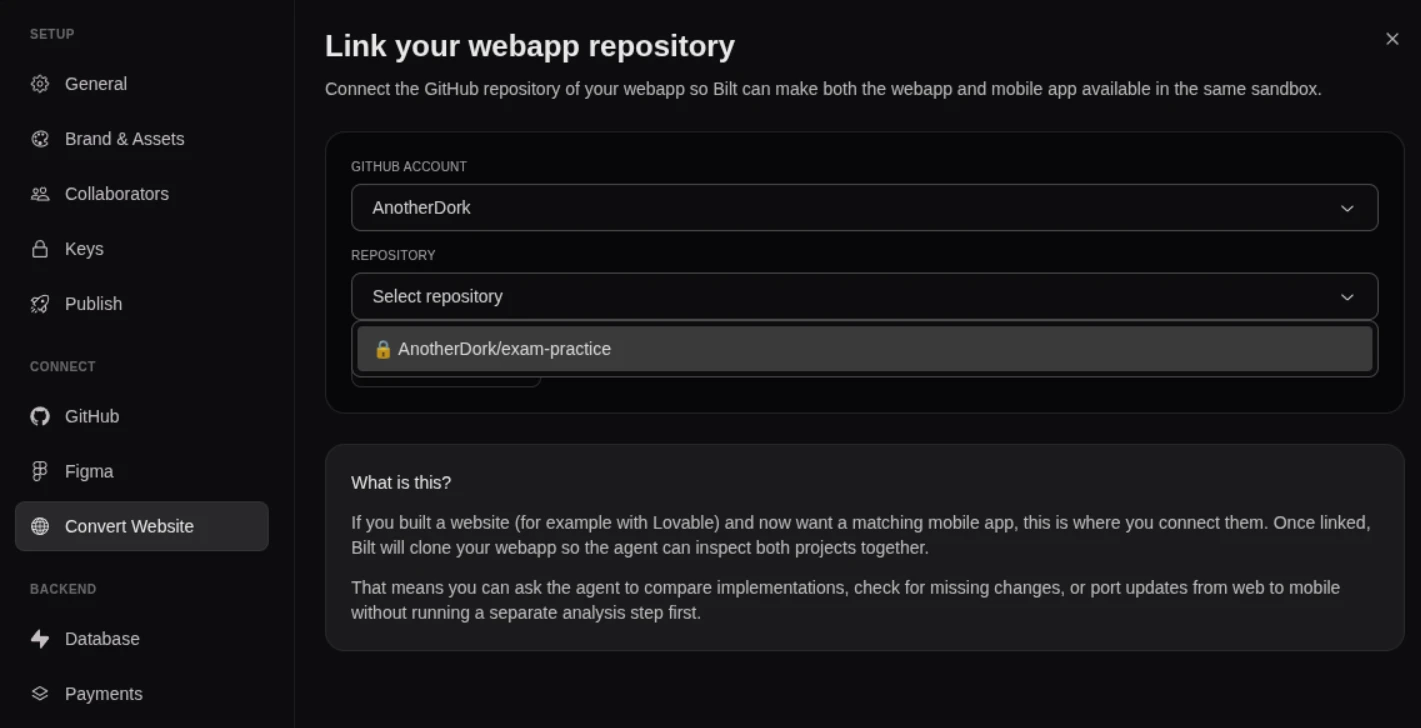
Owning the code matters once your matching and safety rules grow past what you want to change through chat. Bilt’s source export gives you React Native source code you can push to GitHub or hand to a developer.
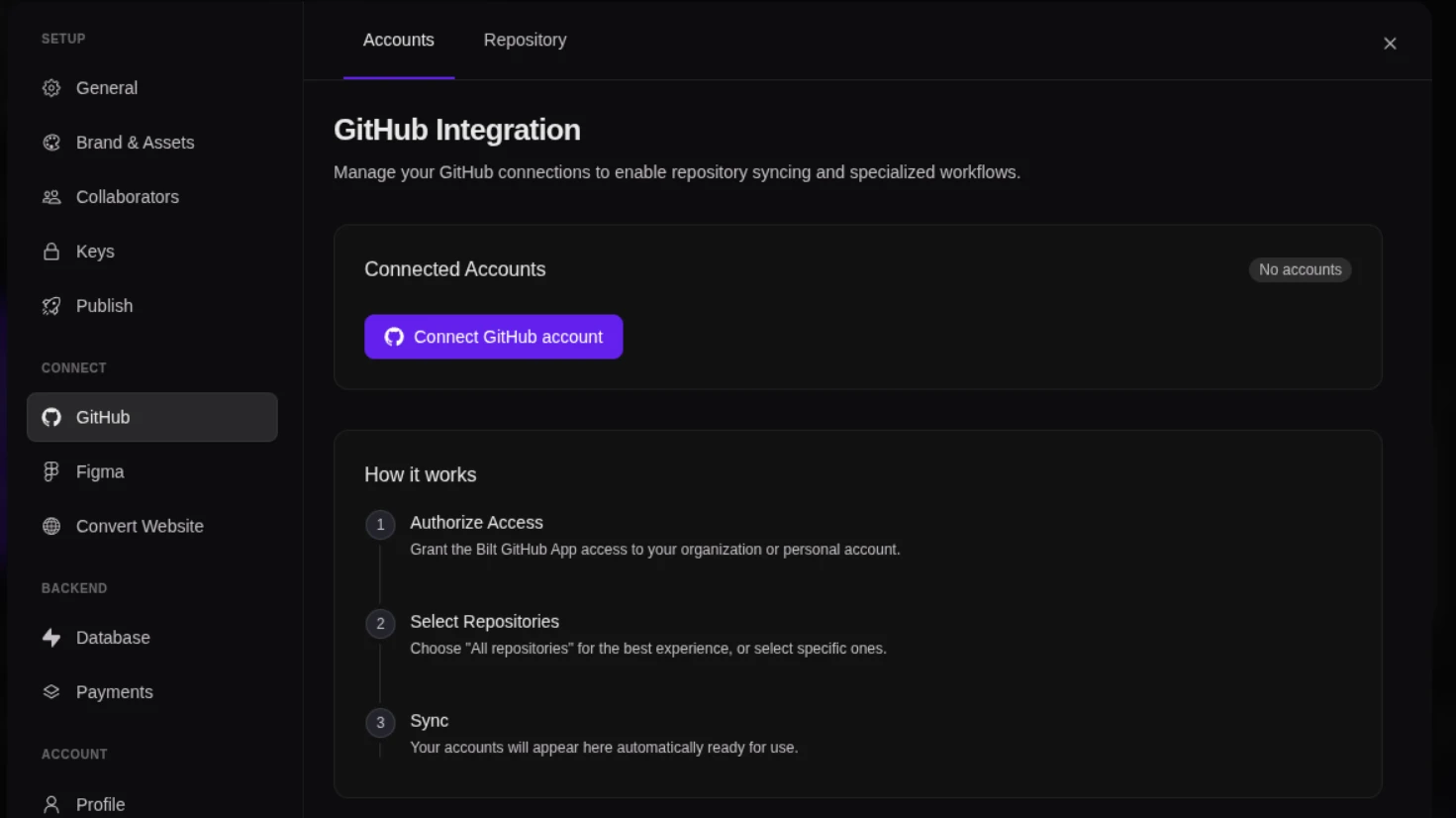
A developer can profile chat performance and edit matching logic directly in the project. They can also connect specialist services or move release management into your own pipeline.
Build your dating app by describing it, with Bilt
Your first version needs one audience and a complete path from profile setup to a match and a conversation. Bring that plan to Bilt and describe what members should see and what should happen at each step. It creates a native iOS and Android app that you can check in the live preview and refine in everyday language.
Start building free with that first member journey. As the app takes shape, use two test accounts to check both sides of matching and chat before you prepare it for release.
FAQ
Can you really build a dating app with no code?
Yes. You can describe the member journey in everyday language, then refine and test the generated app before submission.
Can you build a dating app on Replit?
Replit can be part of the build, but confirm that the project can produce installable iOS and Android builds before committing to it.
Plan for code signing, which identifies the developer behind an installable build, plus store listings and testing.
Can you build a dating website instead of an app?
Yes. A dating website or PWA can suit questionnaire-heavy matching and people who prefer completing longer profiles in a browser.
Pew’s dating research found that 20% of adults ages 50–64 and 13% of adults 65 and older had used a dating site or app.
Will Apple accept a new dating app?
Apple requires a meaningfully different or improved experience, and approval remains its decision. Apply the distinction described in your product brief to the store listing and review notes, and prepare the Google Play release in parallel.
How do I get the first members for a dating app?
Recruit within the launch area you chose before building. Use community partners, events, and your waitlist to fill that area before opening the next.