The first decision is whether you need a prototype, a browser-based app, or a native mobile app that can be tested on phones and submitted to Apple and Google.
That choice decides what the tool gives you and how much work remains before launch. A polished browser preview can still leave you stuck on native features, signing, and store submission.
This guide shows which tools create prototypes, which publish web apps, and which can carry a native app to the App Store and Google Play.
What do you mean by "app"? (Prototype, web app, or native mobile app)
An AI-built app can be a clickable prototype, a hosted web app or PWA, or a compiled mobile app for iOS and Android.
- Prototype: A clickable interface for testing screens and user flows; it is not a store-ready product.
- Web app or PWA: A responsive app that runs through a browser and may be installable from the home screen without native store binaries.
- Native or React Native app: Device code that can become iOS and Android binaries for testing, store review, and access to phone capabilities.
Name the output you need before comparing builders: prototype, hosted web app or PWA, or store-ready iOS and Android app.
How to pick the right type of AI app maker
Pick a builder based on the product you need after the first demo. Check its output, publishing route, device support, code access, testing tools, ownership terms, and ongoing cost.
- Target format: Decide whether users need a link, an installable PWA, or an App Store and Google Play download.
- Publishing path: Check who creates and signs the mobile builds, then who uploads them to each store.
- Device access: List required phone capabilities, such as camera access, push notifications, location, or in-app purchases.
- Code access: Check whether you can export and maintain the generated project outside the builder.
- Testing route: Require real-device previews or builds before launch, especially for authentication, payments, and permissions.
Web-first tools suit dashboards, portals, and services people open in a browser. If store discovery or phone hardware matters, choose a builder with a native route from the start.
What an AI app generator actually builds
An AI app generator turns plain-language requirements into screens, data, user flows, and application logic.
The first generated version may include:
- screens and navigation
- user flows and interface states
- a data structure for accounts and app content
- application logic for actions, rules, and updates
Base44 and Replit let you request changes after the first build. Be specific: “add login” does not define account recovery, expired sessions, or useful error messages.
A hosted web app can launch through a URL, while a native project still needs signed iOS and Android builds. The format determines the testing tools, store steps, and device features available later.
Treat generated output as a draft that needs human review before launch. AI can assemble the application quickly, but reliability depends on checking the code and its behavior under real conditions.
- Test login, payments, permissions, and failure states on real devices.
- Review data access and storage rules before connecting customer information.
- Check generated logic for edge cases that the original prompt did not describe.
- Keep the project structure understandable so later fixes do not create conflicting code paths.
How to build an app with AI, step by step
Describe the idea, review the first build, refine one change at a time, connect real services, test on phones, and publish the release you tested.
- Structure: Remove conflicting code paths and review security-sensitive logic.
- Behavior: Test login, payments, permissions, offline states, and error handling.
- Distribution: Confirm who creates, signs, and submits the iOS and Android binaries.
- Store materials: Prepare icons, screenshots, privacy details, and support information.
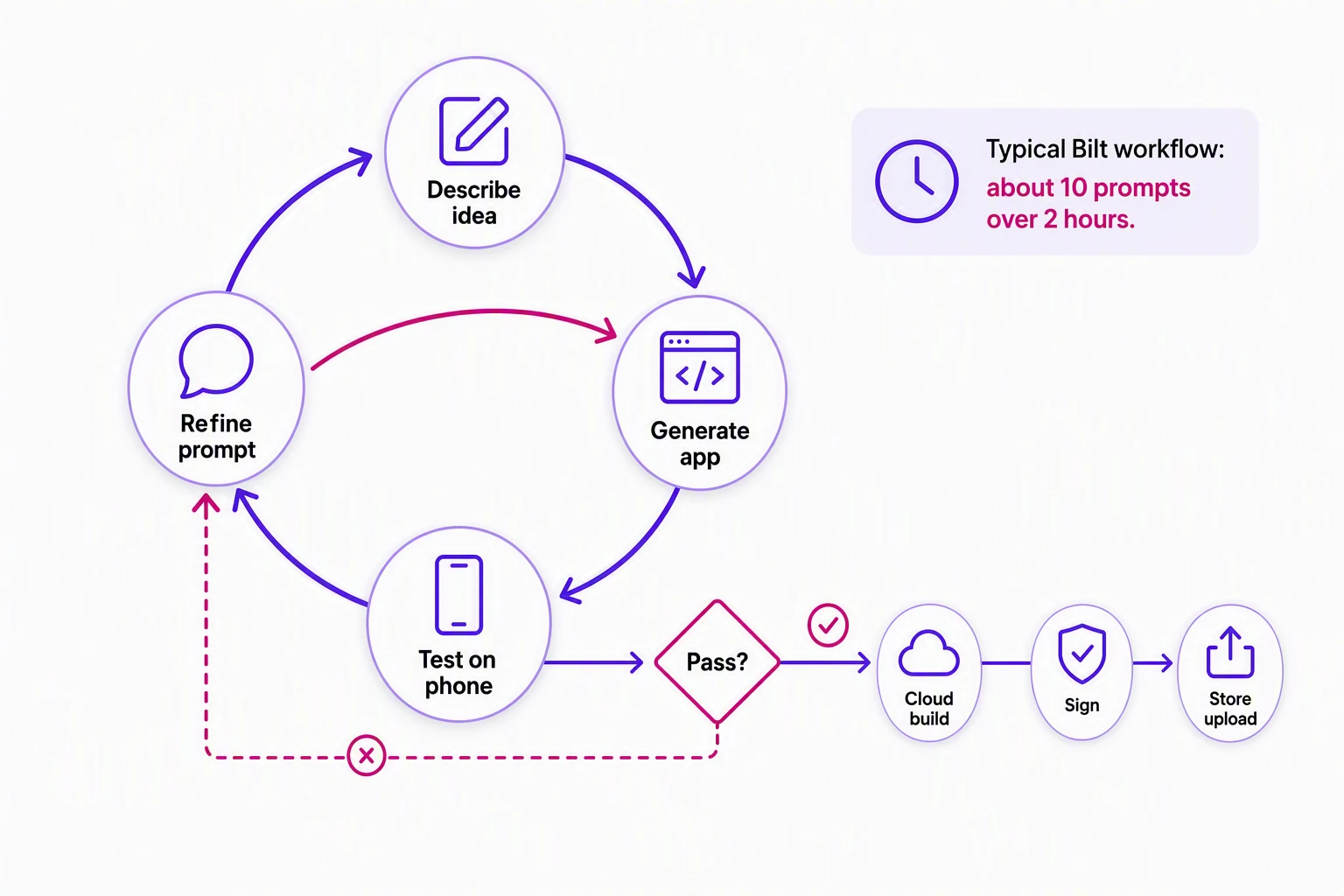
Describe your app idea in plain English
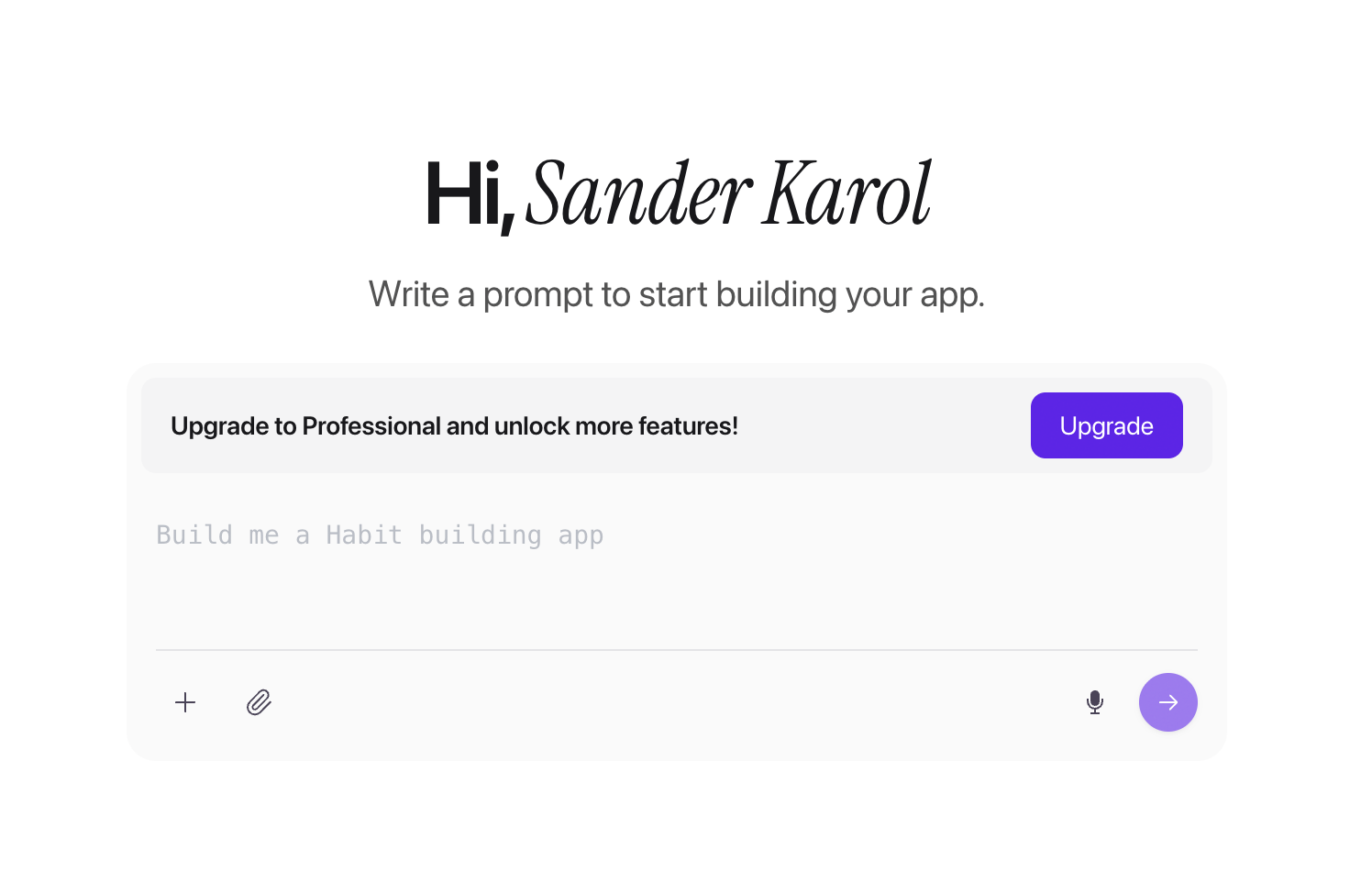
Write who the app is for, the screens they use, and the actions they take, in everyday language, not a tech spec.
Cover five things: who the app is for, what they do first, the result they get, the data it saves, and any phone features or integrations it needs.
For example: “Build a habit tracker for students. Let them create habits, check in daily, view streaks, and schedule reminders. Save each account’s habits and progress.”
- Describe the core user journey, from the first screen to the main result.
- Name required features such as reminders, payments, social login, or camera access.
- State what data the app stores and which service owns it.
- Review the generated assumptions after the first build, before you add more features.
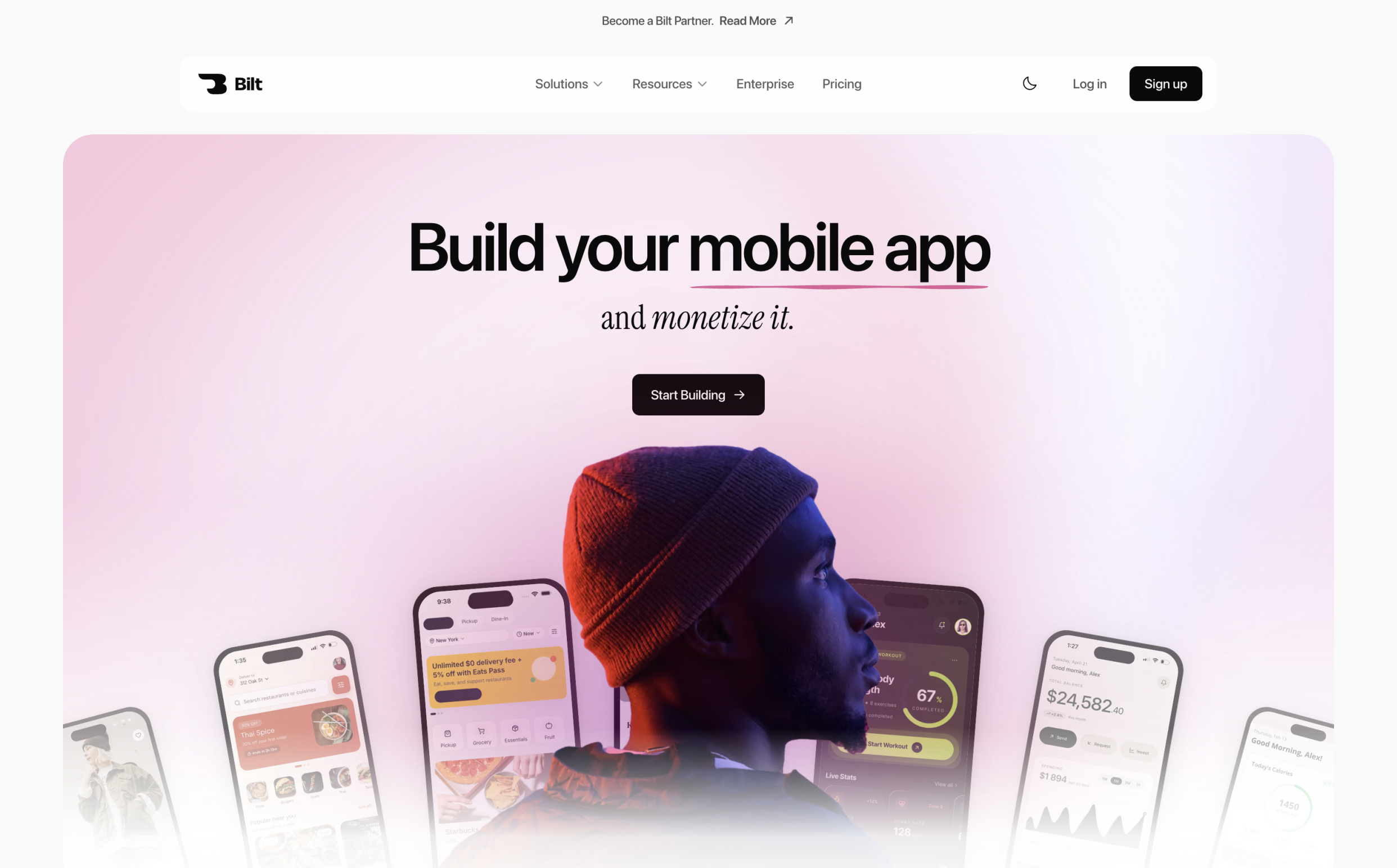
- With Bilt, a plain-English brief can generate screens, forms, logic, and backend setup without a technical specification or wireframe.
Let the AI generate your app
The generator turns your brief into a runnable first version with screens, navigation, and starter logic.
Check the generated format before judging the design. Replit can produce Expo React Native code, while Base44 and Lovable generate React web apps or PWAs.
Open the first build. Check that the main journey exists, navigation works, the key action completes, and the project format matches your web or mobile goal.
- Check API keys, OAuth permissions, row-level security, and environment secrets before calling a connector live.
- Confirm that sign-up, login, logout, recovery, and token refresh work with real accounts.
- Apps that use a third-party or social login service must also provide an equivalent privacy-preserving login option when Apple’s guideline applies. For iOS, that option is generally Sign in with Apple.
- Ask how the builder protects sign-in details on a phone, then test that a signed-in account stays private.
- Test that one signed-in account cannot read or change another account’s data.
Fix missing states with focused follow-up prompts. One change at a time is easier to test than a request for a complete, bug-free release.
Refine it by chatting, not coding
Iterate in chat: change one screen, flow, or rule per message instead of editing source unless you want that control.
Keep each follow-up prompt to one screen, flow, or rule. State the current behavior, the exact change, and what must remain untouched.
Instead of “make login better,” say: “After three failed sign-in attempts, show a clear error and keep the password-reset link visible. Do not change the rest of the screen.”
For a complicated flow, ask the builder to map its states before changing the interface. A login flow might cover signed out, verification pending, signed in, expired session, and password recovery.
Use visual controls for spacing, colors, and component placement. Switch to source code when you need to inspect generated logic, resolve a recurring error, or make a change the chat keeps misreading.
Base44 has point-and-click design controls. Replit pairs Agent chat with a visual editor, code editor, and terminal, while Lovable separates planning, building, visual editing, and browser-based code changes.
Connect data, logins, and integrations
Connect authentication, a real database, and the APIs your app needs before you call the generated interface finished.
The exact services depend on the app, but the checks are the same:
Replit includes databases, file storage, authentication, and secrets management. Base44 has built-in data and authentication plus service connectors; Rork projects often need supplied API keys and additional setup for services such as Supabase or Firebase.
Verify each connection with real accounts and real data:
- Credentials: Check API keys, OAuth permissions, environment secrets, and database access rules.
- Core services: Bilt can generate authentication, a database, storage, and media uploads as part of the app instead of leaving a separate wiring project.
- Backend logic: Test payments, subscriptions, recommendations, messaging, or media behavior with the live services the app will use.
- Login: Test sign-up, sign-in, recovery, logout, and expired sessions. If Apple’s rules apply to a third-party login, include Sign in with Apple.
- Account security: Store session tokens in protected device storage, then confirm one account cannot view or change another account’s data.
Test on a real phone before you publish
Load the build on a physical iPhone or Android device and walk every login, payment, and offline path before you submit.
Use the builder's QR code, device preview, or installable test build to open the current version on a phone. Replit's Expo output can enter TestFlight once the project has an Apple Developer account.
Test the exact mobile build you plan to release. A converted web app needs extra attention because browser behavior does not prove its native features work.
- New account: Complete sign-up, verification, permissions, and the first key action.
- Returning account: Reopen the app, refresh the session, recover a password, and sign out.
- Weak connection: Repeat the main journey on cellular data, a slow connection, and offline.
- Failure paths: Deny a permission, interrupt a payment, and retry after an error.
Publish to the App Store and Google Play
Create developer accounts, sign the binaries, generate store assets, then submit iOS and Android builds through each store's review queue.
Use Apple and Google developer accounts owned by you or your business. The Apple Developer Program costs $99/year, and Google Play Console costs $25 one-time. A builder can automate builds and uploads, but you still control the accounts, listings, and review responses.
Bilt manages cloud builds, signing, TestFlight, and iOS uploads to App Store Connect. Bilt sends signed Android .aab builds to Google Play’s internal testing track after any required first manual upload. Replit supports automated store uploads from its mobile workflow; Rork relies on exported code and an external route such as Xcode, while Base44 and Lovable remain web-first unless you add mobile packaging.
Prepare the listing while the final build is being tested:
- App name, description, category, and target countries
- App icon and screenshots from the release build
- Privacy policy, support contact, and data-use disclosures
- Payment details and in-app purchase products, when applicable
Set up both developer accounts early if you plan to launch on iOS and Android. Account verification and store materials should not wait until the app is ready to upload.
Is your app ready to launch? A quick checklist
Run this pass-or-fail check on the signed release build, not the browser demo:
- Devices: The main journey works on physical iPhones and Android phones.
- Accounts: Sign-up, login, recovery, session refresh, and logout behave correctly.
- Data: Permissions and storage rules prevent one account from accessing another account's information.
- Payments: Purchases, cancellations, failed payments, and restore-purchase behavior have been tested.
- Permissions: Camera, location, notification, and photo prompts explain why access is needed.
- Store details: The privacy policy and support links work, while icons and screenshots match the submitted build.
- Monitoring: Crash and error reporting is active before the app reaches customers.
- Distribution: The tested build is the one your publishing workflow will upload to Apple and Google.
- Ownership: You control the developer accounts, store listings, backend credentials, and an export or recovery path for the source.
Fix every known gap before you submit the release for review.
Best free and paid AI app builders to try
These builders differ most in output, store support, editing model, and price. Match those four points to what you need to ship.
| Tool | Output | Publishing path |
|---|---|---|
| Bilt | React Native for iOS and Android | iOS upload; Play internal track after first manual upload |
| Base44 | React/Vite web app | Store files available; confirm submission route |
| Replit | Web projects or Expo React Native | Automated iOS and Google Play uploads |
| Rork | Exportable mobile project | External release workflow, such as Xcode |
| Lovable | React website or web app | External mobile frontend or packaging route |
If the goal is a browser app, Base44 or Lovable may be enough. For store-ready mobile output, look closely at who handles builds, signing, uploads, and the work after export.
Bilt.me
Bilt is best for non-technical builders who want one conversation to produce a real React Native app for iOS and Android, not just a browser prototype.
Bilt generates the interface, backend logic, authentication, integrations, and native features from a plain-English description. You can keep refining the app in chat or export the React Native source.
- Native features: Add camera access, location, push notifications, and other phone capabilities without writing Swift or Kotlin.
- Live testing: Use the browser-based iOS simulator, Android emulator, or QR code testing to check the app before submission.
- Code access: Export the React Native project for Xcode, VS Code, Cursor, a developer handoff, or your own release pipeline.
- Publishing: Bilt manages cloud builds, code signing, TestFlight, iOS uploads, and Google Play internal-track delivery after any required first manual upload. You provide the developer accounts and complete store review.
Best for: Non-technical founders, creators, business owners, and web app teams that want a native product without managing the mobile toolchain themselves.
With Web App Sync, you can link an existing repository as a read-only reference. Bilt recreates its screens and flows as native mobile experiences without changing the original codebase.
Pricing: Bilt has a permanent Free plan with up to 3M monthly AI tokens, live phone preview, and backend services. Professional includes 10M monthly AI tokens and costs €15 for the first month, then €25/month.
A separate 5M-token top-up costs €25, or €15 on any paid plan.
Base44
Base44 is best for prompt-built React/Vite web apps with managed data, authentication, hosting, and visual editing.
Base44 also lets users create autonomous Super Agents for supported messaging channels:
Documented agent channels include:
- Telegram
- iMessage
- Slack
- Data and authentication: Built-in database features, user accounts, analytics, and cloud storage support full-stack web projects.
Discuss/Plan Mode lets users refine the specification before a build changes the project or consumes build credits. After generation, point-and-click controls adjust the React/Vite interface's layout and styles.
Its core app-building workflow includes:
- Server logic: Base44 can generate workflows and backend behavior alongside the React interface.
- Mobile packaging: Base44 can generate store files in the editor, but its core project remains web-first. Confirm whether the resulting package and submission route meet your native requirements.
- Hosting: Managed deployment can publish the web app without a separate hosting setup.
Base44’s standard output is a hosted web application, not a React Native project. Store-file generation adds a packaging route, but it does not turn the source into a native mobile codebase or remove the need to confirm store requirements.
Pricing: Base44 has a free plan, and Starter costs $16/month when billed annually. That entry price is lower than Lovable Pro at $25/month, though their credits and output formats are not directly equivalent.
Best for: Web MVPs, internal tools, portals, directories, and automated workflows.
- Responsive web MVPs
- Internal tools and portals
- Directories
- Automated workflows
Replit
Replit Agent suits builders who want AI generation plus a full development environment for web apps or Expo React Native projects.
Output: Replit can generate full-stack web projects and cross-platform mobile source through Expo.
Development environment: Agent works beside the source files, code editor, terminal, database, and deployment tools.
- Frontend interface
- Backend logic
Publishing: Replit supports automated uploads for iOS and Google Play from its mobile workflow. You still need the relevant developer accounts and must complete each store’s setup and review requirements.
Pricing: Replit has a free Starter plan plus paid, usage-based tiers. The pricing page explains included Agent usage and additional model spend.
Main tradeoff: Source files, a terminal, and deployment controls give technical teams flexibility, but they also expose more setup than a mobile-first managed workflow.
| Plan | Price | Notes |
|---|---|---|
| Starter | Free | Entry plan |
| Core | $20/month, or $17/month annually | Usage-based model credits |
| Pro | $100/month, or $95/month annually | Usage-based model credits |
Rork
Rork is a mobile-focused AI builder for people comfortable supplying service credentials, exporting code, and finishing parts of deployment outside the prompt interface.
Main tradeoff: Backend connections often require your own API keys and configuration, so a working interface may still need technical setup.
Integrations: Documented connections include:
- Data and authentication: Supabase and Firebase
- Payments: Stripe and RevenueCat
- Code access: Export the project for independent hosting, further development, or an external release workflow.
- Publishing: Rork exports the project; App Store submission continues through an external environment such as Xcode.
Usage: Rork separates Build Credits for code generation from Cloud Credits used by hosted backend functions and AI requests.
Pricing: Rork offers free and paid credit plans. Its current plans and subscriptions page lists included Build and Cloud Credits.
- Build Credit top-ups: available after the included allocation is used.
- Cloud Credit top-ups: available when hosted backend functions or AI API requests use the included allocation.
| Plan | Monthly price | Build credits |
|---|---|---|
| Free | $0 | 35/month in major markets; 5/day cap |
| Pro | $20 | 100 |
| Max | From $200 | 1,000 / 2,500 / 5,000 / 10,000 |
Source export gives teams control, but it also means signing, backend configuration, or deployment may continue in Xcode or another development environment.
Lovable
Lovable is best for conversationally building React websites and web apps with hosting, visual editing, and cloud backend options.
Workflow: A Lovable project includes:
- Conversational editing: users request changes through prompts.
- Visual editing: interface changes can be made directly in the React application.
- Repository sync: connected projects synchronize both ways with GitHub or GitLab.
- Code export: paid plans include ZIP export.
Code access: Lovable cannot start a new project from an imported repository. Generated projects can connect to GitHub or GitLab, and paid plans include ZIP export.
Publishing: Native store delivery needs a separate mobile frontend or external packaging route because the standard output is web-first.
| Plan | Monthly price | Included credits |
|---|---|---|
| Free | Free | Up to 30 |
| Pro | $25/month | 100 |
| Business | $50/month | 100 |
- Free: up to 30 credits
- Pro: $25/month with 100 credits
- Business: $50/month
Main tradeoff: Lovable offers a polished web workflow and connected repositories, but a native iOS or Android release remains a separate implementation decision.
What should you ask before choosing a no-code app maker?
Ask these five questions before you commit. The answers reveal what happens after the first demo, when backend work, ownership, publishing, and recurring costs become real.
- Does the prompt produce mobile code or a web app? Bilt generates React Native apps, and Replit can create Expo projects. Base44 and Lovable are web-first, even when an added packaging route can put that output into a store file.
- Who handles App Store and Google Play submission? Bilt manages builds and signing, uploads iOS builds, and supports Google Play internal-track delivery after any required first manual upload. Replit supports automated uploads, Rork continues through an external tool such as Xcode, and web-first builders need a separate mobile route.
- Is the backend generated or assembled later? Check whether authentication, database rules, storage, and server logic work inside the project. Bilt and Base44 include core backend services; Rork connections can require credentials and extra configuration.
- Can you leave with standard source code? Bilt exports React Native source, Replit exposes standard project files, and Lovable offers Git sync plus paid ZIP export. Also check who owns the backend data, credentials, developer accounts, and store listings.
- What will the app cost after launch? Add the builder plan, AI or build credits, backend usage, third-party services, and Apple or Google developer-account fees.
Choose the builder whose production route matches the app you want to ship and the technical work you are willing to own.
Ready to build a real app? Start building free
If you want a real iOS and Android app, choose a builder that covers native output, phone testing, signing, and store uploads, not just the first preview.
Bilt builds the React Native app, connects the backend, and manages the technical release workflow for both stores. Start building free with your own idea.
Free to start. No credit card.
FAQs
Do AI app builders actually work?
Yes, but the result depends on what the builder produces and how much of the release process it supports. A prompt-generated demo is different from an app with working authentication, payments, backend logic, native features, and store deployment.
Before release, test real accounts, payments, permissions, data access, error states, and the signed mobile build. Use the builder’s support when something fails instead of assuming the first generated version is finished.
Can you build an app with no coding at all?
Yes. A no-code workflow can build and prepare the app, while you still need your own Apple and Google developer accounts to publish it under your name or business.
Apple's guidelines also require an app to offer more than a repackaged website. Native interaction and useful app-specific behavior still matter in a no-code workflow.
Are there free AI app builders?
Yes. Bilt, Base44, Replit, Rork, and Lovable offer a free entry point, though the included usage and output differ. Store publication can still add paid-plan, backend, and developer-account costs.
Bilt’s permanent Free plan includes app prompting, backend services, live phone preview, and up to 3M monthly AI tokens. Professional includes 10M monthly AI tokens and costs €15 for the first month, then €25/month; see all plans for the full pricing ladder.
Can AI build native mobile apps, not just web apps?
Yes. AI can generate React Native or Flutter projects that compile into installable iOS and Android apps and connect to native device capabilities.
A WebView wrapper mainly displays a website inside a mobile shell. A compiled cross-platform project can use native modules for features such as notifications, camera access, location, and payments.
Apple Guideline 4.2 can reject a wrapped website that adds too little beyond the mobile site, such as native interaction or useful app-specific behavior. Compiled output alone does not guarantee approval.
Do I own the app I build with AI?
Ownership starts with practical control: commercial-use rights, exportable source code, developer accounts, store listings, backend data, and credentials. Check each one in the platform terms.
Review these five areas:
- Commercial rights: Check whether the platform assigns or licenses the generated output and allows your intended use.
- Source code: Confirm that you can export and maintain the project. Bilt provides exportable React Native source.
- Store presence: Keep the Apple and Google developer accounts, listings, and review history under your control.
- Data and credentials: Own or control the production database, service accounts, API keys, and customer data.
- Copyright: Copyright Office guidance says fully AI-generated material without enough human expressive control is not copyrightable. Human-authored portions may still qualify.