
Most lists of no-code app builders treat App Store publishing as one more feature to tick off, somewhere between templates and pricing. In practice it works more like a gate.
Apple and Google review every app, and they reject for things a builder's preview never shows you, like a sign-in reviewers can't get past or a button wired to nothing. If your builder stops at a test build or keeps your code locked inside its platform, you can spend months and real money and still have nothing customers can download.
So the useful question for each builder is how far it takes a native iOS and Android app, and whether the code comes with you. We checked all ten against that question. Bilt, our own builder, is one of the ten, and you can start building free with no credit card.
1. Bilt.me
✨ Best for full mobile app creation (👋 that's us)
Best for: non-technical founders, vibecoders and small-business owners who would rather describe their app than lay it out.
Bilt.me is an AI mobile app builder that turns a plain-English description into a native iOS and Android app. It also handles builds, code signing and submission to the App Store and Google Play. Apple and Google still review every app.
Mo-Haven is a cozy social app one builder made solo with Bilt and published on the App Store, with an optional premium tier. Its builder calls it "a safe, low-pressure place where communities can share what's really on their mind without feeling judged."
View Finder: Photo Spots started as Murat's Lovable web app. Web-to-App made it native in one click, without a mobile developer or a second codebase, and Murat then reworked its animations and UX in the native version. It is now live on the App Store.
A personal trainer's subscription fitness tracker for women over 50 was shippable after about 11 prompts over two hours, with generated workout plans, progress photos and push reminders.
One founder had rebuilt their app twice and been rejected by the App Store six times with other tools. Shipping with Bilt, they said, felt "liberating."
Key features
- Browser previews: an iOS simulator and an Android emulator run in the browser, with no local Xcode setup.
- Phone testing: scan a QR code to open the app on a real phone.
- Bilt Select: click an element in the preview and describe the change.
- Figma import: our team turned a Figma Make barbershop design into a working app.
Pros
- You reach store submission without writing code or setting up signing tools.
- You can export the React Native code and hand it to a developer.
Cons
- Testing and upkeep after launch stay with you, including who can access what and how the app handles unexpected inputs.
- There's no drag-and-drop canvas, so you change a layout by describing it rather than placing each element by hand.
Pricing
- Free: 3M AI tokens a month (roughly 12–30 prompts, depending on complexity), with backend, authentication, database, storage and live previews.
- Professional: €25/mo or €19/mo billed annually, 10M tokens (roughly 40–100 prompts). New subscribers get their first monthly-billed month for €15, once per account, then pay €25.
- Professional Plus: €50/mo or €39/mo annually, 20M tokens (roughly 80–200 prompts).
- Professional Max: €100/mo or €79/mo annually, 45M tokens (roughly 180–450 prompts), with unused tokens rolling over once.
- Professional Ultra: €250/mo or €195/mo annually, 115M tokens (roughly 460–1,150 prompts), with the same rollover.
Native in-app purchases go through Apple's and Google's own systems, so the standard 15–30% store cut applies and Bilt takes no additional revenue share.
The Free tier needs no credit card, so you can start building free and see your app in the live preview before you pay for anything.
2. Adalo
Adalo is a drag-and-drop builder that produces a web app and native iOS and Android apps from one project. Store publishing requires Starter or higher, beginning at $36/month billed annually.
Best for: beginners and solo makers building a directory, simple booking tool or todo-style app who want to lay out screens by hand.
Key features
- Built-in database: store the app’s data inside Adalo, with up to 200 records on Free.
- External connections: connecting to outside data and services through Custom Actions and External Collections requires Professional or higher.
- Adalo API: letting other software access your app’s data requires Team.
Pros
- The canvas gives you direct control over where screen elements go, rather than asking for layout changes through prompts.
- A built-in database keeps your screens and their data in the same builder.
Cons
- Users report significant slowdowns past about 5,000 users.
- Reviewers report editor freezes and disappearing elements when working on more complex apps.
- Builders who outgrow Adalo report feeling trapped because moving their project means starting over.
Pricing
- Free: $0 for prototyping, with 200 database records and no store publishing.
- Starter: $36/month billed annually.
- Professional: $52/month billed annually.
- Team: $160/month billed annually.
I’d shortlist Adalo for a small database-driven app whose screens you want to arrange yourself. The reported performance issues would make me cautious about serving many thousands of users.
I’d also weigh the integration cost early: if other software needs to access your app’s data through the Adalo API, you’re looking at the $160/month Team plan.
3. Thunkable
Visual logic blocks are the main reason to consider Thunkable. You drag them together to define what happens when someone enters information, taps a button or moves between screens, without writing text-based code.
The result is a native iOS and Android app. Store publishing starts on the $59/month Builder plan, which covers one live published app.
Best for: students, educators and hobbyists who want to learn how an app works while building it.
Key features
- Block-based logic: arrange the app’s workflows and data handling in a visual editor.
- AI starting point: describe the app to generate initial screen components and basic logic.
Pros
- You can inspect the blocks behind an action to work through a problem without reading code.
- One project builds a native app for both iOS and Android.
Cons
- Users report that the editor slows down as projects get bigger, and larger apps can lag when people tap or type.
- Test downloads expire after 72 hours.
- If your subscription expires, your published app becomes unavailable unless you’re on a legacy Pro or Business plan.
Pricing
- Free: $0 for three public projects, five screens per project and 2,000 AI tokens, with no private projects or store publishing.
- Accelerator: about $19/month.
- Builder: $59/month.
- Advanced: about $189/month.
For learning mobile app logic, I see a clear reason to choose Thunkable. For a customer-facing app, I’d weigh the five-screen free limit and Thunkable publishing plans before committing.
4. GoodBarber
For publishers with regular content to share, GoodBarber builds templated apps and handles store publication. Its shopping plans add native Android at $95/month and native iOS for iPhone and iPad only at $255/month.
Best for: magazines, blogs and media publishers that want to package existing content into an app.
Key features
- Ready-made templates: build around existing layouts and modules rather than designing every screen yourself.
- Managed publication: hand off the store publishing process.
Pros
- The built-in CMS, a system for managing content, lets you publish directly into the app.
- Content plans start at $30/month billed annually.
- A one-time 10-year license is available instead of monthly billing.
Cons
- Reviewers report that fixed templates and modules make custom designs and functions difficult.
- Support provides at most one email response per day, which can slow fixes after a store rejection.
- Cancellation empties the app and stops push notifications, so it depends on continued payment to work. It is erased one year after deactivation.
Pricing
Content plans are separate from shopping plans. Their annual-billing prices are:
- Standard: $30/month.
- Premium: $55/month.
- Pro: $105/month.
- Agency: $215/month.
Monthly billing ranges from $36 to $280/month. The entry shopping plan costs $35/month for a progressive web app, which runs through the browser.
Add-ons come on top of the plan price:
- Chat on Premium content: about $20/month.
- Membership on Premium content: about $49/month.
- Additional paid extensions: about $15/month each.
- Store submissions: about $29 for the initial submission and three updates.
A Premium content app with chat and membership therefore runs about $124/month, more than double its $55/month headline.
GoodBarber makes sense to me when your content already exists and its templates suit how people should browse it. For a custom app idea, I’d weigh the layout restrictions and add-on costs before committing.
5. BuildFire
BuildFire lets small-business owners assemble native iOS and Android apps using a drag-and-drop editor and pre-built plugins. Common uses include broadcasting staff notifications and giving customers a searchable directory.
Store publishing comes on Growth at $315/month or Scale at $440/month, both billed quarterly or annually, with Growth requiring at least $945 up front for a quarter.
Best for: small-business owners who need an event app, staff-notification app or customer directory built around standard features.
Key features
- Ready-made plugins: assemble content and simple interactions without writing mobile code.
- Store and web publishing: Growth and Scale include App Store and Google Play publishing alongside a progressive web app, a browser-based version.
Pros
- Growth and Scale connect to Zapier, helping the app work with tools your business already uses.
- Both plans offer Single Sign-On, so users can sign in through an existing account system.
Cons
- Users report difficulty building unique features outside the available plugins, with some builders switching platforms when those limits blocked their app idea.
- Reviewers describe layouts as hard to customize and report glitches in both the editor and resulting native apps.
- Reviewers say it suits smaller organizations with simple needs but struggles with high-volume apps.
Pricing
- Growth: $315/month, billed quarterly or annually.
- Scale: $440/month, billed quarterly or annually.
There's no monthly billing, so BuildFire is a committed purchase either way, even before you know how customers will use the app.
I see BuildFire as a practical option for standard business information apps. If the main thing your app needs to do has no matching plugin, that’s where users report hitting its limits.
6. Rork
Rork generates mobile apps from prompts. Its Pro workflow uses React Native and Expo to build for iOS and Android.
Best for: builders familiar with Expo and TestFlight, Apple’s tool for testing iOS apps before release.
In our Rork Pro build, we found the React Native code decent, but working with TestFlight was difficult. Relying on Expo’s web preview alone also left native interface components broken.
Key features
- Source export: download the generated code or project files to continue working outside Rork.
- Android builds: send a signed AAB, the Android app package, directly to internal testing or download it for manual upload.
- Upload keys: Rork keeps one persistent Android upload key per project.
Pros
- Prompts produce React Native code for iOS and Android that you can export and keep working on outside Rork.
- Signed Android builds can go straight to Google Play internal testing without a manual upload.
Cons
- Free access includes Design mode without Build mode, so you need a paid plan to build the app.
- Direct Android uploads go to internal testing. Moving them to a public Google Play release is a step you take yourself.
Pricing
- Free: $0/month, Design mode only.
- Pro: $20/month with 100 credits.
- Max: $200, $500, $900 or $1,800/month for 1,000, 2,500, 5,000 or 10,000 credits respectively.
Pro’s 100 build credits cover roughly 100 requests to the AI, though the request count isn’t guaranteed. A separate runtime cloud credit balance pays for backend, AI and media usage, including what customers use after launch. iOS builds also incur machine-rental charges.
I see Rork as a code-generation starting point for builders who can handle native testing and release handoffs themselves. Those steps matter when your goal is an app customers can download.
7. FlutterFlow
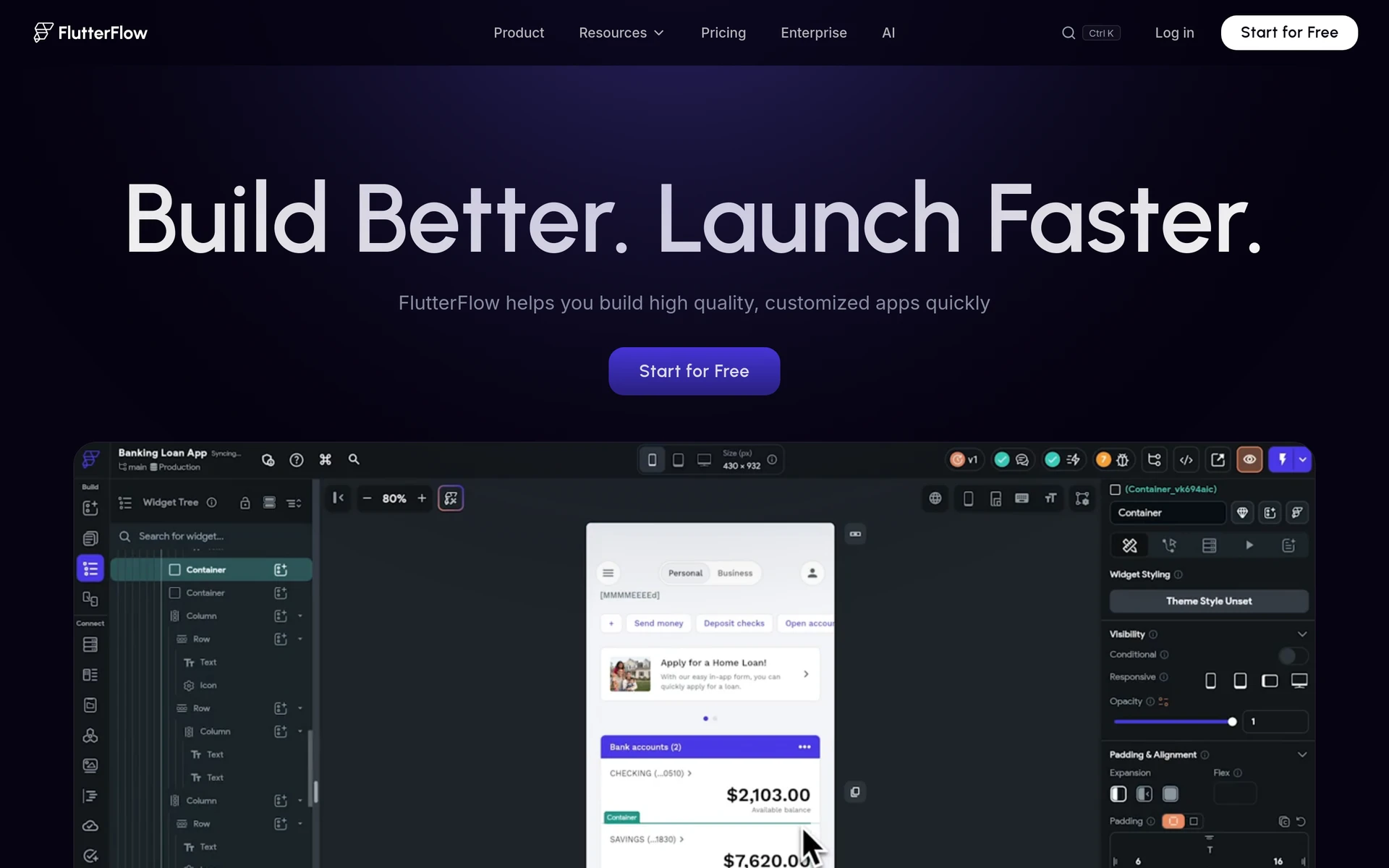
Screen design is the starting point in FlutterFlow. You arrange screens visually, and it generates a Flutter app. Flutter is a framework that lets one app run on iOS and Android, with web and desktop output also available.
Best for: design-focused builders and teams who want to set each screen layout by hand on a visual canvas.
Key features
- Over 200 pre-built interface elements let you assemble screens without coding each part.
- Visual action flows define how screens work. For example, you could make a button save a booking or load a list through visual steps.
- Custom Dart widgets let a developer add interface components beyond the built-in library, using Flutter’s programming language.
Pros
- One visual project produces an app for iOS and Android, with web and desktop output too.
- You can send iOS builds to the App Store from inside FlutterFlow.
Cons
- Source-code download requires Basic or higher.
- Sending code directly to GitHub, where a developer can work on it, requires Growth or higher.
- Regenerating code overwrites edits to the generated
flutterflowbranch, the copy FlutterFlow produces. Keep custom work outside that branch.
Pricing
- Free: $0.
- Basic: $39/month.
- Growth: $80/month for the first seat and $55/month for the second.
- Business: $150/month for the first seat and $85/month for seats 2–5.
FlutterFlow’s appeal, to me, is the combination of visual screen design and Dart extensions. You can shape the screens yourself while leaving room for a developer to add components your app needs.
8. Choicely
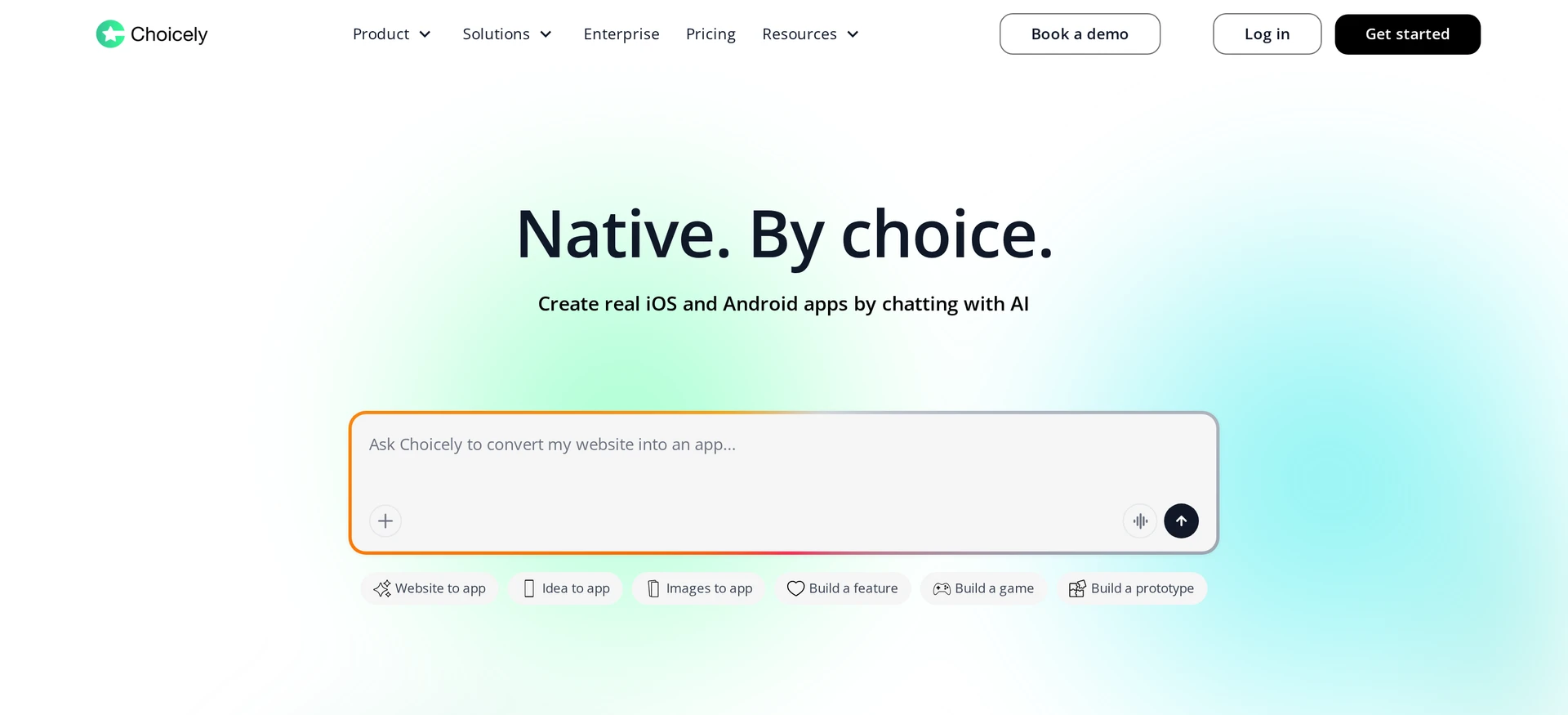
Choicely combines AI chat with drag-and-drop editing to build native iOS and Android apps. You can start with website content, generate features by describing them, then refine the app visually and test it on mobile devices.
Best for: content teams that want to bring website material onto phones while keeping hands-on control over layouts.
Key features
- AI Chat: describe a feature in plain language, then refine the result with drag-and-drop editing.
- Reusable components: save generated features and use them across apps.
- Templates: start with an existing layout rather than arranging every screen from scratch.
- Publish Assistant: submit apps to the App Store and Google Play.
Pros
- You can start from your existing website content instead of an empty project.
- You can describe a feature in chat and still adjust its layout by hand.
Cons
- Credit costs per prompt, website import and revision aren’t published, so the allowances don’t tell you how many changes you can make.
- Premium adds usage-based Cloud and AI charges, with no published rates.
Pricing
- Free: $0, with 25 daily credits capped at 150/month, which you’d spend in six days at 25 credits/day, plus 100 signup bonus credits.
- Premium: from $25/month for 1,000 Pro credits, with rollover and optional top-ups.
- Business: from $50/month for 1,000 credits labelled Business credits rather than Premium’s Pro credits.
- Enterprise: custom pricing for design, build and managed publishing services.
Choicely’s strongest fit, in my view, is website-content apps built from reusable components. If you expect many rounds of AI changes, you can’t work out a monthly cost in advance. So the subscription price is a starting cost, not your total budget.
9. Vibecode
You build inside Vibecode’s iOS app by describing what you want. One project type runs on iOS only (Swift/SwiftUI), while the other covers iOS and Android (React Native/Expo).
Best for: technically comfortable iOS prototypers who can work with exported code and handle manual Google Play submission.
Key features
- App Clips: share a prototype people can try on iOS without downloading a full app.
- Database and authentication: Plus adds data storage and user sign-in.
- App Store submission: an integrated submission workflow starts on Plus.
Pros
- You can build from your phone by describing the app inside Vibecode's iOS app.
- You can pick a Swift project for iOS only or a React Native project that also covers Android.
Cons
- Reaching both stores requires Pro at $50/month, exporting the code and submitting the Android app yourself through your own Google Play Console.
- Reviewers describe spending an entire $50 monthly budget on small bug fixes. Complex builds can also need someone to fix logic or structural problems in the code by hand.
Pricing
- First app build: free.
- Plus: $20/month or $200/year.
- Pro: $50/month or $500/year.
- Max: $200/month or $2,000/year.
A dollar of credit pays for a dollar of AI work, so repeated attempts at a change add to your usage cost. Each automatic credit reload charges at least $20 when your credits run low.
I’d reserve Vibecode for iOS prototyping when you’re comfortable taking over the technical work. For a customer app launching on both stores, the manual Android submission and potential code corrections are part of the job you’re choosing.
10. OnSpace.AI
Describe your app in OnSpace.AI’s Agent Mode to generate a React Native project for mobile. Web output is also available.
Best for: builders comfortable managing Google Play Console who want to generate a mobile app from prompts and download the Android release files.
Key features
- Android downloads: generate APKs for device testing or, on Pro, AABs at 500 credits per build for manual upload to Google Play Console.
- iOS submission: OnSpace compiles the app, uploads it to App Store Connect, Apple’s app-submission site, and submits it for review.
Pros
- OnSpace handles the iOS build, the upload and the submission to Apple's review for you.
- You can download APKs to test the Android app on a real device.
Cons
- Android release: download the AAB, upload it in your own Google Play Console, and supply screenshots, descriptions, content ratings, audience declarations and a privacy policy yourself.
- APK and AAB files are finished app packages, so a developer can’t edit them the way they’d edit a project’s source code.
- Free projects are public. Private projects require Pro.
Pricing
- Free: $0/month, with 500 daily credits capped at 2,000/month. Using 500 daily exhausts the allowance on day four, stopping free credits until the cycle resets.
- Pro: $25/month, with up to 7,500 monthly credits and private projects.
- Android AAB builds: 500 credits per build, with Pro required.
- iOS submission: 1,000 credits.
An Android store build and an iOS submission use 1,500 credits, a fifth of Pro’s maximum monthly allowance. Starting with the full, otherwise unspent 7,500-credit allowance leaves 6,000 credits for app generation and revisions.
Agent Mode consumption varies with request complexity, so that balance doesn’t represent a fixed number of prompts.
For me, OnSpace’s appeal is the path from a prompt to Apple’s review queue. It suits someone willing to handle the remaining release work and budget credits for both building and submission.
How we chose these no-code mobile app builders
I gave native iOS and Android output and store-submission support more weight than how polished a browser preview looks. An app needs to work on phones and meet each store’s requirements before customers can download it.
The criteria behind the choices were:
- Native output: a website inside a wrapper tends to load data more slowly and move between screens less smoothly than an app built from native components.
- Store submission: support for signing and uploading is separate from help preparing the store listing and responding to review feedback.
- Building workflow: you type what the app should do, drag elements onto each screen, or fill a ready-made template with your content.
- Starting point and code ownership: website conversion helps you begin with an existing product. Source export lets a developer continue outside the builder later.
- Free access and total cost: useful free plans let you test the approach. Paid costs include revisions, store builds and running the app after launch.
No-code mobile app builders compared: output, publishing, export, and price
Several builders support App Store submission but leave Google Play uploads to you, and few also provide editable code. First paid plans range from about $19 to $315/month, though publishing can require a higher tier.
| Builder | How you build | Mobile output | Store submission | Editable source export | First paid plan |
|---|---|---|---|---|---|
| Bilt.me | Describe it | Native iOS/Android (React Native) | Builds, signing, both stores handled | React Native | Free tier, then €25/mo or €19/mo annually |
| Adalo | Drag and drop | Native iOS/Android | Both stores from Starter | No published export | $36/mo annually |
| Thunkable | Visual blocks | Native iOS/Android | Builder plan, $59/mo, one live app | No published export | About $19/mo |
| GoodBarber | Templates | Native iOS/Android | Managed publishing, about $29 per 4 submissions | No published export | $30/mo annually (content apps) |
| BuildFire | Plugins | Native iOS/Android | Both stores on Growth | No published export | $315/mo, quarterly or annually |
| Rork | Prompts | React Native/Expo | Android testing upload, release manual | Code/project files | $20/mo |
| FlutterFlow | Visual canvas | Flutter, iOS/Android | App Store in-tool, first Android upload manual | Basic download, Growth GitHub | $39/mo |
| Choicely | Chat and canvas | Native iOS/Android | Publish Assistant, managed Enterprise service | No published export | From $25/mo |
| Vibecode | Prompts | Swift iOS or React Native iOS/Android | iOS from Plus, Android manual via Pro export | Pro, $50/mo | $20/mo |
| OnSpace.AI | Prompts | React Native, iOS/Android | iOS submitted for you, Android manual upload | APK/AAB packages, not editable source | $25/mo |
How to choose a no-code mobile app builder
Attractive screens are the easy part. The harder work sits behind them: sign-in, payments, the database and store submission. Pick the builder that handles your route through all four.
The right fit can also be a different kind of tool. When someone came to me building an e-commerce store, I pointed them to Shopify. A mobile app makes sense when you know what people should be able to do on their phones that your store or website can't already do.
Describing the app vs arranging screens
A conversational builder suits you if you can explain what someone should be able to do but don't want to place every button. A visual canvas suits you if you want to set each layout yourself. Describing also changes the pace.
One builder who came to Bilt from a drag-and-drop tool had their whole app vision built in about five minutes. When we moved a business's AppMachine app to Bilt, its customers noticed smoother animations and a cleaner feel, but the bigger change was for the owner, who can now adjust the app as fast as feedback comes in.
Either way, a finished-looking screen doesn't prove the app works. Create an account, run a test payment, then close and reopen the app to check your data is still there.
Getting from build to store listing
Developer accounts come on top of any builder subscription. Apple charges $99/year and Google Play $25 once, so that's $124 for the first year and $99 a year after.
A Mac matters only when the builder leaves the iOS build and signing to you. Xcode runs only on macOS, a Mac mini starts around $599, and signing takes a few hours to set up. Tools that build in the cloud and handle submission remove that cost.
An uploaded build still isn't a live listing, because Apple and Google review every app first. Before submitting, I open the app on a real phone and check usability, then the animations and whether everything feels premium.
Existing web products and code ownership
Ask any web-to-app tool whether it puts your existing site inside an app or builds native screens you can export as code. A wrapped site loads and moves only as well as your mobile website does.
A later developer handoff needs editable source code and a list of the backend services the app uses. An export doesn't automatically carry every dependency.
Build native mobile apps with Bilt.me
The right builder depends on how you want to work and how far the app has to go. If you'd rather describe what people should be able to do than place every button on a canvas, Bilt gives you the most direct route from an idea to the App Store and Google Play.
Bilt is free to start, and paid plans begin at €25/mo. Start building free and see your app running on your own phone before you spend anything, with no credit card needed.
FAQs
Can you build a mobile app for free?
Free plans let you build and test an app, but publishing usually needs a paid plan plus the developer accounts ($99 a year for Apple and $25 once for Google Play).
Can you build a mobile app without coding?
You can describe what the app should do or arrange screens and logic visually. You still decide which users can see whose data, try odd entries on a real phone to see what breaks, and name who fixes the app once it’s live.
Is Bubble good for mobile apps?
A working Bubble web app isn't yet a native app people can download from a store. For that goal, check Bubble on the same three points this article uses for every builder: native output, submission to both stores and code you can take with you.