
Glide users usually start comparing alternatives when they need native app-store distribution, more involved workflow logic, or a cost model that fits growing usage.
Glide publishes PWAs rather than native iOS and Android store binaries. Data, user, and usage allowances still need to be checked against the app you plan to run.
The seven tools below are sorted by the wall you actually hit, not by feature-checklist score.
Quick answer: the best Glide alternatives by need
Start with the delivery model and data workflow your Glide app needs.
- Native mobile apps — Bilt and Adalo both compile real iOS and Android binaries you can submit to the stores; Glide ships progressive web apps instead.
- Complex web apps and multi-step logic — Bubble runs custom workflows, its own database, and third-party API calls when conditional logic grows past what Glide will execute.
- Spreadsheet-led systems and portals — AppSheet, Noloco, and Stacker leave your data where it already lives, in Google Sheets, BigQuery, Airtable, HubSpot, or PostgreSQL.
- Developer-led internal tools — Retool connects straight to production databases and handles logic in SQL and JavaScript, so it suits teams with a developer on hand.
When to replace Glide, and when not to
Switch when you need native distribution or workflow logic Glide cannot comfortably handle. Keep Glide when an internal app serves roughly ten to thirty teammates and stays close to an existing spreadsheet.
- App store distribution — you need to ship through the Apple App Store or Google Play instead of a browser-based PWA.
- Complex logic — multi-step conditional workflows push you into external workarounds.
- Data ceilings: Compare Glide's published row and update allowances with your current row count and daily write count. A client directory with an approval workflow makes both counts visible.
- Granular permissions — clients or partners need role-level access to specific records.
- Design control — the app needs pixel-level control over layout and branding.
- Cost at scale — per-user pricing gets expensive as the user count grows.
Three use cases still suit Glide:
- Simple internal apps — roughly ten to thirty teammates working with data that fits comfortably in a spreadsheet.
- Fastest path to a working interface — a better front end on top of sheet workflows your team already runs.
- Prototypes and MVP validation — a first version with no JavaScript, SQL, or design help on hand.
Switching to a native-app builder changes what actually ships. Bilt generates React Native code that compiles into real iOS and Android binaries.
- Bilt apps can use device features, including the camera and GPS.
- Bilt apps can send push notifications.
- Bilt handles certificates and provisioning for store submission.
The full React Native and Expo codebase exports to GitHub, so the app can continue outside the platform.
How we evaluated these tools
Each tool is compared against the same five questions:
- Deployment: Does the app ship as a PWA, a managed mobile app, or a native store binary?
- Data: Can it use spreadsheets, connected databases, APIs, or a built-in relational database?
- Workflows: How does it handle conditional steps, scheduled jobs, permissions, and external services?
- Cost: Does pricing follow seats, usage units, records, credits, or fixed plan tiers?
- Exit path: Can you export source code, or would a later move require another rebuild?
A client portal with data-entry forms, approvals, and role-based access provides a consistent reference case. Native mobile tools are judged separately on store publishing and code ownership.
Best for mobile-first business apps
Mobile-first Glide alternatives take two paths: native builders for the Apple App Store and Google Play, or visual builders closer to Glide's no-code workflow.
To weigh device access against browser delivery, the PWA-to-native trade-off guide compares performance, features, and store constraints.
1. Bilt
Bilt turns a plain-language app description into a React Native app for the Apple App Store and Google Play.
Describe an app and watch Bilt build it in a live preview.
The difference matters at release: Bilt creates React Native and Expo builds for native stores, while Glide runs in a browser.
Adalo also compiles iOS and Android builds. Bilt can export the full codebase to GitHub when a developer needs to continue the work.
Use Bilt for a store-ready business app
A field-sales app that captures job-site photos, GPS location, and push alerts needs native device access and store distribution.
Bilt generates a native React Native app that can use the camera, GPS, and push notifications.
Glide runs in a browser. AppSheet delivers mobile apps inside its container app rather than as an exported binary.
Build from a description
Start with a plain-language app description, then refine the generated screens in chat.
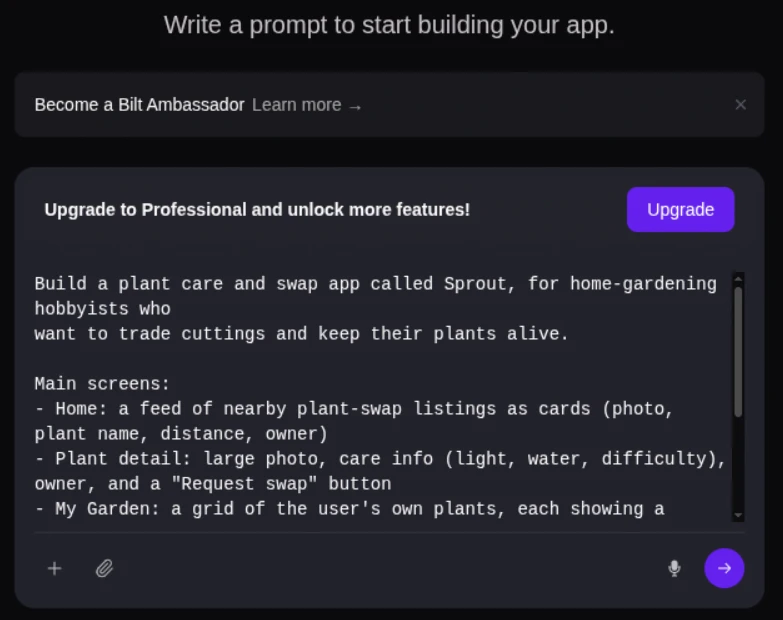
A service manager could describe job check-ins and photo uploads, then revise the generated screens in chat.
Glide begins by mapping spreadsheet columns to UI. Bilt starts with an app flow and produces React Native output for native publication.
When Bilt earns the rebuild
Use Bilt when the app must reach the App Store or Google Play and a developer may later extend the code. Skip Bilt when a spreadsheet-backed PWA is enough.
GitHub export gives a developer the React Native and Expo codebase to work on outside Bilt.
Glide is still quicker for a spreadsheet-backed browser app without a native store release.
Budget for migration and prompt usage
Bilt can use an existing web app repository as a read-only reference for native conversion, including:
- Lovable
- V0
- Next.js
A Glide app still needs rebuilding because Glide leaves no source code to carry over.
Pricing: Bilt has a free tier, then Professional (€25/month), Professional Plus (€50/month), Professional Max (€100/month), and Professional Ultra (€250/month). Usage is measured in AI tokens rather than seats, so prompt volume determines which tier fits.
Rebuild the workflow as a React Native app, then use Bilt to prepare the release:
- code signing
- app assets
- store build upload
Make the Glide rebuild count by turning it into a native app you can publish and keep as React Native code. Describe the workflow in Bilt, refine it in chat, and start building free.
2. Adalo
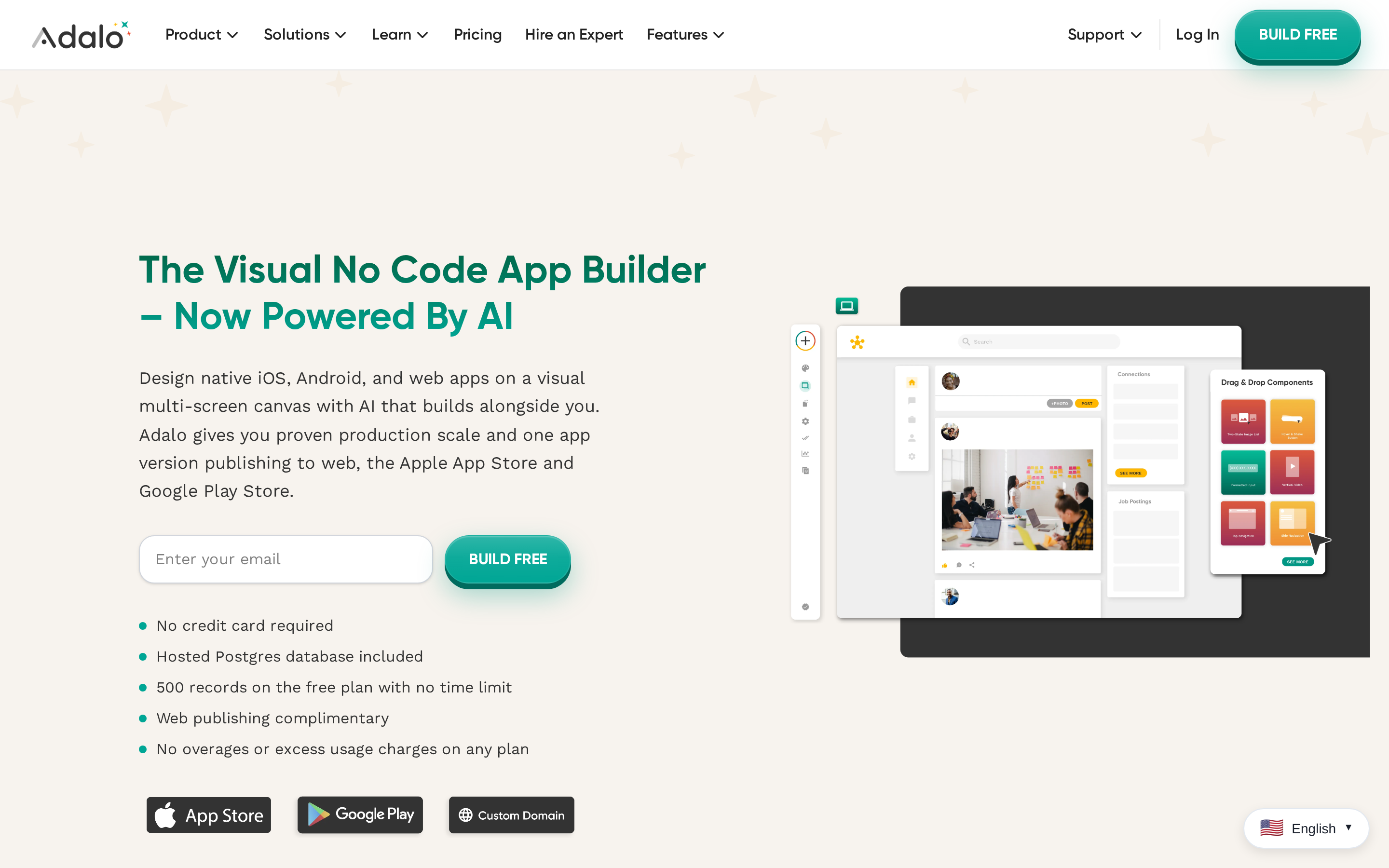
Adalo is a visual no-code app builder that creates database-driven web, iOS, and Android apps from one project.
Adalo publishes native iOS and Android apps from the same visual project, which puts it in the same deployment bracket as Bilt and outside Glide's PWA model.
Bubble targets web apps first, while Noloco and Stacker are browser portals. Adalo belongs in the mobile-oriented part of this list.
Typical users:
- Beginners building a first MVP
- Solo makers with a limited set of screens and workflows
- Small teams that need a mobile app before they need custom code
Who Adalo suits
Adalo fits a mobile MVP such as a local booking app that needs web, iOS, and Android versions from one visual project.
Common Adalo builds include:
- Local directories with searchable listings
- Booking apps with a small set of appointment flows
- Simple marketplaces with predefined transactions
- Community apps with member profiles and posts
From Glide to Adalo
A team leaving Glide has to replace spreadsheet-led screens with a visual canvas and a built-in database.
A local directory is one example: one Adalo project can deliver its web app alongside native iOS and Android versions. App-store publishing requires an eligible paid plan.
Building is drag-and-drop with predefined components on top of a built-in database. External data connects through Adalo's API and external collections, so records do not all have to live inside Adalo.
Limits to weigh before launch
Adalo lowers the setup burden, but its constraints matter once an MVP becomes a long-term product.
The setup is aimed at people who do not write code: no backend to stand up, no build pipeline to learn, and an app that can go live on both stores.
Test a representative build before launch, especially when the app has several screens, custom actions, and a growing data set.
Adalo generates the iOS and Android build files needed for store publishing, while the project itself remains managed through Adalo's visual builder.
Pricing and exit risk
Adalo can be tried free, while the paid plans listed here run from $36 to $160 per month.
The free tier is for prototyping and carries Adalo branding. App-store access depends on plan eligibility, so confirm the current Adalo pricing details before committing to Starter or Professional.
Watch out: Store build files do not remove migration work. Document the app's data structure, actions, and integrations before the first public release.
Published tiers in this comparison:
- Free: $0 for prototyping
- Starter: $36/month
- Professional: $52/month
- Team: $160/month
Best for custom web apps and complex logic
Bubble is the entry here for teams that have outgrown Glide's sheet-led setup and need custom data relationships, workflows, and interface control.
3. Bubble
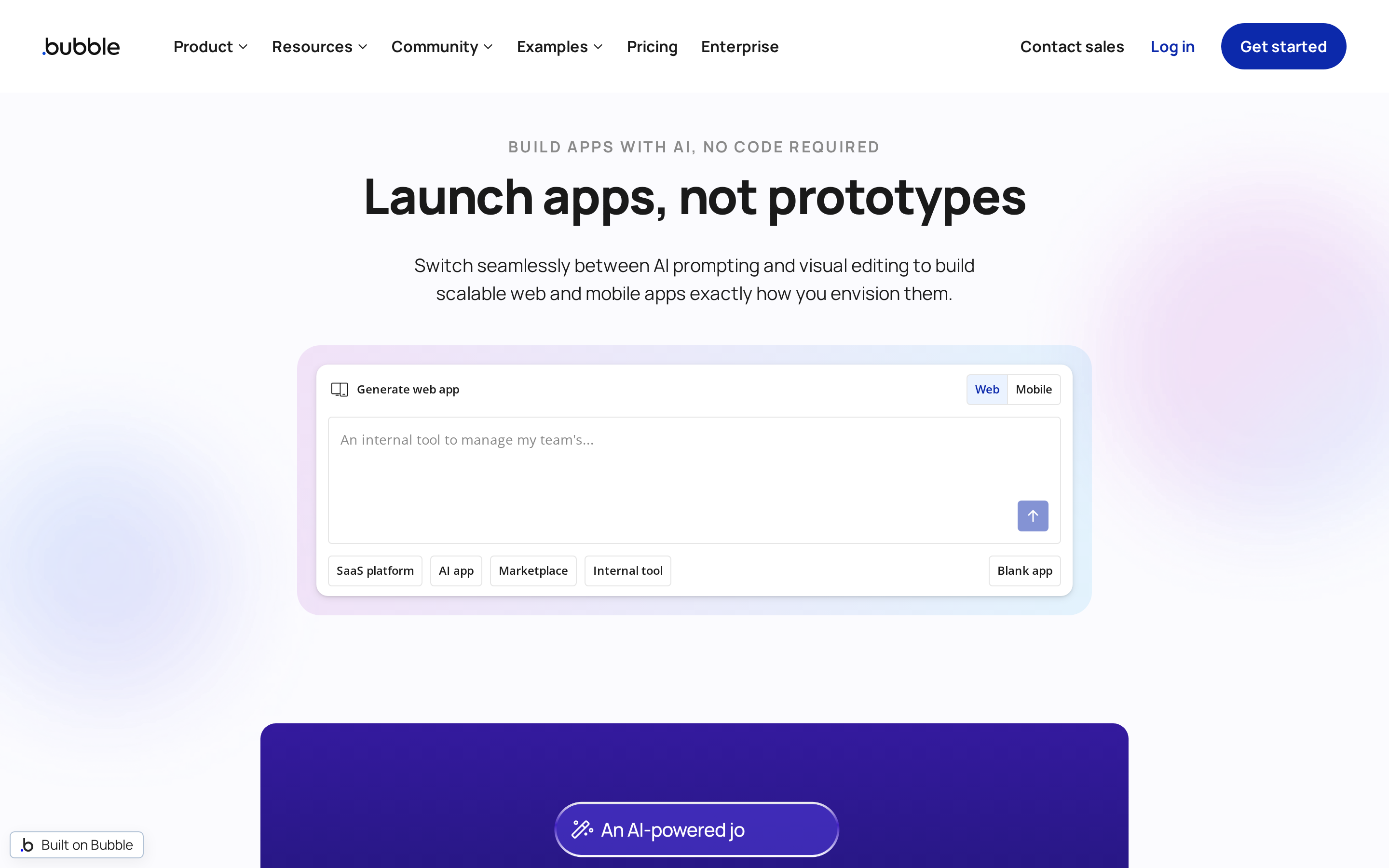
Bubble is a visual app builder with custom databases, multi-step workflows, and API integrations for SaaS products, marketplaces, and internal systems. It now supports native app-store deployment alongside web apps.
Bubble is built around web applications with deep visual workflow logic, a different starting point from Glide's spreadsheet-led model.
Bubble bills by Workload Units, so an app's activity can matter as much as team size when the monthly bill is forecast.
How Bubble differs in this group:
- Build target: Custom web apps and SaaS products, with native mobile deployment available
- Data model: Custom relational data types rather than spreadsheet-led records
- Pricing: Workload Units rather than per-user seats
Where Bubble fits
Bubble fits business apps that need relational data, custom workflows, and web-first product architecture beyond spreadsheet logic. It is a poor fit for a lightweight sheet-based app with only a few simple actions.
Projects commonly built in Bubble include:
- SaaS products with customer accounts
- Marketplaces with multi-step transactions
- CRMs and operations systems with related records
- Workflow-heavy internal tools
Bubble rewards teams that invest in data modelling and workflow logic up front, so Glide-style simplicity is the wrong expectation to bring.
Assembly remains manual drag-and-drop rather than prompt-led generation. Teams need to budget for the first build's data modelling and workflow work.
How the build model changes
Glide begins with spreadsheet columns. Bubble asks teams to model custom data types, relationships, and event logic before they build the interface.
Bubble pairs relational data with visual workflows for:
- Conditional actions
- Scheduled jobs
- API triggers
- Payments and authentication
- Role-based permissions
Bubble now supports native app-store deployment through its mobile offering and React Native builds. A marketplace can keep its public web experience and companion mobile app in the same Bubble project.
Control comes with complexity
Bubble supports more involved web-app architecture than Glide, but the learning curve is substantial. Teams that require source-code ownership or a low-setup mobile build should rule it out early.
Bubble gives teams:
- Custom relational data structures
- Multi-step visual workflows
- Flexible web interfaces
- Extensions through plugins and JavaScript-based API connectors
A team moving a Glide CRM has to recreate its sheets as data types and rewrite each action as a workflow. That setup work can overwhelm teams expecting Glide-style simplicity.
Ceilings still exist further in. Complex business logic or unusual third-party services push no-code builds into workarounds, and with no source code export those workarounds stay inside Bubble's runtime.
Pricing, workloads, and lock-in
Bubble's price is harder to forecast from headcount alone because Workload Units measure server activity. A workflow-heavy app can cost more as usage rises even when the team size stays the same.
Annual-billing prices:
- Starter: $59/month
- Growth: $209/month
- Team: $549/month
- Additional Workload Unit overages may apply
The meter is server activity rather than seats. That is a different forecasting problem from AppSheet's per-user billing or Stacker's shared credit pool.
Watch out: moving from Glide means rebuilding sheet logic as Bubble data relationships and workflows. Bubble does not export source code, so that rebuild remains inside Bubble's runtime.
Best for spreadsheet-led systems and AI-driven operations
AppSheet and Noloco build interfaces over business data. Stacker now takes a different route, using AI agents to run tasks across integrations and customer portals.
- AppSheet: Google Workspace and Google Sheets-led business apps
- Noloco: Portals connected to Airtable, Google Sheets, CRMs, and databases
- Stacker: AI agents, integrations, and customer portals
4. AppSheet
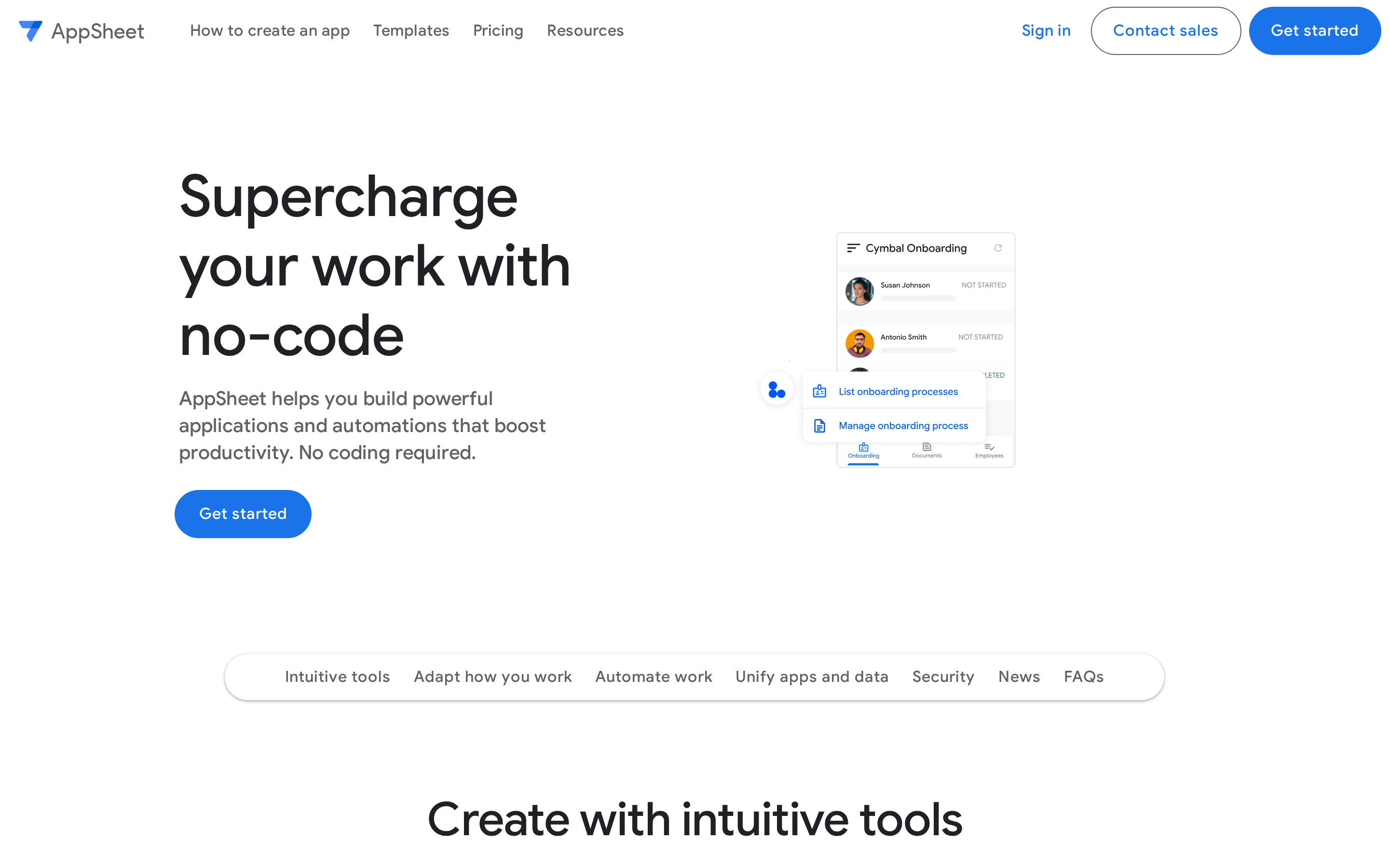
AppSheet is Google’s no-code builder for business apps built from Workspace and spreadsheet data. It also supports branded iOS and Android apps for app-store distribution, alongside the AppSheet mobile client used for many internal rollouts.
The build starts with data already in Google’s stack, including Google Sheets, Drive files, and BigQuery tables. AppSheet uses that structure to generate forms, views, and relationships.
For example, a warehouse manager can turn a Sheet of SKU, aisle, and stock-count columns into an offline counting form. Duplicate SKUs and inconsistent column types still need cleanup before the generated relationships are dependable.
Where AppSheet fits
AppSheet fits internal systems in a Google Workspace-managed organization, especially when the working data already lives in Sheets. A highly custom interface or an independently owned codebase points elsewhere.
The usual output is an internal tool that replaces a shared spreadsheet:
- Inventory and stock tracking
- Field inspections and checklists
- Lightweight CRM and contact records
Apps run on phones with offline sync, so field staff can record work and it uploads once a connection returns.
AppSheet fits organizations already managed in Google Workspace. Apps are governed through the Workspace admin console with domain-level policies, and billing can be bundled through certain Workspace editions for domain-verified users.
- Best fit: Internal systems built from spreadsheet or Workspace data
- Environment: Google Workspace organizations with centralized administration
- Typical uses: Inventory, inspections, and lightweight CRM records
- Mobile delivery: Offline mobile access, plus branded iOS and Android store apps when needed
How the build model differs
Glide gives builders more control over layout from the start. AppSheet begins with the connected data source, then generates the available views and actions from its structure.
Glide starts with layout. AppSheet starts with the data source: connect a Sheet, a Drive folder, or a BigQuery table, and the views, forms, and detail screens are generated from that structure.
- Data model first: Column types and table relationships in the source data determine much of what the app can do, so data cleanup comes before design work.
Mobile delivery is flexible. Teams can use the AppSheet client on iOS and Android for internal access, or publish branded iOS and Android apps when store distribution matters.
Control moves into the Workspace admin console:
- Domain-level policies decide who can build apps and who can use them
- App access follows existing Workspace accounts and groups
- Billing can run through certain Workspace editions
Operational tradeoffs
AppSheet works well when governance and offline field work matter more than visual polish. The interface is driven by the data model, which keeps operations predictable but limits design freedom.
What you gain on the operations side:
- Offline sync, so mobile users keep entering data without a connection
- Permissions and access tied to existing Workspace accounts and groups
- App generation straight from Sheets, Drive, and BigQuery, with no separate database layer to set up
What you give up:
- Less visual customization than Glide
- No standalone code export, so app logic stays inside AppSheet
- App-store publishing uses a branded AppSheet build and eligible licensing rather than an exported standalone codebase
Bilt sits at the other end of that tradeoff, exporting the React Native and Expo codebase to GitHub and publishing native binaries.
Pricing and migration watch-outs
AppSheet bills per user. Enterprise Plus has a published list price of $20/user/month, rather than quote-only pricing.
Per-user pricing is easy to forecast, but it rises with adoption. A 40-person field team on Core is $400/month before any Workspace edition arrangement, so pilot access should not be treated as the long-term cost.
Migration starts with the data model. Move the source data into Sheets, Drive, or BigQuery, then rebuild access rules in Workspace; an inventory app also needs its SKU relationships and offline forms retested.
Watch out: A clean-looking Sheet can still contain duplicate IDs or inconsistent columns that break an AppSheet workflow after launch.
- Prototype: Free
- Starter: $5/user/month
- Core: $10/user/month
- Enterprise Plus: $20/user/month
- Migration focus: Rebuild the data source and governance rules inside Google Workspace.
5. Noloco
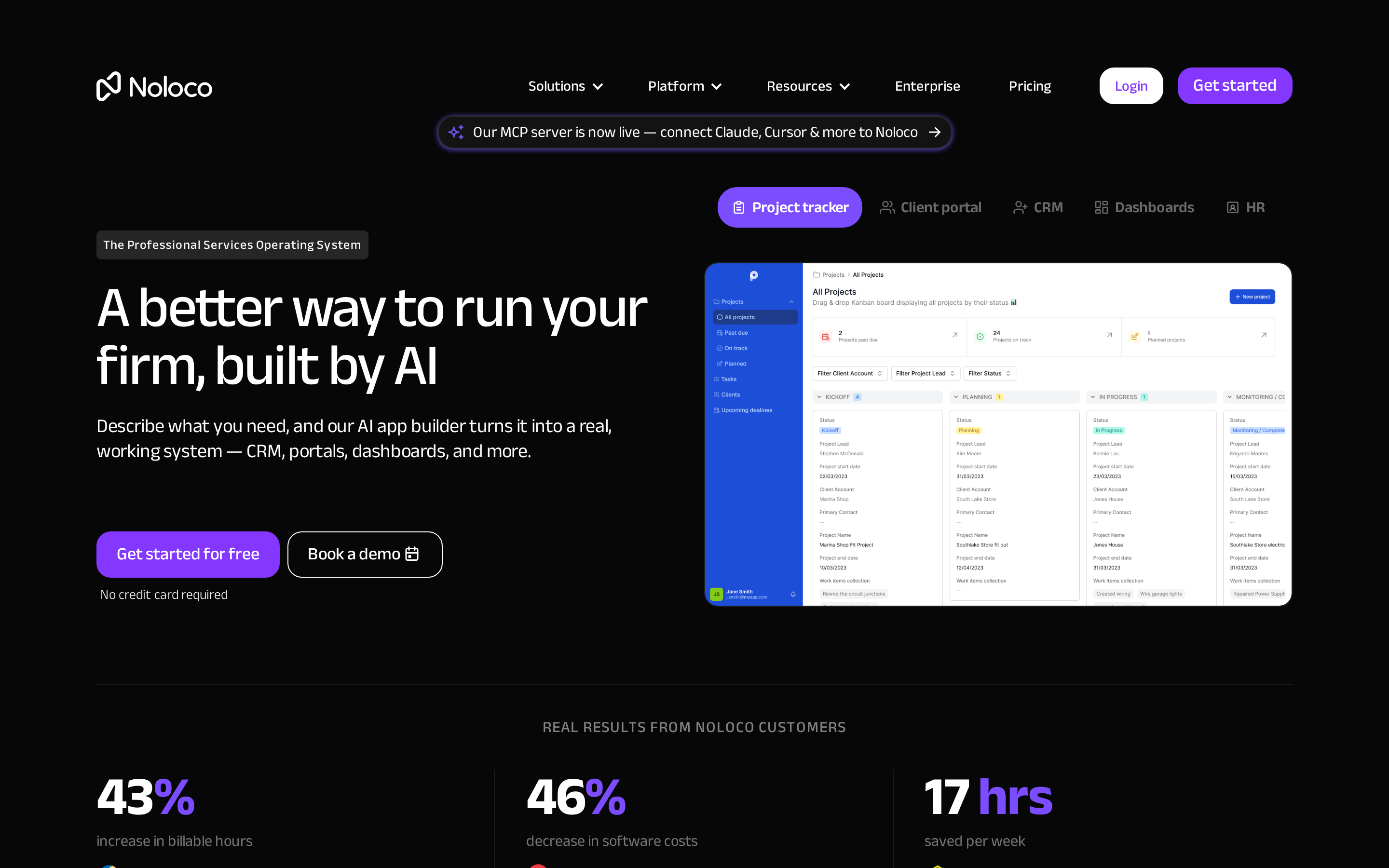
Noloco is a no-code builder for client portals and internal tools connected to Airtable, Google Sheets, CRMs, and databases. A client can sign in to see only their projects, records, and submitted forms instead of a shared spreadsheet.
Where Noloco earns its place
Noloco fits a client or partner portal built over existing business data. Native store distribution, a heavily custom interface, or independently owned code points elsewhere.
Typical Noloco setups:
- Client portals over an Airtable base, with role-based views per customer or partner
- Internal tools over Google Sheets, PostgreSQL, or a REST API
- HubSpot records surfaced next to spreadsheet data in the same app
The connected schema drives the first version of the interface, so fields and relationships need to be in order before design work begins.
How the portal model differs
Glide lets the builder begin with layout choices. Noloco begins with the connected schema, then uses those relationships to generate views, forms, and permissions.
A consulting portal can show each client its HubSpot deals beside linked Airtable project records. The portal inherits its structure from those connected records, rather than from a blank mobile screen.
Delivery is browser and PWA. There are no native App Store or Google Play binaries, so people reach the app through a link or an installed web app.
Limits to plan for
Noloco gets a structured portal online quickly when the underlying data is already sound. Custom layouts and native distribution are the limits to plan around before the project grows.
What you gain:
- A working interface generated from an existing schema, which keeps initial setup short
- Role-based permissions and user access included by default
- Forms and action buttons created alongside the generated views
Design and workflow flexibility are narrower than in more design-led portal builders. Noloco is aimed at structured internal tools, so heavily custom layouts are harder to reach.
Noloco apps stay in the managed platform and publish as PWAs, so moving later means rebuilding the screens and workflows elsewhere. Bilt has a different exit path through GitHub code export.
Pricing and migration watch-outs
Noloco offers Free, Pro, Business, and custom Enterprise plans. Pro costs $149/month, or $99/month with annual billing; Business costs $319/month, or $213/month with annual billing.
The plan decision depends on five usage measures:
- Active team members
- Active clients
- Total rows
- Synced rows
- Workflow runs
Watch out: A client portal can outgrow its row or workflow allowance before its interface needs a redesign.
Migration is lighter when Airtable, Google Sheets, PostgreSQL, or HubSpot already holds the source data. You still need to map permissions and rebuild the portal pages.
- Free: 3 team members, 7 clients, and 2,000 rows
- Pro: 10 team members, 50 clients, and 25,000 synced rows
- Business: 30 team members, 100 clients, and 100,000 synced rows
- Cost drivers: Active users, records, synced records, and workflow runs
6. Stacker
Stacker is now an AI agent platform for running tasks across integrations, scheduled automations, and customer portals. That makes it a less direct Glide replacement than AppSheet or Noloco.
Where Stacker fits now
Stacker fits an operations workflow where agents handle recurring work across connected tools. The Standard plan includes unlimited agents, more than 2,000 integrations, and unlimited customer portals.
- Agent tasks: Run scheduled work and automations
- Customer access: Publish white-label customer portals
- Integrations: Connect agents to business tools and data
Glide and Noloco center the app interface. Stacker centers the agent action that completes work behind the interface.
How the agent model differs
A Glide migration normally starts with screens, records, and user actions. Stacker starts with the jobs an agent should complete, the integrations it needs, and the portal where customers interact with it.
That model can cover operational automation, but it does not recreate a spreadsheet-led Glide app screen for screen.
Limits for Glide migrations
Stacker is a weak match when the main requirement is a custom mobile interface or native iOS and Android store binaries. Its portals and agents solve a different problem.
Document the Glide app's forms, permissions, computed fields, and navigation before deciding whether an agent workflow can replace them.
Pricing, credits, and migration risk
Stacker Standard costs $50/month and includes 250 credits per month for agent work. Enterprise pricing is custom.
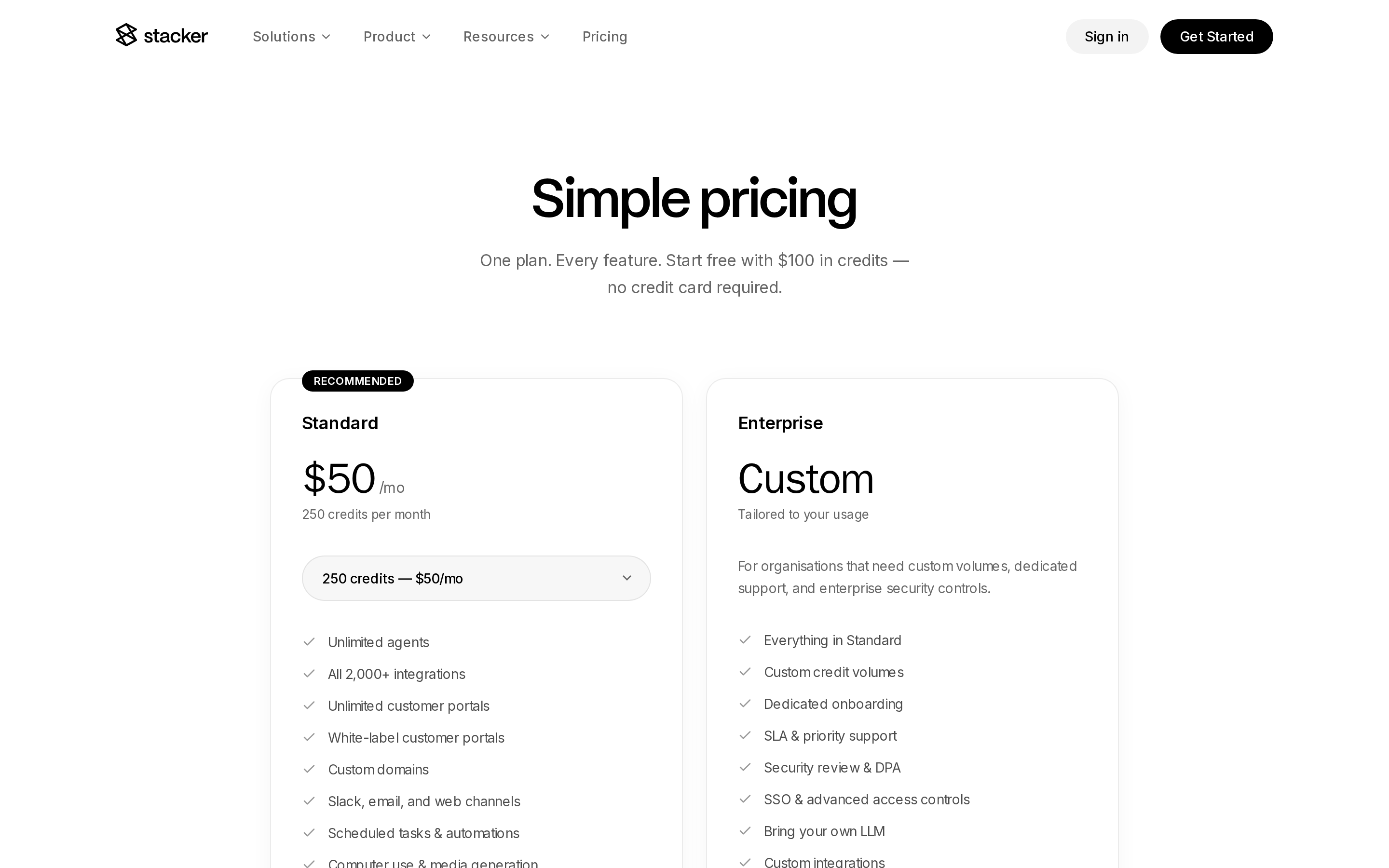
- Standard: $50/month
- Included usage: 250 credits per month
- Enterprise: Custom credit volumes, onboarding, and security controls
Best for developer-led internal tools
Teams with SQL and API experience can build internal dashboards and operational apps closer to the systems that hold their data.
Developer-led internal tools usually involve:
- Apps: These tools produce admin panels and internal dashboards.
- Data source: They connect to direct databases and APIs.
- Technical bar: Builders need SQL or JavaScript familiarity.
7. Retool
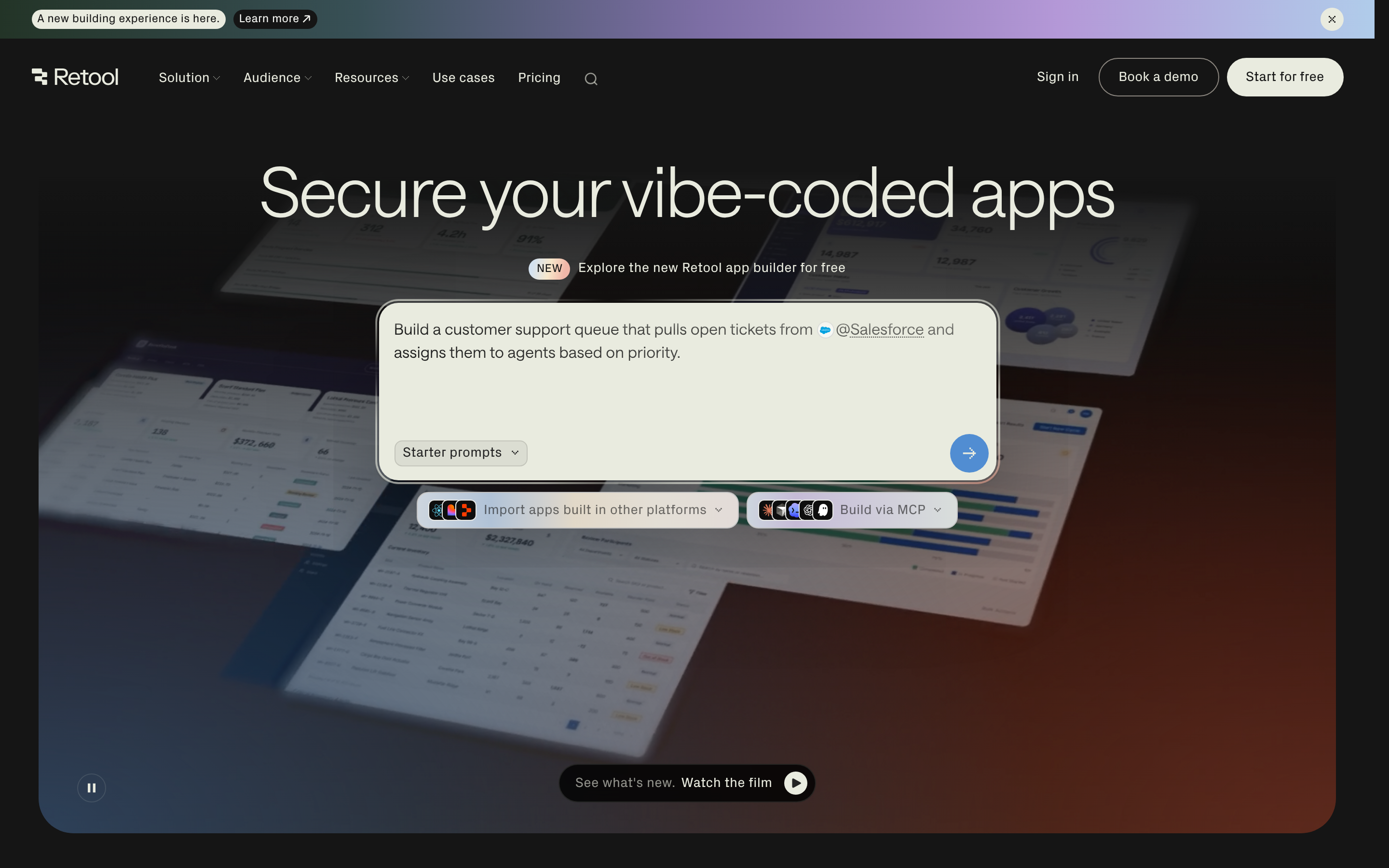
Retool builds internal web and mobile apps around SQL queries, API calls, and connected production data.
Where Retool sits in this group:
- Retool: Retool builds web-first internal apps over direct databases and APIs, with code-level customization.
- Glide: Glide builds browser-based business apps through visual configuration and connected data sources.
- AppSheet: AppSheet builds mobile-ready apps in its container, using Google Workspace data and expressions or Apps Script.
Who should use Retool
Retool fits engineering and technical operations teams that own the app's data access, queries, and permission model.
Skip Retool when a non-technical owner needs to build and maintain the app without SQL, JavaScript, or engineering support.
For example, an operations team could build a support admin panel over an existing customer database, instead of routing records through a spreadsheet.
Working with data beyond Glide
Glide often begins with a spreadsheet-style data model. Retool begins with the database or API the team already uses.
Retool can work with two kinds of data:
- Connected data: The app can query databases and APIs.
- Retool Database: Retool can host application data in Retool Database.
Complex workflows use SQL and JavaScript, and teams can import custom React components. That requires a different skill set from Glide's visual configuration.
Tradeoffs to plan for
The payoff is control over the data access and logic behind an internal app. Engineering ownership becomes part of the operating model.
Plan for these constraints:
- Technical ownership: A technical maintainer needs to own the queries and logic.
- Hosting: Private infrastructure needs a supported Docker or Kubernetes deployment. Docker Compose is for local development, not production.
- Mobile: Retool builds native iOS and Android apps and PWAs; white-label app-store distribution is reserved for Enterprise
Cost and rebuild risk
Budgeting for Retool means counting builders and end users separately. Moving from Glide usually means rebuilding the app around its data access and query logic.
On Team, two builders and 20 internal users cost $120/month: $20 for builders plus $100 for internal users. The builder-and-user split matters as an operations app reaches more employees.
Watch out: Treat a Glide migration as a rebuild rather than an import.
- Reconnect the data source.
- Set the app's permissions.
- Recreate the query logic.
Listed plans:
- Free: The free plan covers up to five users.
- Team: $10 per builder and $5 per internal user each month
- Business: $50 per builder and $15 per internal user each month
Side-by-side comparison: deployment, pricing, and fit
Use the table to match each platform to your deployment and data requirements.
Deployment is the sharpest split in this set. Bilt and Adalo compile to native iOS and Android binaries you submit to the App Store and Google Play, while Glide publishes PWAs.
Bubble and AppSheet support iOS and Android store deployment too. Retool builds native mobile apps, with white-label store distribution on Enterprise; Noloco remains a PWA, and Stacker focuses on agents and portals.
The pricing models differ more than the headline prices do:
- Glide: Pricing and usage rules depend on whether you use Glide Classic or the separate GlideOS product, so compare the plan against the account you are migrating.
- Adalo — flat plan tiers: $36, $52, and $160 per month, scoped by published apps and storage.
- Bubble: Web-and-mobile plans cost $59, $209, or $549 per month with annual billing, plus optional workload tiers or overages.
- Stacker: Standard includes 250 credits for agent work. AppSheet bills per user, Noloco tracks active users and records, and Retool separates builders from internal users.
- Bilt — token-based tiers: free, €25–€250 per month, priced by AI tokens instead of seats.
Usage units affect planning differently. Bubble can charge workload overages, Stacker credits track agent work, and Bilt uses fixed token allowances with optional top-ups.
| Tool | Deployment | Pricing | Best fit |
|---|---|---|---|
| Bilt | Native iOS and Android | Free; self-service €25–€250/month; Enterprise custom quote | Mobile apps with code ownership |
| Adalo | Native iOS, Android, and web | Free; $36; $52; $160 annually | Visual mobile MVPs |
| Bubble | Native iOS, Android, and web | Free; $59; $209; $549 annually | Custom apps with complex workflows |
| AppSheet | Container app or branded store app | $5, $10, or $20/user | Google Workspace business apps |
| Noloco | Web portal or PWA | Free; Pro $149; Business $319 | Client portals over business data |
| Stacker | AI agents and customer portals | $50 with 250 monthly credits | Agent-led operational work |
| Retool | Web, native mobile, and PWA | Free; builders from $10/month | Developer-led internal apps |
What migrating from Glide actually involves
Document your current Glide app before the rebuild starts.
A Glide migration starts with exporting the data and rebuilding the app in the destination platform.
What transfers
- Glide Tables export as one CSV per table, which is the main data portability path.
- Apps already sourcing Google Sheets or Airtable move easiest, because the data already lives outside Glide.
What gets rebuilt
- Screens, navigation, and layouts
- Computed columns, conditional rules, and action buttons
- Workflow automations
- User roles and permission settings
The cutover, step by step
- Export your data. In the Data Editor, export each Glide Table as CSV. Linked computed columns are excluded, so document the relations and formulas you must recreate.
- Rebuild in parallel, not in place. Glide has no code export, so nothing carries over as code and the new app gets built alongside the live one from your data and requirements.
- Rebuild relations and permissions. Recreate relations in the destination, then configure its computed columns and access rules.
- Migrate or re-invite users. Auth models differ between platforms, so existing accounts usually need a fresh invite or re-registration.
- Plan redirects. A public Glide app with indexed URLs can lose that search traffic when the URLs change.
- Stage the switchover. Run both apps for a short overlap, move one team or user group first, then cut everyone over.
Budget the rebuild around screens, rules, automations, and user roles. The CSV export is only the data-transfer step.
The destination platform determines whether you remain in a vendor-managed runtime or receive code that a developer can maintain.
Bilt exports the full React Native and Expo codebase to GitHub, so a developer can maintain it with normal tools once the rebuild is done.
How to choose the right path for your app
Start with deployment and your current data source. Those answers narrow the shortlist before you compare workflow complexity or pricing.
Five questions do most of the filtering:
- Deployment target: Glide ships PWAs. Bilt, Adalo, Bubble, and AppSheet support store apps; Retool reserves white-label store distribution for Enterprise, while Noloco stays web-first.
- Workflow complexity — simple list-and-detail screens work almost anywhere, but custom backend logic points to Bubble or Retool rather than the spreadsheet-led tools.
- Where your data lives today — Glide gates external SQL such as PostgreSQL to its Enterprise tier. AppSheet is the Google Workspace path, Noloco fits Airtable and HubSpot stacks, and Retool connects straight to production databases and APIs.
- Who needs access — internal teams can live with coarse roles, while external clients need per-record visibility. Noloco and Stacker are the portal-oriented options; Retool is the internal-tools one.
- Pricing at scale: Ask which number grows with success: updates and users on Glide, workload units on Bubble, seats on AppSheet and Noloco, agent actions on Stacker, builders plus users on Retool, and tokens on Bilt.
Build a real mobile app to the App Store with Bilt
Bilt is the clearest fit here when you want a Glide replacement that ends in native iOS and Android store binaries, with React Native code you can export to GitHub.
The flow has three stages.
- Describe it. Tell Bilt what the app should do in plain English, and it generates the screens and the backend. Keep chatting to change a screen or add a feature.
- Preview it. Watch changes in a live preview, open the app in a cloud Android emulator with no local install, or scan a QR code to run it on your own phone. Camera, GPS, and push notifications work like they would in any native app.
- Publish it. Bilt automates builds, certificates, provisioning profiles, and store uploads, where non-technical builders usually stall. You submit iOS review in App Store Connect; the first Google Play release may need manual upload.
Bilt exports the full React Native and Expo codebase to GitHub. You retain a GitHub copy of the app code after launch.
Describe your idea, then see the app run on your phone. Start building free. No credit card is required.
If you want to check token limits and support tiers first, see self-service plans.
What to use instead of Glide?
Choose based on where the app will run and who will build it:
- Bilt or Adalo for native iOS and Android apps.
- Bubble for web apps with complex logic.
- AppSheet for spreadsheet systems built around Google.
- Noloco or Stacker for portals.
- Retool for developer-led internal tools.
Bilt turns a description into React Native code and handles code signing and build uploads. Adalo uses a visual no-code workflow for native apps.
Is Glide better than other app builders?
Glide works best for spreadsheet-led, browser-based internal apps.
Google Sheets or Airtable data can become mobile-responsive web apps in Glide. The output is a progressive web app in a browser, rather than a native App Store or Google Play binary.
What is better than Glide for native mobile apps?
Bilt and Adalo are the clearest mobile-first Glide alternatives. Bubble and AppSheet support iOS and Android store apps too; Retool offers white-label store distribution on Enterprise.
Glide publishes a PWA, so it does not produce the native store binary required for direct Apple App Store or Google Play submission.
Bilt adds React Native code export and automates code signing and build uploads. Adalo offers native builds through a visual no-code workflow.
Can you migrate from Glide easily?
Plan on rebuilding the Glide app. Glide does not export a portable copy of the app.
Move records and field relationships through a CSV export or the underlying spreadsheet.
Recreate the Glide app's:
- interface
- visibility logic
- computed columns
Bilt can generate a native starting point from a description of the original app.