Your Lovable prototype looks finished. Then backend rules, native builds, or store launch turn the last stretch into the hardest part.
The right alternative depends on what you need to launch: a full-stack web app, a native iOS and Android app, a visual no-code product, or a developer-owned codebase.
This guide compares 9 Lovable alternatives by final output, workflow, code access, publishing path, and price. If iOS and Android are the goal, start building free with Bilt and preview a native app in minutes.
TL;DR
- Building a native mobile app? Start with Bilt for iOS, Android, store workflow support, and a €0 free tier before paid plans. Bilt uploads the iOS build for you to submit in App Store Connect.
- Need a full-stack web prototype fast? Compare Bolt and Base44.
- Want a cloud IDE with AI help? Replit keeps the codebase visible.
- Building a logic-heavy SaaS or marketplace? Bubble is the web-first option to inspect closely.
- Turning spreadsheet data into an internal app? Glide is the narrowest fit.
Why teams look for Lovable alternatives
Teams usually do not leave Lovable because the first version looks bad. They leave when the app needs to survive complex changes, production traffic, or a handoff outside Lovable.
The common breaking points are practical:
- Prompt iteration loops: Complex changes can require repeated chat passes. Each pass can make the codebase harder to reason about.
- Export risk: Lovable supports code export, but reported export errors can make self-hosting harder than expected.
- Backend limits: Lovable uses Supabase, but custom database logic, auth flows, and business rules can still require manual development or workarounds.
- Architectural drift: AI-led updates can fragment a codebase over time, especially when the tool keeps patching symptoms instead of preserving the original structure.
- Usage caps: Lovable's Free tier is limited to 5 messages per day, while paid plans add larger monthly message pools.
- Team needs: Serious projects often need collaboration, security controls, staging, monitoring, and predictable deployment workflows. Bilt Collab lets teams invite editors and other participants into a shared workspace and work on the same project side by side.
- Cost ceiling: Prompt-heavy builds can become expensive when fixes, retries, and refinements consume message credits before the app is actually ready.
Lovable alternatives at a glance
The 9 tools below span AI-native mobile builders, full-stack web generators, visual no-code platforms, and spreadsheet-to-app converters.
Prices range from free entry points to higher monthly plans for teams and production workflows.
| Tool | Platform type | Best for | Starting price |
|---|---|---|---|
| Bilt | AI-native mobile app builder | Founders launching native iOS/Android apps | €0 free; €25/mo paid |
| Replit | Cloud IDE + AI agent | Developers wanting visible code and IDE control | $20/mo |
| Bolt | Full-stack web generator | Fast prompt-to-web-app development | Freemium, credit-based |
| Base44 | Prompt-to-app web platform | Founders validating managed-backend MVPs | $20/mo |
| Rork | React Native AI mobile builder | Builders targeting the Apple App Store | $20-$25/mo |
| FlutterFlow | Visual cross-platform builder | Visual building with Flutter output | $39/mo |
| Adalo | Drag-and-drop mobile builder | Visual native mobile app building | Free; paid for store publishing |
| Bubble | Visual no-code web platform | Logic-heavy SaaS and marketplaces | Free tier available |
| Glide | Spreadsheet-to-app converter | Operations teams building internal tools | Free; Business $199/mo yearly |
Tools worth noting: v0 by Vercel and Webflow sit closer to Lovable for web UI generation and design-led sites.
Cursor sits closer to Replit and Bolt for developer-led coding. Expo and Capacitor matter when teams try to turn React Native or web projects into mobile apps.
The 9 best Lovable alternatives
1. Bilt ✨
Bilt is built for builders who can describe an app clearly but do not want to manage the native build pipeline, signing, or upload.
Lovable is useful for web-app prototypes. Bilt is built for the mobile finish line: native modules, device testing, backend basics, code signing, and store build uploads.
Bilt builds and signs the packages, uploads iOS builds to App Store Connect, and sends eligible Android builds to internal testing. You handle review submission and final release steps.
Best for: Non-technical entrepreneurs, solopreneurs, creators, and small teams who are comfortable with AI tools like ChatGPT, Cursor, or Bolt, but need a native iOS and Android app without hiring a developer.
Browser publishing: Bilt can publish an app to a permanent web URL as an installable PWA. A web-first builder may still fit a conventional website-only project better.
Describe your app in plain English. Bilt handles the mobile pieces that usually pull non-technical builders into Xcode, Android Studio, or an agency handoff:
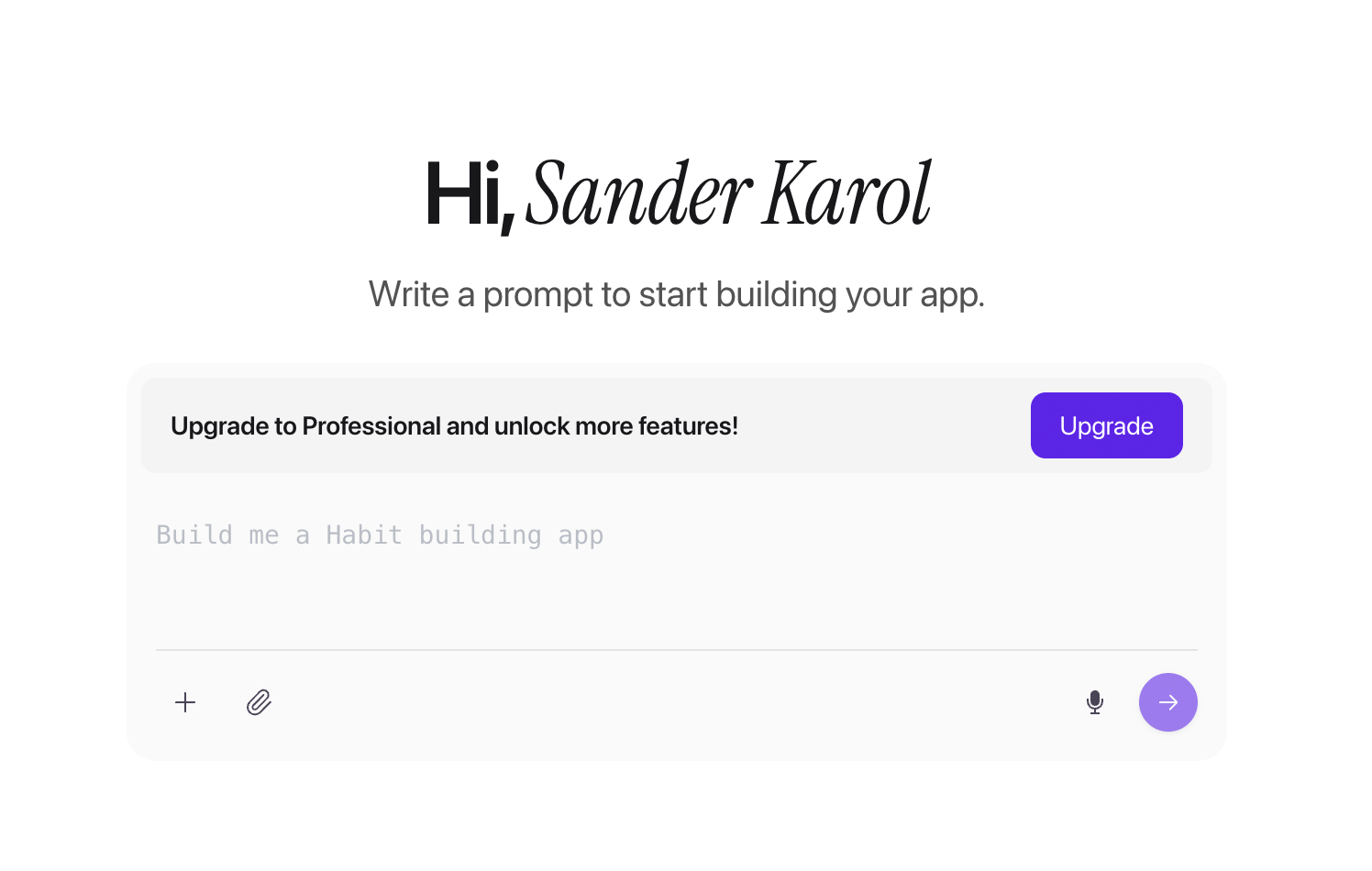
- Native modules and React Native output: Bilt generates a real React Native app that runs on phones, not a web wrapper.
- Conversational iteration: You talk your way to new screens, design changes, and feature updates instead of learning a drag-and-drop canvas.
- Bilt Cloud backend: Bilt Cloud gives your app authentication, a PostgreSQL database, file storage, and server-side logic without backend code or another service account. Backend capacity is governed by your plan.
- Native previewing: You can stream an iOS simulator in the browser before store paperwork starts. Bilt supports Expo Go on iPhone and Android, plus Test on iPhone for installing a native build with full APIs.
- Store workflow: Bilt handles signing and build generation. It uploads iOS builds to App Store Connect for you to attach and submit, and sends eligible .aab builds to internal testing; the first Play upload may be manual.
- TestFlight handoff: Bilt increments App Store build numbers from the latest TestFlight build. After Apple processes an upload, the Build tab's TestFlight button opens the app's TestFlight page.
- Code ownership: Bilt generates React Native source code you can own, export, and hand to a developer if needed. Connect GitHub and choose Sync to GitHub; after the first sync, Bilt and the repository stay in two-way sync, and you can clone the repository as a standard code export.
- Support: Bilt offers Discord, email, and chat support, with priority support included on higher-tier plans.
Bilt vs. Lovable for mobile
- Lovable: Fast path to web-app prototypes and browser-based products.
- Bilt: Fast path to native mobile apps with previewing, backend basics, signing, and store submission built into the workflow.
That difference matters because the hard part of mobile is rarely the first screen. The last 5% is where auth, payments, device behavior, signing, and store review all have to work together.
Bilt Payments supports iOS in-app subscriptions and purchases, including entitlements and server-side receipt verification. Previews and development builds use mock billing, while Google Play support is still in progress.
The basic Bilt flow is simple:
- Describe the mobile app in plain English.
- Bilt generates the app, backend, and native mobile project.
- You refine screens and features through conversation.
- Bilt helps move the app toward App Store and Google Play submission.
Generation time varies with the app's complexity and requested features.
What Bilt does not do: It does not make store approval automatic. Apple and Google still review each app.
Bilt keeps the release workflow in one place:
- App previews
- Build generation
- Code signing
- Store build upload and submission support. You submit the iOS build for review and control the final Google Play release.
Best for
Bilt is best for non-technical builders who want a published mobile app, not just a shareable demo. That includes solopreneurs, vibecoders who hit the mobile deployment wall, web app owners who want a native version, and small business owners who need iOS and Android apps without an agency timeline. Web App Sync can connect an existing Lovable, v0, or other web-app repository as a read-only reference while Bilt builds the native app.
Why consider it over Lovable
Bilt is the better fit when the finished product needs to reach the App Store or Google Play. Its workflow keeps React Native source code, backend services, live previewing, and publishing support in one place.
Limitations to know
Bilt's primary output is native iOS and Android, but it also publishes the app to a permanent web URL as an installable PWA. If the product should stay browser-only, a web-first builder like Lovable, Base44, or Bubble can be the cleaner fit.
Bilt is conversation-first. You talk your way to screens, flows, and changes, but there is no drag-and-drop canvas for arranging every component by hand.
Bilt's Figma plugin imports real design files and lets you attach selected frames as context while it builds.
You still need a few external pieces before publishing:
- Apple Developer Program: $99/year for App Store publishing.
- Google Play Console: $25 one-time fee for Google Play publishing.
- A clear product idea: Bilt can build from plain English, but vague prompts create vague products.
- Store review patience: Apple and Google still control approvals, rejections, and policy checks.
Each plan has a stated monthly token allowance. Token top-ups are available when you need more usage before the next reset.
Bilt publishes the current app as a PWA at a permanent web address. You can republish or unpublish it, install it on a home screen, and use an eligible custom domain.
Pricing
Bilt has a free tier, then paid plans for builders who need more usage and support.
- Free: €0, with up to 3M AI tokens per month. Free tokens accrue daily until the monthly cap.
- Professional: €25/month, with 10M monthly AI tokens.
- Professional Plus: €50/month, with 20M monthly AI tokens.
- Professional Max: €100/month with 45M monthly AI tokens, or €79/month billed annually.
- Professional Ultra: €250/month with 115M monthly AI tokens, or €195/month billed annually.
- Enterprise: Custom pricing for dedicated support, onboarding, custom integrations, group access, and design systems.
Annual billing saves 2 months compared with monthly billing. Token top-ups are also available if you need more usage before your next monthly reset.
Eligible new subscribers receive 40% off their first month on any monthly paid plan. The discount does not apply to annual billing.
2. Replit
Replit is a cloud IDE with an AI Agent that can generate code, install dependencies, configure databases, and deploy projects from one browser workspace.
Replit suits people who want AI assistance while keeping direct access to the codebase. Cost and project complexity become the main tradeoffs as the build grows.
Where Replit fits
- Developers who want AI help without leaving a browser IDE.
- Teams that need real-time collaboration on the same codebase.
- Builders who want to inspect files, edit code, and control the project structure.
- Web projects where deployment from the same workspace matters.
Where Replit beats Lovable
The Replit vs Lovable guide compares direct code control with Lovable's more abstracted workflow.
- Full code visibility: Users can inspect and edit files directly instead of treating AI output as a black box.
- Broader framework range: Replit supports multiple languages and frameworks beyond the React, Vite, Tailwind, and Supabase pattern associated with Lovable.
- Integrated deployment: Replit Agent can handle deployment after generating code, setting up dependencies, and configuring the project.
- Collaboration: Replit supports real-time work in a shared browser workspace.
- Mobile development path: Replit can be used around React Native or Expo workflows, but store submission still requires separate mobile release work.
Where Replit gets expensive
Replit has a Starter plan at no cost. Core costs $20/month, or $18/month with annual billing, with $20 in monthly credits.
- Usage note: Agent work, publishing, and other usage can draw from those credits. Check usage in your workspace before expanding a complex build.
Replit bottom line
Replit is useful when you want an AI coding workspace, not a sealed app generator. Skip it if you need a non-technical path to native iOS and Android publishing.
Replit keeps the IDE front and center. Bolt makes a different bet: reduce setup friction and get a web app scaffold on screen faster.
The developer-workflow Replit alternatives roundup compares code-visible, managed, and native options beyond Replit's browser IDE.
3. Bolt
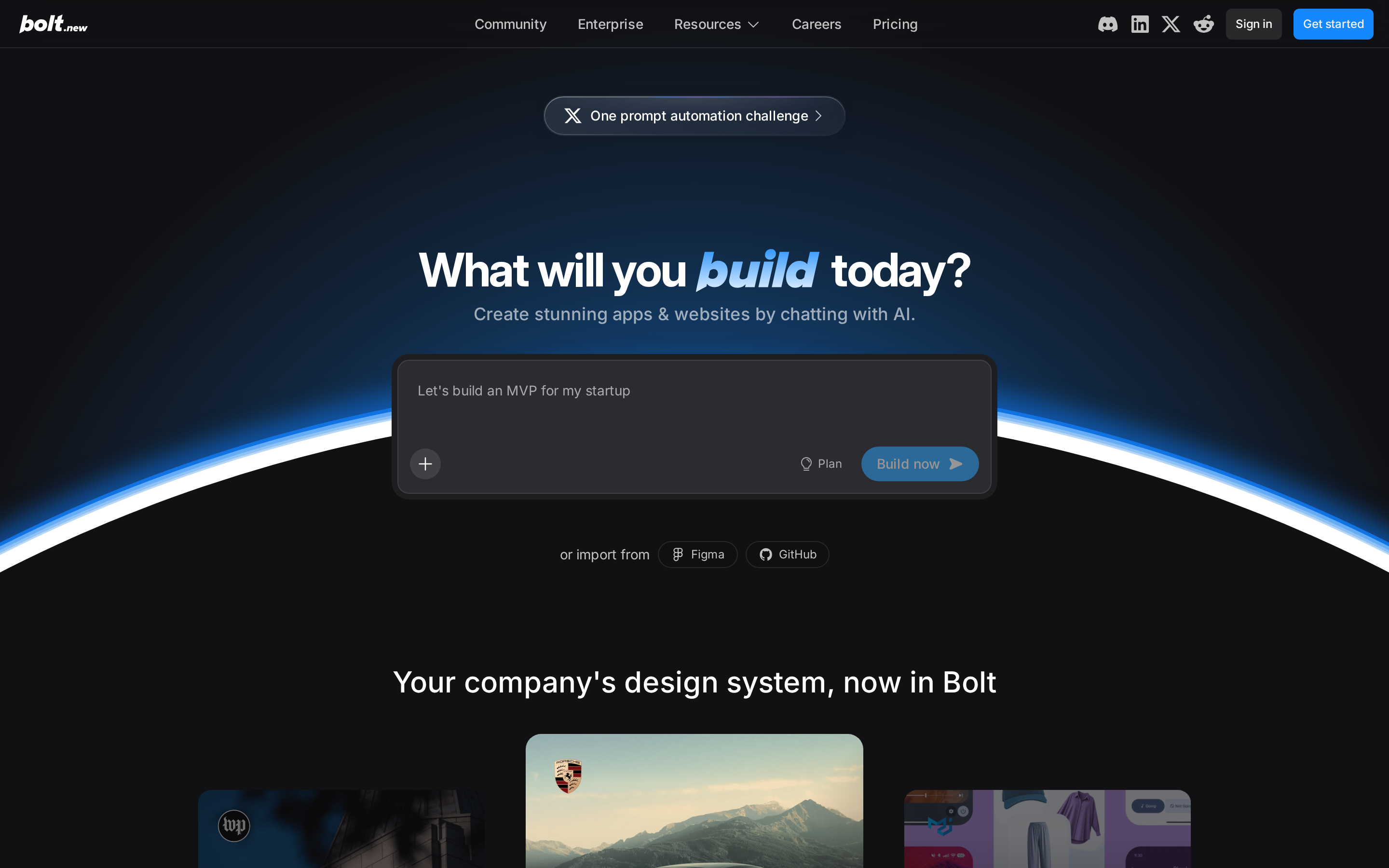
Bolt is a browser-based app generator that can scaffold React frontends, Node.js backends, and Supabase databases from a text prompt.
Bolt is fast for web-app scaffolding and browser editing. It requires a separate workflow when the project needs native mobile release work.
What Bolt is built for
- React frontends that need a quick first version.
- Node.js backends for simple web-app flows.
- Supabase-backed prototypes where auth, database, and UI need to appear in one workspace.
- Builders who prefer editing in the browser instead of assembling code snippets manually.
Where Bolt beats Lovable
ChatGPT can write code, but Bolt gives the code a place to run. That matters when the first version needs to be edited, previewed, and cleaned up quickly.
A useful Bolt workflow looks like this:
- Write the full product description before the first prompt.
- Generate the first scaffold.
- Inspect the files before asking for more features.
- Tighten the app in small rounds instead of asking for a full rebuild.
Before you build: Make the first prompt specific about screens, data, user roles, and backend behavior. Vague first prompts create more regeneration work later.
Limitations to know
Bolt, Replit, Lovable, v0, and similar AI coding tools can hit a context-window wall on complex builds. Once the project gets too large, earlier logic can get lost.
Watch out: Bolt is still mainly a web-app workflow. Native iOS builds, Android builds, device APIs, code signing, and App Store submission are not the same job as scaffolding a React app.
Pricing signals to check
Check Bolt's current pricing page, plan limits, and recent user reviews before committing to a long build.
Watch usage limits closely if the app needs repeated regeneration. AI scaffolding can feel cheap at the start and become expensive during refinement.
Bolt bottom line
Bolt is useful when you want a fast browser workflow for a web app prototype. Skip it if your goal is a published native mobile app without separate release tooling.
Bolt hides more setup than Replit, but it is still web-app oriented. Base44 pushes further toward hosted app generation and a more managed workflow.
4. Base44
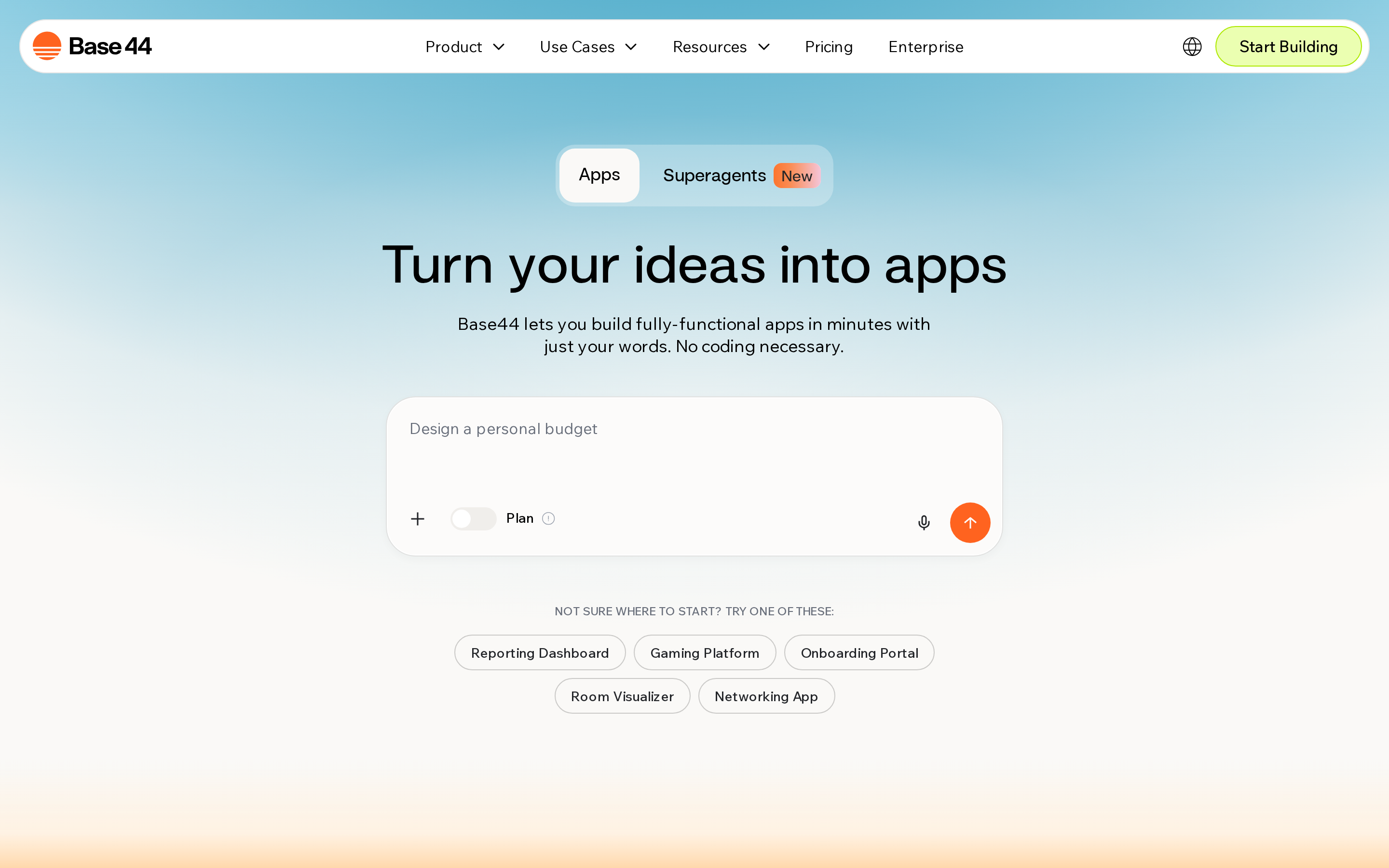
Base44 is built for hosted web apps. For example, a small team can turn an intake workflow into a client portal with logins and stored records.
Where Base44 fits
Base44 fits teams that want one promptable workspace for the app, database, authentication, and hosting. It is mainly useful when launch means sharing a hosted product, not submitting binaries.
- Internal tools: Base44 can turn a workflow idea into a hosted app with login and data storage.
- Client portals: The built-in backend helps when the app needs accounts, forms, and stored records.
- Web MVPs: Base44 makes sense when the first milestone is a working web product.
Where Base44 beats Lovable
- Automatic authentication: User registration and auth are generated as part of the app flow.
- Database generation: Base44 creates database structures from the prompt instead of asking you to design them first.
- Hosted deployment: The app is hosted through Base44 rather than exported to a separate workflow.
- Conversational iteration: Users can keep changing the app through prompts after the first version exists.
Watch out: Base44's hosted workflow creates a lock-in risk. Confirm export, ownership, and native publishing options before the app becomes hard to move.
Deciding between these two web builders? The Base44 or Lovable breakdown compares their workflows directly.
Limitations to know
Base44's main limitation is not the prompt builder. It is what happens after the hosted app works.
- App Store gap: Base44 is a hosted web-app builder, so App Store Connect and Google Play release work are not the native path.
- Export risk: A Base44 app lives in Base44's hosted environment unless your plan supports the handoff you need.
- Cost ceiling: Review higher-tier pricing before committing. Larger projects can change the math for side projects quickly.
- Skip it if: You need a native iOS or Android app with a named store-submission workflow.
- Base44 works for hosted web apps that need authentication and stored data quickly. Native App Store submission requires a separate path.
Base44 keeps everything inside a hosted web workflow. Rork moves closer to mobile apps, but the store handoff becomes the thing to inspect.
5. Rork

Rork is an AI mobile app builder for generating iOS and Android apps from text prompts. It uses React Native and Expo, according to Rork's technical FAQ.
Rork is closer to mobile than Lovable, but its release workflow still depends on external publishing tools.
For builders comparing Rork with Bilt, focus on the launch workflow. Rork generates React Native and Expo projects, while Bilt is built around native modules and App Store submission from the start.
Where Rork beats Lovable
Rork fits indie builders and solo founders who want to test a mobile MVP without starting from a blank React Native project.
- Prompt-based MVPs: Describe the app, then iterate through generated screens and flows.
- Cross-platform mobile: The app direction is iOS and Android, not web first.
- Source ownership: Export source code or project files when the app needs external hosting or manual development.
Limitations to know
Test the store path before polishing screens. The main items to check are TestFlight builds, Google Play closed testing, Expo configuration, signing details, store metadata, privacy answers, and review requirements.
Before planning a launch with Rork, map out exactly which publishing steps still sit outside the builder.
Pricing
Rork uses credits rather than monthly AI tokens. The Junior plan is listed at $20-$25/month for 100 credits, while Scale is $200/month for 1,000 credits.
| Plan | Price | Credits | Key Features |
|---|---|---|---|
| Junior | $20-$25/month | 100 credits | Standard projects |
| Scale | $200/month | 1,000 credits | Private projects, built-in code editor, GitHub integration, direct chat support |
GitHub integration and the built-in code editor require the Scale tier, so include that price when budgeting for developer handoff.
6. FlutterFlow
FlutterFlow is a visual low-code platform for Flutter apps across four targets:
- iOS
- Android
- Web
- Desktop
A founder can map a booking flow visually, then hand the generated Dart code to a Flutter developer.
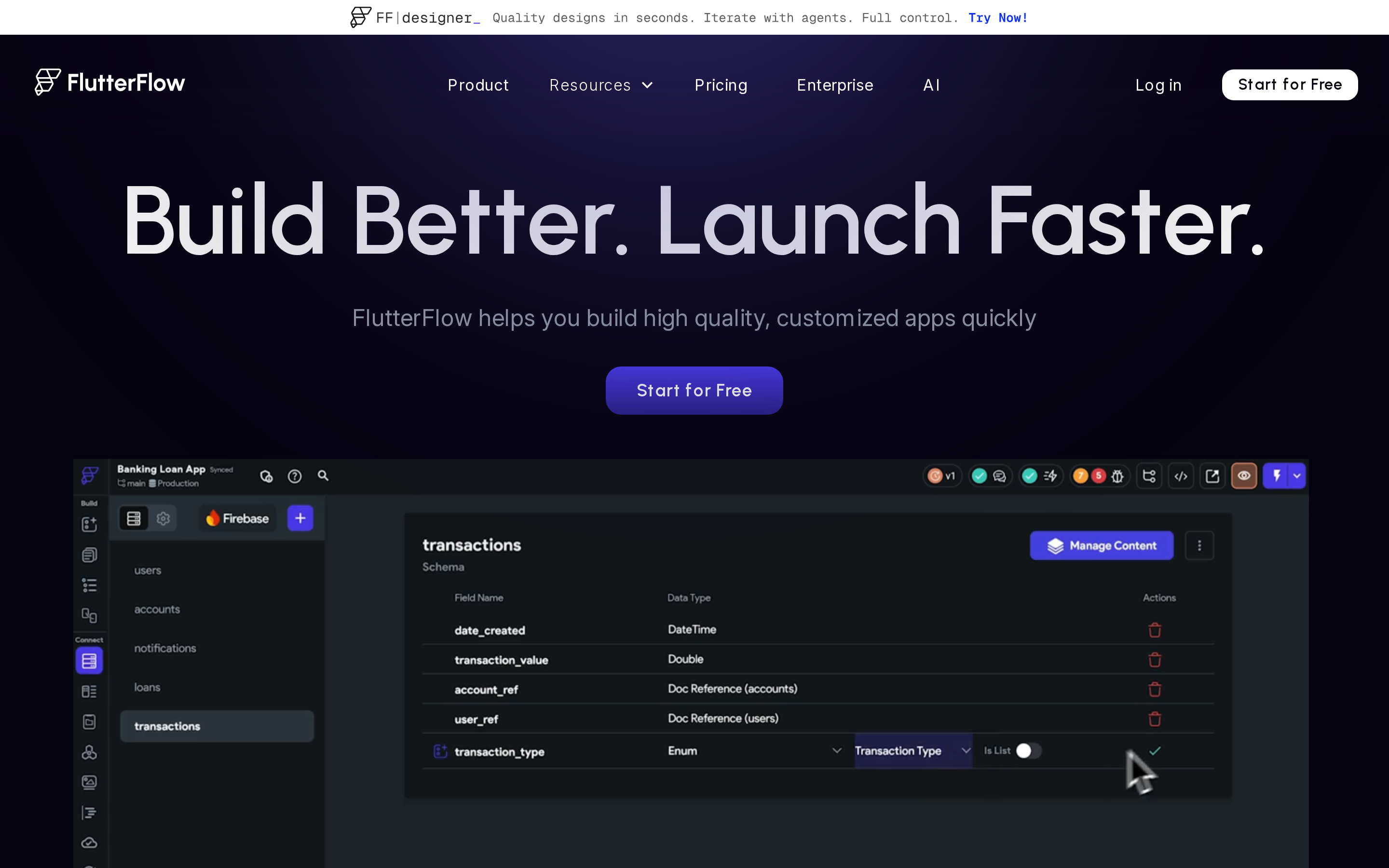
FlutterFlow offers more mobile-building depth than Lovable, but action flows, state, and data binding still require time to learn.
Where FlutterFlow fits
FlutterFlow is built for people who want visual control over a mobile app without starting in Xcode, Android Studio, or a blank Flutter repo.
Useful fit signals:
- Mobile-first projects: FlutterFlow supports iOS, Android, web, and desktop from one Flutter-based project.
- Visual UI work: The platform includes a library of 200+ pre-built UI elements.
- Rapid MVPs: Teams can assemble screens, data flows, and interactions before committing to a fully custom build.
- Developer handoff: Code export gives a Flutter developer a clearer starting point than a closed no-code canvas.
Why FlutterFlow goes deeper than Lovable
Lovable is focused on web apps built with React, Vite, Tailwind CSS, and Supabase. FlutterFlow starts from a different premise: build a cross-platform Flutter app visually.
That matters if the product needs mobile-specific structure from the beginning:
- Flutter output: The project generates Flutter and Dart rather than a web-first React codebase.
- Multi-platform deployment: FlutterFlow supports mobile and web deployment from one project.
- Direct publishing path: FlutterFlow supports direct deployment across mobile and web environments.
- More visible architecture: Screens, components, and action flows are managed inside a mobile app builder.
Before you build: Study FlutterFlow templates before customizing. The templates show how action flows are structured, which saves time before you build complex interactions.
Where FlutterFlow gets hard for non-coders
FlutterFlow has more moving parts than a prompt-first tool. The learning curve shows up in action flows, state, data binding, and debugging exported Flutter code.
Watch out: Code export reduces lock-in, but it does not remove handoff work. A developer still has to understand FlutterFlow's project structure before taking over.
Pricing and bottom line
FlutterFlow has a free tier for prototyping, but source code export and app store deployment require paid tiers.
Paid plans add AI requests, code export, and collaboration features at higher levels. Confirm the current plan table before budgeting around export or publishing access.
Bottom line: FlutterFlow gives visual builders more mobile structure than prompt-first tools. It rewards builders who can tolerate a learning curve to get more control.
Skip it if: You want a plain-English builder that handles native mobile publishing without learning a visual logic system.
FlutterFlow gives mobile teams a deeper visual system. Adalo is simpler: it trades depth for a faster drag-and-drop workflow.
7. Adalo
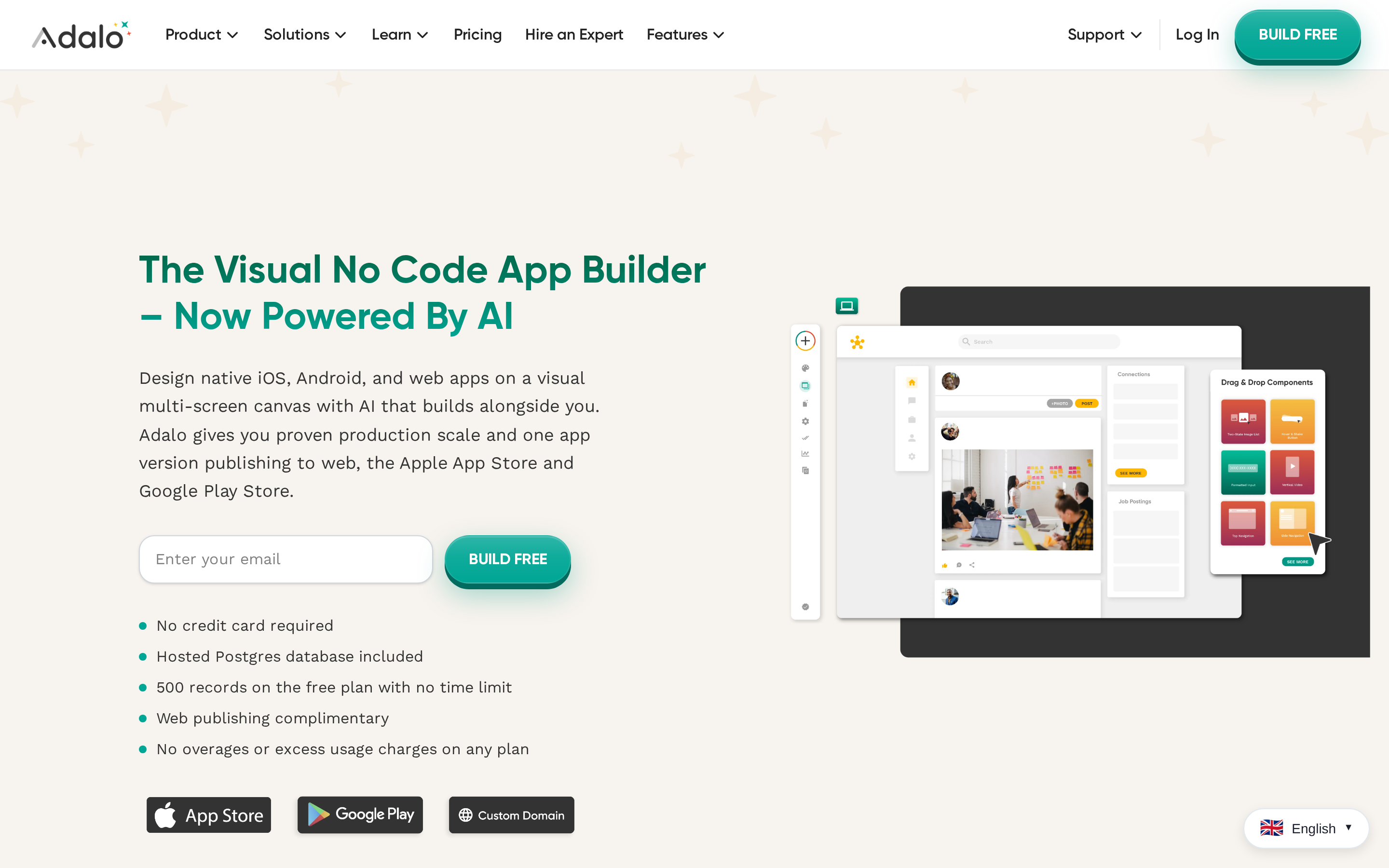
Adalo is a drag-and-drop no-code builder for database-driven apps. It can publish web apps and compile native iOS and Android apps from one visual build.
Adalo's clearest lane is simple app structure: screens, forms, user records, and database-backed workflows. It gets less convincing as the app needs deeper custom logic.
Where Adalo fits
Use the Adalo mental model when the app can be described as a set of screens connected to structured data.
Common use cases include:
- Internal directories: Staff, vendors, members, or customer records.
- Simple marketplaces: Listings, profiles, and submission flows.
- Booking workflows: Forms, status updates, and basic account areas.
- Community apps: Member profiles, content feeds, and lightweight admin tools. For a closer look at social features and app formats, explore no-code social media app builders.
Why visual builders compare it to Lovable
Adalo and Lovable solve different starting problems. Lovable turns prompts into web app code, while Adalo gives non-coders a visual canvas for building app screens and data models.
The useful comparison points are practical:
- Less code exposure: Adalo keeps the build inside the visual editor.
- Mobile packaging: Adalo can compile native iOS and Android apps from the same visual project.
- Database-driven flow: The builder is centered on records, forms, and app screens.
- Faster editing for simple apps: Small screen and content changes can happen without opening a code editor.
Where Adalo hits limits
Adalo is easier to understand than FlutterFlow, but that simplicity is also the ceiling. The more custom the app becomes, the more the visual model has to carry.
Watch out: Confirm Adalo's portability before building workflows you may later hand to a developer.
Pricing and bottom line
Adalo has a free tier for prototyping, but serious mobile publishing starts on paid plans. The free plan is build-only for app store work and includes a 200-record database limit.
Check publishing, seat, database, and app limits before comparing monthly costs.
Adalo is approachable for database-driven app ideas, especially when the product shape is already simple. It is not the same as owning a custom native codebase.
Skip it if: Your app needs custom native behavior, complex backend logic, or code ownership you can hand to a developer.
Adalo keeps the build visual. Bubble is the next comparison point when the workflow needs deeper web app logic.
8. Bubble
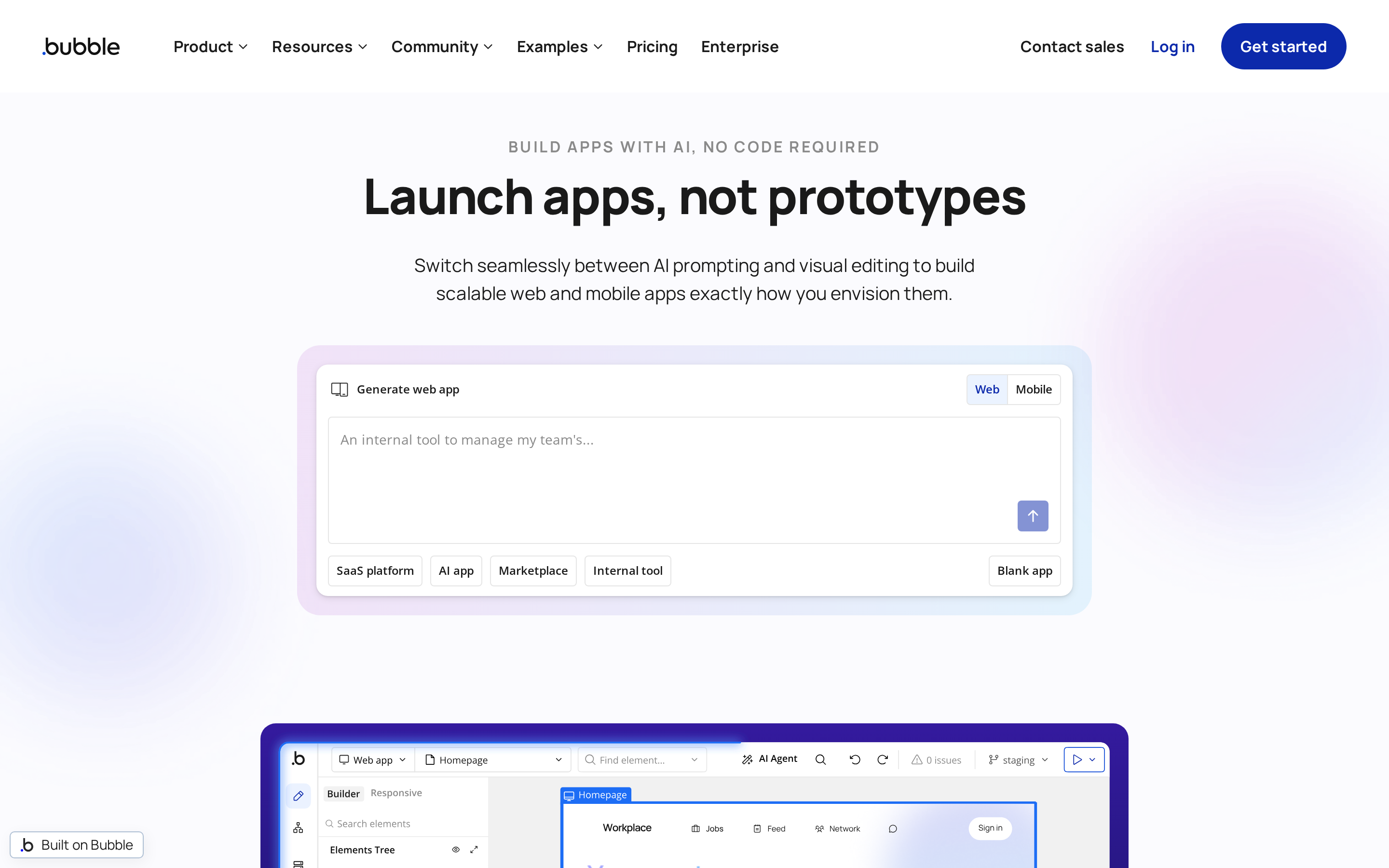
Bubble is a no-code web app builder for people who want to model data, screens, and logic visually. It is more flexible than a simple prompt-to-app tool, but that flexibility creates a real learning curve.
Where Bubble fits
Bubble makes sense when the product is a web app first, not a native iOS or Android app. Its visual editor, database, and workflow engine give builders more control over app behavior than template-first no-code tools.
Common Bubble use cases include:
- Customer portals with user accounts and permissions
- Marketplace-style apps with listings, profiles, and transactions
- Internal tools with custom approval flows
- SaaS prototypes that need web logic before mobile distribution
Why Bubble is a different bet than Lovable
Lovable starts with AI-generated React, Vite, Tailwind, and Supabase code. Bubble starts with a visual system that keeps the app inside Bubble's editor.
That difference changes the workflow:
- More visual control: Bubble gives non-coders direct access to pages, data types, and conditional workflows.
- Less code ownership: Bubble logic is built inside Bubble's platform rather than exported as a normal React codebase.
- More setup decisions: The builder needs to understand database structure, workflow order, privacy rules, and responsive layouts.
- Less AI-native iteration: Bubble is less chat-driven than newer AI app builders, so changes usually happen inside the visual editor and workflow system.
Before you build: Sketch your Bubble data types before building screens. Workflow problems often start when the database structure was guessed too early.
Where Bubble locks you in
Watch out: Logic built in Bubble's visual engine cannot be exported as a standard codebase. If the app outgrows Bubble, the rebuild can be closer to a rewrite than a migration.
Bubble has a mobile gap for non-technical builders who need native iOS and Android apps. It remains a web-app platform with mobile workarounds rather than a full native publishing path.
Bubble pricing and bottom line
Bubble has a free tier for building and testing with 50,000 workload units/month. Paid plans use monthly subscriptions, while usage depends on how much workload the app consumes.
That makes pricing harder to judge from the plan page alone. A logic-heavy Bubble app can become more expensive as workflows, database operations, and traffic increase.
Bubble can handle custom web app logic, but the depth comes with workflow complexity and platform lock-in.
Skip it if: You need a native mobile app, exportable production code, or a chat-first builder that handles the mobile publishing path.
Bubble handles complex web logic visually. Glide solves a narrower problem: turning structured data you already have into a usable app.
9. Glide
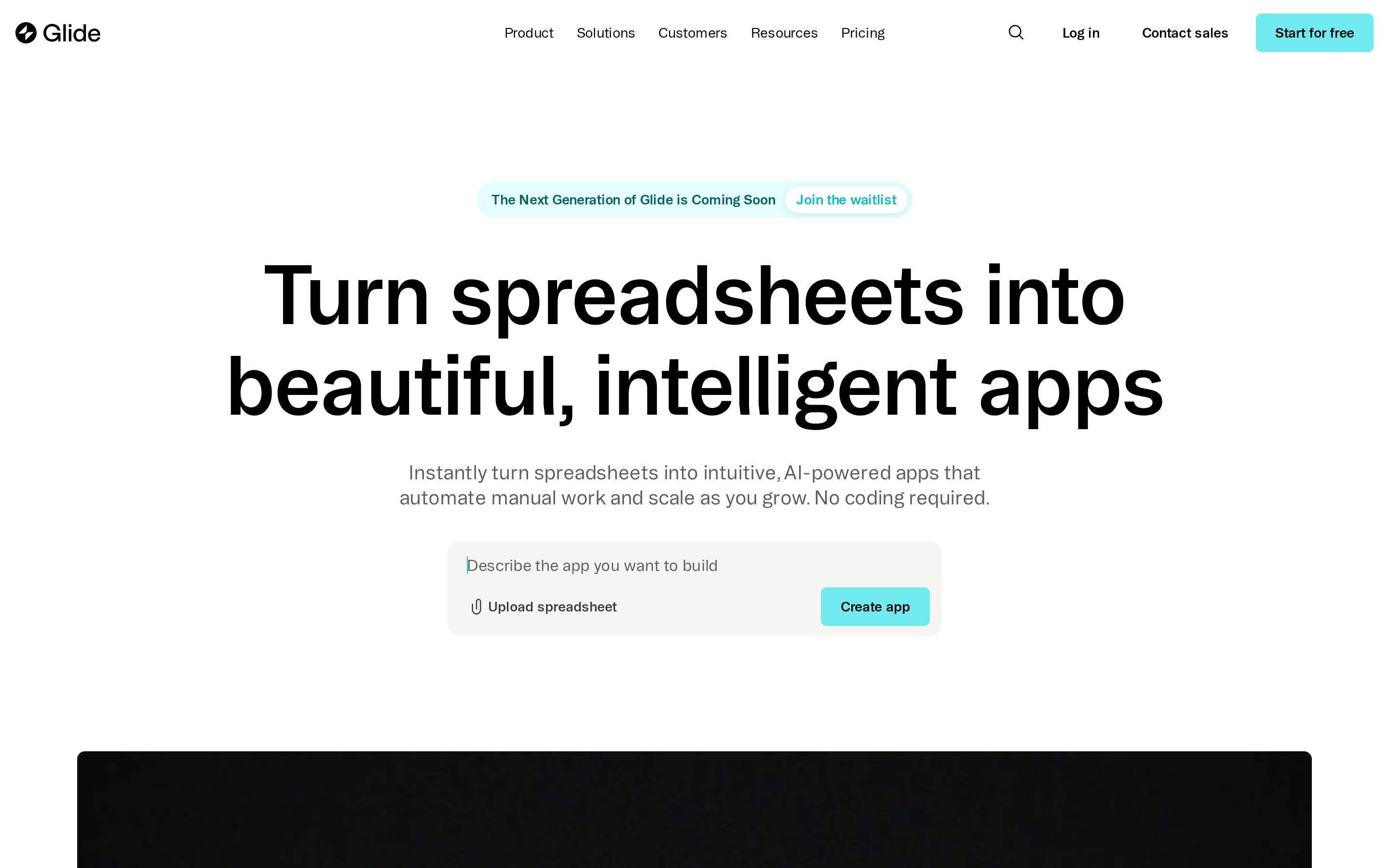
Glide is a no-code builder for turning structured data into internal apps and client portals. It is useful when the data already lives in Google Sheets, Excel, Airtable, or Glide Tables.
What Glide is actually built for
Glide is data-first. The app usually starts with rows, tables, permissions, and forms rather than a blank product prompt.
Good fits include:
- Internal directories
- Lightweight CRMs
- Field team checklists
- Simple approval tools
Why data-first teams compare it to Lovable
Lovable is closer to an AI web app builder. Glide is closer to a structured-data app layer.
That makes Glide easier to reason about for spreadsheet-heavy teams, but narrower for product builders who need custom logic, AI-driven generation, or native mobile publishing.
Where Glide stays narrow
Watch out: Glide's Business plan includes 5,000 updates/month at $199/month. Extra updates cost $0.02 each, so active data workflows can create overages quickly.
Glide apps are primarily Progressive Web Apps, not native App Store and Google Play apps. Glide also lacks the chat-driven mobile app generation flow that newer AI app builders use.
Glide pricing and bottom line
Glide's free tier is for learning and drafting:
- Unlimited drafts
- One editor
- Up to 25,000 rows
- No update allowance requirement
Business plan
The plan costs $199/month billed annually and includes 30 users plus 5,000 updates/month.
Business overages are listed as follows:
- Additional users: $5/month each
- Extra updates: $0.02/update
Glide is a focused option for data-backed internal apps. It is less convincing for teams trying to build a consumer mobile product from scratch.
Skip it if: You need native iOS and Android store apps, custom product logic beyond structured data, or predictable costs under high update volume.
That leaves the practical question: which Lovable alternative fits your project, budget, and publishing path?
Which Lovable alternative is right for you?
Lovable alternatives are not interchangeable. Start with what must happen after the first prototype works.
When the answer is App Store or Google Play, start building free before comparing long feature lists. Test the native preview, code ownership, and store workflow against your app idea.
Lovable is web-first, so the right choice depends on whether you need a browser app, a native mobile app, or a developer-owned codebase.
| Priority | Look at | Why |
|---|---|---|
| Native iOS and Android apps | Bilt, Rork, FlutterFlow, Adalo | Use this group when the output must run as a mobile app, not just a browser product. |
| Store build, signing, and publishing support | Bilt | Bilt uploads iOS builds for you to submit in App Store Connect and sends eligible Android builds to internal testing, with a possible manual first Play upload. |
| Full code ownership | Bilt, Replit, Bolt, Rork, FlutterFlow | These options support code export or direct access to the underlying codebase. |
| Non-technical web or SaaS apps | Bubble, Base44, Glide | These tools focus on visual workflows, managed backends, or spreadsheet-driven internal apps. |
| Developer AI coding workflows | Bilt, Replit, Bolt | Bilt's MCP API works with Claude, Cursor, and OpenClaw for agent-driven native apps. Replit and Bolt are closer to AI-assisted IDEs than no-code app builders. |
Quick decision path
- Native mobile app: Start with Bilt, or book a call if store submission is the part you are unsure about.
- Code access first: Compare Replit, Bolt, Rork, and FlutterFlow.
- Logic-heavy web software: Compare Bubble and Base44.
- Spreadsheet-backed internal app: Look at Glide.
If you need a real mobile app, narrow the list first.
Bilt is the clearest fit when the goal is a native iOS and Android app that can reach the App Store and Google Play.
Bilt builds React Native apps, gives you production-ready code, and covers the mobile-specific steps Lovable does not focus on.
Rork is mobile-first too. The sharp Bilt/Rork split is native modules plus App Store workflow: Bilt is built around both, while Rork's publishing path needs a separate verification step before launch planning.
If code ownership matters, avoid closed ecosystems.
Bilt, Replit, Bolt, Rork, and FlutterFlow belong on the shortlist when you want code export or direct codebase access.
FlutterFlow exports Flutter/Dart code to tools like VS Code or Android Studio. Replit and Bolt keep developers close to the underlying codebase.
Adalo, Bubble, and Glide keep apps inside their platforms. Base44 allows some export on paid tiers, but its backend infrastructure remains hosted on the platform.
That distinction matters once the app has real users. If the backend cannot be scaled or debugged outside the builder, migration can become painful.
If you are building web software, do not force a mobile-first tool.
- Bubble: Logic-heavy web apps with visual workflows, conditional logic, and role-based access.
- Base44: Managed web MVPs where backend logic stays inside the platform.
- Glide: Fast internal apps for teams already using Google Sheets, Excel, or Airtable as their data source.
If you are a developer, pick the workflow, not the label.
Replit gives you a cloud IDE, AI agent, direct codebase access, and deployment tools in one browser-based workspace.
Bolt gives developers more code visibility than visual builders, with AI-assisted full-stack scaffolding and browser editing.
Both tools make sense when the builder is comfortable reading and changing code.
When the guide points toward mobile, the next question is how much last-mile publishing work the tool handles.
Still weighing a packaged web app against a native build? The browser-app vs native breakdown explains where wrappers start falling short.
For builders who do not want to manage code, deployment, or store requirements, Bilt is the cleaner path for mobile. Bubble and Base44 are cleaner paths for web.
Why teams building real native apps choose Bilt over the rest
The decision comes down to the path from prompt to App Store.
Lovable can create a web prototype quickly. Bilt keeps going after the demo with native code, backend basics, previewing, signing, build generation, and store build upload and submission support in one workflow.
Bilt uploads the iOS build. You select it and submit it for review in App Store Connect.
Bilt keeps the mobile-specific steps together:
- Real native code: Bilt generates React Native source code, not a web wrapper dressed up as an app.
- Native modules: The app can use mobile-specific building blocks instead of being trapped in a browser-first stack.
- Talk your way to changes: You describe the screen, flow, or feature you want changed, and Bilt updates the app through conversation.
- Backend basics: Authentication, database, and storage are included, so the app is not just a polished frontend.
- Store workflow: Bilt builds, signs, and uploads the iOS build to App Store Connect. You attach it to the version and submit it for Apple’s review. For Android, Bilt builds the
.aaband can send eligible releases to Google Play’s internal testing track, although the first Play release may require a manual upload. - Support: Bilt offers Discord, email, and chat support, with priority support included on higher-tier plans.
Bilt can generate a first working app in minutes and show it in an in-browser preview.
App Store readiness takes longer because you still need the Apple account setup, signing details, store listing, build processing, and review submission.
For teams where done means a native app in the App Store, the build path needs to include previewing, signing, and submission.
You can start building free and preview a working app in minutes. Free to start, no credit card.
Why not use Lovable?
Lovable is useful for fast prototypes, landing pages, and simple web apps.
It becomes risky once you need production-grade traffic handling, custom backend logic, or long-term maintenance.
The main issues show up after the first demo works:
- Load problems: Documented tests found Lovable apps failing at as few as 10 concurrent users, with authentication failures, database timeouts, and memory leaks.
- Backend limits: Lovable leans heavily on Supabase integration, rather than giving you a flexible backend layer for custom databases, auth rules, and business logic.
- Technical debt: Developers report generated code that becomes harder to scale or refactor as the app grows.
- Export friction: Moving from Lovable's managed setup to independent infrastructure can create technical errors and extra cleanup work.
Lovable uses a credit-based model: the Pro plan includes 200 messages per month for $50, and unused credits do not roll over, according to Lovable docs.
Lovable's credit model is worth checking before you commit to a workflow with frequent build iterations.
Is there a free Lovable?
Yes. Lovable has a free tier, but the 5-message-per-day limit makes it better for testing the tool than building a complete app.
Lovable's free tier works for small experiments:
- A landing page generation can cost 2 credits.
- A small styling edit can cost 0.5 credits.
- The Try to fix bug button is free.
- Unused free credits do not roll over, based on Lovable plans.
That means a normal build session can run out quickly. A few screen changes, styling edits, and bug-fix attempts can use the daily allowance before you finish the app flow.
Free alternatives exist, but each one has a tradeoff:
| Tool | Free option | Main catch |
|---|---|---|
| Dyad | Open-source desktop app | Bring your own API key |
| Replit | Unlimited public Repls | AI features require paid plans |
| Bolt.new | Roughly 150K AI tokens/month | Limited for full app builds |
| Glide | Unlimited drafts, 1 editor, 25K rows | Built for learning and drafting |
| Adalo | Unlimited apps | 200 records per collection |
Free tiers are useful for comparing workflows. Plan on upgrading once you need a working MVP, private projects, custom branding, or enough AI usage to iterate without stopping.
Is Lovable better than WordPress?
No. Lovable and WordPress solve different problems: Lovable is for AI-generated web app prototypes, while WordPress is for content-driven websites that need publishing, SEO, plugins, and long-term site management.
Use Lovable when you want to quickly test an interactive product idea. A founder might use it for a job board MVP, internal tool, waitlist app, or simple SaaS prototype.
Use WordPress when the website is built around content and ongoing publishing:
- Blog posts and landing pages
- SEO pages and comparison content
- E-commerce with plugins
- Forms, memberships, and gated content
- Editorial workflows with multiple contributors
WordPress powers over 40% of websites and has 59,000+ plugins. That ecosystem matters when the site needs stable content management, search features, analytics, and integrations over several years.
Lovable's strength is speed. It can turn a prompt into a working web app in minutes, which makes it useful for early-stage idea testing.
The tradeoff is production readiness. Lovable projects can accumulate technical debt, export errors, and scaling problems as they grow.
Choose Lovable for an interactive web app prototype. Choose WordPress for a content-driven site with ongoing publishing, plugins, and SEO.
| Need | Better fit |
|---|---|
| Prototype an app idea quickly | Lovable |
| Publish and manage content long term | WordPress |
| Build plugin-based SEO or e-commerce sites | WordPress |
| Test a simple SaaS workflow before hiring developers | Lovable |
| Maintain a production business website for years | WordPress |
Neither Lovable nor WordPress gets a native app into the App Store. When the goal is a published mobile app, Bilt is the cleaner starting point than building in a web tool and rebuilding later.
When mobile is the goal, start building free before you spend time rebuilding a web prototype for iOS and Android.
What is the best Lovable alternative for mobile apps?
Bilt fits non-technical builders who want native iOS and Android apps with help through store publishing.
- Bilt: Native mobile output and an assisted App Store and Google Play workflow.
- Rork: Prompt-generated React Native and Expo projects with source export, but release happens through external tools.
- FlutterFlow: A visual Flutter builder for users who prefer designing screens and flows directly.
- Adalo: A fit for simpler apps built around database-driven workflows.
Choose based on who will handle signing, testing, store metadata, and review responses, not only on whether the tool can create mobile-looking screens.