Adalo makes it easy to build a mobile app without code. Teams often outgrow it when apps become more complex or code ownership starts to matter.
This guide compares 10 Adalo alternatives by output, technical skill, backend, publishing support, and price. Bilt.me is included for builders who want a native app and store deployment in one workflow.
Why teams look for Adalo alternatives
Teams leave Adalo for a few predictable reasons:
- Scaling limits — teams commonly report performance issues once Adalo apps become more complex or usage grows
- Complex logic limits — multi-step workflows and advanced permission controls push against the platform's ceiling fast
- No code export — everything built on Adalo stays on Adalo's infrastructure, in their format
- Vendor dependency — backend, data, and logic all live in one place, raising questions about long-term pricing stability and roadmap direction
Adalo supports web publishing alongside iOS and Android. Its Responsive Apps can target mobile, tablet, and desktop layouts. But if you outgrow the platform, you're not migrating. You're starting over.
FlutterFlow and Draftbit take the opposite approach. FlutterFlow exports clean Dart/Flutter code. Draftbit exports TypeScript React Native. Both FlutterFlow and Draftbit give you full ownership of the code you build.
If budget is part of that decision, see our breakdown of Adalo pricing.
How to choose an Adalo alternative
Start with the output you need to ship.
The first choice: do you need a true native app, a PWA, or a web app?
#1: True native app vs. PWA vs. web app
Native apps compile to iOS and Android binaries, access device hardware (camera, push notifications, GPS), and require App Store and Google Play distribution. PWAs are websites that can be pinned to a home screen but run inside a browser with limited hardware access. Web apps don't leave the browser at all.
Adalo uses a hybrid approach and does not export native source code. It can publish to iOS and Android, but you cannot take the codebase elsewhere.
| Output type | App Store access | Offline support | Device features | Setup complexity |
|---|---|---|---|---|
| Native app | Yes | Yes | Full (camera, GPS, push notifications) | Higher |
| PWA | No | Partial | Limited | Low |
| Web app | No | No | Minimal | Lowest |
#2: How much technical skill does the tool actually require?
These tools span a wide range. Glide, Thunkable, Appy Pie, AppMySite, and GoodBarber are built for non-technical users with no coding background. FlutterFlow and Draftbit lean low-code: they generate exportable Flutter or React Native code and reward users who are comfortable reading and editing it.
#3: Does the tool include a backend, or do you need to bring your own?
Bubble and Appy Pie bundle a full backend: database, workflow logic, authentication, and hosting included. Draftbit and GoodBarber focus on the frontend and require you to connect external services like Supabase, Firebase, or Xano.
If you're non-technical, a built-in backend eliminates a whole category of setup complexity.
#4: Does the tool handle App Store submission, or is that on you?
GoodBarber's GBTC service manages the full submission process, including code signing and store review. Bilt.me automates build generation and submission to both Apple and Google Play. Thunkable, AppMySite, and Appy Pie offer guided submission support, but you'll still need to set up your own Apple Developer ($99/year) and Google Play ($25 one-time) accounts.
If you've never worked in App Store Connect, end-to-end submission handling is worth paying for.
#5: What pricing model fits your budget?
Entry-level pricing varies more than you'd expect across these tools:
- Adalo baseline: Adalo's Solo paid plans run $36-$52/month before developer account fees, so compare alternatives against both subscription price and publishing costs.
- Per-app plans: Appy Pie ($16/month annual) and Thunkable ($19/month) charge per app regardless of users
- Per-seat pricing: FlutterFlow ($39/seat/month) and Bubble ($59/month) scale costs with team size
- Usage-based overages: Bubble charges workload-based overages, so costs can rise as workflows and traffic increase
- High-entry agency tools: Buildfire starts at $315/month with no free tier
- Feature-gated publishing: Glide's free plan removed publishing support after October 2025; the Business plan starts at $199/month
Check which tier includes App Store publishing before committing. Several tools lock it behind a higher plan.
Before picking a tool, check these 5 things:
- Output type — native app, PWA, or web app
- Backend ownership — built-in or bring your own
- Code export — can you take the code elsewhere
- Store submission support — guided, automated, or entirely on you
- Pricing model after launch — per seat, per app, or usage-based
Pro tip: Price the second month, not the first.
The 10 best Adalo alternatives in 2026
These 10 alternatives solve different parts of the Adalo tradeoff. The key differences are native output, code ownership, backend depth, and how much of the publishing process each tool handles.
1. Bilt.me ✨
Describe your app idea in plain English. Bilt builds a real native app for iOS and Android, then handles code signing and store submission.
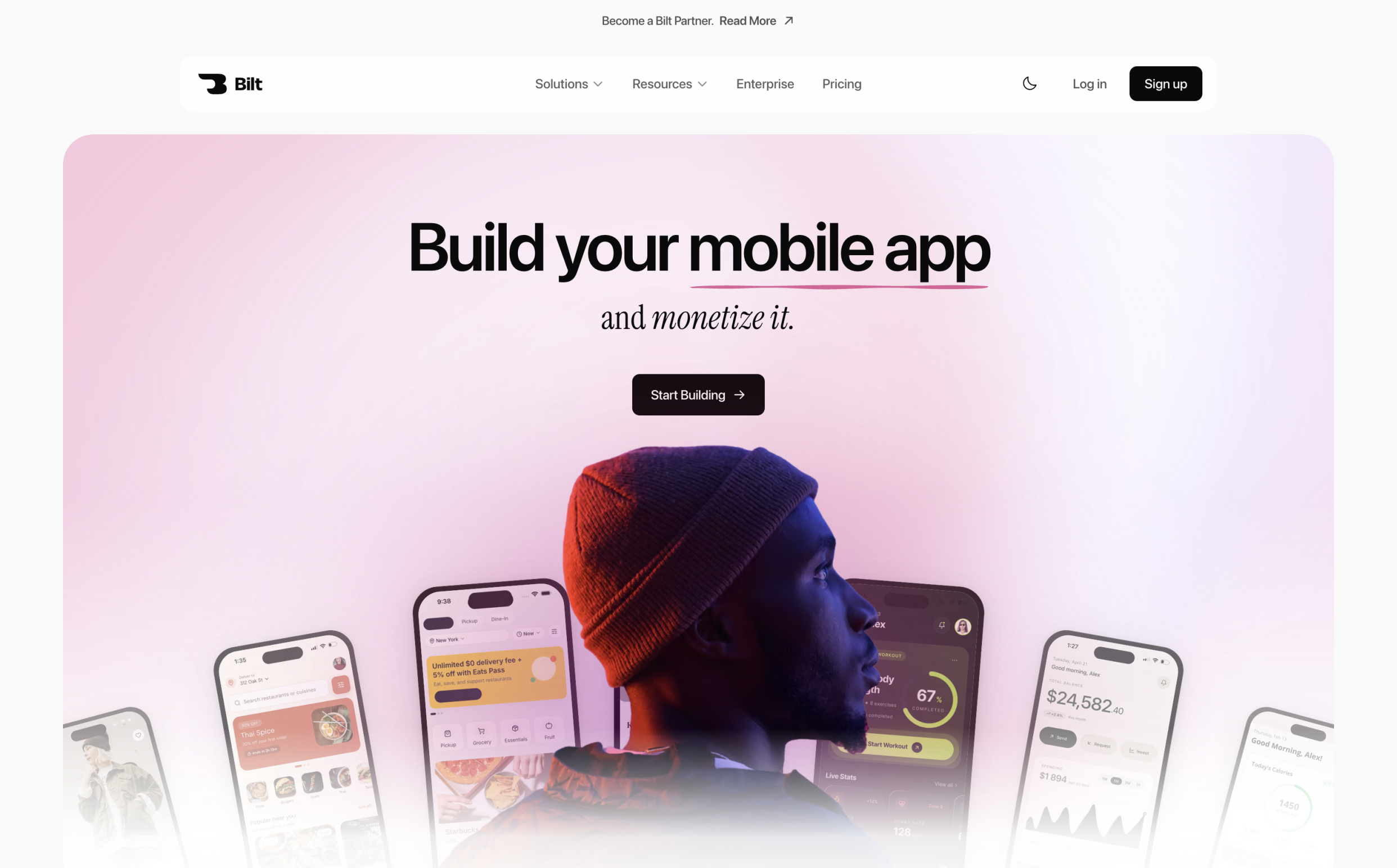
Bilt also handles backend setup and code signing between the first prompt and launch.
- app screens and flows
- native features like push notifications, GPS, camera, subscriptions, and paywalls
- App Store and Google Play setup
- launch help so you can publish and earn when your app is ready
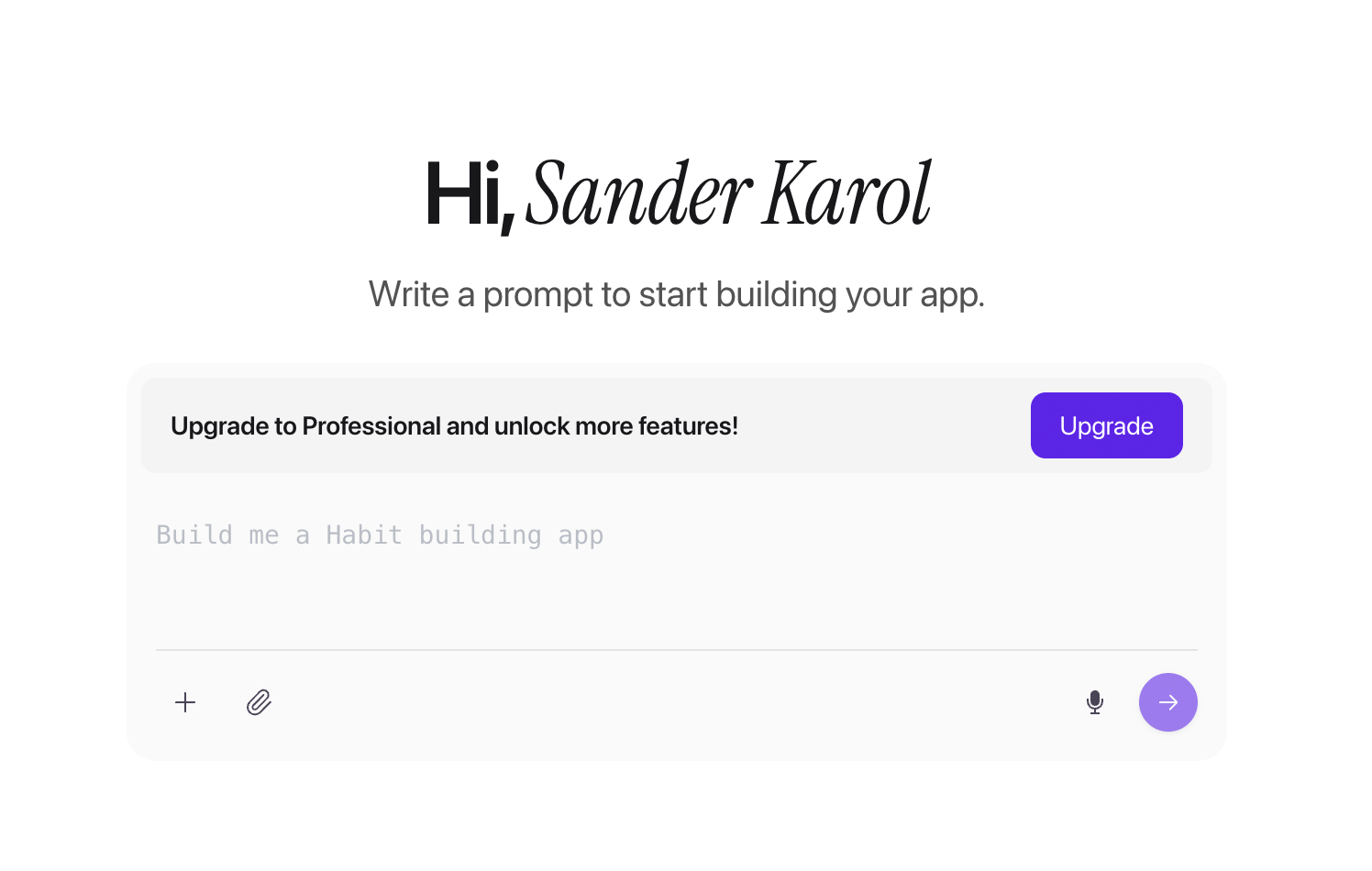
Example: describe a habit tracker with streaks, reminders, and subscriptions. Bilt can turn that prompt into a working iOS and Android app without Xcode, Android Studio, or code.
Best for: Non-technical founders, vibecoders, and first-time builders who want to launch a real native app without learning code. Bilt is especially useful for:
- Builders with a clear app idea and no technical background
- Vibecoders who want to describe changes instead of dragging components around a canvas
- Creators who want to add subscriptions, paywalls, or paid features and publish on iOS and Android
Why it's a good Adalo alternative
- Real native apps for iOS and Android. Bilt builds apps that are made for both mobile platforms, not web pages wrapped to look like apps.
- No code needed. Tell Bilt what you want to build or change. Bilt handles the app work behind the scenes.
- App-store steps handled for you. Bilt helps prepare your app for Apple and Google Play, so you do not have to figure out store setup alone.
- Easy previews before launch. Test your app in the browser or scan a QR code to try it on your phone.
- Built for launch, not just tinkering. Bilt can help you add mobile features like push notifications, subscriptions, and paywalls before you publish.
Where it falls short
- The free tier has lower usage than paid plans. It includes 3M monthly AI tokens, so paid tiers give you more room for ongoing iteration.
- Bilt is mobile-first. It builds iOS and Android apps, while FlutterFlow covers web and desktop output too.
- Bilt prioritizes conversational iteration over pixel-by-pixel canvas control. You describe the app and its changes instead of manually placing every component.
- Some team features require a conversation. SSO, isolated AI processing, and group-based access control are available, but you need to contact the Bilt team instead of setting them up yourself.
Pricing
Current Bilt plans include:
- Free: 3M monthly AI tokens, roughly 12–30 prompts depending on complexity
- Professional: $25/month with 10M tokens, roughly 40–100 prompts depending on complexity
- Professional Plus: $50/month with 20M tokens, roughly 80–200 prompts depending on complexity
Annual billing saves 2 months.
The free plan is best for trying an idea. The paid plans are the better fit when you want to keep making changes, add monetization features, and prepare the app for launch.
Need help planning the mobile build? Book a free call.
2. FlutterFlow
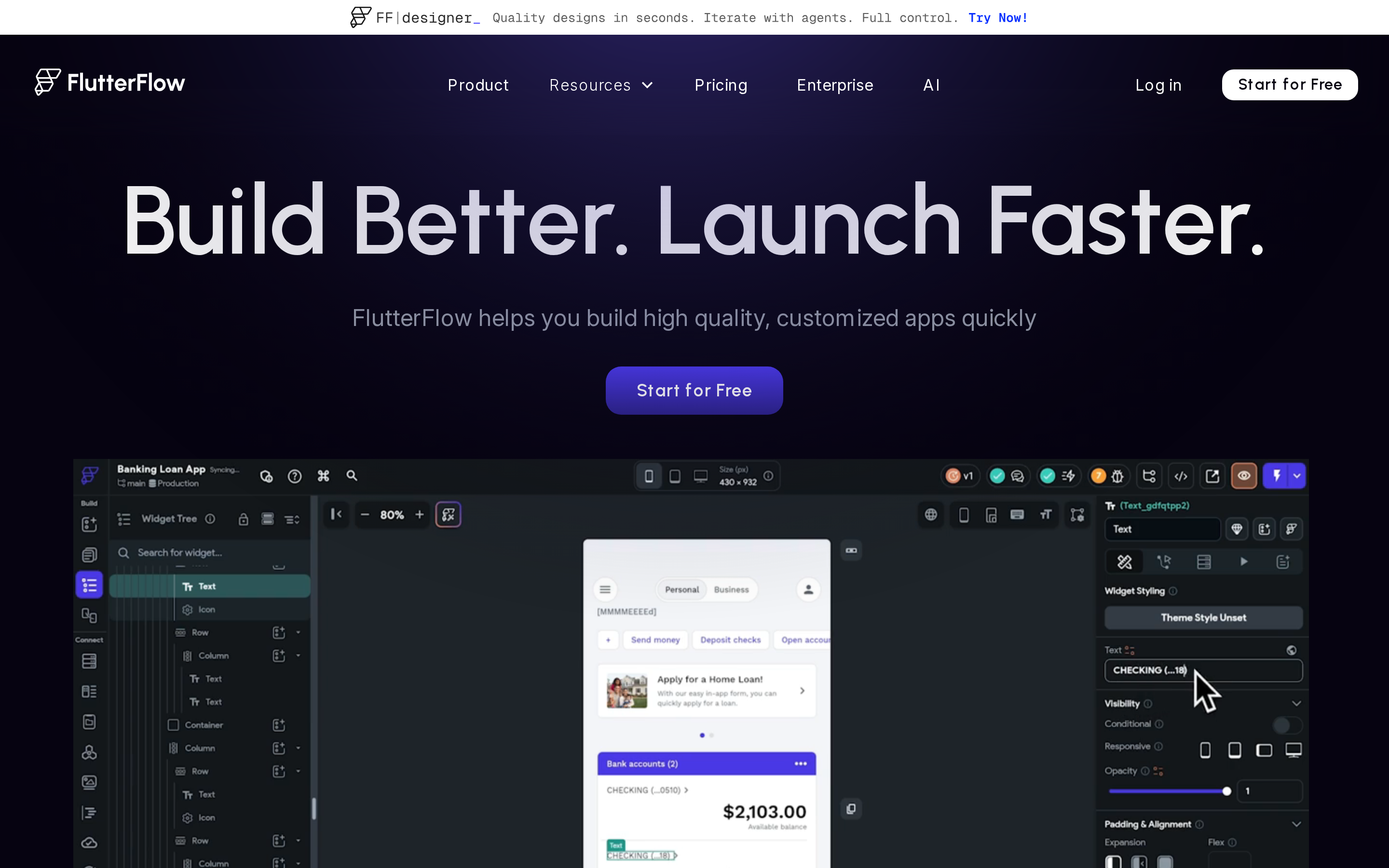
FlutterFlow sits between Adalo's drag-and-drop simplicity and hiring a full Flutter developer. It gives you a visual builder that generates real Dart/Flutter code, so you're not locked into a proprietary runtime the way you are with most no-code tools.
FlutterFlow exports Dart code and integrates with GitHub and VS Code. That setup is built for teams that want to own and extend the codebase from day one.
Best for
FlutterFlow suits solo developers, small teams, and startups that want visual speed with code ownership.
Typical projects include:
- SaaS MVPs
- Customer portals
- Marketplace apps
- Internal dashboards with custom workflows
FlutterFlow is accessible at the surface level, but custom Dart widgets and complex workflows require technical knowledge. Thunkable and Glide use simpler no-code interfaces.
How it compares with Adalo
| Feature | FlutterFlow | Adalo |
|---|---|---|
| Code export | Dart, GitHub and VS Code integration | None, platform locked |
| Output types | iOS, Android, web, desktop | iOS, Android, responsive web |
| Backend options | Firebase, Supabase, external APIs | Adalo database, limited external |
| GitHub access | Yes, on paid plans | No |
Code ownership is FlutterFlow's clearest difference from Adalo. The main differences are:
- Code export: Dart code with GitHub and VS Code integration. You own the output and can move it outside FlutterFlow.
- Multi-platform output: iOS, Android, web, and desktop from a single codebase. One-click publishing to the App Store and Google Play is included on paid plans.
- Backend integrations: Firebase and Supabase are natively supported with no extra setup. External APIs unlock on paid plans.
- DreamFlow AI: Text-to-app AI ships on all paid plans, with 50 to 500 requests per month depending on tier.
A typical FlutterFlow setup looks like this: design screens, connect Firebase or Supabase, add logic, test builds, then export or publish.
That combination gives teams a visual build process without giving up code ownership after the MVP stage.
Where it falls short
That flexibility comes with more setup work, especially once the app needs custom logic or a nonstandard backend.
Common mistake: teams assume visual building means zero-code, then stall when custom actions or backend structure get more technical.
For non-technical users, FlutterFlow functions more like low-code than true no-code. Custom logic, Dart widgets, and advanced workflows require skills that simpler visual builders do not.
FlutterFlow's backend workflow centers on Firebase and Supabase. Teams using another backend must maintain that service separately, while Bubble includes its database and workflow engine in the platform.
FlutterFlow's 2025 plan overhaul added project limits and concurrency limits on builds. The changes drew significant backlash from existing users, with "ripoff" complaints surfacing widely in the FlutterFlow community.
Pricing
FlutterFlow has a free plan limited to 2 projects; paid plans start at $39/seat/month (Basic).
Still weighing the tradeoff? Our FlutterFlow alternatives guide compares where other builders fit better.
- Free: $0/seat/month, 2 projects, 50 AI requests/month, no code export
- Basic: $39/seat/month, code and APK download, 100 AI requests/month
- Growth: $80+/seat/month, up to 300 AI requests/month, advanced features
- Business: $150+/seat/month, 500 AI requests/month, priority support
- Enterprise: Custom pricing, SSO, dedicated support
3. Glide
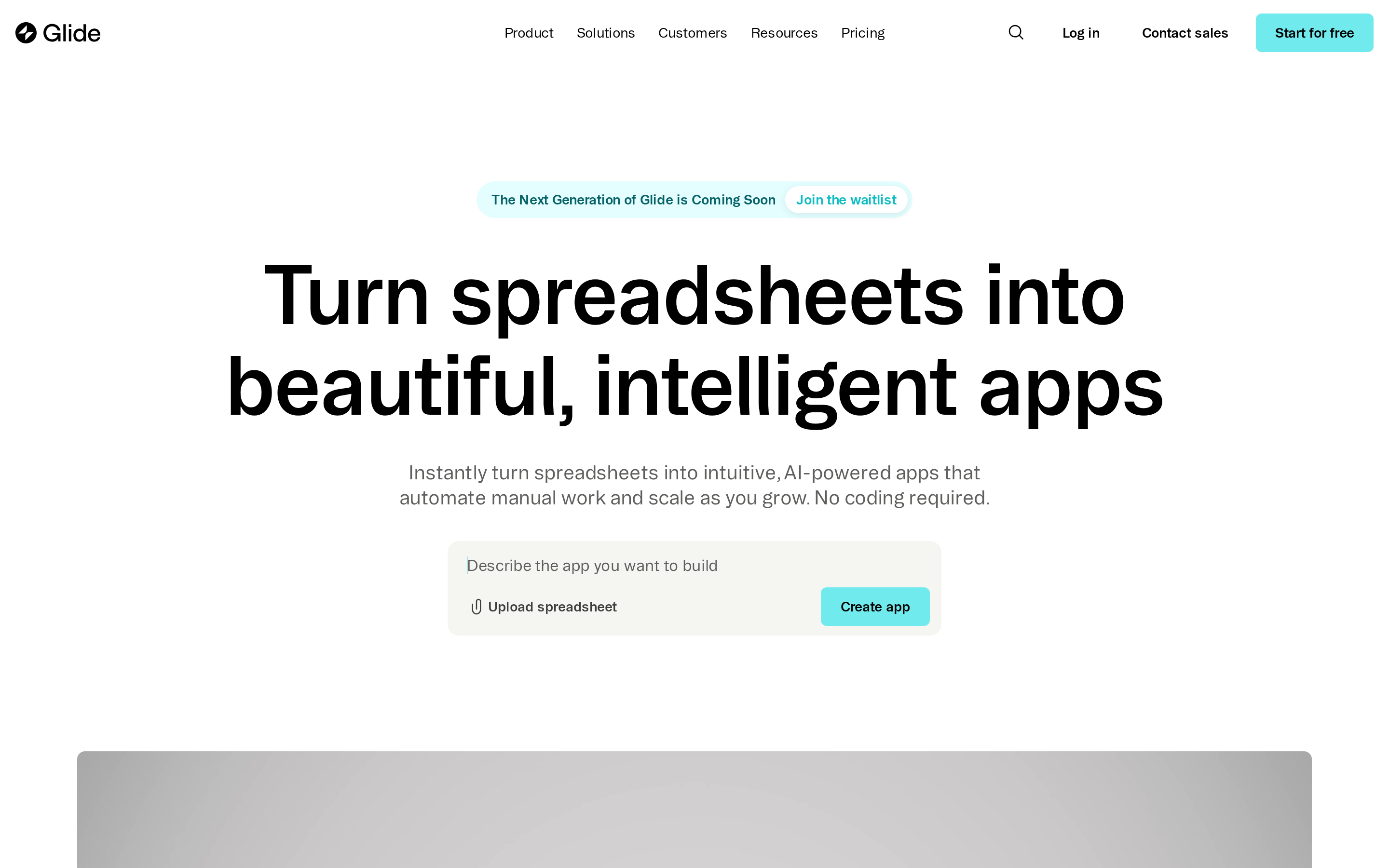
Glide can turn data from Google Sheets or Airtable into a working internal app without rebuilding the data layer.
Glide connects spreadsheet-driven apps to 100+ live sources, including Google Sheets, Excel, Airtable, SQL, and CRMs. It produces responsive PWAs rather than native App Store or Google Play binaries.
Best for
Glide suits non-technical teams and SMBs building from existing spreadsheet data.
Typical projects include:
- Sales CRMs
- Field-service trackers
- Inventory tools
- Approval dashboards for internal operations
Thunkable and Appy Pie produce iOS and Android apps. Glide focuses on data-driven internal tools delivered as PWAs and web apps.
Why it's a strong Adalo alternative
Glide uses connected data sources as the app's live database.
Its advantages over Adalo come down to four areas:
- Live data sync: Connects to Google Sheets, Excel, Airtable, SQL, and CRMs as live sources, scaling to 10 million rows with no backend setup required.
- Speed of delivery: An existing spreadsheet becomes a functional, data-centric app in minutes. No design or coding skills needed.
- AI automations: Built-in AI agents handle data extraction and content generation. UI components can also be generated from chat prompts.
- Low setup burden: Connect an existing data source and build the interface without configuring a separate backend.
Where it falls short
Glide's main constraints appear once a project moves beyond an internal spreadsheet-based tool.
Glide works best for internal tools. It gets limiting when you need:
- Native publishing: Glide produces PWAs and web apps only. No binary output to the App Store or Google Play. FlutterFlow, Draftbit, or Thunkable handle that.
- Complex logic: Glide is constrained by spreadsheet structures. Bubble takes a different approach with a relational database, workflow engine, and plugin ecosystem.
- Lower-cost publishing plans: The free Explorer plan dropped publishing support after October 2025. The next step is $199/month with no mid-tier option. Costs can rise quickly as usage scales.
Pricing
At $199/month, Glide's Business tier is one of the higher starting prices in this article. Thunkable's Builder plan starts at $59/month; Appy Pie's Basic starts at $16/month.
- Explorer (Free): $0/month, no publishing after October 2025, row and storage limits apply
- Business: From $199/month, PWA and web publishing, usage-based user/update/row limits
- Enterprise: Custom pricing, PWA and web publishing, isolated AI processing, SSO
4. Bubble
Bubble is a full-stack no-code platform for building complex web and native mobile apps with a built-in database, workflow engine, and 8,000+ plugins.
Bubble focuses on backend logic, with its database and workflows living in one platform. Mobile polish is a secondary consideration.
The shared database and workflow engine support marketplaces, client portals, and two-sided SaaS products with connected user roles and approval steps.
Best for
Bubble is built for non-technical founders and agencies creating data-heavy products.
Typical projects include:
- Client onboarding portals with approval steps
- Two-sided marketplaces
- Subscription SaaS dashboards
- Internal operations tools
Why it's a strong Adalo alternative
Compared with Adalo, Bubble includes a full-stack backend, visual workflow automation, a large plugin ecosystem, and native iOS and Android publishing through React Native.
Bubble includes a built-in relational database, workflow automation engine, and user authentication with no external services required. Draftbit, by contrast, is backend-agnostic and requires you to bring your own services like Supabase or Firebase.
Bubble's plugin library covers payments, APIs, charts, authentication, and third-party integrations.
Bubble publishes native iOS and Android apps via React Native, sharing a single backend. It also produces responsive PWAs by default, making it a fuller-stack option than mobile-only tools like Thunkable.
Where it falls short
Bubble has a steep learning curve, especially for users coming from Glide or Thunkable.
Glide and Thunkable use simpler interfaces for early-stage MVPs, while Bubble requires more time to learn its database and workflow model.
Bubble has no code export, meaning apps cannot be migrated off the platform. Bubble charges workload-based overages, so costs can rise as workflows and traffic increase.
Performance can also lag for very large apps, which compounds the WU cost problem at scale.
Pricing
Bubble starts at $59/month for Starter, but workload overages can push the real cost higher.
- Free ($0): Web prototyping only; no native mobile deploys
- Starter ($59/month): Moderate traffic, basic workflows, and early-stage products
- Growth ($209/month): More workload units, AI Page Builder (beta), room to scale
- Team ($549/month): Up to 20 builds/month, collaboration features
- Enterprise (custom): Custom workload units, SLA, and security controls
Pro tip: Model workload-heavy actions early. Search, scheduling, and bulk updates can change Bubble costs fast once users pile in.
5. Draftbit
Draftbit is a hybrid no-code/low-code mobile app builder that exports production-ready React Native code with full code ownership.
Draftbit is closer to FlutterFlow than Adalo. You get real React Native code you can export, keep, and keep building on.
Best for
Draftbit is for agencies and technical teams that want visual building with React Native code ownership.
Typical projects include:
- Client apps
- Field-service tools
- Multi-tenant SaaS MVPs
- Internal dashboards that developers may extend later
Why it's a strong Adalo alternative
Draftbit's main advantage over Adalo is code ownership. Teams can build native mobile apps visually, then export React Native code as their product grows.
Draftbit generates real TypeScript React Native code, exportable to GitHub or as a ZIP file. Adalo offers no code export at all. With Draftbit, you can hand the codebase to a developer or migrate to a fully custom stack without starting over.
Draftbit builds production-ready native iOS and Android apps via React Native and Expo, with one-click publishing to the App Store and Google Play. Custom domains and mobile publishing are available on Standard and higher plans, with expert store submission services on request.
Draftbit's multi-agent AI covers prompt-to-app generation across screens, logic, and bug fixing, using models from Claude, GPT, and Gemini.
Where it falls short
Draftbit requires an external backend. It is also more technical than pure no-code tools, so teams need more setup time.
Draftbit has no built-in database or backend. Teams must connect and manage services such as Supabase, Firebase, or Xano; Bubble includes its database and workflow engine.
Pricing
Draftbit starts with a free plan at 10,000 AI credits/month. Standard, Pro, and Team pricing is publicly listed, making it straightforward to evaluate against alternatives.
FlutterFlow starts at $39/seat/month. Draftbit charges by AI usage rather than seat, so monthly costs depend more heavily on how often the team generates and revises the app.
- Free ($0/month): 10,000 AI credits; no custom domain or mobile publishing
- Standard ($20/month): Mobile and custom domain publishing included
- Pro ($40/month): More credits; suited for growing teams
- Team ($200/month): Team collaboration features
- Enterprise (custom): Custom credits, security, SSO
6. Thunkable
Thunkable is a no-code native iOS and Android app builder with AI prompt-to-project generation, visual logic blocks, and one-click publishing.
Thunkable targets non-technical solopreneurs, designers, students, and early startups. It compiles iOS and Android binaries with access to device features such as the camera and sensors.
Best for
- Non-technical solopreneurs and students building a first native mobile MVP — the AI Builder generates a full project from a text prompt with no coding required.
- Designers and early-stage startups that need real device testing and one-click publishing without managing a CI/CD pipeline or hiring a developer.
- Builders moving beyond web-only tools like Glide who want true iOS/Android binaries with camera, GPS, and sensor access from day one.
Why it's a strong Adalo alternative
Thunkable's workflow takes non-technical builders from an AI-generated project to store submission in one platform.
Thunkable compiles to native iOS and Android binaries, giving apps access to device hardware like camera, GPS, and sensors that web-view-based apps can't reliably reach. Builders can test on real physical devices before publishing, which closes the gap between prototype and production.
Thunkable's AI Builder generates a full app project from a natural language prompt. Token limits range from 2,000/month on Free to 100,000/month on Advanced plans. Visual logic blocks handle conditional workflows without writing any code, making complex behavior accessible to non-developers.
Thunkable supports direct publishing to the Apple App Store and Google Play from within the platform. Expedited publishing is available on paid plans, reducing the time between a finished build and a live listing.
Where it falls short
That native output comes with real tradeoffs, especially for teams thinking past the MVP stage.
Thunkable uses visual logic blocks to produce native binaries but does not export full React Native code. There's no GitHub integration and no supported migration path, so if you outgrow the platform, rebuilding elsewhere means starting from scratch.
Thunkable uses visual logic blocks and API connections for simple to mid-complexity apps. Bubble uses a built-in database and plugin ecosystem for full-stack SaaS and marketplace workflows.
Thunkable's one-click publishing requires separately purchased developer accounts: Apple Developer at $99/year and Google Play at $25 one-time. First-time publishers need to budget for both and factor in account verification time before going live.
Pricing
Thunkable starts free and scales to $189/month on Advanced, with Enterprise pricing on request.
- Free: $0/month, 2,000 AI tokens/month, limited live apps
- Accelerator: $19/month, included tokens, entry publishing
- Builder: $59/month, included tokens, expedited publishing
- Advanced: $189/month, 100,000 AI tokens, full AI access
- Enterprise: Custom pricing, unlimited live apps
The AI token system means heavy Builder use on Free or Accelerator hits limits fast. Budget for both Apple Developer ($99/year) and Google Play ($25 one-time) on top of any plan.
If those tradeoffs are already a dealbreaker, this Thunkable alternatives guide maps the strongest next options.
7. GoodBarber
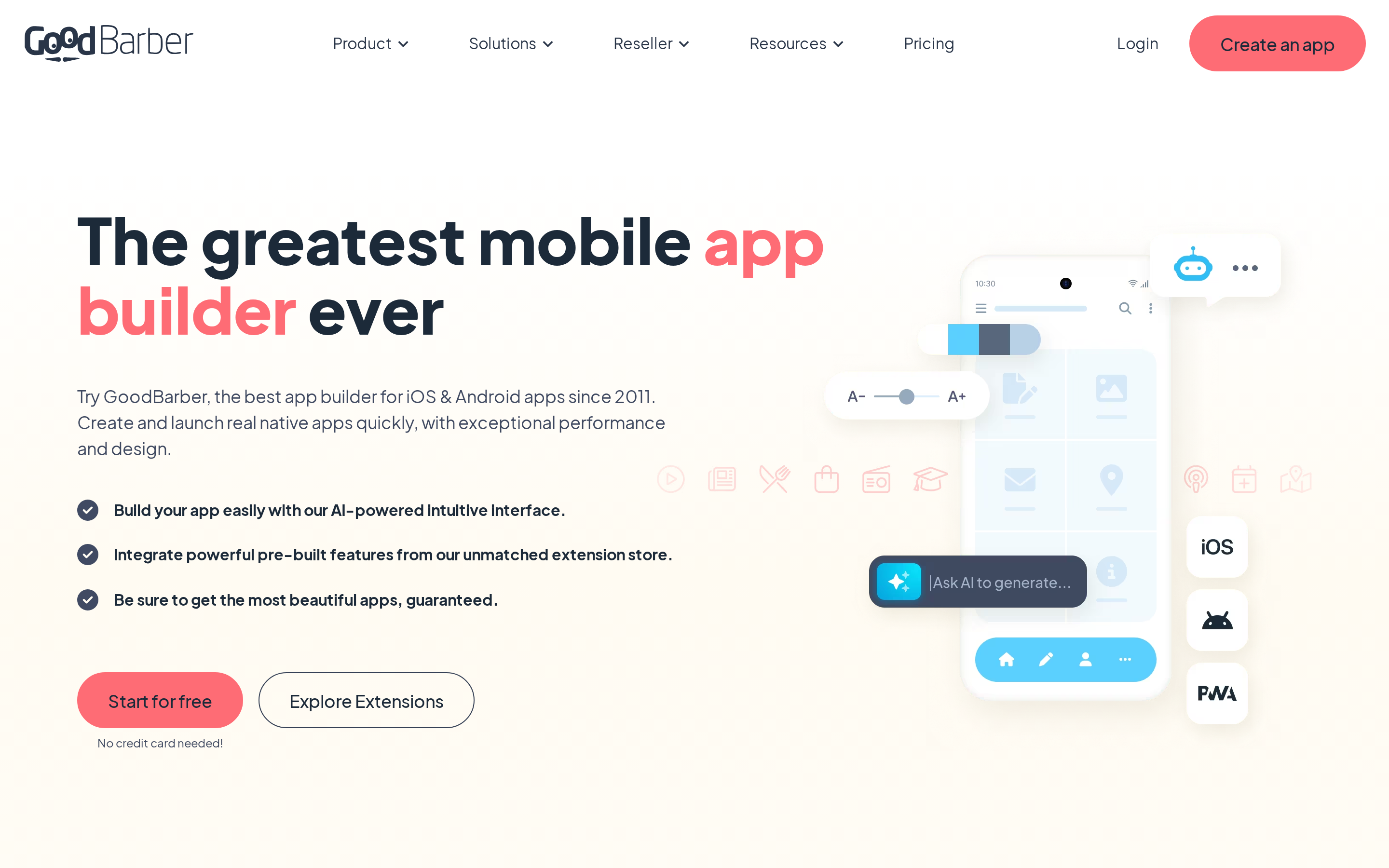
GoodBarber is a mature no-code app builder for content, eCommerce, and community native apps and PWAs with a large extension catalog and publication support.
GoodBarber targets non-technical entrepreneurs building content, eCommerce, or community apps, similar to Thunkable but narrower in focus. Unlike FlutterFlow or Draftbit, there's no code export — once you build on GoodBarber, you stay on GoodBarber.
Best for
GoodBarber suits non-technical entrepreneurs and small businesses building without code.
Typical projects include:
- Local news apps
- Product catalogs
- Paid member areas
- Community directories
GoodBarber is built around three verticals: news/media, eCommerce, and membership/community apps. Each has a dedicated plan type with specific monetization extensions for subscriptions and recurring billing.
Appy Pie covers a wider range of general business apps. GoodBarber concentrates on media, eCommerce, and membership products.
Why it's a strong Adalo alternative
GoodBarber produces true native iOS and Android apps plus PWAs, backs them with a large extension catalog, and offers GBTC for teams that want publication help handled for them.
GBTC (GoodBarber Connect) handles code signing, asset generation, and App Store/Google Play review submissions on your behalf. You still need developer accounts ($99/year Apple, $25 one-time Google Play), but GoodBarber manages the entire technical submission process.
GoodBarber's extension library covers payments, push notifications, membership subscriptions, media, community features, and eCommerce add-ons.
Among tools in this list, GoodBarber is one of the closest to Buildfire for plugin-driven expansion.
GoodBarber includes an AI Assistant for text generation, title suggestions, and translations, plus auto-design palette generation and a RAG Chatbot. These are content-assist tools, not app generators. Appy Pie builds an entire app from a text prompt; GoodBarber's AI helps populate and style content within pre-built templates.
Where it falls short
GoodBarber has no code export. Apps that outgrow the platform require a rebuild, while FlutterFlow and Draftbit provide source-code ownership.
GoodBarber has no permanent free tier. Builders get a 30-day trial, after which a paid plan is required. Thunkable, FlutterFlow, Bubble, and Draftbit all offer free tiers, making GoodBarber a higher commitment before you've validated a concept.
GoodBarber's extension model covers content and eCommerce templates but not complex relational databases or SaaS-style workflows. Bubble includes full-stack logic, while Glide centers on spreadsheet-driven internal tools.
Pricing
GoodBarber Content plans run $36 to $280 per month (billed annually) with no free tier. Extensions add to that base cost.
- Content entry: $36/month (annual), native iOS/Android plus PWA
- Content mid: Up to $280/month, higher usage limits and more features
- eCommerce: Priced above content plans; exact pricing on request
- Memberships add-on: ~€49/month on top of the base plan
- Free tier: None; 30-day trial only
GoodBarber's entry price sits above Thunkable ($19/month) and Appy Pie ($16/month). Once extensions and developer accounts are stacked on, total monthly costs climb quickly.
8. AppMySite
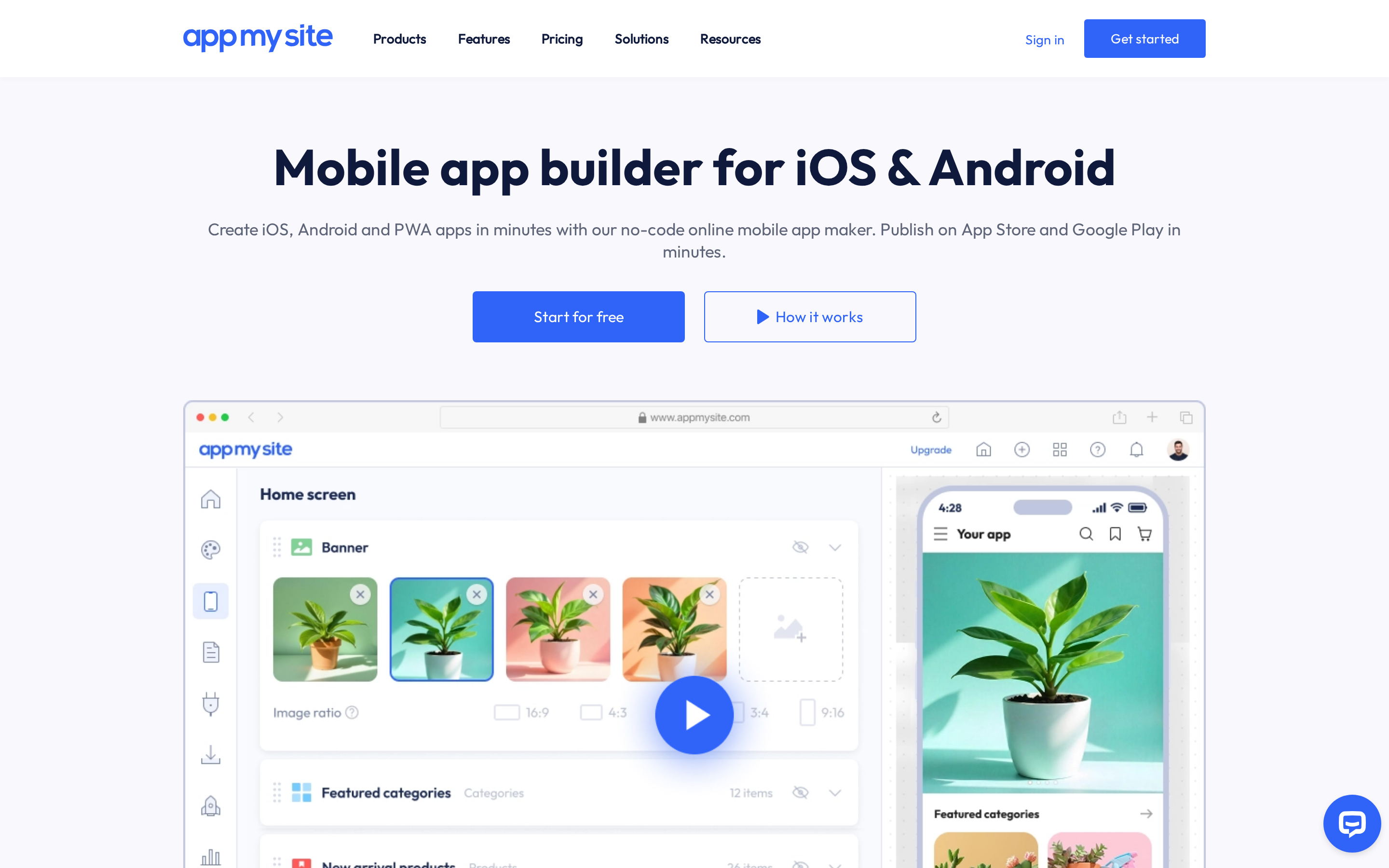
AppMySite is a no-code app builder specializing in converting existing websites into native iOS and Android apps with real-time content syncing.
AppMySite converts an existing website into an app rather than building one from scratch. It supports WordPress, WooCommerce, and Shopify content but does not include a full-stack database or complex workflow engine.
Best for
AppMySite is for website owners and agencies converting an existing site into an app without code.
Typical projects include:
- WordPress blogs
- WooCommerce stores
- Shopify catalogs
- Customer-content portals
AppMySite supports WordPress, WooCommerce, Shopify, PHP, Laravel, HTML, and custom stacks for site-to-app conversion. No coding knowledge is required at any stage of setup or publishing.
Why it's a strong Adalo alternative
AppMySite's core advantage over Adalo is automated website-to-app conversion with real-time content syncing and a lower entry price point.
Once connected, blog posts, products, and pages sync automatically to the app. No manual updates after initial setup. Built-in Android and iOS emulators let you preview changes instantly without a physical device.
AppMySite also includes AI tools for image optimization and content generation, covering both visual and written assets without leaving the platform.
Where it falls short
AppMySite uses web views rather than fully native UI components, which can affect performance and feel on a phone. Draftbit and FlutterFlow generate native UI with exportable code.
AppMySite has no code export. Users cannot migrate their app logic to another platform if they outgrow the service, creating the same lock-in as GoodBarber and Appy Pie.
Automatic App Store publishing is limited to AppMySite's Premium plan. Starter and Pro users submit manually, while GoodBarber's GBTC service includes code signing and store submissions.
Pricing
AppMySite has a free preview plan; paid tiers start around $29/month, making it one of the more affordable options in this list.
Watch for:
- Manual App Store submissions on Starter and Pro plans (auto-publishing is Premium only)
- Dynamic pricing on Pro and Premium tiers that can change without notice
- Web-view output on all plans; no fully native UI components regardless of tier
9. Appy Pie
Appy Pie is a beginner-focused no-code platform for:
- Simple booking apps
- Local business apps
- Event guides
- Basic store apps
Appy Pie says its AI can generate a first app draft in under 60 seconds.
Appy Pie is built around prompt-based setup for beginners. Draftbit focuses on code export, while Buildfire uses a manually configured plugin model.
Why it's a strong Adalo alternative
Appy Pie stands out from Adalo for speed and simplicity. It gives non-technical teams AI app generation, built-in hosting, and guided publishing in one place.
Key strengths include:
- AI prompt-to-app generation
- built-in backend and hosting (no Supabase or Firebase needed)
- 500+ built-in features: payments, analytics, push notifications, booking
- guided App Store and Google Play submissions with free first-time submission help
Where it falls short
Appy Pie trades customization for speed. That works well for simple MVPs and less well once you need something unique.
Appy Pie does not export code, so apps remain tied to the platform. FlutterFlow exports Dart, and Draftbit exports TypeScript React Native.
Per-app pricing multiplies fast. Three apps at Gold tier runs $108-216/month annually versus flat-rate tools like Bubble or Thunkable. Users also report App Store rejection delays and re-submission fees.
Pricing
Plans are per app, so costs multiply quickly once you manage more than one.
- Basic: $16-32/month per app. Core features, guided store submission, AI generation.
- Gold: $36-72/month per app. Advanced features, push notifications, 500+ integrations.
- Platinum: $60-120/month per app. Full feature set, priority support, analytics.
- Enterprise: Custom pricing. Dedicated support and volume pricing.
- Download overages: $0.009 per download above plan limits.
10. Buildfire
Buildfire is a plugin-based builder for agencies and mid-sized businesses. It supports:
- Branded loyalty apps
- Booking apps
- Member communities
- Storefronts with payments
Buildfire has no free tier and sits in a higher budget bracket than the other tools in this comparison.
Strengths:
- Plugin catalog covering chat, payments, bookings, push notifications, loyalty, and eCommerce
- Drag-and-drop editor with hosting and backend included; no coding required
- White-label and reseller support for agencies managing multiple client apps
- Native iOS and Android output plus PWA; guided App Store and Google Play publishing
Where it falls short
- No AI or text-to-app generation; every feature is configured manually through plugins
- No code export; migrating means rebuilding from scratch (FlutterFlow and Draftbit both export clean code)
- Highest starting price on this list
Pricing (no free tier):
- Growth: $315/month. Core plugin access, guided publishing, no free tier.
- Scale: $440/month. Higher limits, additional features.
- Standard: Contact sales. Custom pricing for larger teams.
- Enterprise: Contact sales. Add-ons, white-label, reseller support.
Which Adalo alternative is right for you?
The right tool depends on what you need to ship and how technical your team is.
For native iOS and Android, Bilt.me is the stronger fit when you want conversational building plus deployment handled for you. Thunkable is a simpler visual option for earlier-stage MVPs.
For internal tools driven by spreadsheet data, Glide connects to Google Sheets, Airtable, and 100+ sources with almost no learning curve. For converting an existing WordPress or Shopify site, AppMySite and Appy Pie offer the fastest path.
Non-technical solo builders get the smoothest experience with Thunkable, Appy Pie, or GoodBarber.
Teams with technical oversight and a need for exportable code can compare FlutterFlow and Draftbit. Bubble supports full-stack SaaS logic, but its learning curve suits builders ready to invest time.
Appy Pie ($16/month annual) and Thunkable ($19/month) are the most accessible starting points. Glide's Business plan starts at $199/month and scales with usage limits, so it's better for teams with existing workflows than for simple MVPs. Buildfire at $315/month fits best when you're already generating predictable revenue from the app.
FlutterFlow exports Dart, while Draftbit and Bilt generate React Native code you can export and own. Bubble has no code export and requires a long-term platform commitment.
If the shortlist still feels crowded, the fastest way to narrow it down is to start with the job the app needs to do.
For a wider market view, see our guide to mobile app development software across AI, no-code, and developer tools.
Pick based on your primary goal:
- AI prompt-to-native app, zero setup: Bilt.me or Thunkable. Pick Bilt.me for conversational building with deployment handled end-to-end. Pick Thunkable if you want a simpler drag-and-drop workflow for an earlier-stage MVP.
- Complex web SaaS or marketplace: Bubble. Pick Bubble when you need a shared database and backend across web and mobile. Skip it if you're just starting out, because the learning curve is steep.
- Internal tools from spreadsheet data: Glide. Pick Glide when your data already lives in Google Sheets or Airtable. Skip it if you need App Store publishing or native device features.
- Native mobile with full code export: FlutterFlow or Draftbit. Pick FlutterFlow for broader output across mobile, web, and desktop. Pick Draftbit if React Native ownership matters more than visual polish.
- Convert an existing website to an app: AppMySite or Appy Pie. Pick AppMySite if your site runs on WordPress or WooCommerce. Pick Appy Pie for AI-assisted generation with a broader built-in feature set.
- Content, news, or eCommerce apps: GoodBarber or Buildfire. Pick GoodBarber for content-focused apps with a polished design system. Pick Buildfire if you need a plugin-heavy catalog and predictable revenue justifies the $315/month price.
| Goal | Best tool | Why | Who should avoid it |
|---|---|---|---|
| AI-built native app | Bilt.me | Conversational building, deployment handled end-to-end | Teams that want drag-and-drop only |
| Complex SaaS or marketplace | Bubble | Full-stack logic, shared database across web and mobile | Beginners without time to climb the learning curve |
| Internal tools from spreadsheets | Glide | Connects to Google Sheets, Airtable, 100+ sources | Teams that need App Store publishing |
| Native mobile with code export | FlutterFlow or Draftbit | Full GitHub ownership, Dart or React Native output | Non-technical builders who don't need the code |
| Convert an existing website | AppMySite or Appy Pie | Fastest path from WordPress or Shopify to mobile | Builders starting from scratch with no existing site |
| Content or eCommerce app | GoodBarber or Buildfire | Pre-built templates for content, news, and commerce | Teams needing custom logic or API integrations |
Build a real native app, not a prototype, with Bilt.me
Bilt turns a plain-English app idea into a native iOS and Android app. It also handles code, signing, and submission.
Ready to move from an idea to a working app? Start building free.
Need help deciding what to build first? You can also get expert mobile advice in a free 15-min call with the Bilt team.
FAQ
Is Adalo better than Bubble for mobile apps?
Adalo suits simple mobile MVPs. Bubble suits products that need deeper backend logic across web and mobile.
The main differences are:
- Adalo: Publishes mobile-first apps directly to iOS and Android on paid plans, without requiring a web app
- Bubble: Shares one database, backend, and workflow engine across its web and native mobile builders
Adalo starts at $36/month with annual billing and no overage fees. Bubble Starter costs $59/month, plus $0.30 per 1,000 workflow-unit overages.
Adalo offers the lower starting cost and simpler launch path for a straightforward mobile MVP.
Can Adalo apps scale to millions of users?
Adalo does not publish a universal maximum user count. Capacity depends on concurrent activity, database volume, query patterns, screens, and backend design.
Registered accounts and simultaneous users are different measures. A large account base may generate little activity, while a smaller app can place heavy demand on its database.
Use the available evidence as context:
- G2 reviews and Adalo forum reports describe individual performance issues, not fixed limits for every app
- Load-test the busiest workflows with realistic data and concurrent activity before choosing a launch plan
- Adalo recommends external backends such as Xano for larger record volumes or high-concurrency workloads
An external backend can extend an app's architecture without requiring an immediate platform migration.
Does Adalo have database record limits?
Yes, but the limit differs by plan. Adalo Free allows 500 records per app.
Paid plans use team storage allowances instead of the Free plan's record cap:
- Starter: 5GB
- Professional: 25GB
- Team: 125GB
If an Adalo app is hitting those record or storage limits, it is a signal to migrate. FlutterFlow and Bubble both handle larger datasets without the same constraints. Pairing Adalo with an external backend like Xano can extend its runway while you plan the move.
What is the best Adalo alternative for Figma designers?
Bravo Studio is a design-first option when a Figma file needs to remain the source of truth. It syncs design changes and supports React Native output.
Bravo Studio supports:
- Convex integration
- REST and GraphQL API connections
- Device previews
- Signed iOS and Android builds
Bilt fits builders who prefer describing an app conversationally instead of maintaining a Figma-led workflow. It produces a functional native app from the description.