Vibe coding an iOS app means describing the app in plain English and letting AI generate the screens, logic, and code. The hard part is turning that generated project into a signed iOS app that runs well on real phones.
I reused one test brief across all 7 tools: a subscription fitness tracker for women over 50 with accounts, workout plans, progress photos, push reminders, and a paid subscription flow.
One finding stood out. Prototype speed and iOS shipping ability are not the same thing, and the gap is wide. That tracks with Stack Overflow's 2025 Developer Survey, where 87% of developers said they worried about the reliability of AI-generated code.
How I tested these tools
I started each tool with the same app brief, then pushed until the project reached a real iOS handoff or hit a stop I could not clear without developer-level work.
Success meant one of these launch stages moved forward:
- Browser preview
- Real-device iPhone test
- Signed iOS build
- TestFlight-ready build
- App Store Connect submission
- App Store approval, which Apple always controls
A hard stop meant the tool needed outside setup I could not finish inside the workflow: Xcode, EAS, signing certificates, provisioning profiles, native config cleanup, or a developer handoff.
For a wider category view, the launch-focused AI app builder roundup compares web-first, no-code, and native options.
TL;DR: quick comparison
Bilt is the top pick if the goal is a native iOS app you can preview, test on an iPhone, and move toward App Store submission without opening Xcode.
The other tools split by output, control, and how much release work they leave on you:
- Best no-code route to App Store submission: Bilt, because the workflow is built around native output, signing, and submission support.
- Best SwiftUI path to evaluate carefully: Rork Max, because its Apple-native path sits behind a higher-tier workflow.
- Best visual Flutter workflow: FlutterFlow AI Gen, if you already understand Flutter concepts or have a Flutter developer nearby.
- Best developer handoff: Draftbit AI or Replit Agent, because both can leave you with code a developer can inspect.
- Best web-first path: Base44, when a fast web app or wrapper is acceptable and native iOS APIs are not central.
- Best classic no-code path: Adalo, when the app is built around records, lists, forms, and predictable screens.
| Tool | iOS output | AI interaction | App Store path | Code export | Starting price |
|---|---|---|---|---|---|
| Bilt | React Native native binary | Conversational natural language | Automated build, signing, and App Store Connect upload—no Xcode; user submits for review. | Yes | Tiered subscription |
| Replit Agent | React Native / Expo | Autonomous agent from prompt | Manual, external Apple tools required | Yes | $20/mo + credits |
| Rork | SwiftUI (Max) or React Native (Pro) | Chat-based iteration | Two-click on Rork Max | Yes (GitHub sync) | $20/mo (Junior) |
| Base44 | Web app in native wrapper | Natural language to full-stack web | Partial, Builder plan+ | Partial (no managed infra) | $20/mo (Starter) |
| Adalo | Native IPA via proprietary framework | Magic Start + Visual AI Direction | Guided, TestFlight support | No (proprietary lock-in) | $36/mo (Starter) |
| FlutterFlow AI Gen | Flutter native (iOS + Android) | Prompt-based module in visual editor | One-click to App Store Connect | Yes ($39/mo+) | $39/mo (Basic) |
| Draftbit AI | React Native / Expo with TypeScript | AI agents in project threads | Assisted on Pro plans | Yes (ZIP or GitHub) | $99/mo (Standard) |
The evaluation lens: prototype vs. iOS launch
A good-looking first screen is not the same as a shippable iOS app. I judged each tool by how far it moved through the launch ladder defined above.
How to evaluate any vibe coding iOS app tool
Use these checks before you commit your idea to a platform:
- Output type: React Native, Flutter, and SwiftUI outputs can compile into native iOS apps. A web wrapper can work for simple mobile access, but it is not the same as a native binary.
- Submission path: Check whether the tool handles code signing, certificates, provisioning profiles, and App Store upload, or whether you still need Xcode and Apple Developer setup on your own machine.
- Backend coverage: A useful iOS app often needs authentication, database storage, payments, push notifications, or subscription restoration. A UI-only generator can leave the product unfinished.
- Real-device testing: Browser previews catch layout problems. iPhone testing catches permissions, performance, navigation, and native behavior.
- Ownership and recovery: Look at what happens when the AI gets stuck. Code export, GitHub sync, or developer handoff can save the project before a bad loop eats your budget.
1. Bilt
Bilt is our product, so here is the disclosure first. It is also the tool I would put first for non-technical builders who want a native iOS app they can publish.
Bilt is built around the mobile finish line. Running the shared fitness-tracker brief, the first screen was never the point. What counted was the path from prompt to React Native app, iPhone preview, export, and App Store prep.
Quick verdict
- Best for: entrepreneurs, creators, solopreneurs, and web app owners who want a native iOS app without writing Swift or React Native.
- Architecture: React Native source code with generated screens, navigation, and backend logic, rather than a web wrapper.
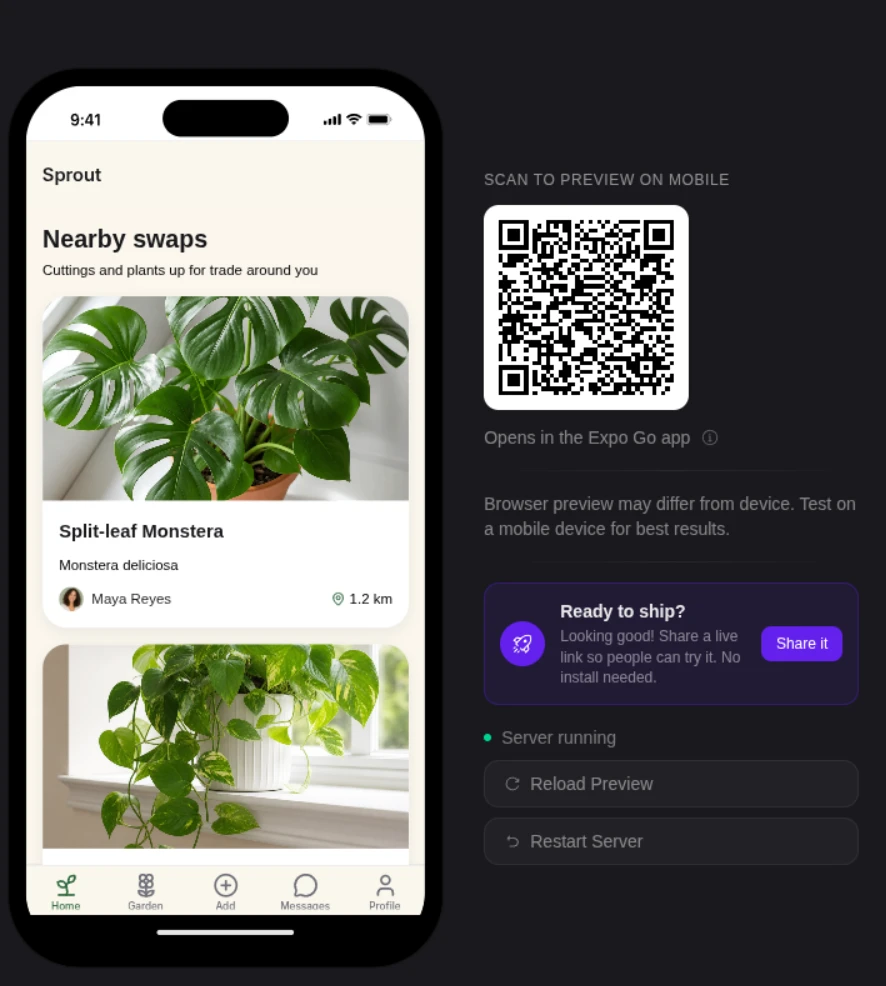
- iOS workflow: browser simulator, QR code iPhone preview, code signing, build generation, and App Store Connect submission support.
- Code ownership: export the React Native project, push the source to GitHub, or hand the codebase to a developer for custom native work.
- Starting price: Free plan at €0 with 3M monthly AI tokens, roughly 12-30 prompts depending on prompt complexity.
How Bilt works
The workflow starts with a plain-English app description. Bilt turns that prompt into screens, navigation, backend logic, and native React Native code.
After the first version, you keep iterating through conversation. Each follow-up prompt updates the generated project, then you review the change in preview.
Build loop
| Stage | What Bilt gives you |
|---|---|
| 1. Prompt | A plain-English spec becomes the first React Native app structure. |
| 2. Preview | The browser-based iOS simulator shows the generated screens and navigation. |
| 3. Phone test | A QR code opens the build on a real iPhone. |
| 4. Iterate | Follow-up prompts change flows, design details, and connected features. |
| 5. Publish path | Code signing, build generation, and App Store submission support move into view. |
A polished frontend only gets you partway to launch. Bilt also handles the Apple handoff work that sits between prototype and App Store Connect.
Bilt targets four handoff points that stop a demo from becoming a store-ready iOS app:
- App Store submission through App Store Connect
- Device testing on a real iPhone
- Paywalls and authentication flows
- Backend logic for user data and app actions
Testing before App Store submission
Bilt's browser-based iOS simulator gives you a native preview before App Store Connect. You can check React Native behavior without setting up a Mac, Xcode, or a local iOS environment.
QR code testing adds a second check: scan the code, open the app on an iPhone, and verify the build on real hardware.
Describe an app and watch Bilt turn it into a native app in live preview.
That review step earns its place, because AI-generated code can look right in a browser and still misbehave on a phone. Bilt's simulator and phone preview give you somewhere to catch those problems before the App Store step.
- Android note: Bilt supports Android output and cloud-based previews, but this roundup ranks Bilt mainly on its iOS workflow.
App Store readiness
Bilt covers five App Store handoff jobs before submission:
- Code signing
- Provisioning profiles
- Certificates
- Build generation
- Build upload to App Store Connect
You still need an Apple Developer account, which costs $99/year. Apple owns that requirement, and Bilt handles the technical workflow after that account exists.
Bilt is designed to close the gap from generated code to store-ready output. Apple still makes the final review decision, but Bilt handles the signing and App Store Connect upload workflow that usually forces non-technical builders into Xcode. You submit the uploaded build for review in App Store Connect.
Step Lock reached the iOS App Store in 3 days using Bilt's submission workflow.
Code ownership and pricing
Bilt generates React Native source code you can export to GitHub or hand to a developer. Source export matters when you need custom native work beyond prompt-based edits.
Pricing is built around monthly AI tokens:
- Free: €0/month with 3M tokens, roughly 12-30 prompts per month, plus backend, live preview, Discord support, and email support.
- Professional: €25/month with 10M tokens, roughly 40-100 prompts per month, plus priority agent access, priority native preview, integrations, and exclusive Discord channels.
- Professional Plus: €50/month with 20M tokens, roughly 80-200 prompts per month, plus priority support and early access to new features.
- Top-ups: 5M tokens for €25, 10M for €50, or 20M for €100; on a paid plan, those packs cost €15, €30, and €60. Each expires after 30 days.
- Annual billing: saves 2 months compared with monthly billing.
The Free plan is enough to test one idea and learn the editor. Professional or Professional Plus makes more sense once prompts move beyond one screen into auth and backend logic.
Use Bilt when the next step is a working iPhone test. Start free, run the app in the simulator, then decide whether to continue toward App Store submission.
2. Replit Agent
I prompted Replit Agent toward the shared fitness-tracker brief and asked for a React Native or Expo-style mobile project. The workspace felt fast at the start because setup lived in one place:
- browser IDE
- terminal
- project files
- dependency installs
That convenience stopped at the first native handoff. Expo web preview confirmed that screens loaded, but I still needed to prove bundle configuration, native auth and payment callbacks, and the iOS build outside Replit.
Apple release work stayed outside the browser preview:
- Apple Developer account and bundle ID setup
- iOS binary compilation through EAS, Xcode, or another build service
- certificates, provisioning profiles, and code signing
- App Store Connect or Transporter upload
The real risk was false confidence. The preview could look healthy while these were still unverified:
- auth redirects
- payment callbacks
- native configuration
Cost control also changed how I used Replit Agent. Core is around $20/month, but autonomous checkpoints can keep spending credits while the agent retries the same broken dependency or config change.
My verdict: Replit Agent is better treated as a scaffolding environment for people who already understand Expo, EAS, and App Store Connect. I would not treat the browser preview as proof that the app is ready for TestFlight.
3. Rork
Rork narrows the prompt to mobile app generation. With the fitness-tracker brief, the first screen was less interesting than which architecture path the project landed on.
The Pro path outputs React Native and Expo projects on paid tiers. The Max path moves to SwiftUI through cloud-hosted Mac servers, which changes the iOS release conversation.
The Max tier is mainly about Apple-specific features:
- Live Activities and Dynamic Island
- ARKit and HealthKit
- Apple Watch and Vision Pro
Pricing is where I slowed down. Free is credit-capped, Junior starts around $20/month, Pro runs $25-$100/month, and Max starts at $200+/month for the SwiftUI compiler path.
Rork Pro got closer to a real mobile project than Replit Agent, but TestFlight still exposed signing and native configuration work. The generated fitness screens also needed device-only UI cleanup before I would trust the build.
Expo web preview was a weak signal. A component could look acceptable in the browser, then need fixes once the project moved into Claude Code, Codex, or an Xcode/TestFlight path.
The credit model also changes behavior. Failed generations and retries are not harmless when a limited credit pool sits between the prompt and the build.
My verdict: Rork's strongest iOS case is the Max path when SwiftUI output matters enough to justify the higher price. The Pro path still needs careful review before you treat it as a TestFlight-ready workflow.
4. Base44
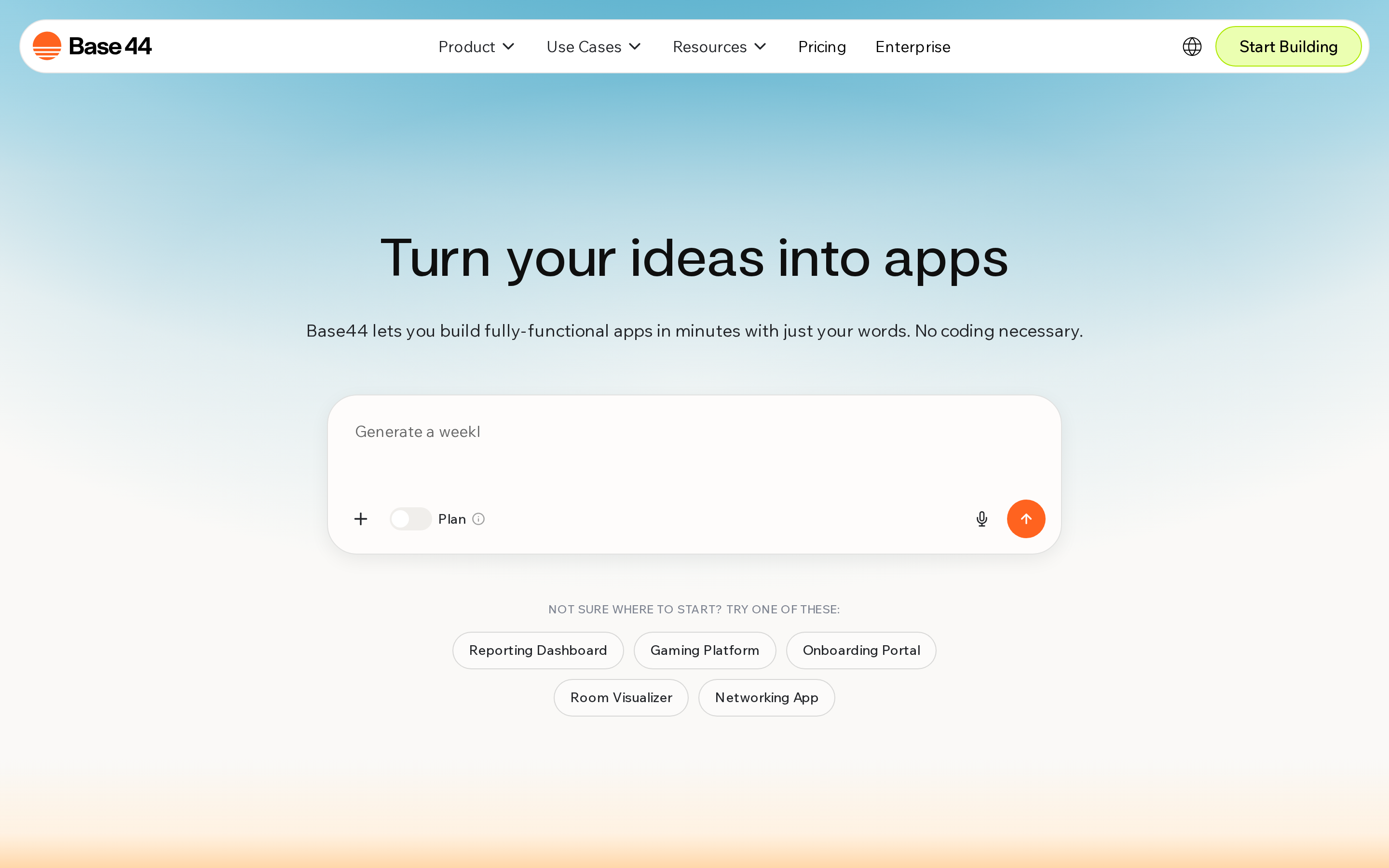
Base44 has a simple mental model: prompt a full-stack React web app, then decide whether a web-first iOS package is enough for the job.
It usually produces one of three things:
- browser app
- PWA
- native web-view wrapper
Base44 moved quickly through web screens and database-shaped flows. It only earned its place when I treated iOS as a distribution wrapper rather than the primary build target.
Base44 does not hand you the same pieces a native builder would. Its export is partial, so you can't fully take with you:
- React Native, Flutter, or SwiftUI source code
- an iOS binary ready for App Store submission
- a built-in TestFlight path through Xcode or App Store Connect
The catch shows up after the demo. A browser-shell iOS wrapper still leaves you with the Apple release work:
- bundle ID and Apple Developer account setup
- certificates, provisioning profiles, and signing
- screenshots, privacy answers, and App Store Connect metadata
Device behavior is the other risk. A good browser prototype can still feel wrong on a phone when these details matter:
- push notifications
- offline behavior
- camera access
- native navigation
My verdict: Base44 is web-first, so the iOS question is whether a wrapper is acceptable. It can cover fast prototypes and internal tools, but it is not the main path I would use for a compiled, App Store-bound iOS app.
5. Adalo AI App Builder
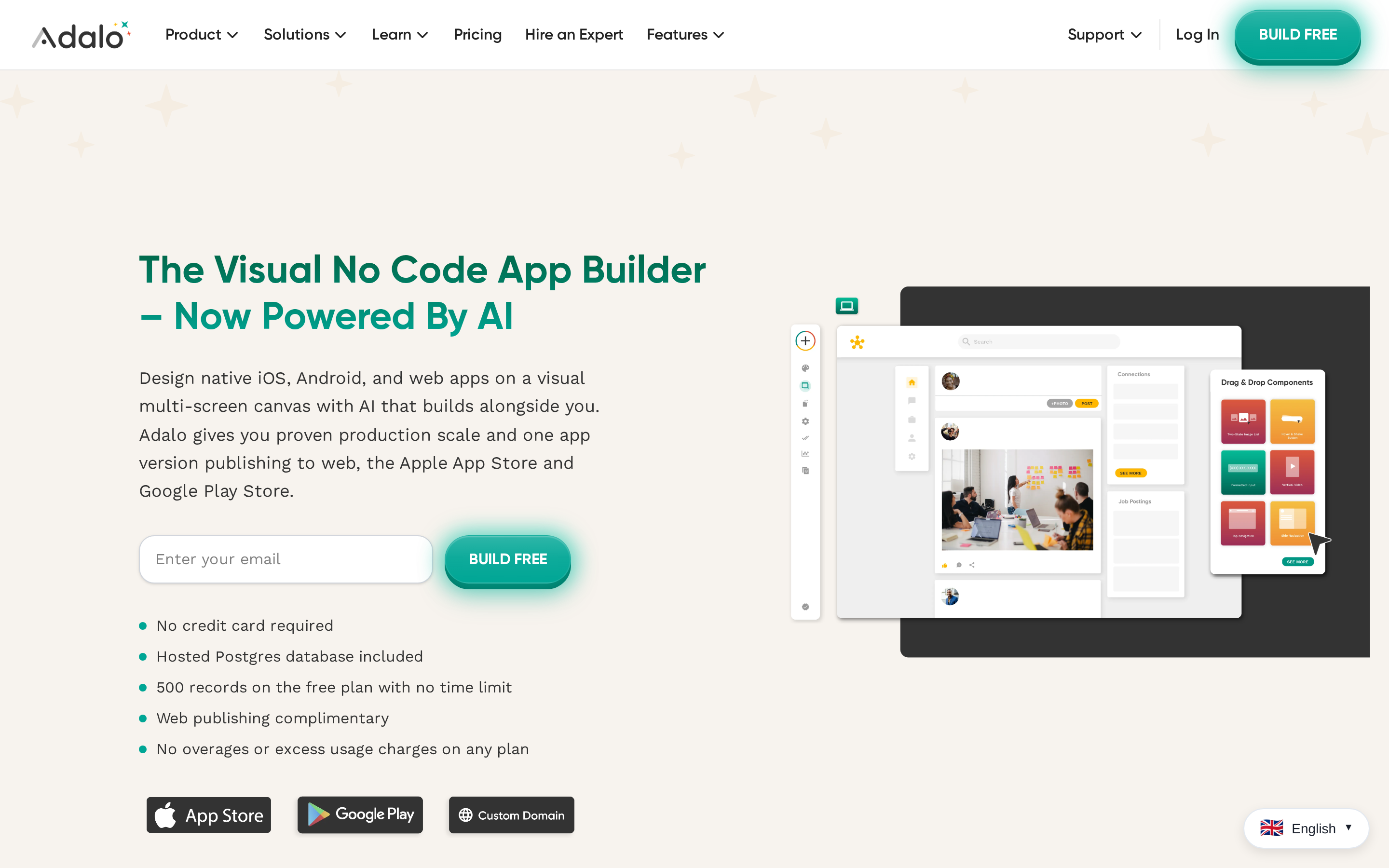
Adalo AI App Builder felt closest to classic no-code. Magic Start and Visual AI Direction gave the shared fitness app a first-pass canvas with screens, data collections, and simple navigation.
The real work happened after generation. Wiring up the relationships between users, workouts, progress photos, and subscriptions took more effort than the prompt did.
Adalo handled the simpler app shapes best:
- Booking flows built around records and statuses.
- Member portals with profile data and update screens.
Publishing is the first hard gate. App Store and Google Play publishing require a paid plan, and the Starter plan starts at $36/month for 1 published app.
Adalo keeps the app inside its proprietary builder. Source-code handoff is not the exit plan.
A few things I'd check before committing:
- Custom logic can turn into chained screen actions, which are harder to review than one Swift, Flutter, or React Native function.
- Apple-specific ideas need an early support check, especially StoreKit subscriptions, HealthKit data, WidgetKit extensions, or background tasks.
- Performance debugging is limited because you do not have Xcode, Instruments, or editable mobile source code.
My verdict: Adalo works best as a visual builder for apps built around records, lists, and forms. I would be cautious with native iOS ideas that need custom Apple frameworks, subscription edge cases, or developer handoff.
6. FlutterFlow AI Gen
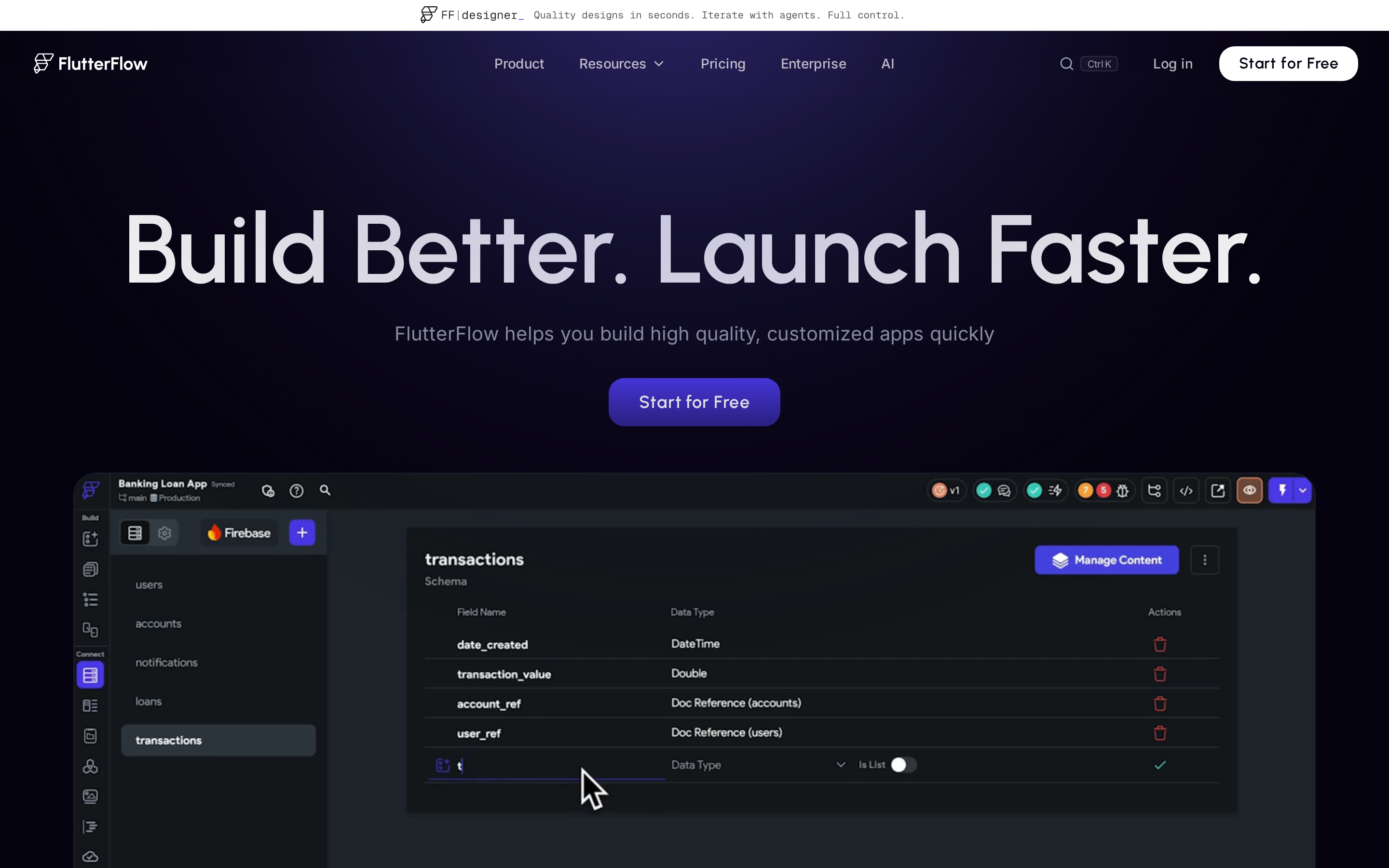
FlutterFlow AI Gen made sense once I accepted the Flutter model. It generated screen structure inside a visual FlutterFlow project, then the output still needed actions, data bindings, and iOS release work.
The pre-built component library is useful for screens. The friction starts when generated UI has to connect to real app behavior.
In testing, I would check 3 areas before trusting the build:
- Action Flows, because one wrong conditional can hide a button or block navigation.
- Firestore or API schemas, because generated screens need real data contracts.
- Custom code, packages, and build settings before the app leaves the editor.
App Store work is still manual.
FlutterFlow can prepare iOS builds and support App Store Connect deployment after Apple setup is in place, but you still own:
- Apple Developer account setup and bundle IDs.
- Signing certificates and provisioning profiles.
- App Store Connect metadata, TestFlight checks, and the final Submit for Review step.
Code export is the escape hatch. I would only value that if a Flutter developer can review the generated Dart before the project becomes expensive to untangle.
My verdict: FlutterFlow is strongest when someone on the project understands Flutter concepts, data models, and release settings. I would not hand it to a non-technical founder who expects AI to remove the release work.
7. Draftbit AI
Draftbit AI is a developer-facing option in this group. It builds React Native and Expo apps with TypeScript and Nativewind inside a live visual editor.
The AI was better at screen scaffolding than product wiring. The fitness screens came together faster than the auth flow, environment variables, and subscription logic I'd need before a real launch.
The manual work landed in a few predictable places:
- Navigation between screens.
- API auth and environment variables.
- Component state that had to survive refreshes and route changes.
Draftbit earns attention because the code can leave the platform. ZIP export and GitHub sync give a React Native developer something usable after the visual phase.
The testing loop is where the complexity shows.
- Preview the screen in Draftbit.
- Run the app through Expo Go or a development build.
- Check iOS behavior in the Xcode simulator when native packages, permissions, or deep links are involved.
That loop is normal for a developer. It is a lot for a solo non-technical builder who expected a prompt-to-TestFlight workflow.
The expensive part is App Store help. The Standard plan starts at $99/month, while the plan with partial submission help is Pro at $249/month, so the relevant publishing workflow sits in a different budget category.
Even at $249/month, the builder still owns the release checklist:
- Apple Developer setup and signing details.
- App Store Connect metadata, screenshots, and privacy answers.
- TestFlight checks and final release decisions.
My verdict: Draftbit is easier to justify when a React Native developer will take over the exported code. I would not use it for a solo launch where publishing help is the main reason to buy.
Vibe coding iOS app tools compared: build path, App Store readiness, and limits
The write-ups all point the same direction. The demo is the easy part, and the real question is how far a tool carries you after the first screen works.
Build path differences:
- Bilt: React Native native output, with a workflow built around preview, iPhone testing, signing, and submission support.
- React Native / Expo: Replit Agent, Draftbit AI, and Rork Pro can create mobile projects that developers can inspect and extend.
- SwiftUI: Rork Max adds an Apple-native path, but it sits behind the higher-tier workflow.
- Flutter: FlutterFlow generates Flutter apps, which can ship cross-platform when someone understands Flutter's project model.
- Web wrapper: Base44 is web-first, so its iOS path depends on whether a browser-shell app is acceptable.
What usually creates cost risk:
- Release handoff: If the tool stops before signing, provisioning, or App Store Connect, the hardest iOS work is still on you.
- Code control: Export and GitHub sync matter when a developer needs to fix native behavior, payments, auth, or post-launch crashes.
- Iteration loops: Credit-based tools can make repeated AI fixes more expensive than the first demo suggests.
- Publishing gates: Adalo gates publishing, FlutterFlow gates code download or deployment features, Draftbit gates assisted publishing at $249/month, and Base44 gates publishing behind paid plans.
Here is the short version by tool:
| Tool | Build path | App Store readiness + ownership | Main limit to watch |
|---|---|---|---|
| Bilt | React Native / native binaries | Automated build, signing, and App Store Connect upload; user submits for review; React Native source access | Plan-based usage and publishing limits |
| Replit Agent | React Native / Expo workspace | Manual App Store path with external Apple tooling; editable workspace | Usage-based credits can climb during agent loops |
| Rork | React Native on Pro; SwiftUI on Max | Export and GitHub sync; higher-tier submission help | Credit model, with limited overage flexibility mid-project |
| Base44 | React web app / web-view wrapper | Publishing depends on wrapper and paid plan; managed infrastructure is not fully exportable | Web-wrapper ceiling and credit depletion during iteration |
| Adalo AI App Builder | Proprietary native binaries | Guided publishing and TestFlight on paid plans; no code export | Vendor lock-in and paid publishing gates |
| FlutterFlow AI Gen | Flutter / cross-platform native | App Store Connect deployment support; code download on paid tiers | AI request caps and Flutter project complexity |
| Draftbit AI | React Native / Expo + TypeScript | Assisted publishing workflows; ZIP or GitHub export | Monthly AI credits, with Pro plans used for heavier workflows |
The safest choice depends on the finish line. A prototype can tolerate wrappers and manual handoff, but a real iOS launch needs native output, code access, real-device testing, and a publishing path you understand before you start.
For a broader tool set, the launch-path iOS software comparison weighs native output, ownership, and App Store support.
How to choose the right vibe coding iOS app tool
Use this as a shortcut after the reviews above. Pick based on the hardest future step, not the prettiest first demo.
Quick decision map
- If you want App Store submission without Xcode: start with Bilt, because native output, signing, preview, and submission support are part of the workflow.
- If you need SwiftUI or Apple-specific APIs: evaluate Rork Max carefully, especially price and release support.
- If you already have a Flutter developer: FlutterFlow AI Gen can work well as a visual Flutter workflow.
- If a React Native developer will take over: Draftbit AI or Replit Agent can give that developer code to inspect.
- If the app is web-first: Base44 can be enough when a wrapper is acceptable and native iOS behavior is secondary.
- If the app is mostly records, lists, and forms: Adalo can be reasonable, but check publishing gates and source-code limits early.
Five checks before you commit
- Native output: Does the tool create a real iOS binary, or only a mobile-looking web app?
- Code ownership: Can you export the source if a developer needs to fix payments, auth, or crashes later?
- Submission path: Does the tool help with signing, certificates, provisioning profiles, and App Store Connect?
- Recovery path: What happens when the AI gets stuck, and how much does that retry loop cost?
- Post-launch maintenance: Can you update the app, fix TestFlight feedback, restore purchases, and keep push notifications working after launch?
Rork's SwiftUI price caveat makes the SwiftUI-price Rork alternatives list a useful branch before committing.
Build and ship a native iOS app today, no Xcode or code signing headaches
Apple still expects a signed build before an iOS app reaches the App Store, and Apple still decides the final review outcome.
Bilt handles code signing and build upload to App Store Connect inside the workspace where you generate and test the app.
| You bring | Bilt handles |
|---|---|
| An app idea and an Apple Developer account ($99/year) | A native React Native app from your prompt |
| Feedback from preview testing | Browser previews, backend hosting, and edits through chat |
| An iOS App Store release target | Certificates, provisioning profiles, code signing, and build upload to App Store Connect |
| Later developer changes | Exportable React Native source code |
A trainer and founder used Bilt to turn 11 prompts into a subscription-based fitness tracker for women over 50 in about two hours.
Her build included workout plans, progress photos, push reminders, and a subscription flow for paid users.
You bring the app idea and an Apple Developer account, and Bilt handles the build workflow from prompt to a signed iOS binary. Start building free, test it on a real iPhone, and publish when you're ready.
Common questions
Short answers to the iOS publishing questions that usually come up after the tool comparison.
Does Apple allow vibe coding?
Yes. Apple reviews the submitted app against the App Store Review Guidelines, regardless of whether the code came from Xcode, Cursor, Bilt, or another AI tool.
Apple's App Review page says 90% of submissions are reviewed in less than 24 hours. Fast review can still fail on specific App Store Review Guidelines issues:
- Guideline 2.1 App Completeness: crashes, dead buttons, or login flows Apple cannot test.
- Guideline 5.1.1 Privacy: missing privacy labels or purpose strings for CoreLocation and AVFoundation camera access.
- Guideline 2.3 Accurate Metadata: missing screenshots, support URLs, age rating, or review notes in App Store Connect.
- Guideline 4.2 Minimum Functionality: WebKit shells that feel like a website with almost no native iOS behavior.
- Guideline 3.1.1 Payments: StoreKit flows that bypass in-app purchase rules or fail purchase restoration.
The AI label matters less than the submitted binary. I treat TestFlight as the first review rehearsal, then fix signing, metadata, privacy, and native behavior before submission.
Can you vibe code mobile apps?
Yes. A prompt-driven tool can reach an installable iOS build when the output includes native project files, real-device testing, and a signing path.
Cursor and ChatGPT can help write Swift or React Native code. The builder still has to resolve Xcode errors and Apple Developer signing.
For non-technical builders, I look for three iOS shipping requirements:
- Bilt: Conversational mobile app generation with browser preview, React Native source code, and an App Store Connect submission path.
- Rork: React Native project generation for builders comfortable reviewing code changes and fixing native build errors.
- Web-first tools: Useful for prototypes, but a WebKit wrapper is weaker when the goal is StoreKit, APNs, or CoreLocation behavior.
The native-output no-code builder roundup separates AI-first and visual options when mobile breadth matters.
What is the best coding app for iOS?
For no-code iOS shipping, I would start with Bilt because it generates native mobile apps, provides React Native source code, and includes App Store submission support.
I separate the tools by output and release path instead of prompt-demo polish:
- Bilt: Best for non-technical builders who want a native iOS app they can preview, revise, and submit through App Store Connect.
- Rork or Cursor: Fit developers who can inspect SwiftUI, UIKit, or React Native code and fix signing problems.
- FlutterFlow or Draftbit AI: Fit visual builders who want manual control over screens, data models, and navigation.
- Base44: Fits fast web prototypes where WebKit wrapping is acceptable and native iOS APIs are secondary.
The practical test is launch evidence. I care about TestFlight and App Store Connect workflow as much as prompt quality.
Can I publish an iOS app without Xcode?
Yes, if the tool handles the build and signing workflow for you. You still need an Apple Developer account, but you do not need to manually manage Xcode when the platform handles code signing, certificates, provisioning profiles, and build upload to App Store Connect. You submit the build for review in Apple’s tools.
Do I need an Apple Developer account to use AI app builders?
You do not need one to generate or preview most app ideas. You do need one when you want to submit an iOS app to the App Store, because Apple controls that publishing account.
If your goal is a real native iOS launch, start with the workflow built for that finish line. Describe your idea, test it on a real iPhone, and let Bilt handle the build path from there: Start free with Bilt.