
Build on Bilt
Open the dashboard and follow along — free to start.
Step 1: Create an account
Sign up at bilt.me/sign-up. You’ll land on your dashboard, ready to build.Step 2: Describe your app
Type a description of what you want to build in the prompt box on your dashboard. Be as specific or general as you like: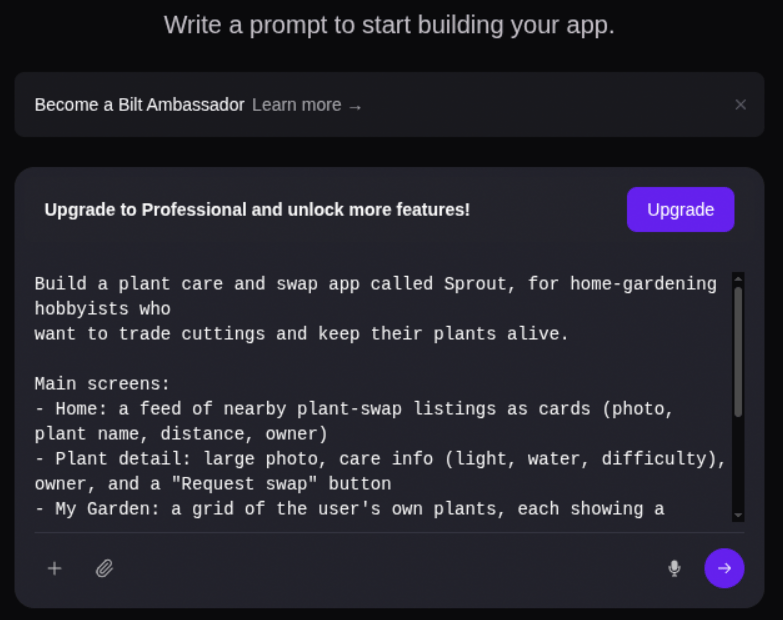
Step 3: Watch it build
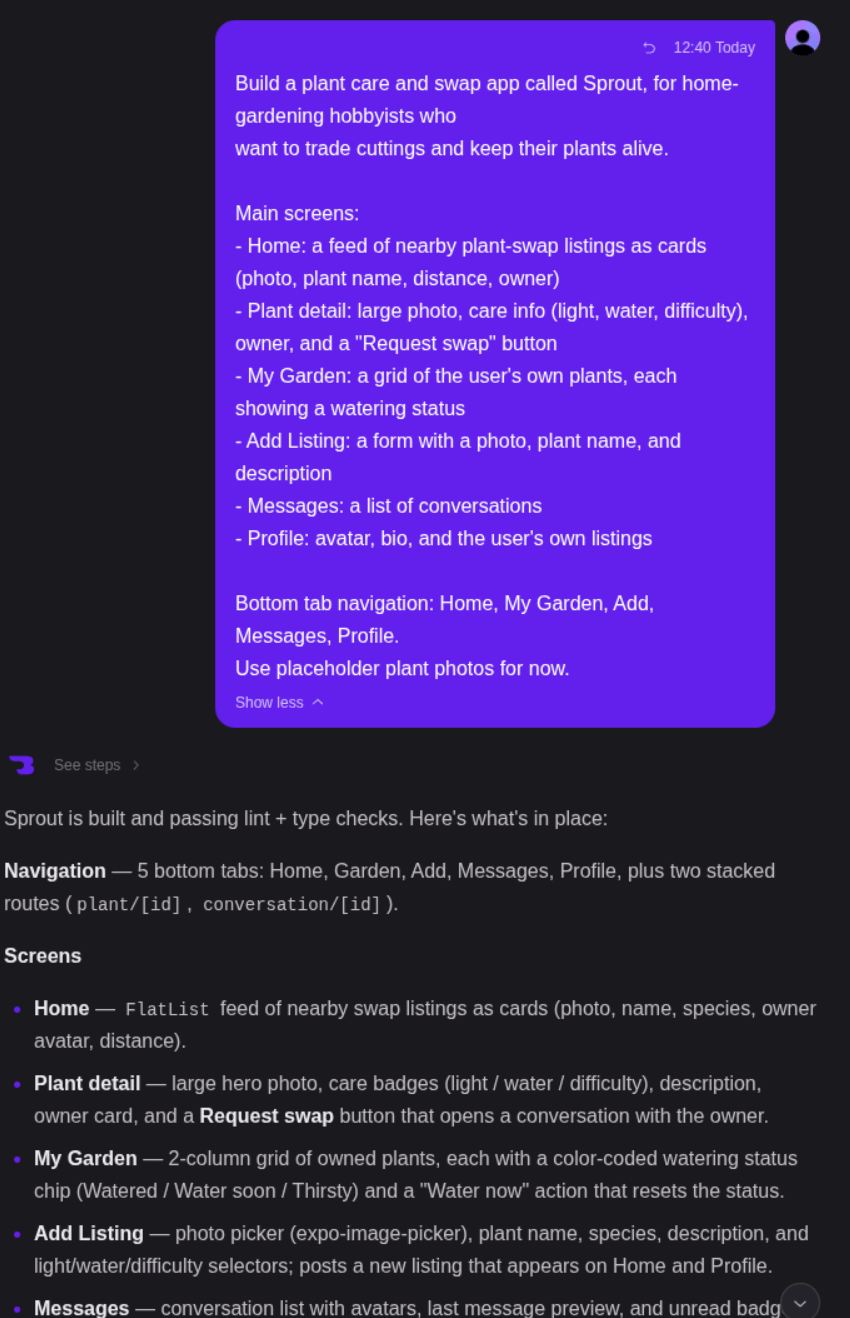
Bilt’s AI generates your app in real time. You’ll see:- Live code generation — The AI writes React Native code as you watch
- Live preview — Your app appears in a live preview right in the browser
- Progress updates — Status messages show what the AI is working on
Step 4: Iterate with chat
Your app is live — now refine it by chatting with the AI: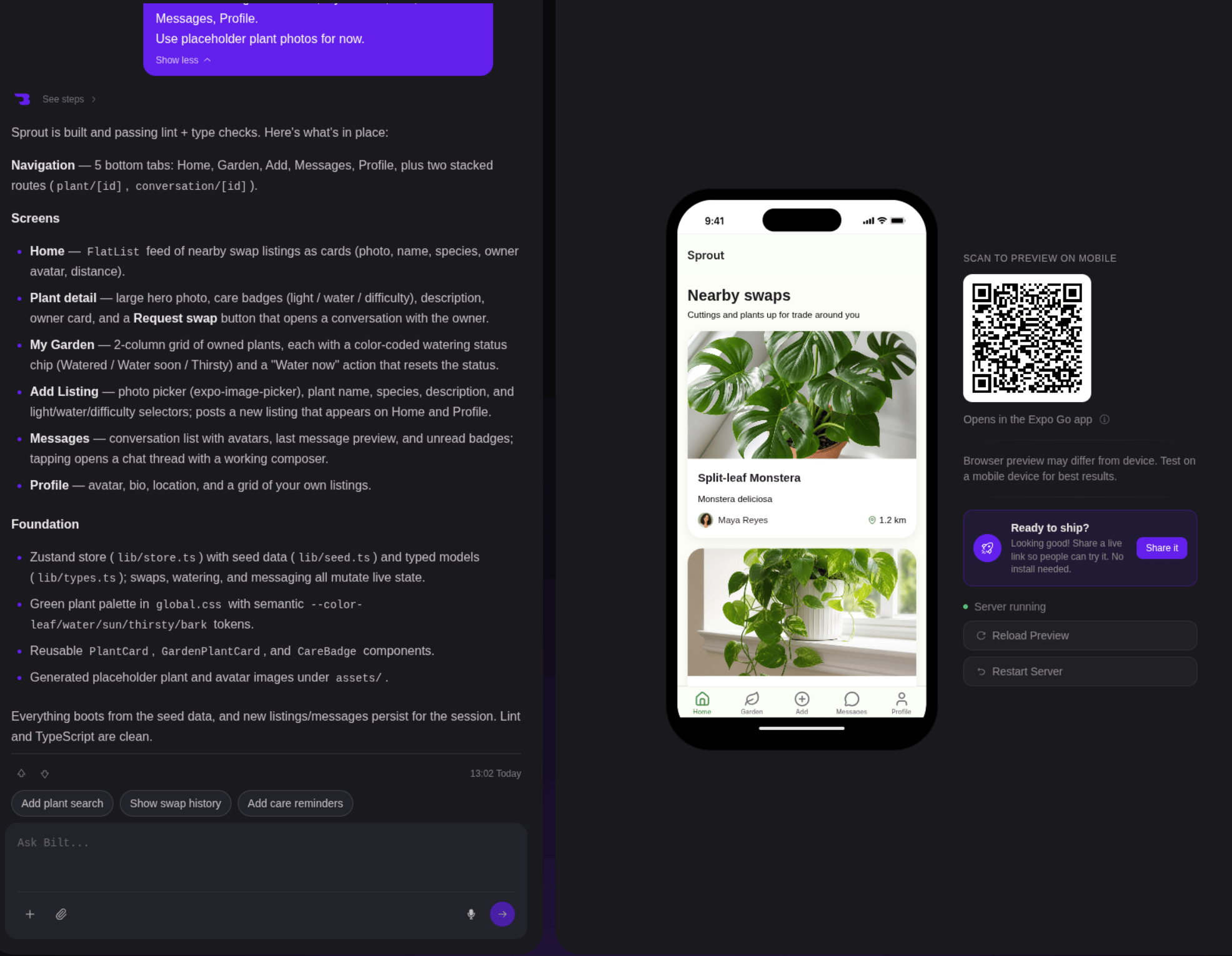
Step 5: Share or ship
Once you’re happy with your app:- Share a preview link — Send a live link to testers or stakeholders
- Push to GitHub — Connect a repo to keep your code in version control
- Publish your app — Submit to the App Store, Google Play, or both directly from Bilt
- Export the code — Download the full React Native source and continue on your own
What just happened?
Behind the scenes, Bilt:- Interpreted your description and planned the app architecture
- Generated production-ready React Native code
- Built the app in a cloud sandbox
- Showed your app in a live preview in your browser
- Applied your chat messages as iterative updates
Next steps
Prompting guide
Write better prompts for better apps
Connect a backend
Add sign-in, a database, and file storage with Bilt Cloud
Push to GitHub
Version control your app code
Publish your app
Ship to the App Store, Google Play, or both
Prefer working from an AI agent? See the MCP quickstart to connect Bilt to Claude, Cursor, or OpenClaw.