
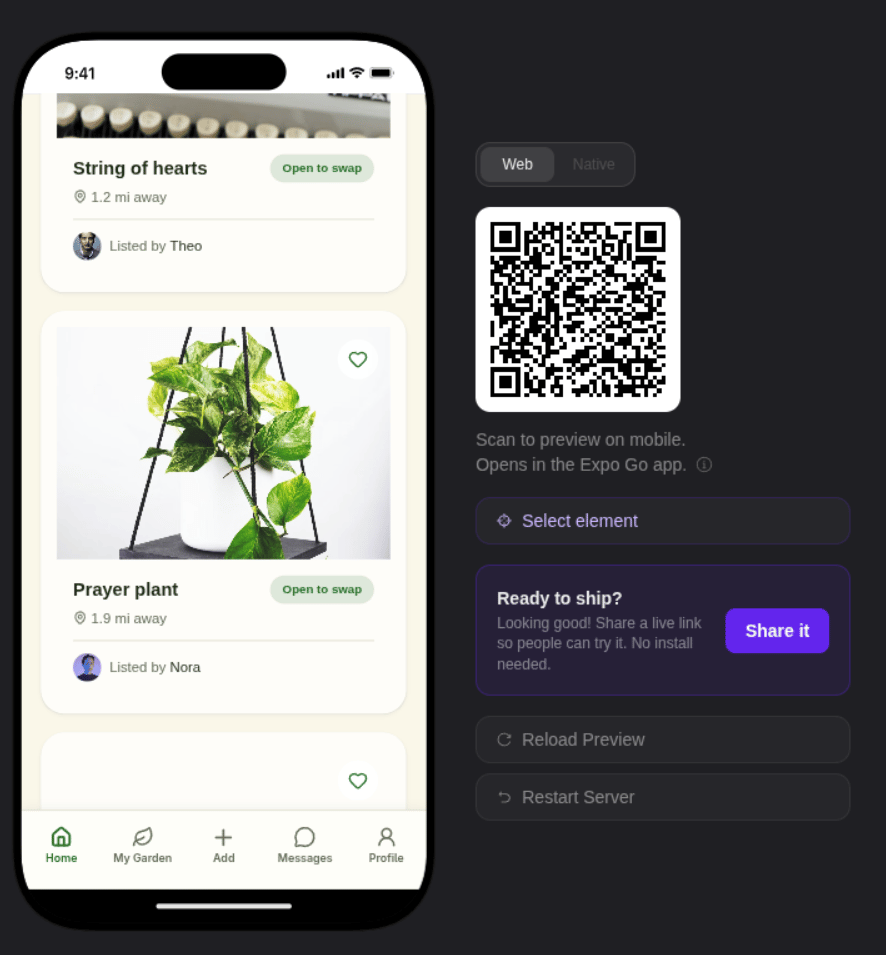
How it works
When you create or update a project, Bilt builds your app in a cloud development sandbox and shows it in a live web preview next to the chat. Each chat message rebuilds the app and the preview refreshes. You interact with the preview just like a web app — click, scroll, and navigate between screens to test your full flow. To try your app on a real phone, scan the Expo Go QR code in the preview panel. See Get & Share Your App.What you get
- Live preview in the browser — Not a mockup or screenshot. Your real app, running and updating as you chat.
- Instant updates — Each chat message rebuilds the app. Changes appear in the preview within seconds.
- Native iOS view — Switch the preview to a cloud-streamed iOS simulator to see the real native look.
- No local setup — Everything runs in the cloud. Works from any browser on any OS.
- Try it on your phone — Scan the Expo Go QR code to open your app on a real device.
- Shareable — Send a preview link to anyone. They can open and try your app in their browser.
Preview during development
The preview sits alongside the chat interface. As you describe changes, you can watch the app update live:- Type a message — “add a tab bar with Home, Search, and Profile tabs”
- The AI writes the code and triggers a rebuild
- The preview refreshes with the new tabs visible
- Test the navigation and send follow-up instructions
Point at an element
When a change applies to one specific part of a screen, click Select element below the preview, then click that element in the running app and tell Bilt what you want to change. While selection is active the button reads Cancel selection.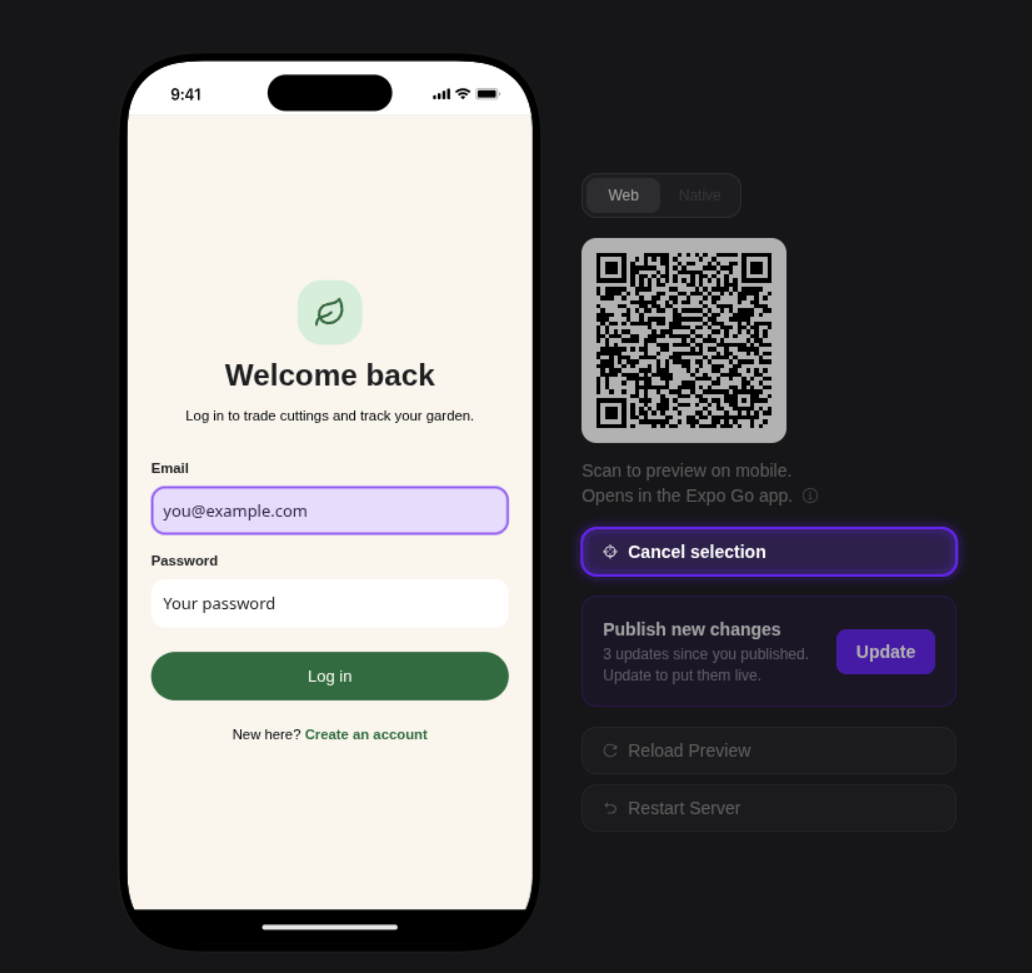
Sharing preview links
Create a preview link from Deploy & Share → Share a link. Anyone with an active link can open and try your app in their browser — useful for:- Stakeholder reviews — Share with clients, investors, or teammates
- User testing — Get feedback on flows before publishing
- Bug reports — Share the exact state someone else can reproduce