A browser prototype can look finished and still fail when a real user tries the flow on a phone.
The rebuild arrives later, when interactions need real behavior, device testing, or a route to production.
This guide ranks 10 rapid prototyping tools by how far they actually carry the work, from sketch-stage wireframes to prototypes that become shipped native apps.
Each entry covers what the tool prototypes best, where it stops, and what it costs.
Quick picks and scope
This roundup is a shortlist of 10 rapid prototyping tools spanning low-fi wireframes, AI-generated concepts, high-fidelity interactions, and native mobile app handoff.
- Native mobile prototypes that can ship: Bilt turns a mobile concept into native iOS and Android apps. Figma Prototyping and Uizard create design artifacts for review and handoff.
- High-fidelity interaction testing: Proto.io simulates mobile gestures and orientation changes in a browser. ProtoPie Connect links prototypes to Arduino, steering wheels, and gamepads.
- Low-fidelity structure and workshops: Balsamiq keeps feedback on layout and functionality, while Miro AI turns whiteboard ideas into interactive wireframes on a shared canvas.
- AI-assisted generation: Uizard converts prompts, screenshots, and sketches into editable prototypes. Figma Make builds web apps from prompts or design files, while Magic Patterns generates React components from a design system.
Rapid prototyping tools compared: starting point, fidelity, AI, and handoff
Rapid prototyping tools differ mainly by starting point, prototype fidelity, AI generation depth, and whether handoff ends at preview links, code, or shipped apps.
- Starting point: Uizard accepts prompts, screenshots, and sketches. Miro AI starts with workshop canvases, while Figma Prototyping starts with designed frames.
- Hardware inputs: ProtoPie connects prototypes to Arduino, steering wheels, and gamepads through Send and Receive messaging. Proto.io supports mobile gestures and orientation changes, but not external hardware or API messaging for IoT simulation.
- Figma logic: Figma Prototyping includes variables, conditional logic, and mathematical expressions on Professional and higher plans.
- Banani compares prototyping tools on coded prototyping as a distinct dimension, separating tools with code export from no-code simulation tools.
- Handoff: Figma Prototyping ends with a shareable prototype, Figma Make publishes a web experience, Magic Patterns outputs React, and Bilt produces native iOS and Android apps.
- Early structure: Balsamiq uses a hand-drawn style to keep feedback on functionality and structure instead of visual polish. UX Pilot turns text or sketches into structured low-fidelity layouts with its AI wireframe generator.
The comparison separates tools by use case, AI integration, pricing, and handoff, so low-fi ideation tools do not get grouped with code-oriented tools.
What kind of prototype do you need?
The right prototype is the one that matches your goal: structure, AI concept generation, interaction realism, or production-ready mobile validation.
Do you need low-fi structure or high-fi realism?
Balsamiq's hand-drawn wireframe style keeps review comments on structure and information architecture instead of color and spacing. Figma Prototyping and Proto.io sit at the other end, with interactive screens built for realistic flows.
Are you starting from a prompt, sketch, board, or design file?
Uizard generates editable mockups from prompts, screenshots, and sketches. Miro AI turns board ideas into wireframes in place, and UX Pilot digitizes web assets into editable Figma layers.
How much interaction depth do you actually need?
Figma Prototyping supports variables, conditional logic, and expressions on Professional and higher plans. Proto.io supports stateful interaction sequences, while ProtoPie can connect flows to hardware through Send and Receive messaging.
Does the prototype need to become a real mobile app?
If the endpoint is a shipped app, Bilt produces native iOS and Android builds from a mobile prototype.
Browser previews miss device behavior; tools for testing mobile releases cover physical hardware, automation, and broader device coverage.
How we evaluated these tools
Rapid prototyping tools are software you judge by how quickly they create a testable prototype, how realistic that prototype feels, and how far it carries work toward real product delivery.
The rubric behind every entry below:
- Speed to first testable prototype: Measures how fast a prompt, sketch, or design file becomes something a person can click through.
- Fidelity and interaction depth: Measures whether the prototype supports states, gestures, variables, and conditional logic rather than static screen links.
- AI contribution: Measures how much screen generation comes from a prompt or uploaded artifact versus manual layout work.
- Pricing and access: Covers plan tiers, free options, and prototyping features reserved for higher plans.
- Handoff: Assesses whether the output becomes production code or a shipped app, or must be rebuilt after validation.
- Collaboration and system fit: Measures commenting, sharing, multiplayer review, and how well the tool works with the team's design system and engineering workflow.
Figma Prototyping and Proto.io are assessed through hands-on use. The remaining entries use published capability and pricing information.
The 10 best rapid prototyping tools
The 10 picks below are ordered by how far each tool carries the work past the prototype, starting with the one that ends in a published app. Each entry covers why it is fast, best fit, the main trade-off, and pricing.
1. Bilt
Bilt is an AI mobile app builder that turns natural language prompts into native iOS and Android apps with React Native code, live preview, testing, and app store publishing in one workflow.
One conversation carries the build. You describe the app in plain English, Bilt generates the interface and the backend, and you keep chatting to refine screens until it matches what you pictured.
The harder part is the middle and the last mile, meaning backend integration, native features, code signing, and store compliance. General AI coding tools and most no-code builders hand that part back to you.
Bilt fits people who have already outgrown mockups:
- First-time builders with no coding background
- Builders who can make a convincing demo but need help getting it onto real phones and into app stores
- Web app owners who want a native version of what they already shipped
- Founders working against a launch or investor deadline
The free tier includes app prompting, backend services, live preview, and support, so teams can evaluate the workflow before choosing a paid plan.
What Bilt prototypes best
Bilt prototypes app concepts that need working mobile behavior, backend logic, and native interactions, not just clickable screens.
- Reminder and utility apps: Recurring tasks, notification settings, navigation, and stored user data can be tested as working behavior rather than tapped hotspots.
- Content and subscription apps: Media, user accounts, payments, and subscription access can run through the same backend instead of being faked in the interface. Bilt Payments supports iOS end to end; Google Play support is still in progress.
- Internal tools and personal apps: These projects often stay in a spreadsheet because hiring a developer does not fit the budget.
- Native output for iOS and Android: Bilt generates React Native code that compiles to real binaries rather than a web view in an app shell.
Prompt to native app preview
One plain-English prompt is enough to generate a working native preview. The first version usually arrives in minutes, with timing depending on scope and complexity.
- Describe the app in plain English. No wireframes, no spec doc, no technical brief; the AI reads the description and sets the initial scope.
- Bilt generates the UI, core features, and backend together. Screens, navigation, and data layer arrive as one working app instead of a clickable shell you wire up later.
- The preview opens in a browser simulator or on your phone via QR code. Nothing gets installed locally, and no Mac or Xcode is involved.
- Refinement continues in chat. Add a screen, change a flow, adjust a detail by asking for it, rather than editing code by hand.
How you test mobile flows
Bilt tests mobile flows through a browser preview and Expo Go on physical phones, so users can check behavior on iOS and Android phones.
- Bilt lets users scan a QR code to open and test the app in Expo Go on physical iOS or Android devices.
- Browser simulator: Run the flow before setting up a test device.
- Real interaction detail: Test taps, scrolling, navigation, and core flows before publishing.
What happens after the prototype
After the first version, Bilt supports iterative changes through chat, manages backend pieces, and can export code, while the user still decides product direction and release readiness.
Iteration stays conversational. Adding a screen, reworking a flow, or tightening UI details happens through chat, and the backend pieces underneath move with it.
Authentication, media uploads, database-backed data, iOS payments, and notifications sit inside the same workflow. The generated React Native code is yours to export, hand to a developer, or keep building on inside Bilt.
What stays with you is product judgment. Bilt will keep generating versions, but scope, quality bar, and release timing are still your calls.
Deployment and app store path
Bilt automates builds and code signing for iOS and Android and supports store uploads in one guided workflow.
Bilt can generate the certificates and provisioning profiles, then build, sign, and upload the app to App Store Connect. You submit the build for review in Apple's tools.
- Initial build: Bilt can move from a first prompt to a submission-ready mobile build in minutes, depending on the app's scope.
For Google Play, Bilt prepares the .aab and can send it to the internal testing track; the first release may require a manual upload in Play Console.
Pricing and team fit
Bilt offers a free tier, paid plans, custom enterprise pricing, and one-time token top-ups for extra usage.
Start free, then upgrade as usage grows. Paid plans begin at €25/month, with one-time token top-ups available when you need more before the next reset.
| Plan | Price | Monthly AI tokens | What it adds |
|---|---|---|---|
| Free | €0 | 3M | Build-any-app prompting, free backend, live preview, Discord and email support |
| Professional | €25/mo | 10M | Priority agent access, priority native preview, integrations, private Discord channels |
| Professional Plus | €50/mo | 20M | Priority support and early access to new features |
| Enterprise | Custom | Custom | Dedicated support, onboarding, custom integrations, group access control, custom design systems |
2. Figma Prototyping
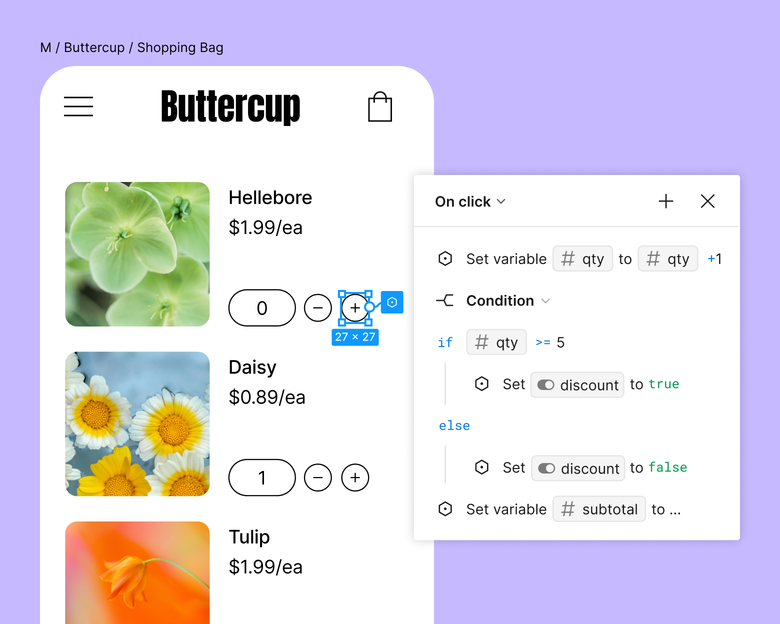
Figma Prototyping is the interaction layer built into Figma design files. You link frames, set triggers and transitions, and play the result as a clickable flow without leaving the file.
Figma's interaction tools stay beside layout and component work, rather than moving the team into a separate prototyping environment.
Starter and paid plans support variables, conditional logic, and mathematical expressions, so prototypes can hold state instead of only linking static screens.
Why it is fast
Figma Prototyping is fast because it turns existing design frames into clickable high fidelity flows without switching tools or writing code.
Triggers, transitions, overlays, and state are added beside the screens. Reviewers can then open a shareable prototype without a separate build or import step.
Paid-plan files can include unlimited viewers, while comments, observation mode, and shareable links support design critique and usability testing.
Best fit
Figma Prototyping is a rapid prototyping tool for teams already designing in Figma who need high fidelity interactive flows without a separate app.
Figma Prototyping fits screens that already exist and need realistic interactions, rather than an earlier stage where screens are still being generated.
- Once a Figma flow is approved, Bilt can use those designs to create a native app build. The handoff keeps Figma focused on design review while Bilt takes on the production path.
Main trade-off
Figma Prototyping creates interactive flows from design files. Its output is a shareable prototype for review and testing, rather than an app build.
Teams can review the flow through a shareable link or player preview before engineering begins.
Builds, code signing, and store submission need a separate production workflow after prototype approval.
Pricing and access
- Starter plan: Includes interactive prototypes, transitions, overlays, and shareable links with limited overall access.
- Professional Full seat: Costs $16/month with annual billing and includes advanced prototyping tools.
- Review access: Paid-plan files can include viewers and commenters without extra paid seats.
3. Proto.io
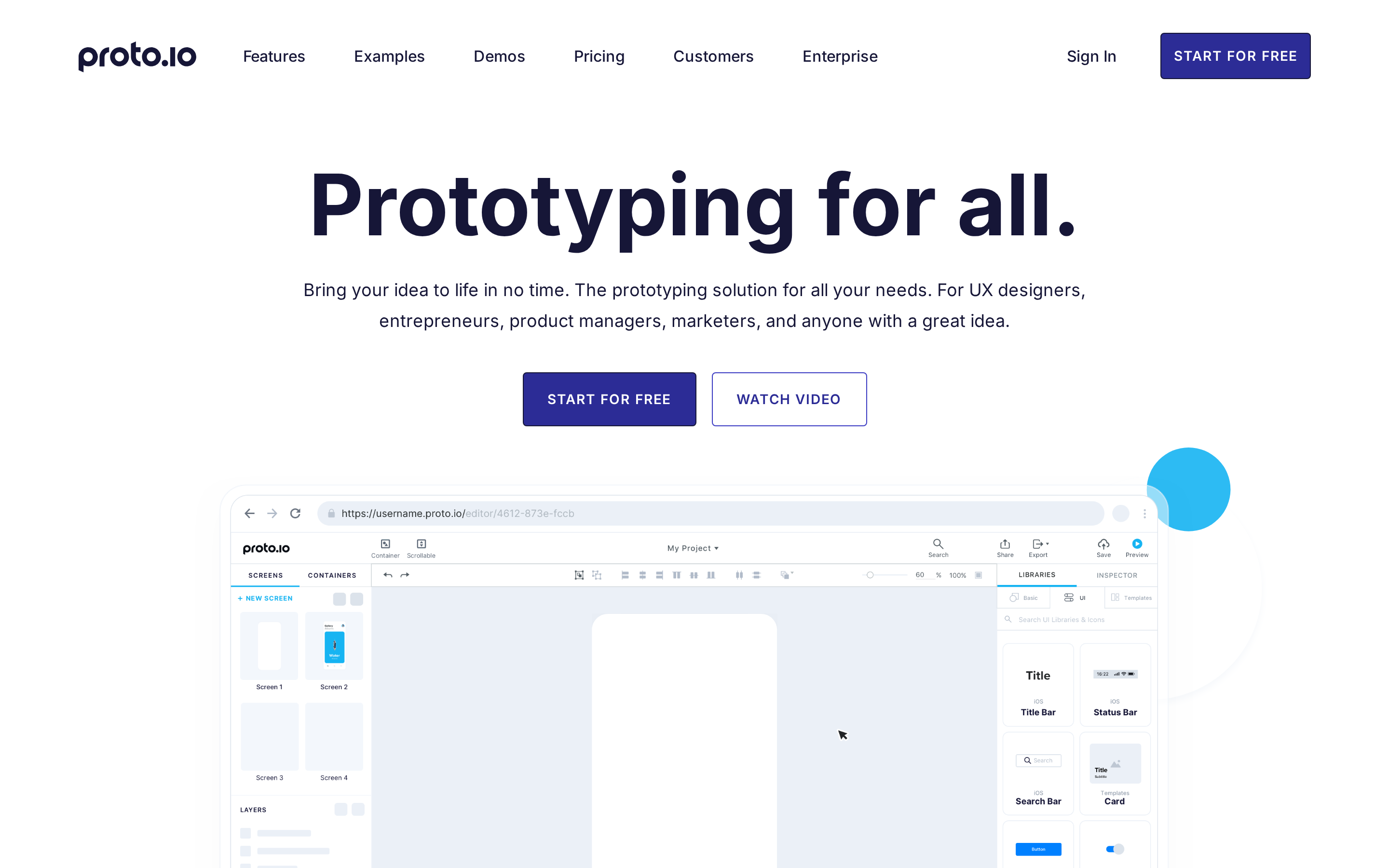
Proto.io is a browser-based tool for high-fidelity mobile and web simulations, assembled from a large library of ready-made UI components.
Proto.io stands out for testing distribution: direct share-link integrations with UserTesting and Userlytics place a prototype straight into a remote research session.
Assembly is manual. Screens and interactions are dragged into place rather than generated from a prompt, which gives designers control but requires more setup than AI-first tools.
Why it is fast
Proto.io speeds up high-fidelity assembly with a browser editor, ready-made components, and reusable templates.
The browser editor avoids a local build pipeline and device provisioning. Reviewers can open the prototype without installing software.
The stock elements and templates cover common mobile and web patterns, which leaves custom work for the screens that are genuinely new to the product.
Best fit
Proto.io is a high-fidelity prototyping tool for browser-based mobile testing workflows with realistic gestures, transitions, and remote usability validation.
Prototypes respond to mobile gestures and orientation changes, so a tester can swipe, tap, and rotate the screen instead of clicking through static frames.
Remote research is the second fit. Direct share-link integrations with UserTesting and Userlytics send a prototype link straight into a session without extra hosting.
Main trade-off
Proto.io stays within browser-based simulation. It supports review and testing, while a prototype that needs hardware inputs belongs in ProtoPie and a native mobile release needs a separate production workflow.
Two further boundaries show up on advanced work:
- Hardware: ProtoPie is the clearer fit when a prototype must exchange messages with Arduino boards, gamepads, steering wheels, or other physical inputs.
- Design systems: Teams with production components in GitHub or NPM may prefer a code-aligned workflow such as Magic Patterns.
Pricing and access
Proto.io uses paid plans that vary by editor access, project allowance, and collaboration needs.
4. ProtoPie
ProtoPie is a high-fidelity prototyping tool for logic-driven interactions across devices, sensors, and connected hardware.
ProtoPie can drive a prototype with physical hardware. Its companion server app, ProtoPie Connect, links prototypes to physical inputs through Send and Receive messaging.
That puts it in a different category from screen-linking tools. It suits interaction designers working on sensor gestures and multi-device flows, where behavior matters more than pixels.
Why it is fast
ProtoPie is fast because it builds high-fidelity interaction logic without code and connects prototypes directly to hardware test setups.
Variables and conditional behavior let a flow respond to state instead of jumping between static screens. Basic and Pro also include plan-based ProtoPie AI credits.
ProtoPie Connect shortens hardware testing by passing Send and Receive messages between a prototype and external inputs:
- Arduino boards and IoT sensors
- Steering wheels and gamepads
- APIs and game engines such as Unity
Rather than describing how a sensor or a controller should feel, you connect the real input and test it in the prototype.
Best fit
ProtoPie is a rapid prototyping tool for teams testing high-fidelity interactions, device inputs, and hardware-connected product simulations.
ProtoPie fits teams whose prototype has to behave like the real product.
- Interaction-heavy UX work: Designers can build advanced interactions without engineering support.
- Motion, gesture, and edge-case testing: States and conditions that linked screens cannot convincingly simulate.
- Hardware and engine-linked simulations: Prototypes driven by sensors, controllers, or a Unity build, including console-style game concepts.
Main trade-off
ProtoPie centers on interaction simulation. Native production and deployment require a separate workflow.
A ProtoPie simulation can demo perfectly without carrying into a shippable build. The output is a simulation rather than app code.
Hardware connectivity still makes ProtoPie useful early, even when another workflow handles production.
Pricing and access
ProtoPie prices access per seat and caps use by prototype and scene count.
| Plan | Price (annual billing) | Included |
|---|---|---|
| Free | $0 | 2 prototypes, 2 scenes each |
| Basic | $25 per seat/mo | 20 prototypes, 10 scenes each |
| Pro | $47 per seat/mo | Unlimited prototypes |
Basic caps each prototype at 10 scenes.
Complex flows can reach that scene limit before they use the prototype allowance.
5. Balsamiq
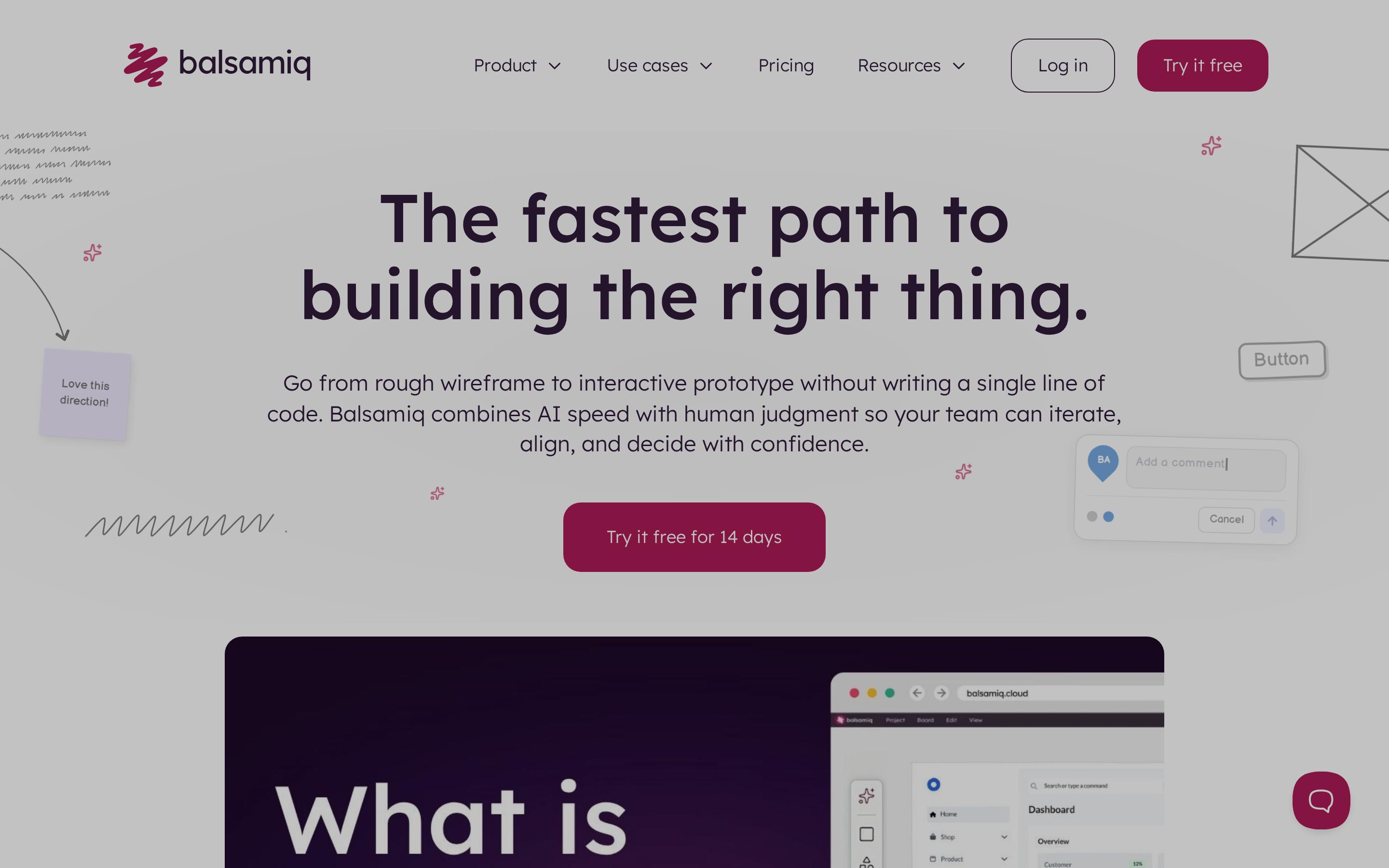
Balsamiq is a low-fidelity wireframing tool with a sketch-style interface for rapid structural prototype reviews.
Balsamiq keeps prototypes in a hand-drawn sketch style, so reviews stay on layout and function instead of color, type and spacing.
Balsamiq is the lowest-fidelity tool among these rapid prototyping options. Bilt takes a different route, carrying approved mobile flows into native app production and app logic.
Why it is fast
Balsamiq is fast because its low-fidelity sketch style keeps teams focused on structure instead of visual polish.
Because visual polish is intentionally limited, teams can redraw a screen or reorder a flow quickly when a structural idea fails.
So the fastest output is a low-fidelity wireframe: screens, structure, and flow, assembled in minutes and discarded just as quickly when the structure is wrong.
Best fit
Balsamiq is a low-fidelity prototyping tool for teams mapping information architecture, screens, and flows before visual design starts.
It earns its place in the first week of a project, when the open questions are still structural:
- Structural reviews where the open question is what goes where
- Early ideation with stakeholders who need to read a flow rather than judge a UI
- Handoff into a higher-fidelity tool once the structure holds
Main trade-off
Sketch wireframes cannot support reviews that need realistic visual detail or polished presentation.
Once concepts are validated, the structure moves into a design or build tool for realistic presentation detail.
Pricing and access
Balsamiq Cloud starts at $12/month for two active projects.
Cloud billing is based on active project capacity rather than a per-seat design plan.
6. Uizard
Uizard is an AI-powered UI design tool that turns prompts, screenshots, and sketches into editable app prototypes.
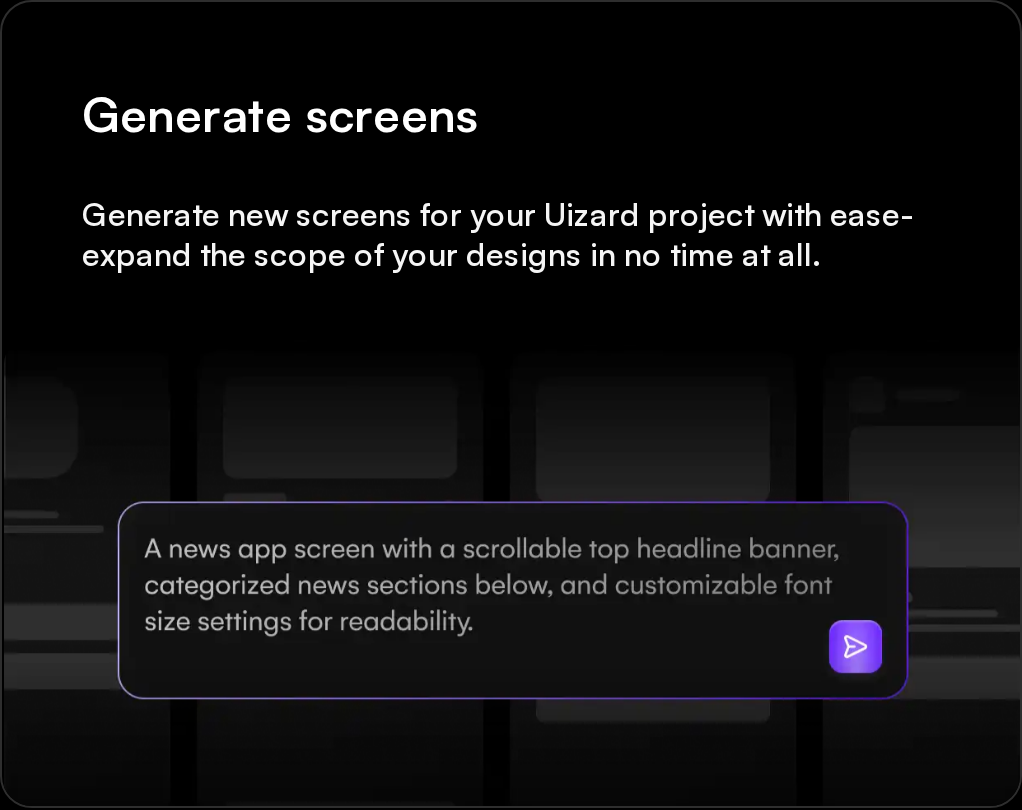
What separates Uizard from the other AI tools here is the conversational loop. Autodesigner 2.0 iterates across multiple screens through plain dialogue, so a whole flow gets revised in one pass instead of screen by screen.
Why it is fast
Uizard is fast because AI generation turns prompts, sketches, and screenshots into editable multi-screen prototypes with linked flows.
The AI does the assembly work. Autodesigner populates assets and adds dynamic links between screens, so what comes back is a clickable flow rather than a stack of loose frames.
Figma Prototyping adds interactions after screens exist. Uizard starts earlier by generating the visual mockup and linked flow from a prompt, screenshot, or sketch.
Best fit
Uizard is a rapid prototyping tool for non-designers and product teams creating early app flows and mockups from AI prompts.
- Product managers and founders: Create early app concepts and get alignment on a clickable flow.
- Non-designers: Turn an idea into an editable mockup before deeper logic or production code is needed.
Main trade-off
Uizard handles clickable flows, but complex if/else conditions require a tool with deeper interaction logic, such as ProtoPie.
Uizard produces editable design artifacts and handoff material rather than a complete native iOS or Android build. Once the flow is approved, Bilt can take that work into React Native code for iOS and Android.
For teams that need a shippable mobile app, Bilt turns approved flows into React Native code for iOS and Android.
Pricing and access
Uizard Pro starts at $12 per seat/month on annual billing.
- Figma comparison: A Figma Professional Full seat, the relevant seat for design and prototyping, costs $16/month with annual billing.
- Free: Includes limited AI generation for testing the workflow.
- Pro: Expands Autodesigner access for regular multi-screen concept work.
7. Miro AI
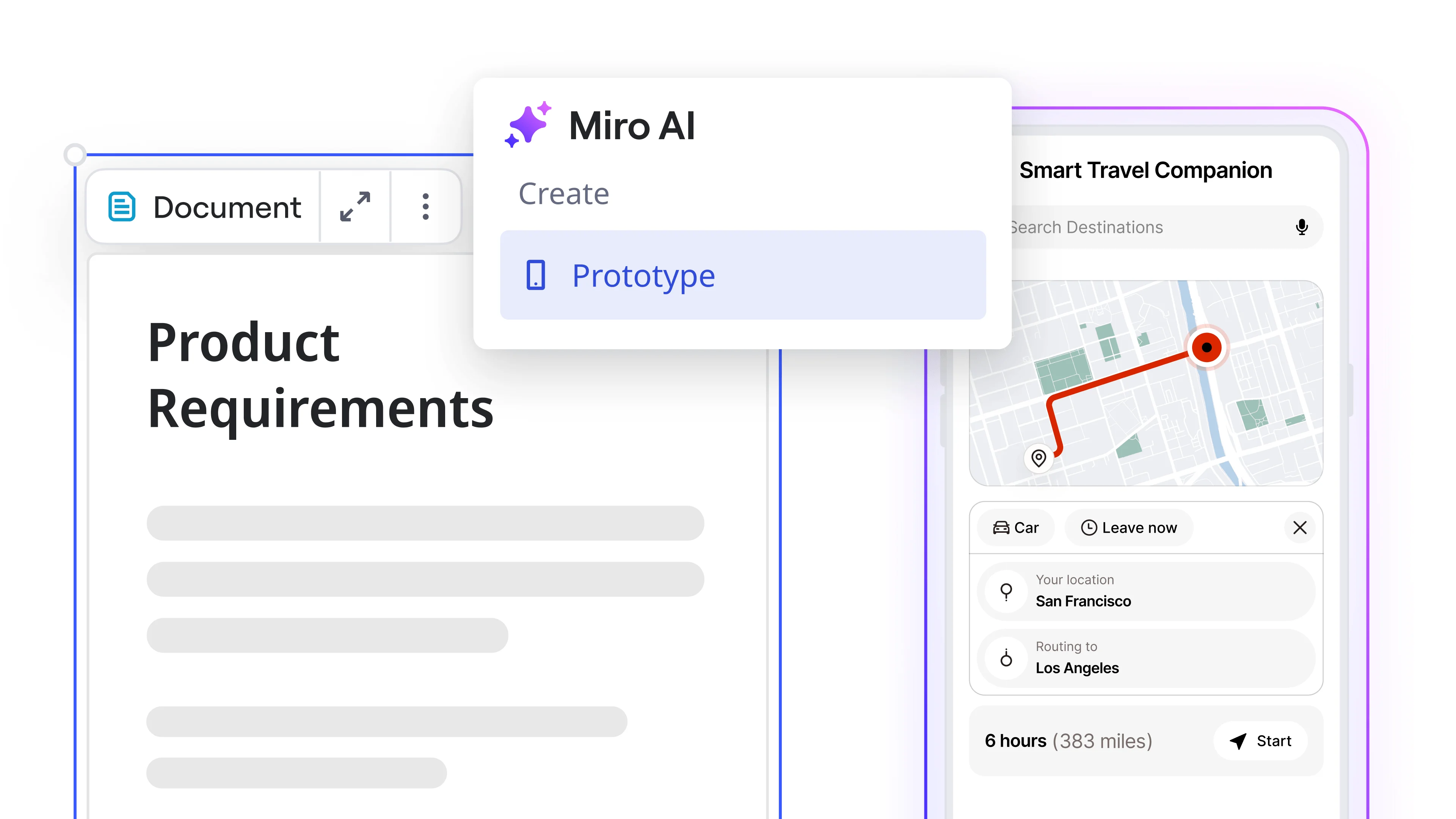
Miro AI is a collaborative whiteboard prototyping tool that turns workshop notes and canvas content into low-to-mid fidelity interactive wireframes.
What sets it apart is where the prototype starts. Sticky notes and brainstorming clusters on a board you already filled become structured UI flows without moving the work into a design tool.
Why it is fast
Miro AI is fast because it turns existing board content into editable interactive wireframes on the same collaborative canvas.
Brainstorming notes, screenshots, and workshop output can become an interactive prototype without leaving the board or rebuilding the context elsewhere.
Refinement stays on the canvas too:
- Text prompts for structural changes
- Image references to steer the visual direction
- Drag-and-drop component editing in place
Miro supports connected prototype flows and collaborative review. ProtoPie goes deeper when the test depends on complex state or hardware inputs.
Best fit
Miro AI is a rapid prototyping tool for cross-functional teams moving from workshop output to testable low-fidelity flows on one shared board.
Cross-functional groups get the most from it. The board holds the whole team during brainstorming, and comments keep refinement in the same place the ideas started.
The stage is early. Miro AI suits concept shaping and quick validation before the work moves into a higher-fidelity tool.
Main trade-off
Miro AI supports basic interactive flows, but later-stage work needs advanced interaction modeling or a native app production path.
- Interaction depth: Miro AI handles basic screen connections and flow variations.
Once the team aligns, Miro can push work to a coding agent through MCP or export it for further design refinement.
When a mobile flow needs to ship, Bilt produces React Native code for iOS and Android.
Pricing and access
Miro's interactive prototype feature is included with Business and Enterprise, not Free or Starter.
- Free and Starter: Include the prototyping library, but not interactive prototypes.
- Business: Includes interactive prototypes and offers a 14-day trial.
8. Figma Make
Figma Make is an AI-native prototyping tool that generates functional web apps from prompts or Figma files inside the Figma workspace.
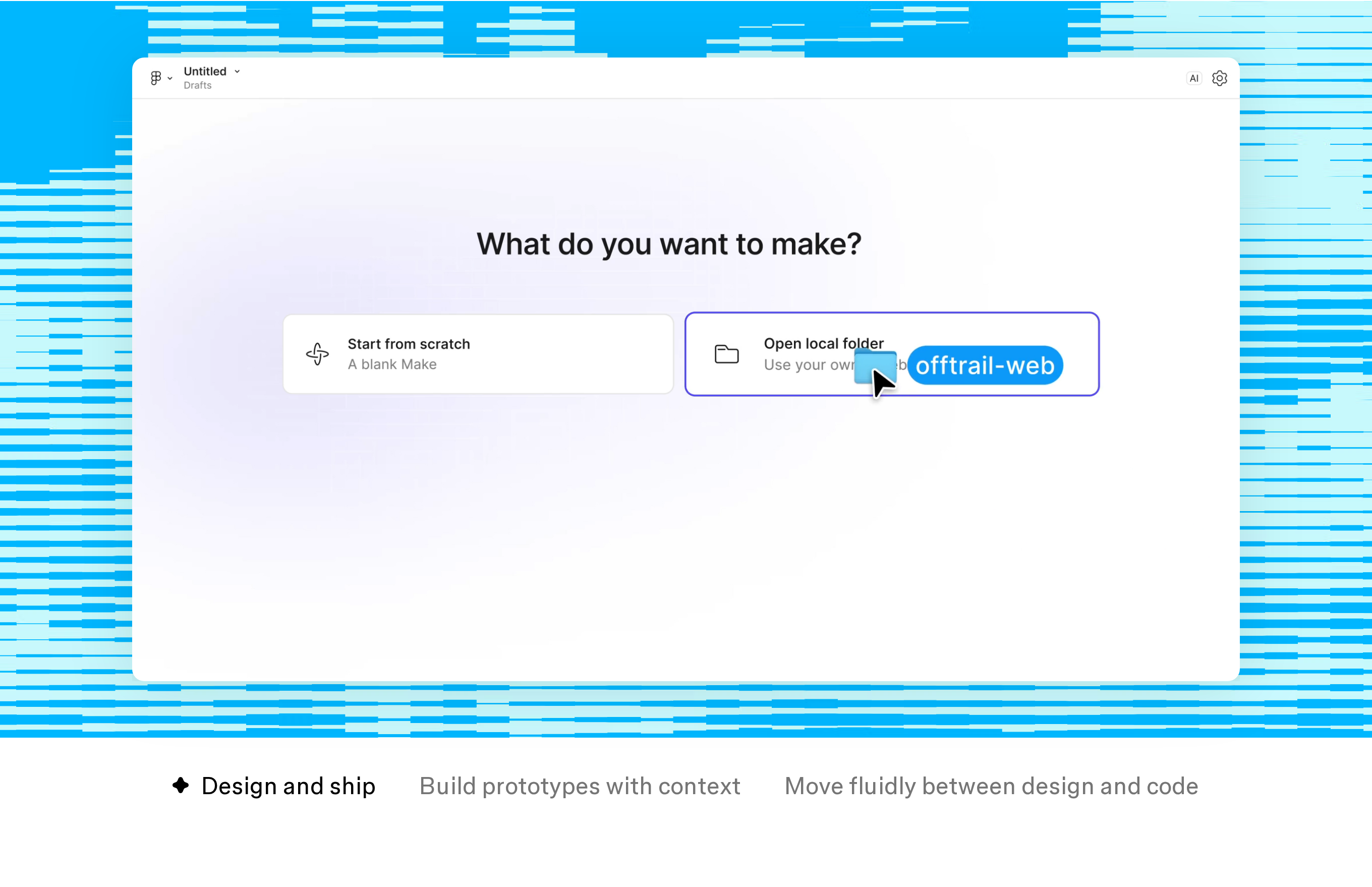
Figma Make generates a functional web app with a public URL and AWS hosting, rather than a clickable screen flow.
Why it is fast
Figma Make is fast because it turns prompts or existing frames into multi-screen, clickable web prototypes inside Figma.
- Turn an existing frame or prompt into a multi-screen layout.
- Use reference images as a starting point.
- Copy a Make preview into editable design layers when detailed visual refinement belongs in Figma Design.
Prompts refine screens, behavior, and data connections inside the functional prototype, rather than relying on Figma Design's frame-linking workflow.
Generated prototypes and web apps can be published as websites with dedicated URLs, so stakeholders can open them without a separate hosting step.
Existing design systems carry over. Teams search and reuse assets by prompt or visual, and Make kits sync npm packages and library styles to guide what gets generated.
Best fit
Figma Make is a rapid prototyping tool for teams that need live web prototypes from prompts or existing Figma work without leaving Figma.
- Established design system: Product teams can generate from the assets and components they already use in Figma.
- In-Figma review: Designers can refine the live web flow without moving between a generator and a separate design file.
Two needs point elsewhere. Hardware-connected simulation runs through ProtoPie Connect, and a native iOS or Android build sits outside Figma Make's web output.
Main trade-off
Figma Make is built for browser-based functional prototypes and web apps. Its main constraints appear when the endpoint is native mobile or hardware-connected testing.
- Native delivery: The output is a web app, so iOS or Android binaries require a separate native development path.
- Device simulation: Preview does not expose local hardware sensors; ProtoPie Connect supports messaging with external devices.
Pricing and access
Figma Make can be tried on Figma's Starter plan. Professional seats start at $16/month on annual billing.
- Starter: Try Figma Make with metered credit usage.
- Professional: 3,000 AI credits/month on a $16/month annual seat.
- Organization and Enterprise: $55 and $90 per seat/month on annual billing.
9. Magic Patterns
Magic Patterns is an AI prototyping tool that generates production aligned React components from prompts using a team's live design system.
The distinguishing piece is two-way GitHub sync with MCP server support, which makes roundtrip design-to-code work possible inside an IDE. Design systems imported from GitHub or NPM mean generated React uses the exact production components.
Why it is fast
Magic Patterns is fast because prompt generated prototypes stay aligned with a team's existing React components and design tokens.
Rework can drop because imported components, screenshots, styles, and design-system rules steer the generated React toward the existing product language.
Variants come from the same prompt. Several versions generate at once and stay code-consistent across iterations, which keeps exploration from drifting away from the component library.
Best fit
Magic Patterns is a rapid prototyping tool for teams that validate product ideas with production aligned React components inside established codebases.
Engineering-led teams are the fit. Developers working in an established codebase and product managers validating features both get prototypes built from live components and tokens.
The output favors production alignment over exploration. That matters most when the prototype is meant to become the feature rather than illustrate it.
Main trade-off
Magic Patterns centers on React output shaped by a team's design system. Figma Make emphasizes a published browser experience, while Bilt's output is native mobile code for iOS and Android.
- Web output: The workflow produces React components for web use. A mobile release needs a separate native development path.
- System dependency: Its alignment advantage depends on a design system in GitHub or NPM.
Pricing and access
Magic Patterns offers a free tier and a $17/month Starter plan on annual billing.
- Free: 100 credits/month to test generation with your own components.
- Starter: 1,000 credits on the paid plan.
- Business: $85 per seat/month with annual billing, 5,000 monthly credits, SSO, usage reporting, and larger team workspaces.
- On demand: Paid plans can buy extra credits at $0.02 each.
10. UX Pilot
UX Pilot is an AI-first prototyping tool that turns prompts into connected Figma wireframes, high-fidelity screens, and editable user flows.
The standout feature is URL import. UX Pilot reverse-engineers a live website into editable Figma wireframes.
Why it is fast
UX Pilot is fast because it generates connected user journeys, wireframes, and Figma-ready screens from one prompt or imported website.
One prompt can return a connected journey rather than a single screen. UX Pilot generates structured wireframes first, then can turn them into polished high-fidelity screens for Figma review.
URL import is the shortcut that sets it apart. A live site becomes editable Figma wireframes, where Uizard's nearest equivalent is digitizing sketches.
Best fit
UX Pilot is a rapid prototyping tool for competitor analysis, structured wireframing, and Figma-first screen generation with early usability checks.
Competitor teardowns are the clearest use. Existing web assets become editable design layers instead of screens someone redraws from scratch.
For flow design, it fits projects where the logic of the journey matters as much as the styling, since a single prompt produces the whole connected path.
- Structured wireframes that stay editable in Figma.
Main trade-off
UX Pilot focuses on visual design generation rather than simulation or mobile deployment.
- Interaction logic: Conditional behavior belongs to ProtoPie or higher Figma Prototyping plans.
- Hardware simulation: External-device messaging is available through ProtoPie Connect.
- Mobile release: UX Pilot can export to Figma or send ready-to-build code to GitHub, but native app-store binaries need a separate path.
Pricing and access
UX Pilot offers free access with 80 daily credits and no credit card required. Paid plan details are available through its plan selector.
How to choose the right rapid prototyping tool
Choose a rapid prototyping tool by the risk you need to test and the artifact you need next. That decision narrows the field faster than comparing feature lists.
Use these five filters in order:
- Start with the endpoint, not the tool. If the prototype has to ship as a native app, that constraint rules out most of this list before fidelity even comes up.
- Choose fidelity next. Sketch wireframes and immersive simulations solve different problems. Going too polished too early turns structural feedback into comments about color.
- Check interaction depth. Variables and conditional logic are core features in some tools and paid-plan features in others, so compare the plan rather than the marketing page alone.
- Check how the team works. Comments, multiplayer editing, sharing, licensing, and training determine whether the prototype becomes a shared decision or a solo artifact.
- Confirm the handoff. Preview links, hosted web apps, React code, and native store builds are different exits. Choosing the wrong one creates a rebuild after validation.
Best tools by scenario
When more than one tool fits, break the tie by looking at the material you already have, the behavior you must test, and the artifact the next team needs.
App design tools for early concepting split by starting material. Balsamiq suits sketching structure, Miro AI suits a workshop board, and Uizard suits a prompt or a screenshot.
Polished clickable flows go to Figma Prototyping when the screens already exist, or Proto.io when the test needs mobile gestures and remote sessions.
Advanced behavior narrows to ProtoPie, the one option here that wires a prototype to Arduino boards, steering wheels, and gamepads.
When native delivery is the endpoint, which AI builders ship mobile apps is the comparison that matters before choosing.
What to do when a prototype needs to become a real mobile app
A prototype becomes a real mobile app only when the production path covers native code, backend services, device testing, ownership, and store submission.
A production path must replace mock interactions with working data, authentication, payments, notifications, and device behavior. It also needs maintainable source code and release ownership.
A web wrapper may be enough for some products, but teams should test these risks before choosing one:
- Feel slow next to real native navigation
- Miss device features like camera, GPS, and push notifications
- Face extra store-review scrutiny when the app adds little native value
Confirm how authentication, payments, access control, storage, and security will move beyond the prototype. Rebuilding that infrastructure after approval can erase the time saved during design.
- Apps built with Bilt can use native camera, GPS, and push notifications on real devices.
Confirm who owns certificates, provisioning profiles, code signing, store assets, submission, and post-launch fixes. A prototype is not production-ready until those responsibilities have a clear path.
That export path matters because App Store requirements and post-launch fixes are where non-technical builders usually stall.
Turn your mobile prototype into a shipped app with Bilt
Bilt turns an approved mobile prototype into a native iOS and Android app by generating production-ready React Native code, handling the backend, and guiding store submission in one workflow.
The prototype-to-dev handoff is where timelines usually go sideways.
Bilt generates source code that teams can modify before shipping.
- UI and backend generated together from one plain-English description
- Authentication, media uploads, and database-backed data through Bilt Cloud
- Feature changes and UI tweaks through conversation, with no drag-and-drop editor to learn
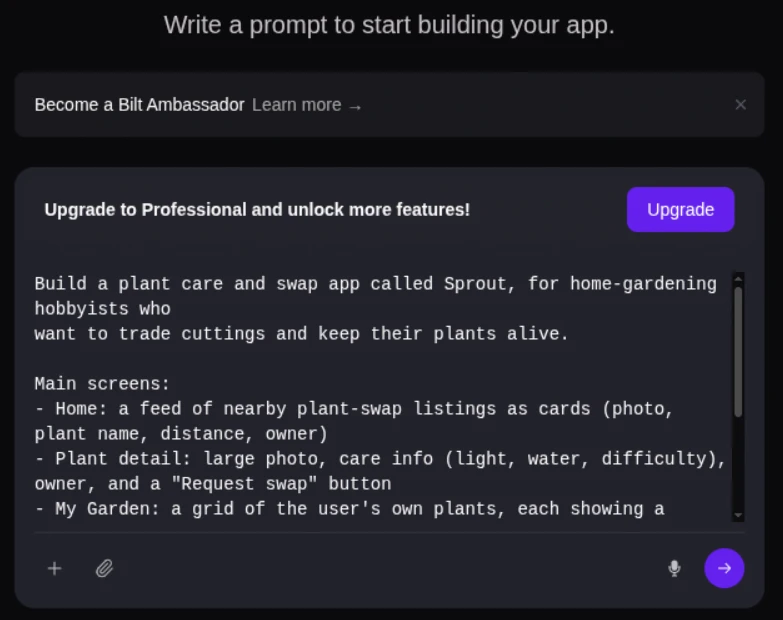
Testing before release runs two ways. Preview links go out to stakeholders for feedback, and a QR code opens the build on real iOS and Android hardware.
When it is ready, Bilt automates release preparation—including certificates, provisioning profiles, code signing, and asset generation—and can upload builds to the store tools. You complete store review submission in Apple’s or Google’s tools.
If your prototype needs to work on real phones and reach the app stores, start building free. Describe the app, test the build, and publish from the same workflow.
What is a rapid prototyping tool?
A rapid prototyping tool quickly creates a testable model of a product, from a low-fidelity wireframe to a functional build with working code.
Teams use them to simulate flows and visuals, so a hypothesis gets tested before development resources go in.
Outputs range from low-fidelity wireframes for early concepts to high-fidelity interactive models for detailed usability testing.
What are some examples of prototyping tools?
Examples of prototyping tools include Figma, ProtoPie, Balsamiq, Uizard, Miro, and Bilt.
Figma and ProtoPie handle high-fidelity interactive flows and advanced animation, while Balsamiq stays at low-fidelity wireframing for early concept checks.
On the AI side, Uizard converts sketches and prompts into interactive UI designs, and Bilt generates React Native code from a description so the prototype can be tested on a phone.
What are some examples of rapid prototyping?
Rapid prototyping examples include a Balsamiq structure wireframe, a clickable Figma checkout flow, a ProtoPie hardware-controlled dashboard, and a Bilt mobile build opened on a phone by QR code.
Each example tests a different risk. Wireframes test structure, clickable flows test navigation, hardware simulations test behavior, and native previews test the experience on a real device.
The right example depends on the unknown you need to resolve before investing in the full build.
What is the difference between low-fidelity and interactive prototypes?
Low fidelity describes how much visual detail a prototype has. Interactive describes how it behaves, so a rough wireframe can still be clickable and interactive.
Use low visual fidelity when the open questions concern structure, order, or information architecture. Add richer interaction when the test depends on state, gestures, or system responses.
Teams often increase both visual detail and interaction depth as the questions become more specific.
Can AI-powered prototyping tools replace traditional design tools?
Not completely. AI prototyping tools can accelerate concept generation, wireframing, and functional drafts, but detailed design control and judgment still matter.
In the AI in Design Report 2026, 91% of respondents used AI in design at least weekly. Weekly use rose 37 points, while wireframing use rose 27 points.
AI tools can generate early concepts, while designers refine detailed screens and interactions in Figma, ProtoPie, or similar tools.