
What it is
Bilt Cloud is Bilt’s managed backend. Enable it with one click and Bilt provisions a database and backend for your project; from then on, features you describe in chat can store real data, authenticate users, upload files, and run logic on the server. You manage it from Settings → Database in your project.What you can do
Database
Store and query data in PostgreSQL tables — browse and edit it in the dashboard
Sign-in & users
Email, Apple, and Google sign-in, with a list of everyone who signed up
File storage
Upload and serve images, videos, and documents from storage buckets
Automations
Server-side logic with deploy status and per-run logs
Connection options
Projects on the older Bilt-managed Supabase backend can move to Bilt Cloud with the Migrate to Bilt button — data, users, files, and functions included.
Built-in inspector
See what Bilt built without leaving your project, under Settings → Database:- Usage — requests, stored data, and active users against your plan’s limits
- Data — browse tables, relationships, and the rows stored in them
- Users — see accounts and manage sign-in providers
- Automations — server logic, deployments, and invocation logs
- Files — storage buckets and their contents
- Advanced — run raw SQL queries
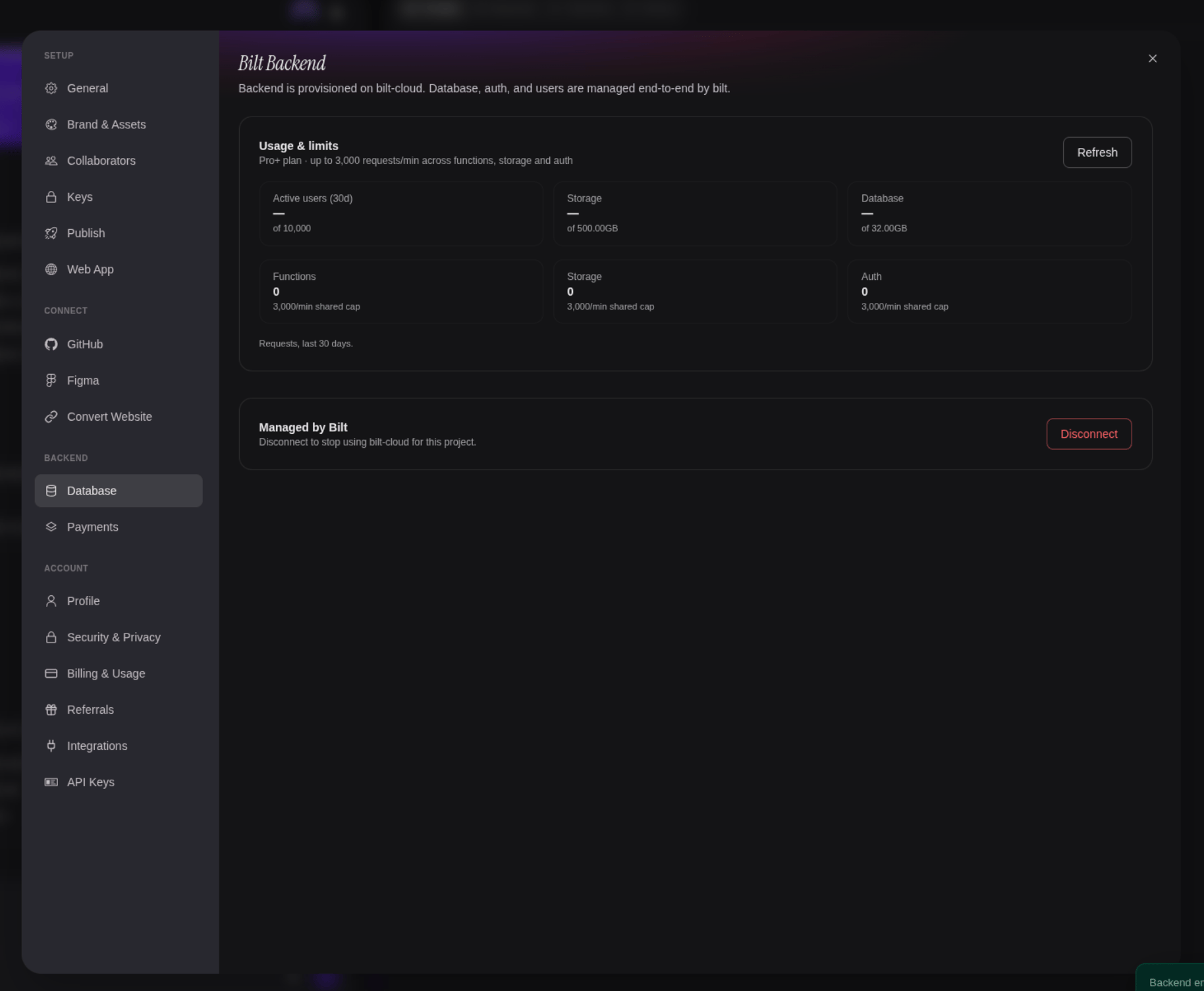
What your plan covers
Your plan decides how much backend you get. The Usage tab shows the live numbers next to the limits they’re measured against, so you never have to guess:- Cloud projects — how many of your projects can have a Bilt Cloud backend at once. At the cap, the Enable button tells you so up front (“You’ve used 3/3 cloud projects on your plan”) instead of failing — upgrade, or delete the backend on a project you’re done with, and the slot frees up immediately
- Requests per minute — one shared cap across automations, file storage, and sign-in
- Active users, storage, and database size — sampled every few hours and shown against your plan’s allowance. A dash means Bilt hasn’t sampled the project yet; Refresh takes a fresh reading
Security
Backend credentials are encrypted at rest. Data access is protected per user, and secrets you add stay on the server — they’re never bundled into your app. If you connected your own Supabase account, you can revoke Bilt’s access at any time.Guide
For a step-by-step walkthrough, see the connect a backend guide.Questions? We're happy to help
Email support@bilt.me, or ask in the Discord community.