What it is
If you already have a web app and want a matching mobile app, Web App Sync connects the two. Once you link the web app’s repository, every new session clones it into the same sandbox as your Bilt mobile app. The agent can then read the web codebase directly — no separate analysis or copy-paste step.What you can do
- Reuse an existing web app — Link the GitHub repo of a site built with Lovable, v0, or any other tool
- Cross-codebase context — Bilt inspects the web app and mobile app side by side
- Port features web → mobile — Ask Bilt to recreate or adapt web screens and logic for the mobile app
- Compare and catch gaps — Have the agent compare implementations or check for features missing from mobile
How it works
- Connect a GitHub account in the GitHub tab (Web App Sync uses the same connected accounts).
- Open Settings → Convert Website and pick the account and the web app repository to link.
- Bilt clones that repo into the agent sandbox alongside your mobile app for each session.
- Ask Bilt to port, compare, or sync changes from web to mobile.
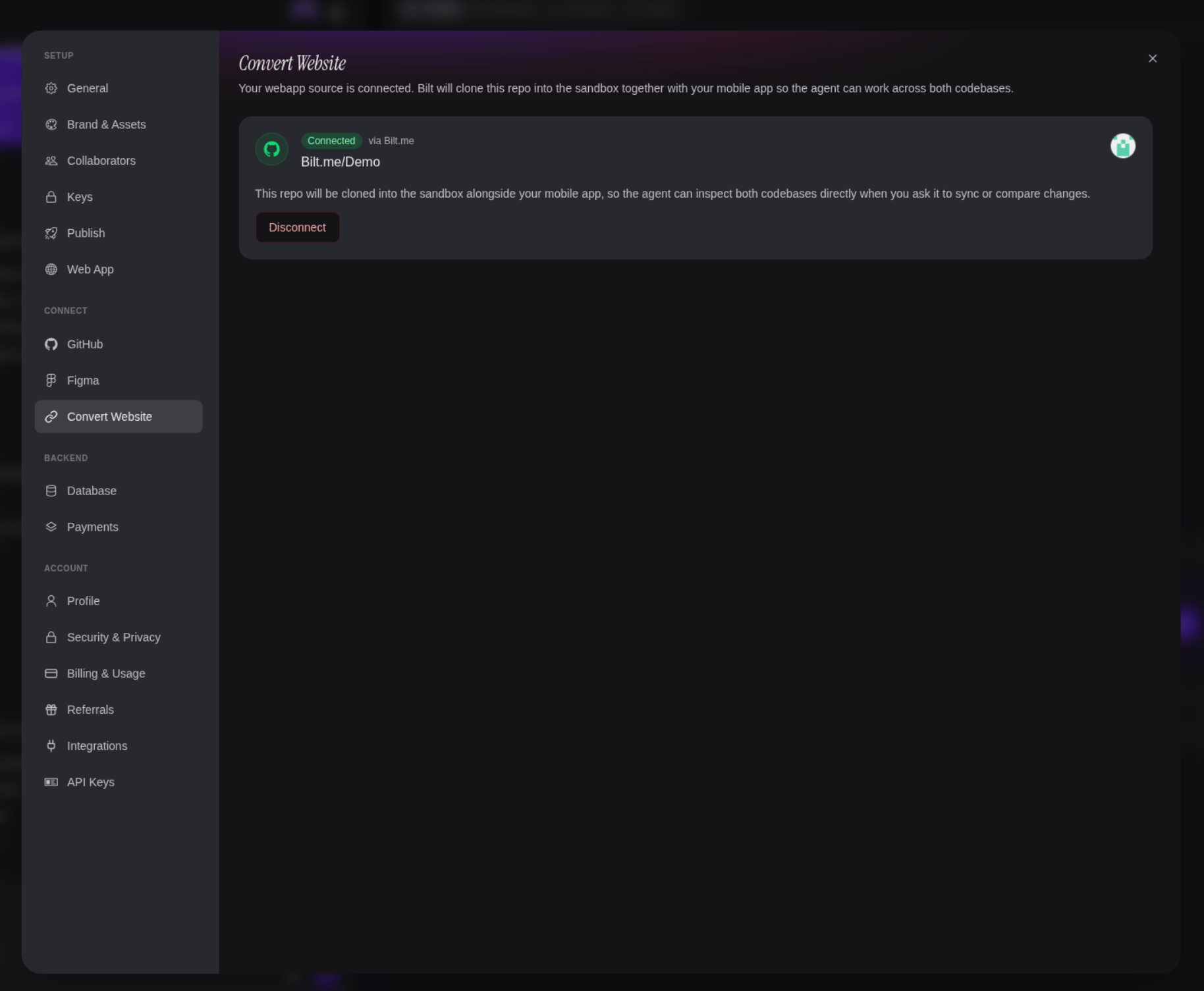
Web App Sync makes the web app available to the agent as a read-only reference for building your mobile app. It does not push changes back to the web app repository — for mirroring your Bilt project to GitHub, see GitHub Integration.