Free Android app builders do not all give you the same finish line. Some stop at a preview, while others let you export an Android package or help with Google Play submission.
We ranked these nine by free-plan usefulness, Android output, Google Play path, portability, beginner fit, and production ceiling. A higher rank means a clearer route to a usable app, not simply the lowest price.
AppsGeyser, App Builder Creator, Andromo, Manus, and AppMachine were also considered. They stayed outside the nine because this shortlist favors transparent free limits and a clear Android output or publishing path.
TL;DR: quick picks
| Builder | Best for | Free-plan catch |
|---|---|---|
| Bilt | Prompt to a native Android app, with signed builds and Google Play release support | Free plan runs on 3M AI tokens a month, roughly 12-30 prompts |
| Thunkable | Drag-and-drop mobile apps for first-time builders | 3 public projects, 5 screens each, no store publishing on free |
| Glide | Spreadsheet-driven apps for small teams | PWA only, so there is no Play Store path |
| MIT App Inventor | Learning app logic and classroom projects | Free APK export, but output is education-grade |
| Adalo | Design-led app layouts | Adalo branding on free apps, Play publishing needs a paid plan |
| Appy Pie | Assembling an app from templates | Export and publishing are paid steps |
| Google AppSheet | Internal tools built on a spreadsheet | Free use caps testing at around 10 users |
| Kodular | Blocks-based Android builds | Android-only APK output, no iOS path |
| FlutterFlow | Visual design with real Flutter components | 2 projects, no code or APK export, no Play deploy, watermark |
The key split is output. MIT App Inventor and Kodular allow free Android package export, Glide stays on the web, and Bilt is the clearest route from a prompt to a native app with publishing support.
What “free” actually means
Free Android app builders are tools that let you build and test at no cost, while export, publishing, advanced features, or full deployment often stay paid.
The word “free” can refer to four different stages:
- Free workspace: Thunkable and FlutterFlow let you build prototypes without paying, but their free plans stop before store publishing.
- Free preview and testing: Adalo lets you build unlimited test apps, with up to 500 records in each app, but Free includes no published apps.
- Free package export: MIT App Inventor and Kodular let you create Android files for direct testing without a builder subscription.
- Publishing support: This is commonly paid. Bilt includes building on Free, while its app-store publishing path begins on Professional.
Android app builders compared: free limits, output, and best fit
- Android output type: A native APK or AAB, a cross-platform build, or a PWA that never reaches the Play Store.
- Free-plan caps: Projects, screens, records, storage, and AI requests, which determine how far the free plan goes.
- Free Play Store publishing: Whether you can submit without upgrading or only share a test link.
- Portability: Whether you can export the code or APK and leave, or remain tied to the platform's hosting.
- Beginner fit: How much app logic, store setup, and technical configuration the builder expects you to handle.
- Production ceiling: Whether the builder can support authentication, payments, integrations, and updates as the app grows.
The 9 builders
All nine let you start building for free. What separates them is the free-plan cap, the Android output, the publishing path, and how much control you keep after launch.
1. Bilt
Bilt turns a plain-English description into a native Android app: real React Native code, a working backend, and Google Play release support.
The Free plan covers prompting, backend services, and live preview, so you can build and test before paying. App-store publishing begins on Professional, while Google's $25 developer-account fee remains separate.
Best fit
Bilt fits non-technical founders and side-hustlers who want a shipped Android app instead of another prototype that stalls at the publishing step. It also fits people who already run a web app and want a native Android version of it without rebuilding from scratch.
The free plan at €0/mo includes:
- 3M AI tokens per month: Roughly 12 to 30 prompts, depending on how complex each one is.
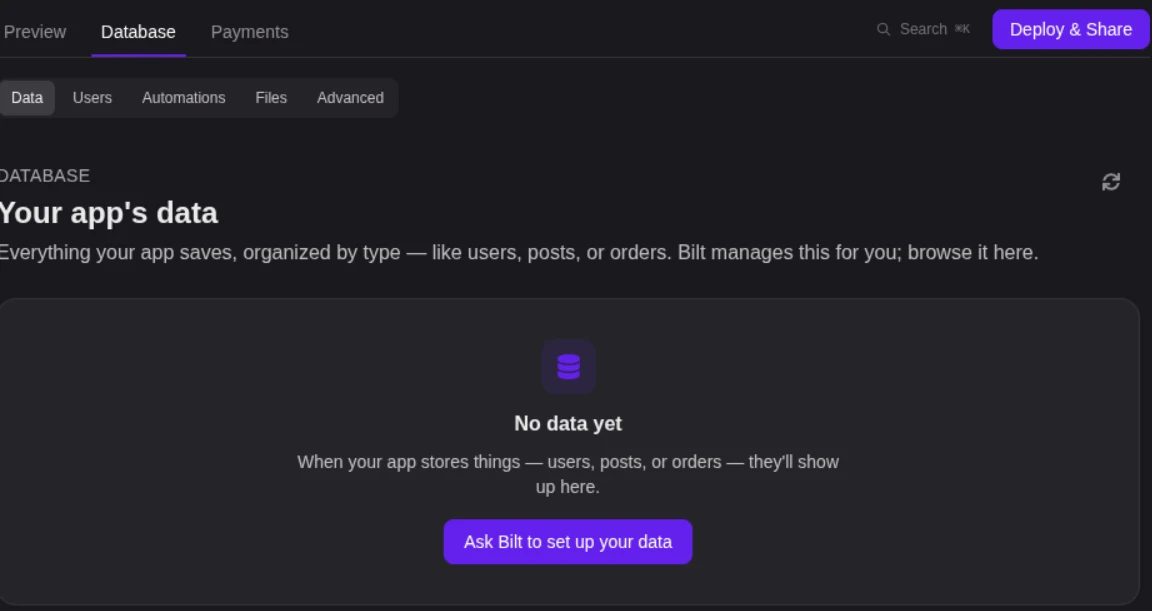
- Prompt-based building with a backend included: Authentication, database, and storage are available without a separate service to wire up.
- Live preview plus Discord and email support while you build
How it builds and ships
- Describe the app. Explain the screens, features, and user flow in plain English.
- Build and refine. Bilt generates the interface, core features, and backend integrations, then updates them as you keep chatting.
- Prepare and release. Bilt generates and signs the Android App Bundle, then can send it to Google Play internal testing once Play publishing is configured.
Android testing and output
Testing happens in the browser and on your own phone, before anything reaches Google Play:
- Cloud Android emulator: Preview the app on a virtual device without installing Android Studio.
- Live preview while you build: See each change as you prompt it on the Free plan.
- Real-device testing: Check the working build on Android hardware before release.
- Production-ready React Native output: The project compiles into native binaries with device API access, rather than a web view inside an app shell.
Ownership and portability
Bilt writes React Native source code you can export at any time. That answers the lock-in question worth asking of any free builder: the codebase leaves with you.
- Export the full source: Push it to GitHub or hand it to a developer to extend.
- Convert an existing web app: Turn what you already built into native iOS and Android binaries instead of starting over.
Support when the build gets stuck
When the build gets stuck: Bilt's real-time engineer support works on the project alongside the agent, giving you a person to help diagnose blockers.
One builder came to us after spending more than $200 across Rork and Replit, stuck before the app was even finished and with nobody to ask.
They connected their GitHub repo, and with our engineers working alongside the Bilt agent, the app was submission-ready in two days.
The Free plan is enough to build and preview. When the app is ready for store submission, Professional adds the publishing path; you can see all plans.
2. Thunkable
Thunkable is a no-code mobile app builder for creating Android and iOS apps with prompts, visual design, and store publishing.
You can start from a prompt, continue in a visual editor, and submit to app stores from the same platform.
Thunkable's Builder plan costs $59/month and includes one live published app. Published apps generally require an active subscription to remain available.
Best fit
Thunkable is a fit for small beginner Android app projects that need visual building, cross-platform output, and a path to store publishing.
Unlike MIT App Inventor, Thunkable targets both iOS and Android. The trade-off is that Free projects stay public and stop at five screens.
The five-screen cap on free projects sets the real scope, which is prototypes and classroom-sized apps. Two things push builders past it sooner than expected:
- Logic that grows: Complex behavior takes more block-based setup than the no-code label may suggest.
- Standard building blocks: Custom interactions can push beyond the component patterns available in the visual editor.
How it builds Android apps
Thunkable is a visual Android app builder that combines AI prompting, drag-and-drop screens, logic blocks, and direct app store submission.
Apps can start from a prompt and continue in the visual editor, where screens are assembled from components. More involved features still require you to understand logic and app state.
As projects gain components and logic blocks, the visual workflow becomes harder to manage. That matters most after a prototype expands beyond a few simple screens.
What the free option gets you
The free plan is useful for public prototypes. Its exact limits and the first live-publishing tier are below.
Everything on free runs in public projects, so anyone with the link can open your build. Private projects start on paid plans.
| Free plan item | Thunkable free limit |
|---|---|
| Projects | 3 public projects |
| Screens per project | 5 |
| AI usage | 2,000 AI tokens |
| Private projects | Not included |
| Direct app-store publishing | Not included |
Main trade-off
Thunkable works best as a small public prototype on Free. A larger private app with store publishing requires a paid plan and more logic work.
3. Glide
Glide is a no-code builder that turns spreadsheet or database data into mobile-responsive web apps and PWAs instead of native Android apps.
Glide produces browser-based PWAs that users can add to an Android home screen. It does not produce a native Android app for Google Play.
That is a different product from a native build. Bilt, by contrast, generates a React Native codebase that compiles to a real Android binary.
Best fit
Glide is a spreadsheet-driven app builder for internal tools, simple data apps, and fast mobile web projects.
It suits work that already lives in a spreadsheet. Glide reads that data and turns it into a working interface, with more than 40 pre-built components for lists, forms and charts.
The fit narrows when an app needs intricate conditional rules, multi-step automation, or deeper backend control.
How it builds Android apps
Glide is a no-code builder that assembles data-driven interfaces from prebuilt components and publishes them as Android-friendly PWAs.
The build starts from the data, not the screens. You connect a spreadsheet or similar source, then assemble views from the pre-built component set.
Delivery is a web address. The finished app opens in a browser and can be added to an Android home screen, but no native binary is produced for Play Console.
What the free option gets you
Glide is a free-to-start builder with basic app creation and sharing, but its paid plans gate higher usage, branding control, and business features.
Before paying you get the core builder: spreadsheet-driven app creation, the component library, and sharing by link.
Glide's current pricing has four GlideOS plans:
- Free: 1 project
- Solo: $25/month
- Team: $125/month, plus $10 per member. Member-only sign-in is included.
- Enterprise: Custom pricing, with SSO and custom connectors.
Main trade-off
Glide's main trade-off is control: it favors fast internal tools over native Android distribution, deep custom logic, or easy migration.
Row, update, and backend limits matter as the app grows. If those ceilings become central, the project may need a builder with deeper backend control.
4. MIT App Inventor
MIT App Inventor puts an education-focused Android builder in the browser. You assemble screens with drag-and-drop components and visual logic blocks.
MIT App Inventor charges nothing for building or APK export, and exported apps carry no platform watermark. Publishing through Google Play still requires Google's separate $25 developer account.
Best fit
MIT App Inventor fits students, hobbyists, classrooms, and anyone assembling a first Android app. It suits learning projects and simple prototypes rather than apps with complex business rules.
How it builds Android apps
Build in two visual workspaces. The Designer lays out screens and components, while the Blocks editor connects them to app behavior without typed Java or Kotlin.
What the free option gets you
Nothing in the core workflow is paid:
- Full access to the visual designer and the block editor
- Free APK export for direct installation and testing; unlike Thunkable, no paid builder plan is required to create the Android package.
- No platform watermark or branding on the app you ship
Main trade-off
The ceiling shows up in complex business logic. Branching rules and edge cases get hard to model as connected blocks.
Firebase data syncing and hardware-sensor integrations add setup and troubleshooting beyond a basic classroom project.
5. Adalo
For database-driven apps, Adalo combines a drag-and-drop builder with web, iOS, and Android output from one visual project. Free accounts can build, preview, and share test apps, but they cannot publish them.
Best fit
Adalo fits MVPs and simple database-driven apps built by non-technical users. Unlike Glide's PWA-only path, Adalo supports native Android publishing once you move to Starter.
How it builds Android apps
The build workflow rests on two pieces:
- Predefined components: Assemble screens from Adalo's standard component library instead of custom code.
- Data connections: Connect components to collections in Adalo's built-in database, where they read and write data.
The same project compiles to the native Android build, so there is no separate mobile version to maintain.
What the free option gets you
The Free plan includes unlimited test apps and screens, with up to 500 records per app. It includes no published apps.
Web and app-store publishing begin on Starter at $36/month when billed annually, according to Adalo's pricing. Starter also removes Adalo branding.
Main trade-off
Adalo favors the screens, actions, and components available in its visual system. Highly tailored interactions may require custom actions, integrations, or a different development path.
6. Appy Pie
A template-led no-code app builder, Appy Pie creates Android apps from forms and drag-and-drop components.
Best fit
Appy Pie is a beginner-focused Android app builder for simple business, content, and utility apps built from templates.
Template-led building fits apps with standard screens. Directory, restaurant, event and loyalty apps, plus basic internal tools, are the shapes it handles.
Custom product logic is the boundary. Unlike MIT App Inventor and Kodular, Appy Pie does not offer free Android package export after the trial ends.
How it builds Android apps
The visual workflow uses templates, drag-and-drop sections, and form-based setup instead of hand coding.
- Pick a template or business category.
- Add screen content and navigation in the editor.
- Expect repeated business-screen patterns rather than a bespoke frontend.
What the free option gets you
Appy Pie offers a 7-day free trial for building and testing. Android publishing begins on a paid Basic plan.
- Set up an account and choose a template.
- Build in the editor and preview the app in a browser.
- Move to a paid Basic plan before publishing to Google Play under your developer account.
Main trade-off
Appy Pie works within preset templates for business and utility apps. Custom data relationships or unusual interaction flows can outgrow that structure.
7. Google AppSheet
AppSheet sits in Google's no-code toolset as a platform for data-driven internal workflows. It turns spreadsheet and database records into apps that teams can use on Android devices.
AppSheet starts from tables, not screens. You point it at structured business data and it generates the app around that schema.
Current AppSheet pricing starts at $5/user/month for Starter, $10/user/month for Core, and $20/user/month for Enterprise Plus.
Best fit
Google AppSheet fits spreadsheet-driven internal tools, field data collection, and workflow apps. Glide also starts from business data, but AppSheet puts more emphasis on rules, forms, and automations tied to records.
Projects fit when the data already exists. A Google Sheet, an Excel file or a database table that defines records, fields and relationships is the natural starting point.
Inspection forms, inventory logs, approvals, directories and internal trackers land squarely in that model.
AppSheet is less suited to unusual workflows. Complex business rules and non-standard third-party services are harder to manage in its data-first model.
How it builds Android apps
Google AppSheet is a no-code builder that generates Android-compatible app views from connected data, rules, and form-based workflows.
The workflow runs in three moves:
- Connect a data source, and AppSheet infers columns, record types and app structure from the schema.
- Work with generated views such as tables, decks, details and forms rather than freeform mobile layouts.
- Add behavior through expressions, actions, and automations tied to data changes and user events.
Beginner-friendly holds until the setup gets deeper. Once you are wiring APIs and more involved logic, the interface gets cluttered and less intuitive.
What the free option gets you
Free access covers building and testing with data connections, generated views, and basic workflow logic.
The free option supports prototyping with up to 10 test users. Paid team deployment starts at $5/user/month on Starter.
Main trade-off
AppSheet trades freeform interface control for speed with structured business data.
Customization limits constrain distinctive branding and specialized user experiences. Complex rules and unusual integrations are where the model becomes harder to manage.
Growth is the other question. Usage, data volume and integration frequency can meet a ceiling, and restricted source export makes moving off harder later.
8. Kodular
The Kodular editor uses blocks to assemble simple, low-complexity Android projects for learning or utility use.
Kodular is Android-only. Projects can be exported as APK or AAB files, and there is no iOS path.
Best fit
Typical Kodular projects include:
- Classroom assignments
- Educational prototypes
- Simple utility apps
The visual-block workflow suits projects with simple screens and logic. Complex backend work can outgrow that model.
How it builds Android apps
Projects are assembled with simplified visual blocks and packaged as APK or AAB files.
You assemble screens and behaviour in blocks rather than code. Firebase and Arduino integrations add complexity.
What the free option gets you
The free option lets you build Android apps and export both APK and AAB packages.
Kodular stays Android-only, but it allows free Android package export. FlutterFlow targets more platforms, yet reserves APK download and store deployment for its paid Basic plan.
Main trade-off
When Android-only output becomes the constraint, ways to move beyond Kodular include cross-platform and code-owning paths.
9. FlutterFlow
Built around Flutter, FlutterFlow is a visual development platform for cross-platform apps. Drag-and-drop screens and logic flows generate the app.
Best fit
The visual editor serves design-led Android projects that need backend connections and custom logic.
FlutterFlow supports a shared Flutter codebase across multiple targets.
- Firebase and Supabase integrations connect the app to backend services.
- Custom logic can sit alongside visual screens.
Each screen still takes deliberate work in the visual editor, and the learning curve rises as connected logic accumulates.
How it builds Android apps
FlutterFlow generates app code from visual screens and connected logic.
The Free plan includes more than 1,000 prebuilt templates, plus visual tools for mobile, web, and desktop projects.
- Action flows: Connect components to interactions and logic.
- Backend connections: Use Firebase or Supabase for app data and services.
What the free option gets you
FlutterFlow Free is a prototype workspace. The table shows where its project, API, export, and deployment limits sit.
| Free plan area | FlutterFlow free plan |
|---|---|
| Projects | 2 |
| Editors | 1 |
| API endpoints | 2 |
| Source code export | No |
| APK export | No |
| Google Play deployment | No |
| Branding | Watermark |
Main trade-off
FlutterFlow offers more design and logic control than a simple template builder, but Free stops before Android export. Its first export tier is $39/month, compared with Thunkable's $59/month live-publishing tier.
How to choose the right builder type
Choose by the finish line you need, not by the word “free.” The next three checks turn the comparison into a shortlist.
1. Are you learning, launching, or replacing a dev team?
Start with the job the app needs to do. A learning project, an internal workflow, and a public consumer app need different mobile-development tools.
Launching adds beginner blockers. Authentication and payments need production paths, while data modelling and deployment need a release-ready workflow.
Use this shortcut:
- Learn app logic: MIT App Inventor.
- Build Android-only with free package export: Kodular.
- Create an internal data workflow: Google AppSheet.
- Build a mobile-friendly PWA from business data: Glide.
- Prototype visually across platforms: Thunkable or FlutterFlow.
- Build a database-led visual app: Adalo.
- Go from a prompt to a native app with publishing support: Bilt.
2. Do you need an APK, an AAB, or a full store path?
Choose the output before you choose the editor. A file for testing is not the same as a complete Google Play path.
An APK installs on a device you control. A store path means the AAB, the Play Console setup, and the review rules that trip up non-technical builders even after the app itself works.
Choosing an output is only the start; the no-code path from build to release continues through testing, signing, and submission.
3. How much control do you need later?
Decide how much control you may need after launch. Export matters before the first custom workflow or migration becomes urgent.
The lock-in to watch for is export. Platforms that restrict source code make migration and outside customization hard, and that limit usually arrives bundled with scaling ceilings.
A builder can handle familiar patterns, such as member logins or a product catalogue.
Match the builder to the likely future:
- Stay inside the builder: Glide or AppSheet can suit stable internal workflows.
- Add custom workflows later: FlutterFlow or Adalo offers more visual logic headroom.
- Keep a migration path: Bilt exports React Native source, while MIT App Inventor exports its project source as an AIA file.
What it costs to publish on Android
Android publishing has two separate costs: the builder's release features and Google's Play Console account fee.
Builder cost vs Google Play cost
Builder cost is the app builder's export or publishing fee, while Google Play cost is Google's separate developer account fee.
Google requires a Play Console account for Play Store publishing. You pay the developer account fee directly to Google, regardless of which builder produced the app.
The builder's cost is separate. It is whatever that platform gates export, release, or publishing behind.
You also need to complete the release work:
- Code signing and the signing certificate
- Store metadata, screenshots, and listing details
- Compliance and privacy disclosures that match what the app actually does
This is where non-technical builders stall, usually after the app itself is finished.
Bilt's Professional publishing path automates Android signing and AAB creation and, once Play publishing is ready, can send the build to internal testing. Google still controls testing eligibility, review, and approval.
| Cost component | Typical charge | Notes |
|---|---|---|
| Builder publishing or export fee | Varies by platform | Depends on what the free plan includes |
| Google Play developer account | $25 one time | Paid directly to Google |
APK vs AAB
APK is an installable Android app file, while AAB is Google's app bundle format for Play Store distribution.
Compare mobile testing tools for release before validating an APK with automation frameworks or real-device clouds.
When free to start is not enough
Free to start stops being enough when the plan blocks the next required step, such as private work, export, publishing, or production features.
Upgrade or switch when one of these limits becomes real:
Free plans become limiting when they block the next step you need:
- You need a private project rather than a public prototype.
- You need APK, AAB, source export, or Google Play submission.
- You need production authentication, payments, branding control, or a larger data allowance.
- You need more screens, users, records, API endpoints, or a code-ownership path.
Build a real Android app to the store with Bilt
Getting a working build into Google Play means coordinating your release details, Bilt's release workflow, and Google's review requirements.
Here is how the last mile divides up:
- You provide the release details. Set up the Play Console account, choose the matching package name, and give Bilt a Google service account JSON with Play API and app access. Configure or generate an Android upload key in Bilt, then supply the app name, description, screenshots, privacy information, and any test credentials Google needs.
- Bilt prepares the Android release. It turns the project into the native build and keeps the app's package identity consistent for future versions.
- Bilt handles the technical release. It builds and signs the
.aaband, when Play publishing is ready, sends it to internal testing; the first release may require downloading the package and uploading it manually in Play Console. - Google applies its release rules. Eligible personal accounts may need 12 testers opted into a closed test for 14 continuous days before production access.
- You respond to review results. If Google requests a change, tell Bilt what needs to change. Bilt rebuilds the app, keeps the package and signing identity, raises the version code, and produces the new build or sends it through the configured Play publishing path.
The responsibility split is simple:
| Step | Without workflow automation | With Bilt |
|---|---|---|
| App creation | Manual briefs or wireframes before development | Plain-English app concept starts the build |
| Testing | Local setup or separate device steps | Cloud Android emulator and QR device testing |
| Store release | Manual submission setup and certificate handling | Signed AAB and internal-testing upload when Play publishing is ready |
Ready to turn your idea into a native Android app? Start building free, preview the app, and move to Professional when you are ready for the publishing path.
Can I publish a free-built app to Google Play?
Yes, if the builder lets you export or submit a store-ready app. Google also charges a one-time $25 Play Console registration fee.
Personal developer accounts created after November 13, 2023 must run a closed test with at least 12 testers opted in continuously for 14 days before production access.
Free tiers often stop before publishing. Thunkable and FlutterFlow require paid plans for store release, while Bilt's Professional path handles signing and submission setup. None of them can bypass Google's testing or review rules.
Do free app builders add branding?
Often. FlutterFlow Free does not include watermark removal, Adalo removes its branding on Starter, and Thunkable's custom branding begins on Builder.
MIT App Inventor adds no platform branding. With Bilt, you provide the logo, colors, and other brand assets used in the generated app.
Can I make money from a free Android app?
Yes, if the builder supports your chosen monetization method. Digital goods and subscriptions distributed through Google Play must also follow Google Play Billing rules.
Three routes are available to you:
- In-app purchases for one-off unlocks or digital goods.
- Subscriptions for recurring access or premium features.
- Ads for high-traffic apps with low purchase intent.
Are free app builders good for beginners?
Yes, but the best beginner tool depends on the goal. MIT App Inventor is best for learning logic, AppSheet for internal data apps, and Thunkable or FlutterFlow for free visual prototyping.
For a native app that can progress toward Google Play with publishing support, Bilt fits the brief. Its Free plan covers building and preview, while publishing begins on Professional.
Can I update my app after publishing?
Yes. A valid update needs three things:
- The same package name: Google recognizes it as the same app.
- A higher version code: Google recognizes it as a newer release.
- The same signing identity: Google recognizes the update as authorized.
With Play App Signing, you sign the upload with the registered upload key. Google then signs the version delivered to users.
With Bilt, describe the change and generate the next version. The release still needs the same package and signing identity.