
Prerequisites
- A Bilt project
- A GitHub account connected to Bilt
- The web app you want to base your app on, pushed to a GitHub repository
Step 1: Connect a GitHub account
Web App Sync uses the same GitHub accounts as the GitHub integration. If you haven’t connected one yet:- Go to your project → Settings → GitHub → Accounts
- Click Connect GitHub account and install the Bilt GitHub App
- Grant access to the repository that holds your web app (choose All repositories or select it specifically)
Step 2: Link the web app repository
- Open Settings → Convert Website
- Choose the GitHub account that owns the web app repository
- Select the repository from the list
- Click Connect repository
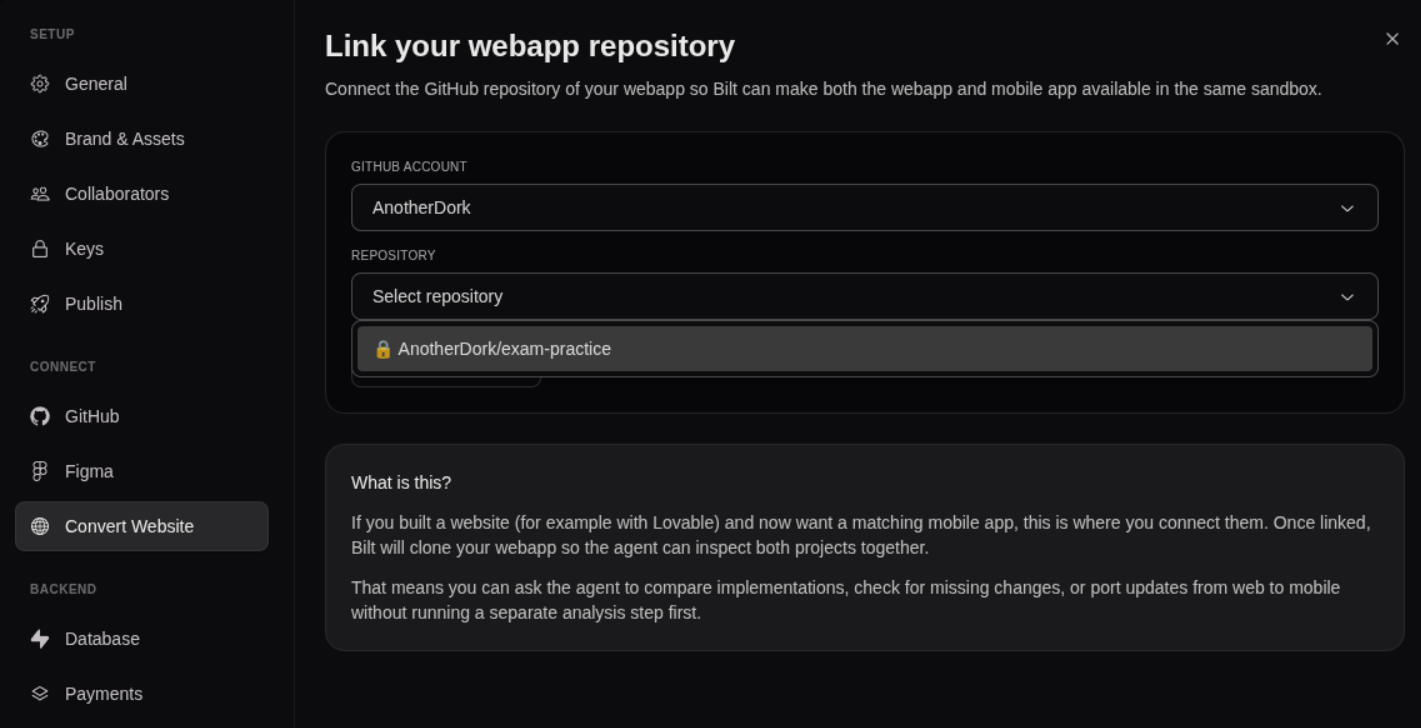
Once linked, the tab shows the connected repository. From the next session onward, Bilt clones it into the sandbox alongside your mobile app.
Step 3: Build your mobile app from the web app
With both codebases in the same sandbox, ask Bilt to work across them:Web App Sync clones the web app as a read-only reference for building your mobile app — it does not push changes back to the web app repository. To mirror your Bilt project to its own GitHub repo, see the connect GitHub guide.
Further reading
- Web App Sync feature — Feature overview
- GitHub Integration feature — Mirror your Bilt project to GitHub