What to do
1
Restart the preview
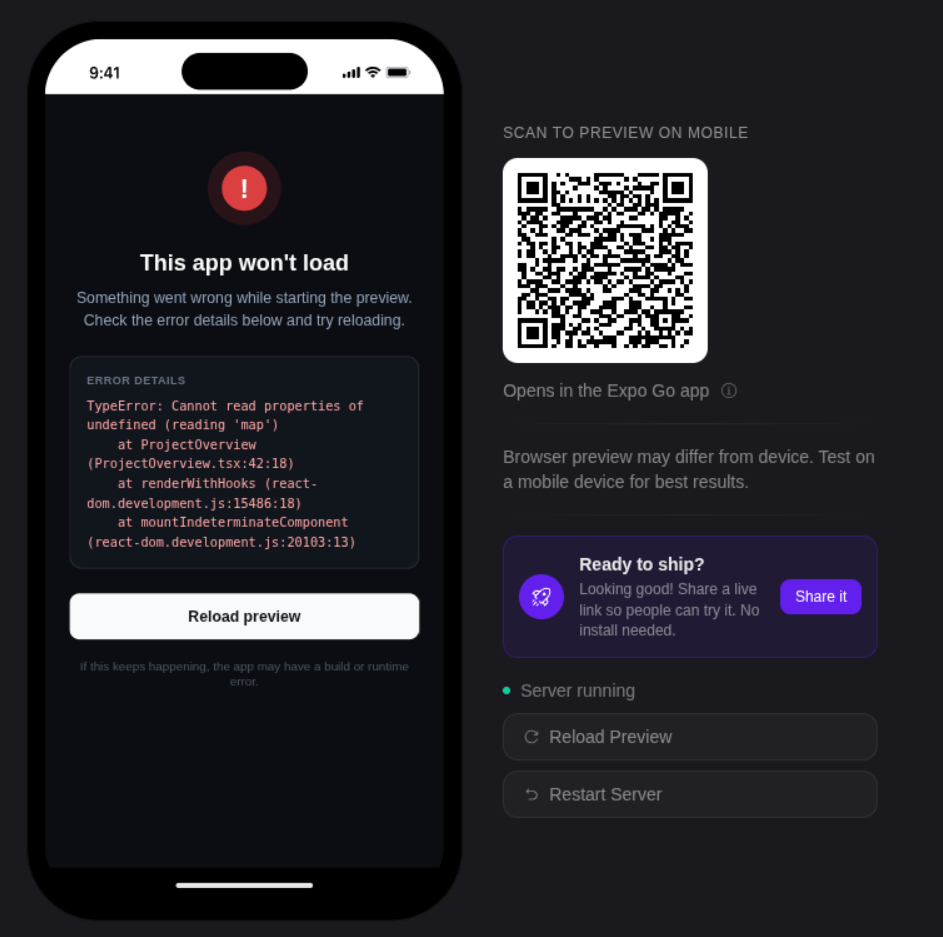
Click Restart Server and wait about 20 seconds for it to come back.
2
Refresh the page
Still blank? Refresh your browser (Cmd/Ctrl + R). Your work is saved, so nothing is lost.
3
Open the preview full screen
Some browser extensions — ad blockers and script blockers — stop the preview from loading. Open it in full screen (a new tab) to get around that.
4
Try a private window
If it still won’t load, open Bilt in a private or incognito window.
Good to know
- The preview can take two to three minutes to start the first time after a build. That’s normal.
- It pauses after about 30 minutes of no activity. Interact with it or click Restart Server to wake it back up.
- To try your app on a real phone, scan the Expo Go QR code in the preview panel — see Get & Share Your App.