Start by deciding what you need to publish: a native store app, a browser-based PWA, or an internal staff tool. The wrong format can waste weeks before you reach launch.
A polished browser preview does not guarantee an App Store or Google Play release. Check whether the builder creates store-ready mobile builds, a PWA shared by link, or a private business tool.
This guide compares 10 builders by what they publish, how they get an app live, and how costs grow with users, apps, or activity.
Quick answer: which app builder should you pick?
Pick an app builder by output first: a native store app, a browser-based PWA or form, or an internal workflow tool. Compare features and pricing only after making that choice.
- Native app with an automated release path: Bilt builds native iOS and Android apps and supports store submission.
- Companion app for an existing Wix business: Wix App Builder extends an established Wix site, store, or booking setup.
- Form-led PWA: Jotform Apps packages forms and widgets into a link-distributed mobile experience.
- Spreadsheet-backed internal tool: Glide turns existing business data into a browser-installed PWA.
- Record-heavy staff workflow: Zoho Creator connects forms, reports, permissions, and approvals.
Then compare how the bill grows. Per-user and per-seat pricing rises with team size; usage-based pricing changes with activity; per-app pricing increases as you launch more apps.
A low entry price can look cheaper than a higher flat fee until a larger team or a higher usage tier triggers higher charges.
Native app, PWA, or internal tool: what's the difference?
A native app runs compiled code on iOS or Android and reaches app stores. A PWA is a browser-based site installed like an app; an internal tool is for staff rather than the public.
The format changes four practical decisions:
| Format | Distribution | Device access | Audience | Typical use |
|---|---|---|---|---|
| Native app | Public app stores | Broad native API access | Customers or the public | Loyalty, commerce, field service |
| PWA | Browser link, optional home-screen install | Browser-supported APIs | Customers or known users | Portals, catalogs, simple bookings |
| Internal tool | Private link or managed access | Depends on its format | Employees or approved partners | Dashboards, forms, staff workflows |
PWAs fit jobs where quick browser access matters more than store presence or full device access. Internal tools suit staff dashboards, approval flows, and data-entry forms used by a known group.
Native output becomes necessary when customers must find and install the app through public app stores. The format should follow the job and distribution path.
The phrase “mobile app” does not confirm native output. Check what the builder produces and how it gets published before committing:
- Does it create an iOS or Android build, or only a hosted URL?
- Can that build enter the Apple and Google review processes?
- Does the platform handle code signing, or leave setup to you?
- Can you export the source code or move the app elsewhere?
No-code native builders can handle standard business flows, but custom logic and unsupported integrations can expose their limits. Test the hardest workflow before building the rest of the app.
Use a short proof-of-concept to check:
- Authentication and user permissions
- Payments or other critical transactions
- Offline behavior and device-specific features
- Any custom API the business depends on
How we compared these business app builders
Each app builder was compared on its output, business features, ease of use, and total cost.
The order reflects editorial judgment on usable output, publishing path, business features, ease of use, and total cost. A long feature list does not outweigh blocked publishing or extensive cleanup for a small business.
- Actual output: Native iOS or Android build, PWA, web app, or private internal tool.
- Production readiness: Whether the output handles real data and edge cases without extensive rework.
- Publishing path: Store submission requirements, code signing responsibilities, and browser or private distribution options.
- Business features: Authentication, payments, databases, notifications, and third-party integrations.
- Ease: How much coding is needed to finish, fix, and maintain the app.
- Total cost: Subscription fees plus hosting, publishing, usage charges, and required add-ons.
A polished preview is only the start; launching a mobile app also requires device testing, store assets, and reviewer preparation.
The 10 best mobile app builders for small business in 2026
Each builder below is judged on its output and publishing path, alongside its fit for a small business. The list moves from native-code generators to drag-and-drop and spreadsheet-based tools.
1. Bilt ✨
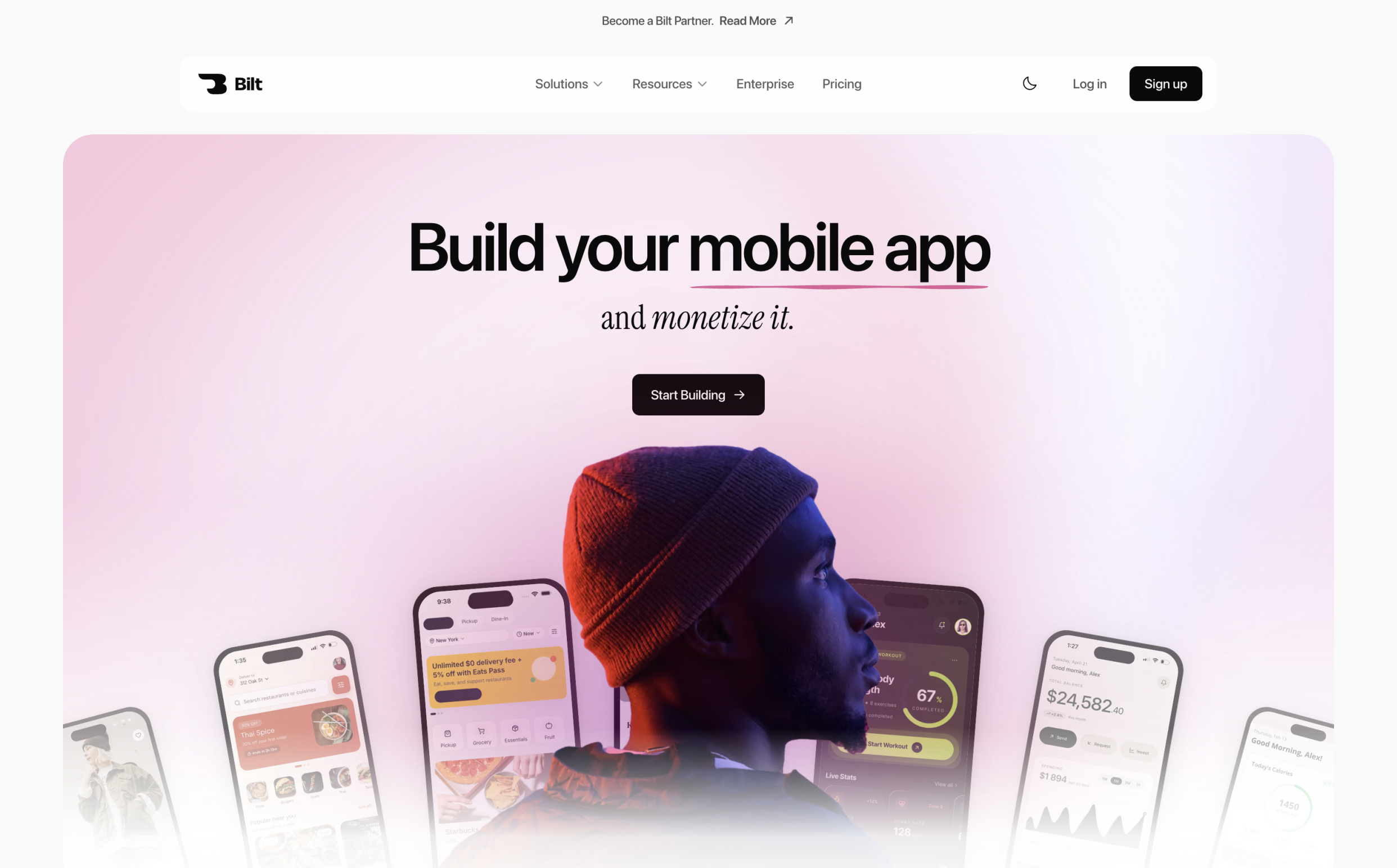
Bilt turns plain-English descriptions into native iOS and Android apps, then supports submission to both app stores.
Bilt fits small-business owners and non-technical builders who need a customer-facing native app, not just a browser preview. Plain-English instructions become an exportable React Native project.
The fit is especially clear in three situations:
- Small-business owners: Build a customer-facing companion app without assembling a mobile development team.
- Web-app owners: Convert a product built with Lovable, Replit, V0, or Next.js into native iOS and Android apps without starting over.
- First-time builders: Shape the product through conversation instead of learning Swift, Kotlin, or React Native.
Bilt generates native components and modules. The resulting app can use mobile capabilities beyond a web wrapper, starting with an idea described in your own words.
How it builds your app
You build an app in Bilt by describing the idea in plain English, reviewing the generated version, and refining it through follow-up prompts. Bilt handles the interface, app logic, and backend connections.
Start with the job your app should do and the person using it. Add any design direction or reference images that should shape the first working version.
The workflow stays compact:
- Describe the idea. Explain the core use case in everyday language and include any design direction or images you already have.
- Generate the app. Bilt creates the interface, core features, and backend integrations from the same description.
- Preview the first version. Review the working app in Bilt's live native preview, which updates as the build develops.
- Refine through conversation. Ask for a new screen or change how a feature works. Bilt retains earlier choices as the app develops.
The live native simulator updates as changes are applied, so you can test behavior without setting up a local development environment. Each prompt moves the same working app forward.
Describe an app in plain English and watch Bilt build it in a live preview.
Want to see where a plain-English prompt can take your idea? Start building free.
What it publishes and how
Bilt creates React Native projects that compile into store-ready iOS and Android builds. Its release workflow supports submission to both the Apple App Store and Google Play.
The generated project uses native components rather than wrapping a website. That gives the app access to mobile features and leaves a standard codebase a developer can extend.
Bilt's publishing workflow handles the technical steps that can delay a release:
- Generate the iOS and Android builds.
- Handle code signing, certificates, and provisioning profiles.
- Prepare store assets; Bilt uploads the iOS build to App Store Connect and sends eligible Android builds to Google Play's internal testing track. The first Play release may require a manual
.aabupload. - Attach the uploaded iOS build and submit it for review in App Store Connect; in Play Console, create or promote the Android release and submit it for Google review.
You still control the product and its store presence. Bilt handles the release machinery, so you can move from a finished build to distribution without configuring Xcode, Gradle, or a separate deployment pipeline.
Business features and customization
Bilt can apply your logo, icons, images, colors, and fonts across the app and its store presentation. The published app carries your business identity.
The platform covers the business capabilities needed beyond a branded interface:
- Core app systems: authentication, databases, file storage, forms, and integrations.
- Native mobile features: push notifications and access to device capabilities such as the camera and location.
- Monetization: payments and paywalls for customer-facing products.
For deeper customization, the React Native project remains readable and organized for professional development. A developer can open it in a standard development environment and connect the repository to an existing CI/CD process.
Complex fixes do not have to become a handoff crisis. Bilt engineers can work directly on a project to implement requested bug fixes or feature additions when the generated build needs specialist attention.
Ownership and pricing
Bilt has a Free plan and four paid self-service plans starting at €25/month, plus a separately quoted Enterprise offering; users fully own and can export their app's source code at any time.
You own the full React Native source code and can export it for independent development. The export includes:
- Readable code and configuration files
- App assets, including fonts and icons
Use GitHub to sync the project or hand the code to a developer. Exported apps run independently unless they use Bilt Payments or a Bilt-managed backend.
Bilt has a permanent free tier and fixed monthly token allowances. Upgrade when you need more prompts, integrations, or support:
| Plan | Price | Monthly usage | Main additions |
|---|---|---|---|
| Free | €0 | 3M monthly tokens | Backend, native preview, email and Discord support |
| Professional | €25/month | 10M monthly tokens | Integrations and priority access |
| Professional Plus | €50/month | 20M monthly tokens | Priority support and early features |
| Professional Max | €100/month | 45M monthly tokens | Higher cloud limits and priority support |
| Professional Ultra | €250/month | 115M monthly tokens | |
| Enterprise | Custom quote | Onboarding, custom integrations, group access |
Annual billing saves the cost of 2 months. Top-ups expire after 30 days. On any paid plan, 5M tokens cost €15, 10M cost €30, and 20M cost €60; standard one-time prices are €25, €50, and €100, respectively.
Store publishing requires developer accounts outside the Bilt subscription:
- Apple Developer Program: $99/year.
- Google Play Console: $25 one-time.
Want to compare token allowances and support options? See all plans.
2. Wix App Builder
Wix App Builder is a mobile app builder that turns an existing Wix website into a companion iOS and Android app.
Best fit
Wix App Builder is used by small businesses with an existing Wix website that want a matching branded mobile app.
The builder pulls pages, content, and customer-facing modules from the Wix site into the app structure. Website updates can then flow into the mobile experience without maintaining a separate catalog or service setup.
A Wix-based restaurant, salon, gym, or shop can reuse its existing catalog or service flow instead of recreating it in a separate builder.
What it builds and publishes
Wix App Builder publishes a branded app to the Apple App Store and Google Play, wrapping the business's Wix site, store, and bookings.
The app can surface business functions already configured in Wix:
- Wix Stores: products, orders, and customer shopping flows
- Wix Bookings: appointments, classes, and service schedules
- Wix Restaurants: menus and ordering workflows
- Push notifications: updates tied to bookings, orders, or business announcements
Changes stay connected to the Wix site, which reduces duplicate upkeep for a business already using these modules.
The store submission runs through Wix's process rather than a source-code handoff. Wix prepares and submits the branded app while the website remains its content and data source.
Store review still applies. Publishing through Wix changes who handles the packaging and submission steps; it does not bypass Apple or Google's approval process.
Pricing
Wix App Builder is offered as a paid add-on on top of a qualifying Wix Premium website plan, not sold as a separate standalone product.
The Wix website and app subscription must be budgeted together because cancelling or moving the website affects the app's content source and business functions.
Limitations
Wix App Builder stays within Wix-supported screens, business data, and modules rather than producing an independent codebase.
The app layer extends an existing Wix operation. A mobile product with requirements that differ substantially from the website needs a different build approach.
Reliance on Wix affects long-term ownership. Moving away from Wix means rebuilding the mobile experience and reconnecting the underlying business systems elsewhere.
Moving an existing product needs its own plan; taking a web app native covers route selection, testing, and store submission.
3. Jotform Apps
Jotform Apps is a form-centric mobile app builder that turns Jotform forms and workflows into progressive web apps for data collection.
Each page is assembled from Jotform components rather than a custom app structure. Submissions return to the same Jotform workflow used to collect information and route records.
Jotform Apps keeps the workflow centered on Jotform's core job: collecting information, accepting submissions, and routing the resulting records.
Best fit
Jotform Apps is used for mobile-friendly data collection, including event check-in, patient intake, and field-service reporting.
Jotform Apps workflows begin when a person opens a link, completes a defined task, and submits data. Common examples include:
- patient intake before an appointment
- event registration and attendee check-in
- field-service reports with signatures
- payment or order forms for a small business
Each scenario can be assembled without building a separate database-driven mobile product from scratch.
The same model becomes restrictive when the product depends on custom business logic, complex relationships between records, or deeply tailored screens. Those requirements extend beyond Jotform Apps' form-and-widget foundation.
Simple actions can still be linked across pages, but the platform is not a general-purpose environment for custom mobile software.
What it builds and publishes
Jotform Apps combines forms, calendars, signers, payment widgets, and page content into one mobile-friendly destination.
Forms can be combined with page content and task-focused widgets in one mobile interface. The available building blocks include:
- payment processors for collecting charges
- calendars for dates and scheduling
- document signers for approvals or consent
- forms for registrations, requests, surveys, and reports
You arrange these components into pages, then publish one mobile-friendly destination for the workflow.
Distribution uses a web link or QR code, and a recipient can add the Jotform app to a phone's home screen.
Limitations
Jotform Apps relies on link or QR-code distribution, so it does not provide public app-store discovery. Its form-and-widget model also limits complex custom software.
Widgets cover structured collection tasks, but they do not become a custom application backend. Persistent accounts, linked records, and role-based behavior can require another platform or custom development.
4. Zoho Creator
Zoho Creator is a low-code platform that builds custom business apps with database backends, deployable as native mobile apps and web apps.
That structure changes the build process. You model records and relationships first, then design the forms, reports, permissions, and workflow rules that staff use.
Best fit
Zoho Creator centers on custom internal workflows, including approvals, service requests, asset tracking, and field operations. Customer-facing storefronts require additional work beyond its record-based workflow model.
The platform handles record-based logic well:
- Create or update a record through a form.
- Route the record by status, owner, or approval stage.
- Trigger notifications and other actions when a field changes.
- Limit views and actions by user role.
Consumer commerce requires more than record routing. Product discovery, checkout, public account flows, and storefront design add work that sits outside Zoho Creator's clearest workflow fit.
What it builds and publishes
Zoho Creator builds data-driven apps with forms, reports, and workflows for web and mobile access.
A Zoho Creator app combines four main components:
- Forms collect or edit business data.
- Tables store structured records and relationships.
- Reports turn records into lists, summaries, and dashboards.
- Workflows move records through rules, approvals, and notifications.
Zoho Creator apps run as responsive web apps and through Zoho's iOS and Android mobile containers. The mobile route gives staff phone access without maintaining separate iOS and Android codebases.
Limitations
Complex custom business logic and non-standard third-party integrations can exceed Zoho Creator's built-in templates.
Complex requirements can push the build toward Deluge scripting, workarounds, or external development. That adds maintenance work for a small business without technical staff.
Budgeting depends on the plan and number of users required for the workflow. Map staff access, external users, integrations, and automation needs before treating the subscription as a fixed operating cost.
5. Glide
Glide is a spreadsheet-to-app builder that converts Google Sheets, Excel, or Airtable data into progressive web apps.
Best fit
Glide fits non-technical teams that turn existing spreadsheet data into internal apps, including inventory trackers and employee directories.
Glide maps spreadsheet columns to fields and rows to records, then turns that structure into screens and actions. Supported sources include Google Sheets, Excel, Airtable, and Glide Tables.
The spreadsheet model fits internal tools where a small team needs to view or update shared records:
- Employee directories and field guides
- Project, request, and task boards
- Simple customer or supplier portals
What it builds and publishes
Glide builds progressive web apps from spreadsheet data, installable via browser to a home screen, without native App Store or Google Play listings.
A single link handles distribution. People can open the app in a browser or add it to a phone's home screen without waiting for Apple or Google store review.
Glide's pricing page sets app-level row allowances from 25,000 on lower tiers to 100,000 on Business, with separate limits for Glide Tables and connected data sources.
- External SQL connections, including PostgreSQL, are restricted to Enterprise.
- Plans include monthly update allowances, so active syncs and user edits need monitoring.
Pricing
Glide's paid plans start at $25 per month on the Explorer tier.
Glide's Business plan is $199/month when billed annually or $249/month when billed monthly. It includes 30 users and 5,000 updates per month; extra users and updates are billed separately.
| Plan | Price | Users included | Key limits/features |
|---|---|---|---|
| Free | $0 | Personal use | Basic app creation, exploration only |
| Explorer | $25/month | Small projects | Entry paid tier for basic apps |
| Maker | $60/month | Small teams | Adds Glide AI, workflows, custom domains, third-party integrations |
| Business | $199-$249/month | 30 users (+$6/user) | Unlimited apps, 100,000 rows, 500GB storage, API access, SSO, custom branding |
Limitations
Glide's row, update, and logic limits deserve attention as use grows. Its hosted model also affects how easily a business can move later.
Browser-link distribution removes App Store and Google Play discovery, along with the familiar download flow. That trade-off carries more weight for public products than for staff tools shared by link.
When platform dependency becomes unacceptable, other options beyond Glide include native-store and more flexible workflow paths.
6. Thunkable
Thunkable is a cross-platform mobile app builder that uses block-based visual logic to create native iOS, Android, and web apps.
A button click, for example, can trigger a database update or open another screen through connected blocks. This makes the app's logic visible, but a large workflow can spread across long chains of conditions and actions.
Best fit
Thunkable suits educators, students, and first-time builders learning app development through visual, block-based logic.
In a classroom, the blocks expose concepts such as events, variables, and conditions without requiring written syntax. The same setup can support a focused internal tool when the workflow stays small enough to inspect visually.
G2 reviews describe a learning curve once an app needs complex conditions or data flows. The interface removes written syntax, but you still need to understand variables, events, and conditional logic.
What it builds and publishes
Thunkable builds native iOS, Android, and web apps from one project, publishable directly to the Apple App Store and Google Play.
The free plan is for learning and testing rather than store release:
- Up to 3 public projects, with 5 screens per project
- 2,000 AI tokens and 100 MB of storage
- Live testing and 2 test downloads per month
Free projects do not include saved screens or push notifications.
Store submission requires the Builder plan or higher. Builder permits 1 live published app at a time, so a second live app requires a higher tier.
Pricing
Thunkable's Builder plan, required to publish apps, starts at $59 per month.
The Advanced plan costs $189/month and removes the Builder plan's one-live-app restriction. Education and Enterprise pricing is custom, so institutions and larger organizations need to request a quote.
Limitations
Large Thunkable projects can turn block logic into long, hard-to-scan chains. The visual editor still depends on sound programming decisions.
Thunkable's community guidance recommends reducing unnecessary blocks and repeated operations when performance drops. Splitting logic into smaller reusable functions can make a growing project easier to inspect.
Complex Thunkable apps still require programming concepts. Authentication states, branching workflows, and database updates have to be modeled correctly even though the implementation appears as blocks.
Support and runtime issues deserve attention before a commercial launch. One Trustpilot review reports an in-app purchase bug taking five months to resolve, while Thunkable's community documents slower performance on older iPhones and in low power mode.
7. Adalo
Adalo is a no-code mobile app builder focused on database-driven apps like marketplaces, booking systems, and CRMs, publishing native iOS and Android apps.
Best fit
Adalo suits founders and small teams building customer-facing, database-driven native apps with fixed subscription pricing.
Directories, membership apps, and booking flows map directly to Adalo's screens, records, and actions. Each interface component can display or update a collection without requiring the founder to create a separate backend first.
Paid Adalo plans use fixed subscription prices rather than usage overages. That structure makes the platform bill predictable, although app publishing, storage, and project allowances still depend on the selected tier.
What it builds and publishes
Adalo connects visual screens to database collections and actions, then publishes the same project to web, iOS, and Android.
You assemble screens from components, connect them to Adalo database collections, then attach actions for navigation and record updates. Changes stay inside one project rather than being recreated in separate iOS and Android editors.
The base workflow can be extended without rebuilding the app:
- More than 50 prebuilt UI components, including forms, lists, and navigation controls
- A component marketplace for third-party interface elements and functional modules
- External Collections for connecting outside databases and services through the Adalo API
Pricing
Adalo's paid plans start at $36/month (billed annually) on the Starter tier, after a free plan.
Native publishing begins on Adalo's Starter plan at $36/month when billed annually. Professional is $52/month, while Team starts at $160/month, both with annual billing.
The free plan allows 200 database records per app for building and testing. Publishing to the Apple App Store or Google Play begins on a paid tier; Adalo pricing lists the current allowances.
| Plan | Price | Key inclusions |
|---|---|---|
| Free | $0 | 200 records, watermarked apps, web publishing only |
| Starter | $36/month (annual) | Native iOS and Android publishing, unlimited database records, no overage fees |
| Professional | $52/month | |
| Team | From $160/month |
Limitations
Larger Adalo projects can strain both the app runtime and visual editor. Load-test the workflows that matter before a high-traffic launch.
G2 reviews and community feedback describe slower screens and failed interface rendering in larger apps. Test realistic data and user flows before launch.
Adalo is centered on database-driven apps assembled inside its visual platform. It restricts custom code injection and does not provide source-code export, so moving an established project into a developer-owned codebase requires a rebuild outside Adalo.
8. Bubble
Bubble is a visual web app builder with a built-in native mobile editor. Its drag-and-drop interface uses the same data model and workflow system across web and mobile projects.
Projects share Bubble's data model and workflow engine across web and mobile development. Conditional actions, backend events, and plugins give you more control than a fixed template, while increasing the amount of logic you must design and test.
Best fit
Bubble is aimed at teams building web-first applications with detailed backend logic, custom data models, and budget for specialist implementation work.
The extra budget often goes toward implementation rather than the subscription alone. Complex data models and integrations take time to structure, and a founder without Bubble experience may need specialist help before launch.
Conditional workflows, multi-step data processing, and scheduled backend events are Bubble's main logic tools. Non-standard integrations can require an API connection, plugin, or custom workflow, which adds testing and maintenance work.
What it builds and publishes
Bubble builds responsive web apps and includes a native mobile editor. Live deployment, a custom domain, and mobile store submission require a paid plan.
Bubble's plugin marketplace extends projects with payment, analytics, and third-party service connections. Each dependency adds another component to review during updates, especially when a plugin sits inside a checkout or account workflow.
The Starter plan costs $59/month. Bubble then meters server work through Workload Units, so the paid plan price is only one part of the operating cost.
Database design, workflow efficiency, and plugin behavior shape the performance of a published Bubble app. Records, queries, and concurrent activity can expose slow pages that were not obvious during a small test.
Test the mobile build on physical devices and monitor workload before launch. Profile slow pages and backend events rather than assuming the visual editor handles optimization.
Limitations
Usage-based pricing and Bubble's web-first architecture can make mobile costs and performance harder to forecast than the subscription price suggests.
Database searches, backend workflows, API activity, and page operations consume Workload Units. Engagement can therefore increase the bill before you change plans.
Forecasting requires real workflow tests, not the subscription price alone. Monitor which operations consume the monthly allowance and estimate usage from those results.
An existing Bubble project can reuse its data and workflows in the mobile editor. Mobile speed still depends on query design, plugin behavior, and backend events.
9. GoodBarber App Builder
GoodBarber is a native app and progressive web app builder built for content publishers, media outlets, and retail brands needing branded mobile presence.
GoodBarber starts each project from prebuilt sections and extensions. Content apps and ecommerce projects follow separate plan paths, so the intended publishing channel and shopping requirements need to be decided before plan selection.
Best fit
GoodBarber is built around branded apps for content publishers, media outlets, and retail brands that need templated native screens and a companion Shopping PWA.
GoodBarber separates Content, eCommerce, and Reseller plans. Its pricing page starts at $25/month, but the relevant plan and publishing options depend on the app type and billing cycle.
Reseller plans are for agencies managing client apps, while Content and eCommerce plans cover a business's own publication. Compare capacity and support within the relevant family.
What it builds and publishes
GoodBarber publishes native iOS and Android apps from templates plus a separate Shopping PWA for e-commerce, submitted to Apple and Google directly.
GoodBarber's eCommerce plans are separate from its content-app and reseller subscriptions. A project that combines different app types may require more than one subscription.
Budget by product family and confirm which plan includes the publishing channels your project needs.
Publishing to Apple's App Store requires a compiled iOS build, an Apple Developer account, complete store metadata, and Apple's review.
Compilation errors must be resolved before submission. GoodBarber maintains an official iOS troubleshooting guide for failed builds, so the publishing path still needs technical checks.
Limitations
GoodBarber's templates and extensions set the available page types, interface options, and business rules. Unusual workflows can require a different build approach.
Template limits are the deciding issue; alternatives to GoodBarber span native builders with different ownership and customization models.
10. Appy Pie App Builder
Appy Pie App Builder is a no-code platform for Android and iOS apps. It combines AI-assisted setup with a visual drag-and-drop editor for assembling screens and app functions.
The editor uses draggable components for screens, navigation, forms, and media. The AI prompt can start a project, but the dashboard remains the place to adjust the finished app.
Best fit
Appy Pie is aimed at non-technical owners building business apps from prebuilt components, such as booking forms, loyalty programs, menus, and push notifications.
Projects move faster when the required screens map to Appy Pie components such as forms, navigation, media, and notifications. A custom flow still needs to be assembled and tested in the dashboard.
Common component-based app functions include:
- Appointment and contact forms
- Loyalty cards and coupon screens
- Restaurant menus and store catalogs
- Push-notification campaigns
What it builds and publishes
Appy Pie creates native app builds for Android and iOS. Store publication still requires the app listing, screenshots, privacy details, and review steps for each platform.
Android and iOS publication are separate store workflows. Test the generated build on a physical device before submitting the store listing.
Appy Pie also sells Chatbot Builder, Website Builder, and Connect as separate products. An App Builder subscription should be evaluated on its own app-building and publishing terms.
Pricing
Appy Pie lists annual-billing App Builder plans at:
- Basic: $16/month
- Gold: $36/month
- Platinum: $60/month
The plan level determines the available app-building and publishing options. Compare those included options before moving a test project into store submission.
A separate app project needs its own scope, store listing, and maintenance plan. Budget each brand or location as a distinct publishing project.
Limitations
Appy Pie still needs manual setup after the AI creates the first project. Custom journeys require more screen, navigation, and component work in the visual editor.
Mobile app builders compared: output, publishing, and cost model
Publishing access, output type, and billing model separate these ten builders more clearly than feature count. Start with the format your business needs, then compare how each platform gets that app live.
| Builder | Output type | Store publishing | Ideal workflow | Pricing model | Main constraint |
|---|---|---|---|---|---|
| Bilt | React Native app | Apple and Google Play | Prompt to published mobile app | Freemium token tiers | Token allowance varies by plan |
| Wix App Builder | Branded native app | Apple and Google Play | Extend a Wix business site | App-builder subscription | Tied to the Wix stack |
| Jotform Apps | Web app / PWA | Browser sharing, no native binary | Forms and approval workflows | Freemium subscription tiers | No native store binary |
| Zoho Creator | Web and mobile business apps | Mobile access and managed distribution | Database-driven business processes | Per-user subscription tiers | Setup centers on Zoho workflows |
| Glide | Web app / PWA | Browser install, no app stores | Data-backed internal tools | Per-user subscription tiers | No native store distribution |
| Thunkable | Native iOS, Android, and web | Apple and Google Play | Visual cross-platform app building | Subscription; publishing is gated | Builder plan allows one live app |
| Adalo | Native mobile and web apps | Apple and Google Play | Relational no-code business apps | Flat monthly subscriptions | Store publishing needs a paid plan |
| Bubble | Web apps; native workflow | Native publishing workflow available | Complex SaaS and web apps | Workload-based subscription | Higher setup complexity |
| GoodBarber | Native apps + PWA | Apple and Google Play | Content and commerce apps | Subscription by app type | Store publishing adds setup work |
| Appy Pie | Native app packages | Apple and Google Play | Template-led small-business apps | Per-app subscription tiers | Customization follows its templates |
The choice turns on distribution and device access; web wrappers versus native apps lays out the trade-offs.
Which builder fits your business?
Match the builder to where the app must run and how your business will use it. The next four sections narrow the shortlist by business model, without repeating every product review.
Restaurants, cafes, and loyalty apps
Restaurant and cafe apps should cover push notifications, a points or stamp-based loyalty flow, and simple ordering before adding custom logic.
Check each builder against the working customer journey:
- Push notifications: Schedule daily specials and limited-time offers without rebuilding the app.
- Loyalty flow: Use points for spend-based rewards or stamps for repeat purchases. Add tiers only when the extra rules support a clear customer benefit.
- Simple ordering: Keep the menu, pickup or delivery choice, and checkout easy to complete on a phone.
- Payment and data test: Confirm a successful payment updates the correct customer balance. Refunds and duplicate taps should not create extra rewards.
Wix extends an existing Wix restaurant stack, while GoodBarber covers template-led content and loyalty apps. Bilt fits businesses that need custom customer flows in a branded native app with store publishing.
Appointment and service businesses
Appointment and service-business apps need calendar sync, booking and intake forms, reminders, staff permissions, and scheduling rules that match the number of locations.
Check these workflows before choosing a builder:
- Calendar sync: New bookings, cancellations, and rescheduled appointments should update the calendar your staff already uses.
- Booking and intake: Collect the service, time slot, and required client details in one flow.
- Reminders: Let clients confirm, cancel, or reschedule from the notification so staff can reuse the opening.
- Staff permissions: Give each employee access to the appointments and client records required for their role.
- Calendar model: One shared calendar keeps setup simple. Separate staff calendars or multiple locations require shared availability rules, authentication, and a planned database structure.
Jotform covers form-led booking, Zoho Creator connects appointments to Zoho records, and Bubble supports detailed scheduling logic. Bilt becomes relevant when the booking journey needs a custom native customer app and store distribution.
Retail and ecommerce stores
Retail delivery requirements divide these options:
- Bilt: Native iOS and Android commerce app.
- Wix App Builder: Store companion connected to an existing Wix catalog.
- Glide: Spreadsheet-backed PWA without native App Store output.
| Builder | Output | Retail fit | Verify before building |
|---|---|---|---|
| Bilt | Native iOS and Android | Custom mobile commerce | Checkout, inventory sync, barcode logic |
| Wix App Builder | Store companion app | Existing Wix catalog | Catalog sync, notifications, store workflow |
| Glide | Browser-installed PWA | Spreadsheet-backed catalog or staff tool | Payment flow, data limits, device access |
Test one complete retail loop before committing:
- Load a product with variants and current stock from the live catalog.
- Scan its barcode with the phone camera, then update inventory.
- Complete payment and confirm the order reaches the backend.
- Send an order update and a promotional push to an opted-in device.
Bilt has camera access and push notifications built into its native apps. Confirm the exact payment gateway, catalog connection, and barcode package your store requires before choosing the build.
For scaling, document database ownership and platform limits. Then test recovery from failed payments and inventory-sync conflicts before launch.
Forms, bookings, and internal workflows
Forms, bookings, and internal workflow tools should be chosen around the data model, permissions, release process, and integrations. App Store presentation is secondary when staff use the tool through a browser or PWA.
Check the operating model before comparing screens:
- Define linked records, such as customers, bookings, staff assignments, and status history.
- Give each role access only to the records and actions required for its job.
- Keep staging and production data separate so an update cannot disrupt live bookings.
- Confirm backups can be restored, then test the restore process.
- Prove integrations with a simple API request before adding calendar or CRM workflows.
Use the workflow shape to narrow the shortlist:
- Jotform Apps: Form or booking intake with straightforward handoffs.
- Zoho Creator: Internal processes built around linked records and role-aware workflows.
- Bubble: Custom interfaces and business logic that need careful staging and rollback tests.
- Glide: Spreadsheet-backed operations tools delivered as PWAs, with Zapier available for outside services.
Run one request from submission through approval, calendar update, and notification. If the workflow becomes a customer-facing native product, Bilt adds custom mobile flows and store publishing to that foundation.
What a business app actually costs beyond the subscription
A business app's cost goes beyond the subscription:
- Usage-based overages
- Technical help for implementation hurdles
- Ongoing maintenance
- Migration or rebuild work
Start by matching the pricing model to the way your business will use the app:
- Per user: Cost rises with each employee, administrator, or collaborator who needs a paid seat.
- Per app: The subscription repeats for each customer app or internal tool, so planned app count matters more than team size.
- Usage based: Cost follows the vendor’s billable unit, such as active users, storage, API calls, database activity, or AI credits. Check included usage, overage rates, and spending controls.
Use this checklist to build a monthly and one-time cost estimate before choosing a builder:
| Cost line | What to verify | Budget as |
|---|---|---|
| Usage | Allowance, overage rate, hard cap | Monthly variable |
| Core app systems | Authentication, database, payment setup | Setup plus monthly |
| Deployment | Apple $99/year; Google Play $25 once | One-time plus annual |
| Maintenance | Bug fixes, OS and API updates | Monthly reserve |
| Integrations | Vendor fee, setup, breakage support | Setup plus monthly |
| Exit | Code export, data transfer, rebuild work | One-time contingency |
Enter an amount for every row, even when the builder includes it. An included service still needs a fallback budget if usage outgrows the allowance or the app moves elsewhere.
After launch, track predictable operating costs separately from one-time change costs. Maintenance and integration work stay visible even in a low-usage month.
Monthly run cost: recurring expenses after launch.
One-time change cost: expenses tied to setup or a later platform move.
Record bug fixes and API or operating-system updates under maintenance. Add external service invoices to the monthly run cost.
Switching platforms costs less when you can take the app’s code, data, and publishing accounts with you. Confirm four exit terms before committing:
- Can you export complete source code in a standard project structure?
- Can you export customer and operational data in a usable format?
- Does your business control the App Store and Google Play accounts?
- Which managed services must be replaced, including the backend or payment system?
Bilt reduces deployment and code-lock-in risk with App Store publishing support and full React Native source export; Bilt Payments and Bilt-managed backends remain dependencies when used.
Build and publish with Bilt
Bilt is built for businesses that need a customer-facing iOS and Android app, owned React Native code, native previews, and support through both app-store release paths.
If you need a real iOS and Android app without managing signing and submission toolchains yourself, start building free with Bilt. Describe the idea, refine the native preview, and publish when it is ready.
FAQ
Do I need to know how to code?
No. Prompt-based and visual app builders handle standard screens and workflows without code. Custom logic, unsupported integrations, or technical troubleshooting can still require developer help.
Can these builders make a real mobile app, not just a website?
Some builders create iOS or Android packages that enter Apple or Google's review process. Others produce PWAs installed through a browser, so check the final build and publishing path.
Is any app builder actually free?
Yes. Some free tiers let you build and test an app, but public store publishing often requires a paid plan plus Apple or Google developer-account fees.
What happens to my app if I cancel?
It depends on the platform. Hosted apps may stop working, store listings may lose connected services, and source code remains usable only when export is available and you replace required dependencies. Check code, data, and store-account ownership before subscribing.
Can AI build the whole app for me?
AI can build working screens, logic, and backends from a description. You still need to test real user flows, verify privacy details, and approve the information submitted to each app store.